
In the contemporary landscape of information technology, the term “load” is frequently used but often misunderstood. Whether you are a developer optimizing a mobile application, a system administrator managing a fleet of cloud servers, or a business leader concerned about website downtime during a product launch, “the load” is the fundamental metric that dictates success or failure. At its core, the load represents the amount of computational work that a system—ranging from a single processor to a global network of servers—is being asked to perform at any given moment.
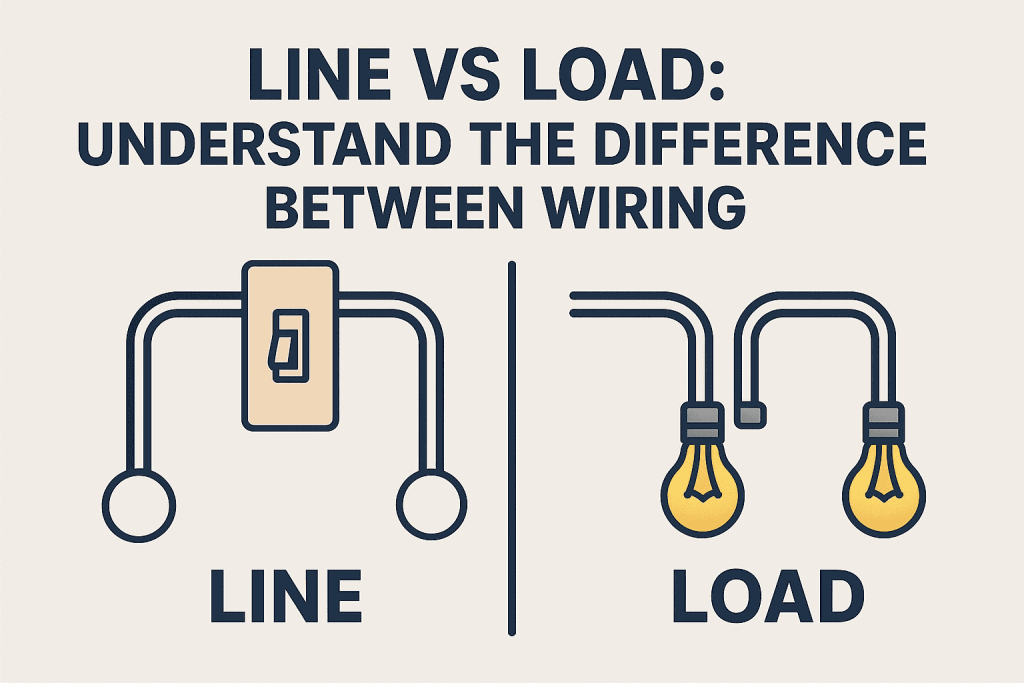
As our reliance on digital infrastructure grows, understanding the nuances of system load is no longer just a task for back-end engineers. It is a critical component of digital strategy. A system that cannot handle its load effectively leads to latency, crashes, and ultimately, a loss of user trust. This article explores the multifaceted nature of the load within the tech sector, examining how it is measured, how it impacts performance, and the modern strategies used to manage it in an era of unprecedented data demands.
Defining the Load: Beyond the Simple Definition
To the uninitiated, “load” might seem synonymous with “usage.” However, in the world of computer science and systems engineering, the distinction is vital. Load refers to the demand placed on resources, often measured by the number of tasks queued or being processed.
CPU Load vs. CPU Utilization
One of the most common points of confusion is the difference between CPU load and CPU utilization. Utilization refers to the percentage of time the processor is busy. If a CPU is at 100% utilization, it is working at full capacity. Load, however, tracks the number of processes that are either currently using the CPU or are waiting for their turn. On a Linux system, for example, a load average of 1.0 on a single-core machine means the CPU is perfectly utilized. A load of 2.0 means that for every task being handled, another is waiting. Understanding this “waiting room” effect is crucial for diagnosing why a system feels sluggish even if the hardware appears to be functioning.
Network Throughput and Latency
In the context of networking, the load is often defined by throughput—the amount of data successfully transferred from one point to another in a given timeframe. However, as the load increases, latency (the delay before a transfer of data begins) usually follows. High network load can lead to “packet loss,” where the infrastructure becomes so overwhelmed that it simply begins dropping data, necessitating expensive retries and further slowing the system.
The Concept of the “Payload”
While “load” often refers to the stress on the system, in software development and data transmission, the “payload” refers to the actual data being carried within a packet or an API request. The size and complexity of these payloads contribute directly to the overall system load. For instance, an API delivering a simple JSON string creates a significantly lower load than one delivering high-resolution video fragments or complex 3D rendering data.
The Mechanics of Modern Infrastructure Loads
As we move toward microservices and distributed computing, the nature of the load has shifted from localized stress to systemic pressure. Managing this requires a deep dive into how modern software interacts with hardware.
Understanding Requests-per-Second (RPS)
For web-based applications, the primary measure of load is often Requests-per-Second (RPS) or Queries-per-Second (QPS). This metric tracks how many times a user’s browser or a mobile app asks the server for information. A sudden spike in RPS—often referred to as a “bursty load”—can overwhelm a server’s memory and connection limits before the hardware even has a chance to scale up.
Concurrent Users vs. Active Connections
There is a significant difference between having a million registered users and having ten thousand concurrent users. The “load” is generated by concurrency. Each active connection requires a slice of the server’s RAM and a file descriptor. If the software is not designed for high concurrency (using asynchronous I/O, for example), the system load will skyrocket even if the actual computational tasks are relatively simple.
Database I/O and Bottlenecks
Often, the “load” that crashes a system isn’t on the web server at all, but on the database. Input/Output (I/O) wait times occur when the processor is ready to work but is waiting for the hard drive (SSD or HDD) to retrieve data. High database load is frequently the result of unoptimized queries or a lack of proper indexing, causing the system to “thrash” as it tries to manage too many simultaneous read/write operations.

Managing the Load: Strategies for Scalability
In the past, the solution to a high load was “vertical scaling”—buying a bigger, faster server. In the modern tech era, we favor “horizontal scaling” and sophisticated distribution techniques.
Vertical vs. Horizontal Scaling
Vertical scaling (scaling up) involves adding more power (CPU, RAM) to an existing machine. While simple, it has a hard ceiling. Horizontal scaling (scaling out) involves adding more machines to the pool. Modern cloud providers like AWS, Azure, and Google Cloud allow for “Auto-scaling,” where the infrastructure automatically adds or removes server instances based on the current load. This ensures that the system only uses (and pays for) the resources it needs.
Load Balancing Algorithms
A load balancer acts as a traffic cop, sitting in front of your servers and routing incoming requests to the instance best equipped to handle them. Several algorithms are used to manage this:
- Round Robin: Distributes requests sequentially across the server pool.
- Least Connections: Sends traffic to the server with the fewest active sessions.
- IP Hash: Uses the visitor’s IP address to determine which server receives the request, ensuring session persistence.
Edge Computing and Load Distribution
One of the most effective ways to manage load is to prevent it from ever reaching your central data center. Content Delivery Networks (CDNs) and Edge Computing push the “load” to the geographic perimeter of the internet. By caching static content (images, CSS, scripts) on servers closer to the user, the load on the origin server is drastically reduced, and the user experience is significantly improved through faster load times.
The Impact of AI and Machine Learning on System Load
The rise of Artificial Intelligence (AI) has introduced a new paradigm of computational load. Unlike traditional web traffic, AI workloads are incredibly resource-intensive and require specialized hardware.
Training Loads vs. Inference Loads
The “load” generated by AI is split into two phases. Training loads are massive, often requiring clusters of GPUs (Graphics Processing Units) or TPUs (Tensor Processing Units) to run at 100% capacity for weeks at a time. This is a sustained, heavy load. Inference loads occur when a user asks a model a question (like prompting a chatbot). While shorter in duration, inference requires immediate response times, meaning the system must be able to handle “spiky” loads across expensive, high-demand hardware.
GPU Resource Management
Traditional CPUs are great at multitasking, but GPUs are designed for parallel processing—doing many small tasks simultaneously. Managing the load in an AI-driven environment involves “sharding” models across multiple GPUs and ensuring that data pipelines are fast enough to keep the processors fed. If the data pipeline is slow, the GPU sits idle, creating an inefficient load profile that is extremely costly.
Future-Proofing for High-Load Environments
As we look toward the future, the ability to predict and react to load in real-time will be a competitive advantage. Companies are moving away from reactive monitoring toward proactive observability.
Observability and Real-Time Monitoring
Standard monitoring tells you that the load is high; observability tells you why. Using tools like Prometheus, Grafana, and Datadog, engineers can trace a single request across dozens of microservices to find the exact point where the load becomes unmanageable. This granular view allows for “surgical” optimizations—fixing a single slow function rather than throwing more hardware at the entire system.
Predictive Scaling with AI
The next frontier in managing the load is the use of AI to manage AI. Predictive scaling uses machine learning algorithms to analyze historical traffic patterns and predict future spikes. If a system knows that traffic always increases at 9:00 AM on Mondays, it can begin spinning up additional resources at 8:45 AM. This eliminates the “lag time” associated with traditional auto-scaling, ensuring that the user never experiences the negative effects of a high system load.

Conclusion
“The load” is the ultimate reality check for any technological endeavor. It is the bridge between theoretical software design and practical, real-world application. By understanding the mechanics of CPU cycles, network throughput, and database I/O, and by employing modern strategies like horizontal scaling and edge distribution, organizations can build resilient systems. In an era where a few seconds of latency can result in millions of dollars in lost revenue, mastering the load is not just a technical requirement—it is a business imperative. As technology continues to evolve, from the cloud to the edge and into the realm of AI, our methods for measuring and managing this load will remain the cornerstone of digital innovation.
aViewFromTheCave is a participant in the Amazon Services LLC Associates Program, an affiliate advertising program designed to provide a means for sites to earn advertising fees by advertising and linking to Amazon.com. Amazon, the Amazon logo, AmazonSupply, and the AmazonSupply logo are trademarks of Amazon.com, Inc. or its affiliates. As an Amazon Associate we earn affiliate commissions from qualifying purchases.