
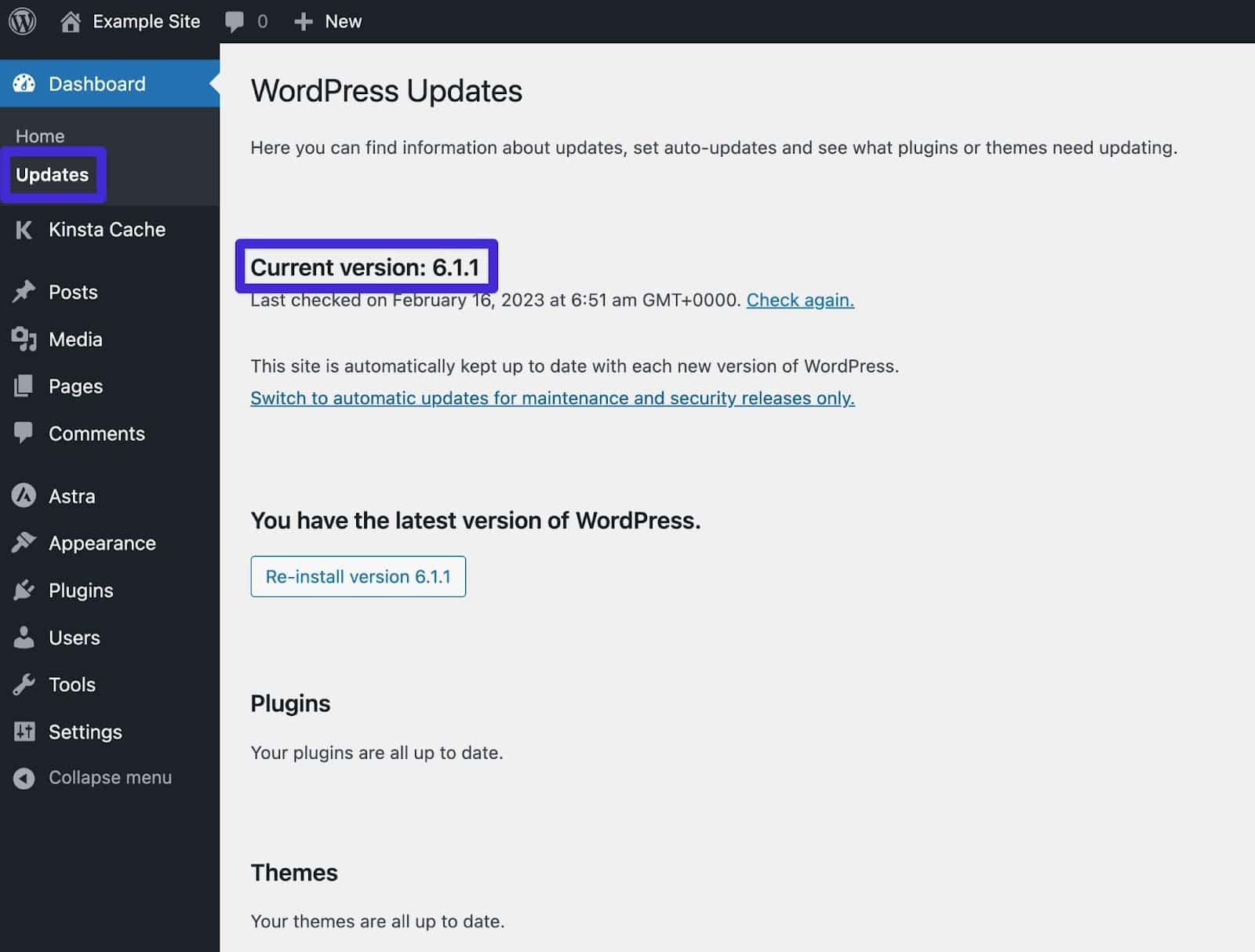
In the rapidly evolving landscape of web development, staying current with core software is not merely a matter of trend-following; it is a fundamental requirement for security, performance, and functionality. As of late 2024, the latest major stable release of WordPress is WordPress 6.6, code-named “Dorsey” in honor of the legendary big band leader Tommy Dorsey.
This version represents a significant milestone in the “Gutenberg” roadmap, specifically targeting the refinement of the Site Editor and the expansion of design possibilities for developers and creators alike. Understanding the nuances of this version, and the technical trajectory of the platform, is essential for anyone managing a digital presence on the world’s most popular content management system (CMS).
The State of WordPress 6.6: Core Features and Innovations
WordPress 6.6 arrived with a focus on “finesse,” aiming to polish the foundational changes introduced in versions 6.4 and 6.5. This release isn’t just a minor patch; it introduces structural changes to how WordPress handles design consistency and data management.
Enhanced Site Editing and Data Views
One of the most visible changes in the latest version is the overhaul of the Site Editor. WordPress has moved beyond simple page building into a comprehensive design ecosystem. The introduction of “Data Views” allows users to manage pages, patterns, and templates with a much more intuitive interface. This technical shift makes it easier to perform bulk actions and filter content, which is a massive productivity boost for developers managing large-scale sites.
Section Styles and Design Extensibility
For designers and front-end developers, the latest version introduces “Section Styles.” Previously, applying a specific color palette or typography set to a single section of a page required custom CSS or complex block nesting. In the current version, users can define style variations for specific sections within a theme’s theme.json file. This allows for a more modular approach to web design, where individual components can be restyled without affecting the global site architecture.
Synced Pattern Overrides
A long-awaited technical feature in version 6.6 is the ability to create “Synced Pattern Overrides.” Historically, if you synced a pattern across multiple pages, changing the content in one would change it in all. With the latest update, the layout and design remains synced, but the actual content (text or images) can be unique to each instance. This bridges the gap between rigid templates and complete creative freedom.
Technical Architecture: Under the Hood of the Latest Release
Beyond the visual interface, the latest version of WordPress brings sophisticated technical improvements that enhance how the software interacts with the server and the browser.
The Interactivity API
First introduced in 6.5 and refined in 6.6, the Interactivity API is a standardized framework that allows developers to add front-end interactions (like “like” buttons, live search, or instant page transitions) without requiring a full page reload. This moves WordPress closer to the performance profile of Modern Javascript frameworks like React or Vue, while maintaining the accessibility and SEO benefits of a server-side rendered CMS.
Block Bindings API Expansion
The Block Bindings API is perhaps the most significant technical “under-the-hood” feature of the current era. It allows developers to connect block attributes to dynamic data sources, such as custom fields or metadata, without writing extensive PHP code. In the latest version, this API has become more robust, allowing for more seamless integration between the database and the editor interface.
Performance Benchmarks and Core Web Vitals
Performance is a core pillar of the latest WordPress releases. Version 6.6 includes optimizations that reduce server-side execution time and improve “Largest Contentful Paint” (LCP) scores. By optimizing how block templates are loaded and reducing the overhead of the theme engine, the latest version ensures that sites load faster out of the box, which is a critical factor for both user experience and search engine rankings.
Security and Maintenance: The Criticality of Staying Updated

In the tech world, running outdated software is the equivalent of leaving your front door unlocked. Each new version of WordPress addresses specific security vulnerabilities and technical debt that could otherwise be exploited.
Vulnerability Mitigation
The latest version of WordPress includes patches for several low-to-medium-level security risks identified in previous iterations. By maintaining an active update cycle, the WordPress security team ensures that the core software is resilient against SQL injections, cross-site scripting (XSS), and other common web-based attacks. Utilizing the latest version means you are benefiting from the collective intelligence of thousands of security researchers worldwide.
Compatibility with Modern PHP
WordPress 6.6 continues to refine its compatibility with PHP 8.1, 8.2, and 8.3. As older versions of PHP (like 7.4) have reached their “End of Life” (EOL), they no longer receive security updates. The latest WordPress version is designed to leverage the performance gains and security features of modern PHP versions. This technical alignment ensures that the entire stack—from the server level to the application level—is optimized and secure.
Automatic Background Updates
A key feature of the modern WordPress era is the ability to enable automatic updates for minor releases. While major releases (like moving from 6.5 to 6.6) often require manual oversight to ensure theme and plugin compatibility, the latest version has improved the “rollback” mechanism. If an update fails or causes a site error, the system is better equipped to revert to the previous stable state, minimizing downtime.
The Future Roadmap: What’s Next After Version 6.6?
WordPress is currently in Phase 3 of its four-phase development roadmap. This phase is titled “Collaboration,” and it aims to bring real-time co-editing and workflow improvements to the platform.
Phase 3: Real-Time Collaboration
The technical foundation for real-time collaboration is being laid in the current versions. Much like Google Docs, future versions of WordPress will allow multiple users to edit the same post or page simultaneously, with visible cursors and live updates. This requires a massive shift in how the database handles “autosave” and “locking” mechanisms, and the latest releases are the stepping stones toward this reality.
The Evolution of the Admin Interface
There is an ongoing project to redesign the entire WordPress Administrative dashboard. The “latest” version is just the beginning of a move toward a more “app-like” experience. We are seeing a gradual transition where the classic PHP-driven admin screens are being replaced by React-driven interfaces that are faster, more responsive, and more customizable for power users.
Improving the Developer Experience (DevEx)
The WordPress core team is increasingly focused on the “Developer Experience.” This includes better documentation, more robust CLI (Command Line Interface) tools, and standardized patterns for block development. The goal is to reduce the barrier to entry for modern software engineers while maintaining the “low-code” appeal that made WordPress famous.
Best Practices for Managing the Update Lifecycle
Updating to the latest version of WordPress should be a methodical process, especially for mission-critical enterprise sites.
Utilizing Staging Environments
Before applying the latest version to a live site, it is a technical best practice to test the update in a staging environment. This is a clone of your website where you can verify that the new WordPress core plays nicely with your existing plugins and custom theme code.
Managing Plugin and Theme Compatibility
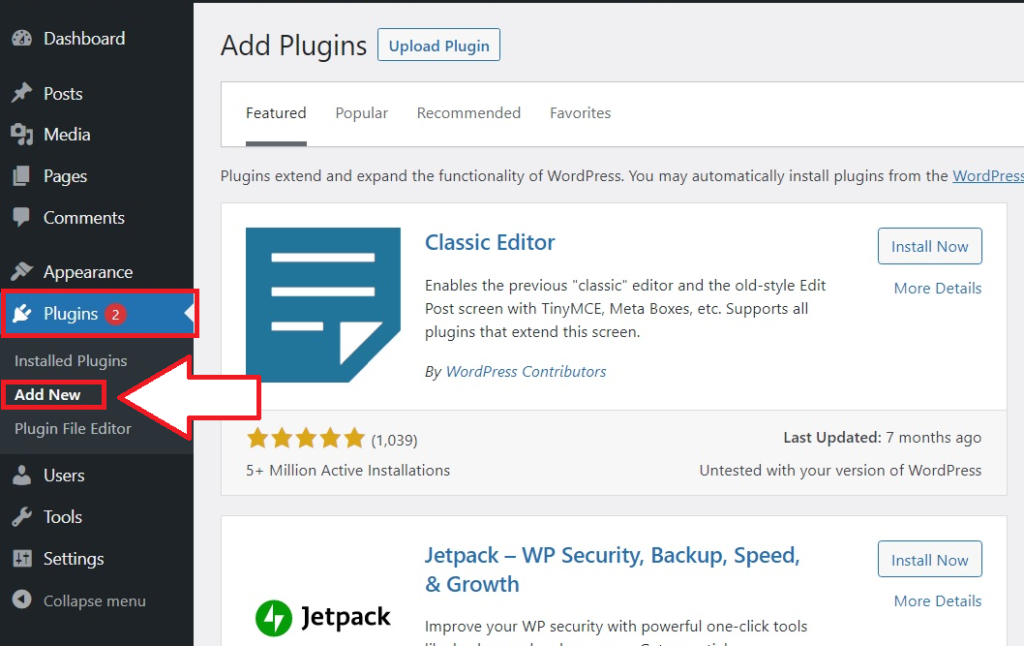
While WordPress core is exceptionally stable, third-party plugins and themes may lag behind in compatibility. Before hitting the “Update” button, check the changelogs of your most critical tools. The latest version of WordPress often deprecates old functions; ensuring your tech stack is modernized is vital to avoiding the “White Screen of Death.”
The Importance of Backups
Regardless of how stable the latest version of WordPress is, a robust backup strategy is the ultimate safety net. Before any major core update, ensure you have a full file and database backup stored in an off-site location. Tools like WP-CLI or automated hosting backups make this process seamless and provide peace of mind during the transition to the latest software.
In conclusion, the latest version of WordPress—6.6 “Dorsey”—is a testament to the platform’s ability to reinvent itself. It balances the need for high-end technical features like the Interactivity API with the user-centric demand for easier design tools like Section Styles. By staying informed about these updates and following technical best practices for implementation, developers and site owners can ensure their digital assets remain fast, secure, and at the cutting edge of web technology.
aViewFromTheCave is a participant in the Amazon Services LLC Associates Program, an affiliate advertising program designed to provide a means for sites to earn advertising fees by advertising and linking to Amazon.com. Amazon, the Amazon logo, AmazonSupply, and the AmazonSupply logo are trademarks of Amazon.com, Inc. or its affiliates. As an Amazon Associate we earn affiliate commissions from qualifying purchases.