
In the landscape of modern digital technology, the HDMI cord stands as an unsung hero, quietly facilitating the dazzling visuals and immersive audio that define our daily entertainment and professional interactions. While often overlooked as a simple cable, its role is profound, acting as the primary conduit for high-definition digital signals between a vast array of devices. Understanding “what is the HDMI cord for” is to grasp a fundamental pillar of contemporary connectivity, enabling everything from cinematic home theater experiences to crystal-clear presentations and responsive gaming.
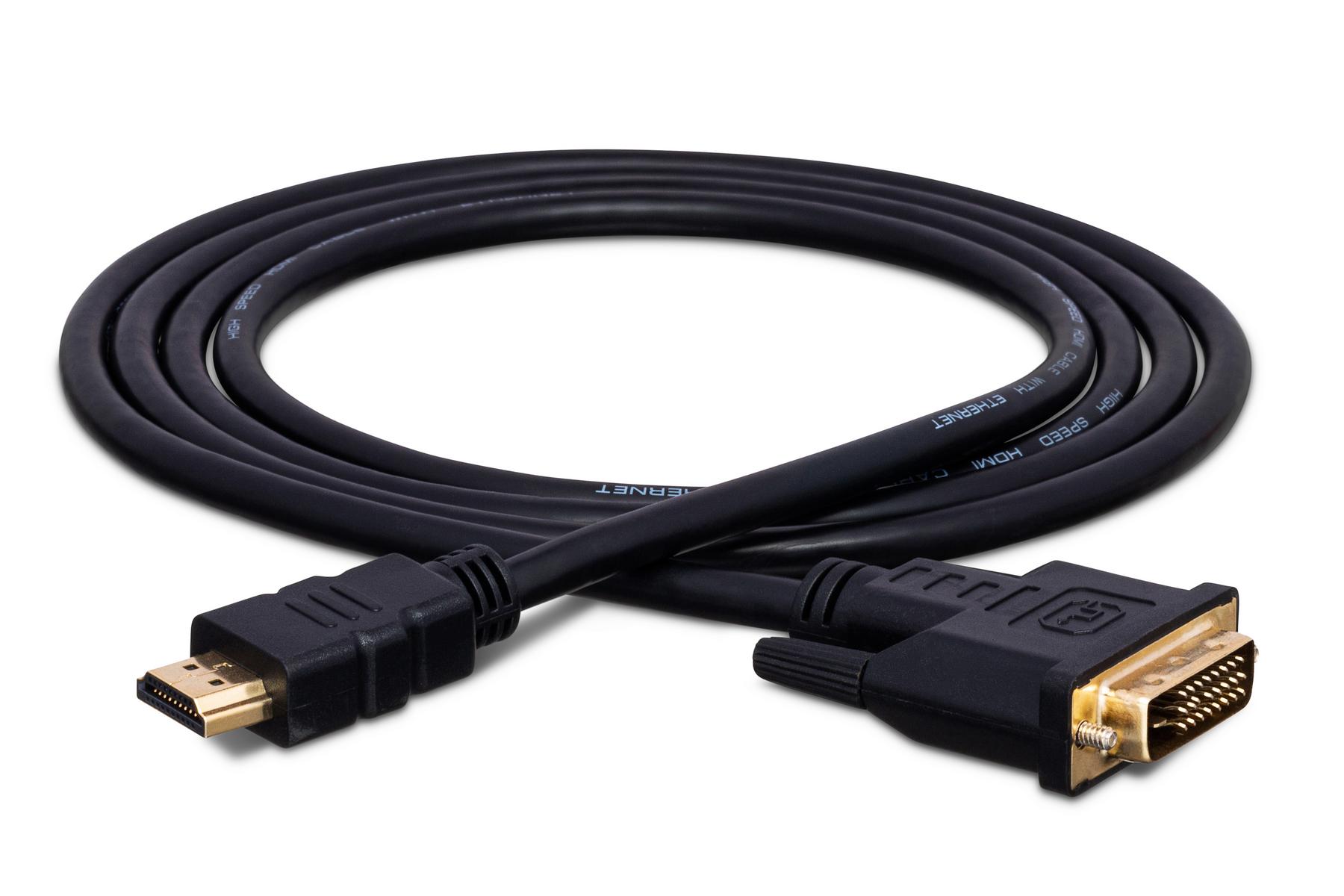
At its core, HDMI, or High-Definition Multimedia Interface, is a proprietary audio/video interface that transmits uncompressed video data and compressed or uncompressed digital audio data from an HDMI-compliant source device to a compatible computer monitor, video projector, digital television, or digital audio device. It was conceived as a digital replacement for analog video standards like VGA and S-Video, consolidating multiple cables into a single, streamlined connection capable of far superior performance.

The Evolution of Digital Connectivity: Understanding HDMI’s Core Purpose
Before HDMI, connecting devices like VCRs, DVD players, and gaming consoles to televisions often involved a spaghetti-like tangle of RCA (red, white, yellow) cables, S-Video cables, or component video cables, each carrying a different type of signal and often compromising on quality. The advent of digital displays and high-definition content demanded a more robust, integrated solution.
From Analog to Digital: The Paradigm Shift
The transition from analog to digital signals marked a pivotal moment in consumer electronics. Analog signals, susceptible to noise and degradation over distance, often resulted in fuzzy images and distorted sound. Digital signals, on the other hand, transmit information as discrete binary code (ones and zeros), making them far more resilient to interference and capable of delivering pristine quality. HDMI was designed from the ground up to capitalize on this digital advantage, ensuring that the video and audio content you see and hear is as close to the original source as possible.
HDMI’s Fundamental Role: Consolidating Signals
One of HDMI’s most significant innovations was its ability to transmit both high-definition video and multi-channel audio through a single cable. Previously, you might need one cable for video and two for stereo audio, or even more for surround sound. HDMI simplified this dramatically, reducing clutter and making setup far more intuitive. This consolidation also allowed for better synchronization between audio and video, eliminating frustrating lip-sync issues that plagued earlier multi-cable setups.
Key Benefits: Simplicity, Quality, and Control
The overarching benefits of HDMI are threefold: simplicity, quality, and control. Simplicity comes from its single-cable solution and plug-and-play nature. Quality is derived from its digital transmission, supporting resolutions from 720p to 4K, 8K, and beyond, alongside uncompressed audio formats. Control is achieved through features like Consumer Electronics Control (CEC), which allows devices connected via HDMI to communicate and operate each other. These benefits collectively transformed how we interact with our digital media.
Unpacking HDMI’s Capabilities: Beyond Basic Video and Audio
While its core function is to carry video and audio, modern HDMI standards have evolved significantly, embedding a host of advanced features that enhance user experience, support higher resolutions, and facilitate more complex digital ecosystems.
High-Definition Video Transmission: Pixels and Resolutions
HDMI’s primary claim to fame is its ability to transmit high-definition video. Early versions supported 1080p (Full HD), which became the standard for Blu-ray players and HD televisions. As technology progressed, so did HDMI. Current iterations, such as HDMI 2.0 and 2.1, are designed to handle 4K Ultra HD (3840×2160 pixels) at high refresh rates, and even 8K Ultra HD (7680×4320 pixels) and 10K resolutions, complete with support for High Dynamic Range (HDR). HDR significantly expands the range of both contrast and color, resulting in a more vibrant and lifelike image. This capability is crucial for everything from enjoying the latest blockbuster movies to experiencing cutting-edge video games with stunning fidelity.
Immersive Audio Delivery: Soundscapes and Surround
Beyond stunning visuals, HDMI is a powerhouse for audio. It supports a wide array of audio formats, including multi-channel surround sound formats like Dolby Digital, DTS, and even uncompressed, lossless formats like Dolby TrueHD and DTS-HD Master Audio. This means that a single HDMI cable can deliver the full, rich soundscape of a cinema directly to your home theater system, complete with discrete channels for front, center, surround, and subwoofer speakers. The Audio Return Channel (ARC) and enhanced Audio Return Channel (eARC) further simplify audio setups by allowing sound to be sent from the TV back to an AV receiver or soundbar using the same HDMI cable used to send video to the TV, eliminating the need for a separate optical audio cable.
Advanced Features: CEC, ARC, and Ethernet
HDMI’s intelligence extends beyond just carrying signals.
-
Consumer Electronics Control (CEC): This feature allows HDMI-connected devices to communicate with each other. For example, turning on your TV might automatically power on your Blu-ray player and switch the TV to the correct input. Each manufacturer has its own name for CEC (e.g., Samsung’s Anynet+, Sony’s Bravia Sync, LG’s SimpLink), but the underlying functionality is the same.
-
Audio Return Channel (ARC) and eARC: As mentioned, ARC simplifies audio routing. eARC, introduced with HDMI 2.1, significantly upgrades this capability, allowing for the transmission of higher bandwidth audio, including object-based surround sound formats like Dolby Atmos and DTS:X, which require more data.
-
HDMI Ethernet Channel (HEC): Some HDMI cables (specifically those designated “High Speed with Ethernet” or “Standard Speed with Ethernet”) include a dedicated data channel that allows connected devices to share an internet connection without needing separate Ethernet cables. While less commonly used in modern setups with widespread Wi-Fi, it was an innovative feature for its time.
Real-World Applications: Where and How HDMI Elevates Your Experience
The ubiquity of HDMI is a testament to its versatility. It’s the silent workhorse behind countless digital experiences, seamlessly connecting our devices and enriching our interaction with technology.
Home Entertainment Systems: The Heart of Your Media
This is arguably where HDMI shines brightest. Every modern television, soundbar, AV receiver, Blu-ray player, streaming device (like Apple TV, Roku, Fire TV Stick), and game console relies on HDMI. It’s the artery that carries 4K movies with HDR, high-fidelity audio, and interactive menus, transforming your living room into a private cinema. Connecting an HDMI cable from your streaming box to your TV, and another from your TV’s eARC port to your soundbar, creates a powerful, integrated media hub.
Gaming Consoles: Unlocking Visual Fidelity and Responsiveness
For gamers, HDMI is critical. The latest consoles, such as the PlayStation 5 and Xbox Series X, leverage HDMI 2.1 to deliver stunning 4K visuals at 120 frames per second, alongside features like Variable Refresh Rate (VRR) and Auto Low Latency Mode (ALLM). VRR eliminates screen tearing and stuttering for smoother gameplay, while ALLM automatically puts your display into its lowest latency mode, ensuring responsiveness in fast-paced games. Without HDMI, these high-end gaming experiences would simply not be possible.

Computer Displays: Bridging Work and Play
While DisplayPort is also common in PC monitors, HDMI remains a prevalent choice for connecting desktop PCs, laptops, and even some tablets to external monitors, projectors, and docking stations. It’s ideal for extending your workspace, delivering presentations, or connecting to a larger screen for media consumption. Many modern graphics cards include multiple HDMI ports, reflecting its continued importance in the computing world.
Professional Setups: Presentations and Digital Signage
Beyond home use, HDMI is a staple in professional environments. From conference rooms where laptops connect to projectors or large displays, to retail stores utilizing digital signage, HDMI provides a reliable and high-quality connection for visual communication. Its simplicity and widespread adoption make it an easy choice for integration into various commercial and educational settings.
Navigating the HDMI Ecosystem: Types, Versions, and Compatibility
The world of HDMI can seem complex, with various versions and cable types. However, understanding a few key distinctions can help you make informed choices and ensure compatibility.
Understanding HDMI Versions: From 1.0 to 2.1 and Beyond
HDMI has undergone several revisions, each introducing new features and increased bandwidth.
-
HDMI 1.0 – 1.4: Early versions introduced the core functionality, supporting up to 1080p and basic surround sound. HDMI 1.4 notably added support for 4K resolutions (though at lower refresh rates like 30Hz), 3D content, and the first iteration of ARC and HEC.
-
HDMI 2.0 (and 2.0a/b): This revision significantly boosted bandwidth, allowing for 4K video at 60Hz and support for HDR. It became the standard for modern 4K TVs and devices.
-
HDMI 2.1: The latest major iteration, HDMI 2.1, offers a massive increase in bandwidth (up to 48 Gbps). This enables support for 4K at 120Hz, 8K at 60Hz, and even 10K, along with dynamic HDR, eARC, VRR, and ALLM. These features are crucial for next-generation gaming and ultra-high-resolution displays.
It’s important to remember that for most features of a specific HDMI version to work, both the source device, the display device, and the cable itself must support that version.
Connector Types: Standard, Mini, and Micro HDMI
While the standard Type A connector is the most common (the rectangular one found on TVs, game consoles, etc.), HDMI also comes in smaller forms:
-
Type C (Mini-HDMI): A smaller version often found on DSLR cameras, older camcorders, and some tablets.
-
Type D (Micro-HDMI): The smallest version, commonly used on smartphones, action cameras, and very compact devices where space is a premium.
Adapters are readily available to convert between these types.
Cable Quality and Length: Choosing the Right Connection
Not all HDMI cables are created equal, especially when dealing with higher resolutions and longer distances.
-
Standard HDMI Cable: Suitable for older resolutions (up to 1080i/720p).
-
High-Speed HDMI Cable: Supports 1080p, 4K at 30Hz, 3D, and Deep Color.
-
High-Speed HDMI Cable with Ethernet: Adds the Ethernet channel.
-
Premium High-Speed HDMI Cable: Certified to deliver reliable performance for 4K HDR content at 18Gbps (HDMI 2.0 features). Look for the “Premium HDMI Cable Certification Program” label.
-
Ultra High-Speed HDMI Cable: Certified for HDMI 2.1 features, including 8K/60Hz, 4K/120Hz, and 48Gbps bandwidth. Look for the “Ultra High-Speed HDMI Cable Certification Program” label.
For longer runs (typically over 15-20 feet), active HDMI cables (which have built-in signal boosters) or fiber optic HDMI cables are recommended to prevent signal degradation. Using an uncertified or low-quality cable with high-bandwidth content can lead to flickering, signal drops, or a lack of certain features.
Common Troubleshooting Tips
If you encounter issues, here are a few basic troubleshooting steps:
-
Check Connections: Ensure all HDMI cables are securely plugged into the correct ports on both devices.
-
Cycle Power: Turn off and unplug both devices, wait a minute, then plug them back in and power them on.
-
Try Different Ports/Cables: Test with a different HDMI port on your TV/monitor and, if possible, a different HDMI cable.
-
Verify Input Source: Make sure your TV or monitor is set to the correct HDMI input.
-
Check Device Settings: Confirm that the source device’s video and audio output settings are correctly configured (e.g., resolution, HDR, audio format).
Looking Ahead: The Future of HDMI and Digital Interconnectivity
The digital landscape is constantly evolving, but HDMI continues to adapt, ensuring its relevance in a world of ever-higher resolutions and more complex media demands.
HDMI 2.1 and Its Impact: Gaming, 8K, and Dynamic HDR
HDMI 2.1 represents a significant leap forward, primarily driven by the demands of next-generation gaming and the burgeoning 8K ecosystem. Its increased bandwidth and advanced features like VRR and ALLM are essential for competitive gaming, providing a smoother, more responsive, and visually stunning experience. Dynamic HDR, which optimizes HDR performance scene-by-scene, further enhances visual fidelity, making every frame pop with incredible detail and color accuracy. As 8K content and displays become more prevalent, HDMI 2.1 will be the indispensable link.
Emerging Alternatives: DisplayPort, USB-C, and Wireless Solutions
While HDMI dominates the consumer electronics space, other connectivity options exist.
-
DisplayPort: Commonly found on computers and professional monitors, DisplayPort offers similar performance to HDMI and is often preferred in multi-monitor PC setups. It also supports daisy-chaining multiple monitors from a single port.
-
USB-C (with DisplayPort Alternate Mode or Thunderbolt): USB-C is becoming a universal connector, capable of carrying video (via DisplayPort Alt Mode), power, and data through a single cable. Thunderbolt, built on the USB-C form factor, takes this further with even higher bandwidth. This is particularly popular with laptops and docking stations.
-
Wireless Solutions: Technologies like Wi-Fi Direct, Miracast, Chromecast, and Apple AirPlay allow for wireless streaming of audio and video, reducing cable clutter. While convenient, they often have limitations in bandwidth, latency, and quality compared to a direct HDMI connection, especially for high-resolution or high-refresh-rate content.
The Continued Relevance of HDMI in a Connected World
Despite the emergence of alternatives, HDMI’s established presence, ease of use, and robust performance ensure its continued relevance. Its widespread adoption across televisions, projectors, game consoles, and media players solidifies its position as the standard for consumer high-definition audio and video transmission. As technology advances, HDMI will undoubtedly continue to evolve, adapting to new demands and remaining a crucial component in our increasingly connected and visually rich digital lives.
aViewFromTheCave is a participant in the Amazon Services LLC Associates Program, an affiliate advertising program designed to provide a means for sites to earn advertising fees by advertising and linking to Amazon.com. Amazon, the Amazon logo, AmazonSupply, and the AmazonSupply logo are trademarks of Amazon.com, Inc. or its affiliates. As an Amazon Associate we earn affiliate commissions from qualifying purchases.