
In the landscape of network administration and remote system management, the protocols we use serve as the invisible bridges connecting local machines to remote servers. For decades, two names have dominated the conversation regarding terminal access: Telnet and SSH (Secure Shell). While Telnet was the pioneering force that allowed users to interact with remote computers across a network, the evolution of digital threats has rendered it a relic of a less hostile era. Today, SSH is not merely an alternative; it is a fundamental requirement for any secure infrastructure.

Choosing between SSH and Telnet is not a matter of preference or “legacy support”—it is a choice between robust digital security and total vulnerability. As we navigate an era of persistent cyber threats, understanding the structural and functional advantages of SSH over Telnet is essential for any IT professional, developer, or security enthusiast.
1. The Critical Difference: Encryption vs. Plaintext Communication
The most significant and non-negotiable advantage of SSH over Telnet lies in how the protocols handle data during transmission. To understand the gravity of this difference, one must look at how data travels across the wires (or wireless signals) of a network.
The Vulnerability of Telnet’s Plaintext
Telnet was designed in 1969, a time when the “Arpanet” was a closed community of trusted academic and government researchers. Security was not a primary design concern. Consequently, Telnet transmits all data—including usernames, passwords, and command outputs—in plaintext.
If an attacker sits on the same network or any point between the client and the server, they can use a “packet sniffer” (like Wireshark) to capture the traffic. Within seconds, they can see the administrative password in clear, readable text. This makes Telnet an open invitation for Man-in-the-Middle (MITM) attacks and credential harvesting.
How SSH Implements Robust Encryption
SSH, released in 1995 specifically to address Telnet’s flaws, treats every piece of data as a secret. It utilizes a sophisticated suite of cryptographic algorithms to ensure that even if a third party intercepts the packets, the content remains indecipherable.
SSH uses a process called the “SSH Handshake” to establish a secure connection. This involves:
- Symmetric Encryption: Used to encrypt the entire communication session so that data remains private.
- Asymmetric Encryption: Used during the initial connection to exchange the secret keys required for symmetric encryption and to verify the identity of the server.
- Data Integrity: SSH uses Message Authentication Codes (MACs) to ensure that the data sent from one end arrives at the other without being tampered with or altered in transit.
2. Advanced Authentication and Identity Verification
Security is not just about keeping data hidden; it is about ensuring that the people connecting to your systems are who they say they are, and that the server you are connecting to is legitimate.
Moving Beyond Simple Passwords
Telnet relies almost exclusively on password-based authentication. In the modern world, passwords are the weakest link in the security chain. They are susceptible to brute-force attacks, dictionary attacks, and, as mentioned, simple sniffing.
SSH introduces a significantly more secure method: Public Key Authentication. Instead of a password, a user generates a pair of cryptographic keys—a private key (kept secret on the local machine) and a public key (uploaded to the server).
- The server sends a “challenge” to the client.
- The client uses its private key to sign the challenge.
- The server uses the public key to verify the signature.
This method is virtually impossible to brute-force and eliminates the need for users to remember complex passwords or risk them being intercepted.
Server Identity and Host Verification
One common trick used by hackers is to “spoof” a server, pretending to be the destination the user is trying to reach. Telnet has no mechanism to verify the identity of the server. You connect to an IP address and hope for the best.
SSH, conversely, uses “Host Keys.” The first time you connect to a server, SSH saves the server’s public key fingerprint. If that key ever changes (which could indicate a redirection to a malicious server), SSH will issue a loud, prominent warning and block the connection until the user manually verifies the change. This prevents users from inadvertently handing over credentials to a fraudulent machine.
3. Functional Superiority and the “Swiss Army Knife” of Networking
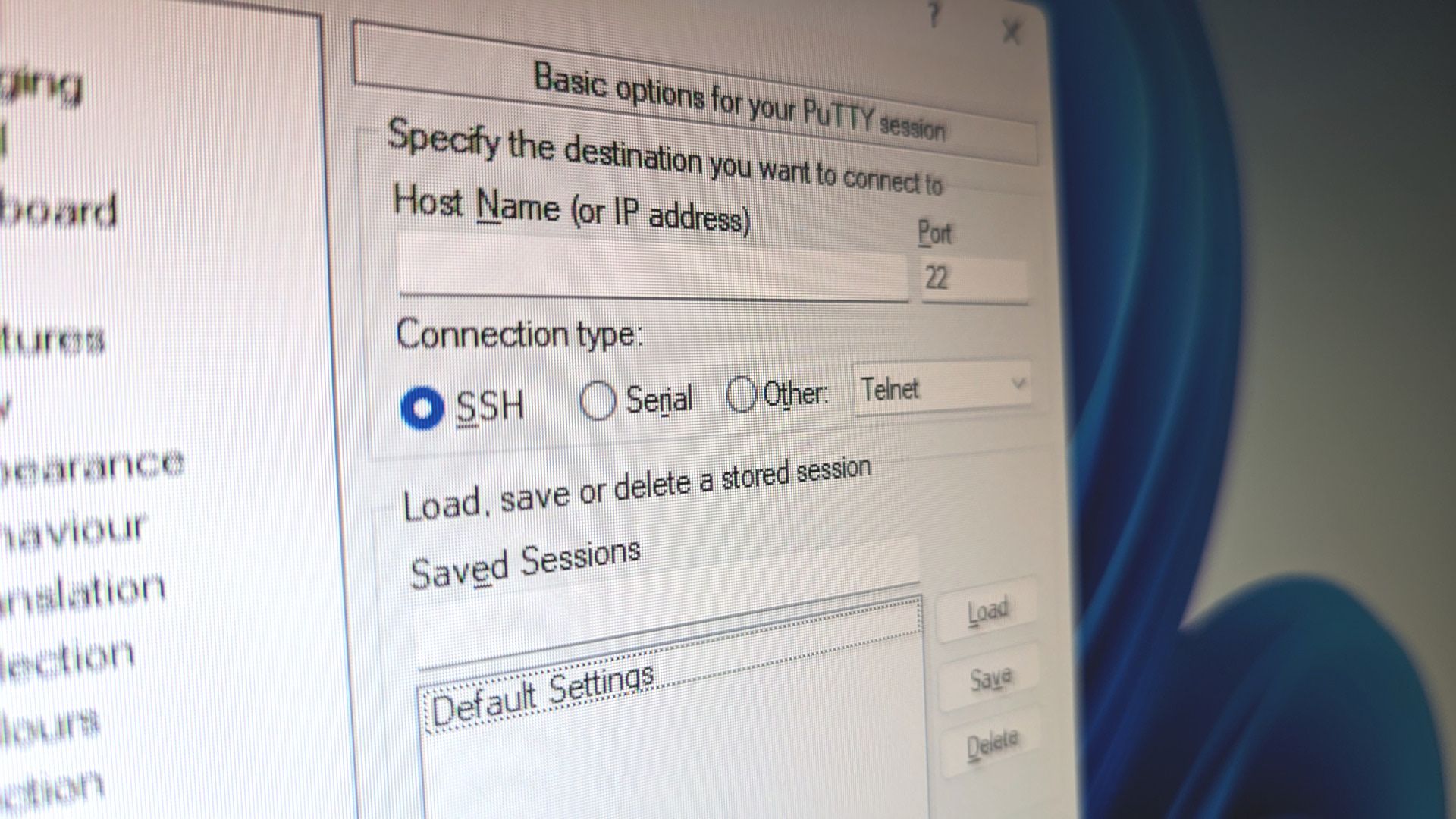
While Telnet is strictly a terminal emulation protocol, SSH is a multi-functional transport layer that can carry almost any type of data securely. Its versatility makes it the “Swiss Army Knife” for system administrators.
SSH Tunneling and Port Forwarding
One of the most powerful features of SSH is its ability to create “tunnels.” Through a process called port forwarding, SSH can take unencrypted traffic from another application (like a local database or a web server) and wrap it inside the encrypted SSH session.
For example, if you need to access a database that doesn’t have its own encryption, you can “tunnel” that database traffic through SSH. The data travels securely over the internet and is decrypted only once it reaches the destination server. This allows for secure remote work without needing a full-scale VPN.
Secure File Transfer (SFTP and SCP)
Telnet provides no native way to transfer files. Historically, users had to use FTP (File Transfer Protocol) alongside Telnet. However, standard FTP is just as insecure as Telnet, sending files and passwords in plaintext.
SSH solves this by providing SFTP (SSH File Transfer Protocol) and SCP (Secure Copy). These protocols run entirely over the SSH connection, meaning every file you upload or download is protected by the same high-level encryption as your terminal commands. It consolidates management tasks into a single secure port (usually port 22), simplifying firewall configurations.
4. Compliance, Auditing, and Modern Infrastructure Demands
In the current regulatory climate, the use of Telnet is often considered a violation of industry standards. As businesses move toward cloud-based environments and distributed teams, the architectural benefits of SSH become even more apparent.
Meeting Regulatory Standards (GDPR, PCI-DSS, HIPAA)
For businesses handling sensitive data—be it credit card information, medical records, or personal user data—security protocols are a legal requirement. Most compliance frameworks (such as PCI-DSS for payments or HIPAA for healthcare) explicitly forbid the transmission of sensitive data over unencrypted channels.
Using Telnet to manage servers that store such data could lead to heavy fines and the loss of operating licenses. SSH provides the encryption and access control logs necessary to satisfy auditors and prove that the organization is taking “reasonable measures” to protect data.
Automation and DevOps Integration
Modern IT infrastructure relies heavily on automation. Tools like Ansible, Chef, and Puppet use SSH as their primary transport mechanism to push configurations to thousands of servers simultaneously.
Because SSH supports key-based authentication, these automation scripts can log in securely without human intervention and without storing hardcoded passwords in scripts. Telnet’s reliance on interactive password prompts makes it nearly impossible to integrate into a modern, automated CI/CD (Continuous Integration/Continuous Deployment) pipeline.
5. Efficiency and Resource Management
While security is the primary driver, SSH also offers several technical efficiencies over Telnet that improve the user experience and reduce network overhead.
Data Compression
SSH includes built-in support for data compression (using the Zlib algorithm). For users working on low-bandwidth connections or managing servers across vast geographical distances, enabling compression can significantly speed up the responsiveness of the terminal and the speed of file transfers. Telnet, by contrast, sends every character as it is typed, with no ability to optimize the data stream.
Multi-Channeling
SSH can handle multiple “channels” over a single TCP connection. This means you can have a terminal session open, a file transfer running in the background, and a port-forwarded database connection all sharing the same secure handshake. This reduces the overhead on the server, as it only needs to maintain one encrypted connection rather than multiple separate ones.

Conclusion: The Final Verdict on SSH vs. Telnet
In the evolution of the internet, Telnet represents a simpler, more trusting time. However, in the modern digital landscape, where automated bots scan every public IP address for vulnerabilities within minutes of them going live, Telnet is a liability that no organization can afford.
The advantages of SSH are overwhelming. From the foundational necessity of end-to-end encryption to the sophisticated utility of port forwarding and public key authentication, SSH is the cornerstone of secure remote management. It protects the integrity of the data, the identity of the users, and the stability of the entire network infrastructure.
For any tech-forward organization or individual, the mandate is clear: disable Telnet, close port 23, and embrace the robust, multi-faceted security of SSH. In the world of digital security, there is no substitute for a protocol that was built with the assumption that the network is always watching.
aViewFromTheCave is a participant in the Amazon Services LLC Associates Program, an affiliate advertising program designed to provide a means for sites to earn advertising fees by advertising and linking to Amazon.com. Amazon, the Amazon logo, AmazonSupply, and the AmazonSupply logo are trademarks of Amazon.com, Inc. or its affiliates. As an Amazon Associate we earn affiliate commissions from qualifying purchases.