
In the rapidly evolving landscape of mobile technology, the term “separate apps” has transitioned from a generic description to a specific set of technical features designed to enhance user experience, privacy, and multitasking capabilities. Whether you are managing professional and personal lives on a single device or looking to route audio through different outputs simultaneously, the concept of app separation represents a significant leap in how operating systems manage software resources.
The drive toward separation is fueled by the need for greater control. As smartphones have become our primary computing devices, the “one-size-fits-all” approach to app management is no longer sufficient. Today, “separate apps” generally refers to three distinct technological implementations: Separate App Sound, App Cloning (Dual Apps), and Sandboxed Work Profiles. Understanding these nuances is essential for any power user looking to optimize their digital workflow.
The Mechanics of Separate App Sound: Redefining Multi-Stream Audio
One of the most popular interpretations of “separate apps” in the modern tech ecosystem is the “Separate App Sound” feature, pioneered largely by Samsung within its One UI ecosystem and subsequently adopted in various forms by other Android manufacturers. This feature allows users to designate a specific application to play audio through a separate device—usually a Bluetooth speaker or headphones—while all other system sounds continue to play through the phone’s internal speakers.
How Logic-Based Audio Routing Works
Traditionally, mobile operating systems treat audio as a single stream. If you are playing music and a notification arrives, the music dips in volume (ducking) or is interrupted. If you are connected to a Bluetooth speaker, every sound your phone makes is broadcast to that speaker. Separate App Sound breaks this linear logic.
By utilizing a secondary audio path in the Android framework, the system can isolate the media output of a specific package (e.g., Spotify or YouTube). The OS creates a virtual audio bridge that bypasses the primary system mixer, sending that specific data packet directly to the selected output device.
Practical Use Cases for Audio Separation
The utility of this technology becomes apparent in social and professional settings. Imagine hosting a gathering where your phone is providing the background music via a Bluetooth speaker. Without app separation, every private text notification, phone call, or social media video you scroll through would be broadcast to the entire room.
By enabling separate apps for audio, you can lock your music streaming service to the Bluetooth speaker while maintaining the privacy of your other applications on the handset. It allows for a seamless multitasking experience where the “utility” of the phone remains personal, while the “media” aspect becomes public.
App Sandboxing and Security: Creating Digital Barriers
Beyond audio, “separate apps” refers to the fundamental security architecture known as sandboxing. In modern operating systems like iOS and Android, every application is technically a “separate” entity that exists within its own restricted environment. This is the cornerstone of digital security.
The Principles of Isolation
A sandbox is a security mechanism for separating running programs. It ensures that App A cannot access the data of App B without explicit permission. When we talk about separate apps in a security context, we are referring to the walling off of system resources. Each app is assigned a unique User ID (UID) by the kernel. Because each app has its own UID, it cannot see or interact with the files of another app.
This separation prevents a malicious app from “scraping” your banking details from a browser or accessing your private photos without your consent. It is the reason why apps must ask for permissions to access your contacts, camera, or location.
Virtualization and Containerization
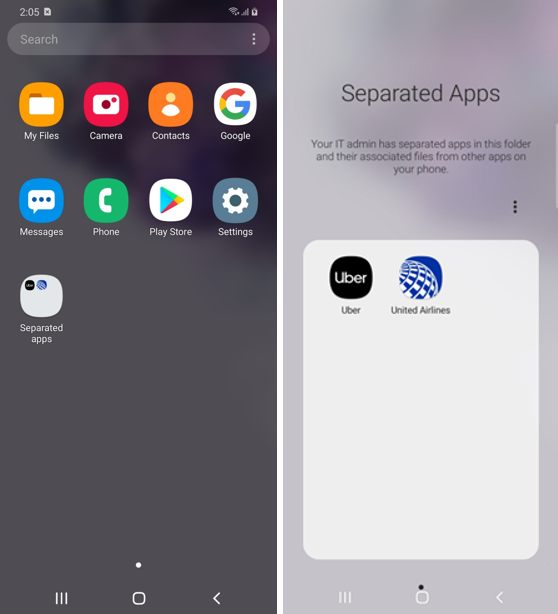
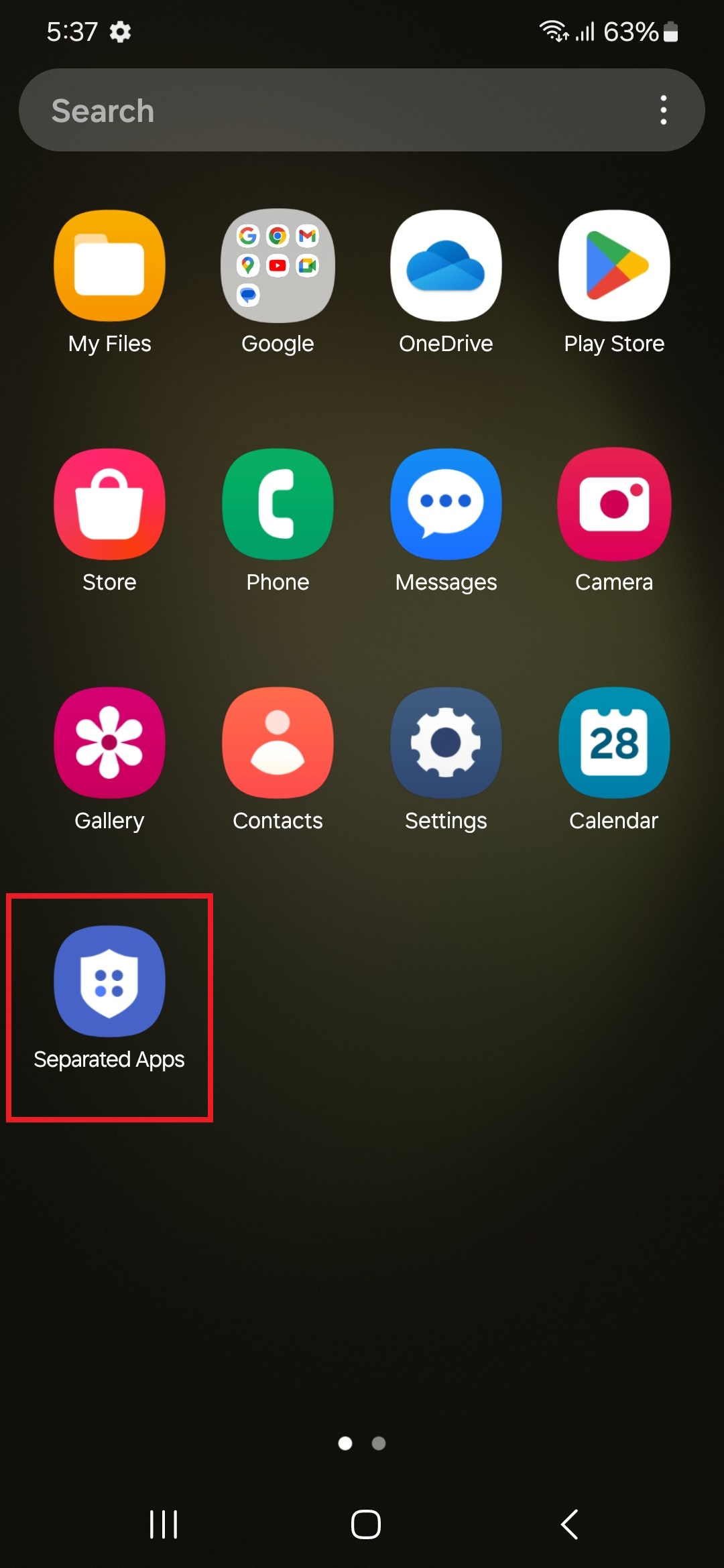
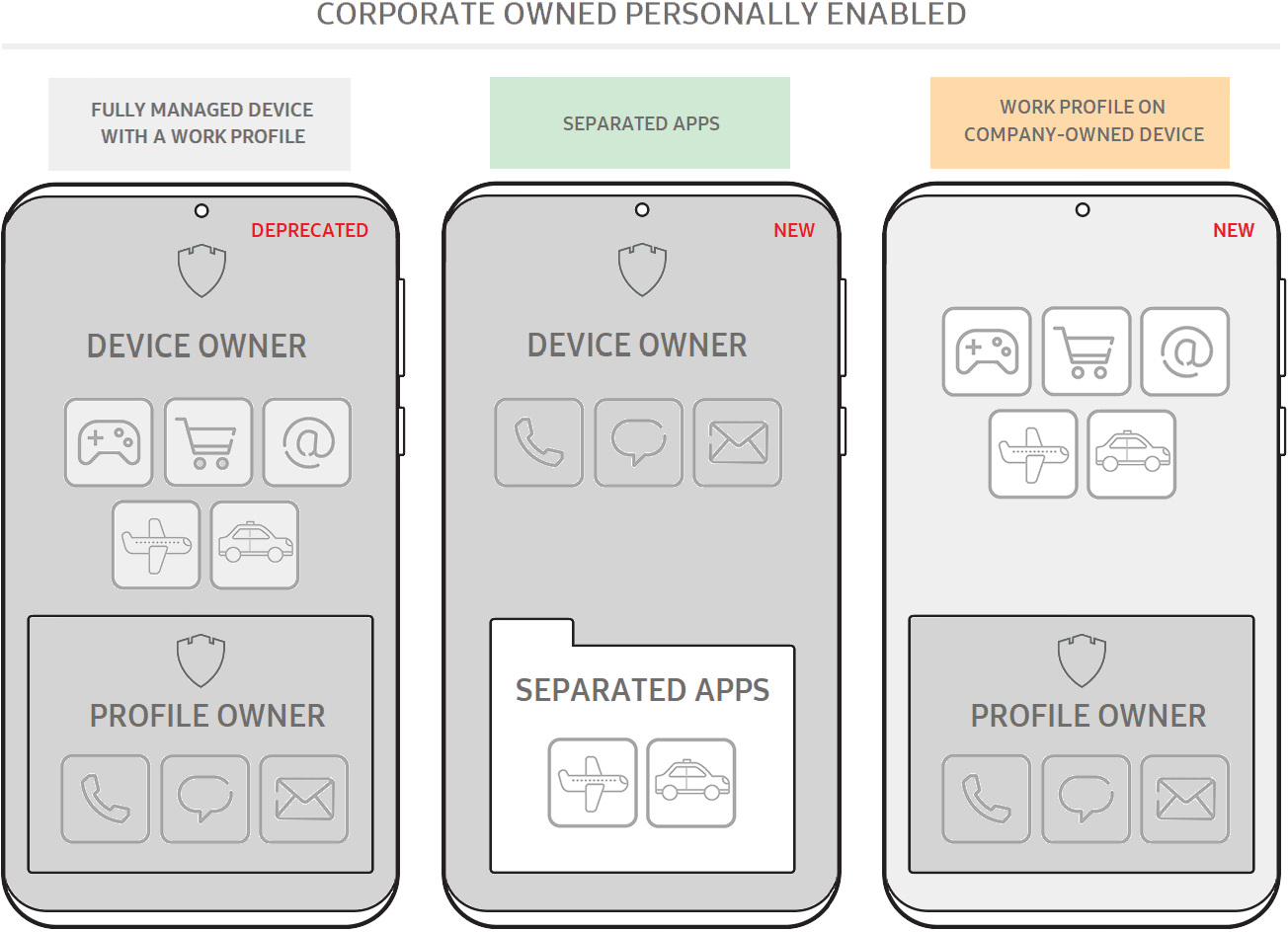
For more advanced users, app separation can involve containerization. This is often seen in enterprise environments where “Separate Apps” are used to keep corporate data away from personal data. Through technologies like Android Enterprise, a device can run two instances of the same OS kernel, effectively creating a “Work Profile.”
In this scenario, the “separate apps” are visually distinguished by a small briefcase icon. The data within the work version of an app (like Outlook or Slack) is encrypted separately and can be wiped remotely by an IT department without affecting the user’s personal photos or messages. This is the ultimate expression of software separation for privacy and security.
Parallel Spaces and App Cloning: Managing Multiple Identities
Another critical facet of the separate apps discussion is “App Cloning” or “Dual Apps.” As social media and messaging platforms have become central to both personal and professional communication, many users find themselves needing to run two accounts on the same platform—such as two WhatsApp accounts or two Instagram profiles—on a single device.
The Architecture of Cloned Apps
Since most apps are not designed to support multiple logins natively, the OS (or a third-party utility) creates a “clone.” This is a separate instance of the app’s APK (Android Package) that points to a different data directory.
From the system’s perspective, the cloned app is a completely different installation. It has its own cache, its own login credentials, and its own notification settings. This form of separation is achieved through “Multi-User” frameworks within the OS. The system essentially “tricks” the app into thinking it is being installed for a brand-new user on the device, while still allowing the primary user to access it from the main home screen.
The Impact on Hardware Resources
While running separate instances of apps is incredibly convenient, it does come with a hardware cost. Because each “separate app” requires its own allocation of RAM (Random Access Memory) and generates its own cache files, cloning multiple resource-intensive apps can lead to performance degradation on mid-range or budget devices.
Each separate instance must maintain its own background process to receive push notifications. For users, this means that while app separation increases productivity, it requires a balanced approach to ensure that battery life and processing power are not unnecessarily taxed by redundant background tasks.
The Future of App Ecosystems: Virtualization and Cloud Integration
As we look toward the future of technology, the concept of “separate apps” is moving beyond the local hardware and into the cloud. We are entering an era of “Thin Client” architecture where the separation is not just between apps on a phone, but between the device and the computation.
Progressive Web Apps (PWAs) and Browser Isolation
One emerging trend in app separation is the use of Progressive Web Apps. PWAs function like native apps but run within the browser engine. This creates a new layer of separation. Because PWAs run in a browser’s “lite” environment, they are even more restricted than sandboxed native apps.
This trend allows users to keep “separate” versions of tools—like a project management suite—running in a browser-based container that doesn’t have deep access to the phone’s hardware. It represents a shift toward more ephemeral, secure, and lightweight app management.
The Rise of Virtual Mobile Infrastructure (VMI)
In high-security sectors, we are seeing the rise of Virtual Mobile Infrastructure (VMI). In this setup, the apps do not live on the phone at all. Instead, the user interacts with a “separate app” that is actually a live stream of an app running on a secure remote server.
This provides the ultimate separation: no data ever touches the physical storage of the mobile device. If the device is lost or compromised, the separate apps and their data remain untouched in the secure data center. This level of separation is becoming the standard for government and high-finance sectors.
Best Practices for Managing Separate Apps
To truly master the use of separate apps, whether for audio routing or account management, users should follow a few technical best practices to maintain device health and security.
Optimizing Performance and Battery
When utilizing features like App Cloning or Work Profiles, it is important to periodically clear the cache of the secondary app instances. These “separate” files can accumulate quickly, taking up valuable internal storage. Furthermore, users should utilize “Battery Optimization” settings to ensure that separate instances of apps aren’t constantly pinging servers in the background unless necessary.
Security Hygiene in Separate Environments
If you are using separate apps to manage multiple identities, ensure that your security protocols are mirrored across both instances. A common mistake is having a strong password and Two-Factor Authentication (2FA) on a primary account while neglecting the security of the “cloned” account.
Furthermore, when using “Separate App Sound,” be mindful of the permissions you grant. Even though the audio is separated, the app still resides on your main system. Always download cloning software or use built-in system features rather than unverified third-party “Parallel Space” apps from the web, which may contain adware or tracking scripts.
Conclusion: The Power of Intentional Separation
The technology behind “separate apps” is a testament to the sophistication of modern mobile operating systems. What began as a simple way to run a program has evolved into a complex system of audio routing, security sandboxing, and identity management. By leveraging these tools, users can transform their smartphones from simple communication devices into powerful, multi-layered workstations.
Whether you are isolating your Spotify playlist for a party, protecting corporate data via a work profile, or managing two sides of a business through cloned messaging apps, the ability to separate software functions is key to digital efficiency. As developers continue to push the boundaries of virtualization and audio-visual routing, the “separate apps” of tomorrow will likely offer even more granular control, further blurring the line between physical hardware and virtual environments.
aViewFromTheCave is a participant in the Amazon Services LLC Associates Program, an affiliate advertising program designed to provide a means for sites to earn advertising fees by advertising and linking to Amazon.com. Amazon, the Amazon logo, AmazonSupply, and the AmazonSupply logo are trademarks of Amazon.com, Inc. or its affiliates. As an Amazon Associate we earn affiliate commissions from qualifying purchases.