
In the modern landscape of software development, where the pressure to deliver high-quality digital experiences at breakneck speed is constant, manual testing has become a significant bottleneck. This is where Selenium enters the frame. Selenium is not just a single tool but a sophisticated suite of open-source software tools used primarily for automating web browsers. It provides a platform-neutral and language-independent way to script interactions with web applications, effectively mimicking the actions of a human user.
Since its inception in 2004, Selenium has evolved from a niche internal tool at ThoughtWorks into the backbone of the global test automation industry. For developers, QA engineers, and DevOps professionals, understanding what Selenium is—and how to leverage its various components—is essential for building robust, scalable, and reliable software.

The Core Ecosystem: Understanding the Selenium Suite
To understand “what Selenium is,” one must recognize that it is a collection of different tools, each designed to cater to specific needs within the automation lifecycle. While many people use the term “Selenium” to refer specifically to WebDriver, the ecosystem is composed of several key pillars.
Selenium WebDriver: The Heart of Modern Automation
Selenium WebDriver is the most significant component of the suite. It is a remote-control interface that allows your code to instruct a browser to perform specific actions—such as clicking buttons, entering text into forms, and navigating between pages. Unlike its predecessor, Selenium RC (Remote Control), which relied on injecting JavaScript into the browser, WebDriver communicates directly with the browser using the browser’s native support for automation.
WebDriver operates as a bridge between your test scripts and the web browser. Each browser (Chrome, Firefox, Safari, Edge) has its own “Driver” executable (like ChromeDriver or GeckoDriver). When you run a Selenium script, the commands are sent to these drivers, which then execute the commands within the browser environment. This architectural shift made Selenium much faster and more stable than earlier iterations.
Selenium IDE: Record and Playback for Rapid Prototyping
Selenium IDE (Integrated Development Environment) is a browser extension (available for Chrome, Firefox, and Edge) that provides a “record and playback” functionality. It is designed for rapid test development and is an excellent entry point for those who may not have extensive programming experience.
While it lacks the power and scalability of WebDriver for complex enterprise-level testing, Selenium IDE is invaluable for creating quick bug reproduction scripts or simple automated tasks. Modern versions of the IDE have been rebuilt to be more robust, offering features like “control flow” (if/else statements and loops) and the ability to export recorded scripts into various programming languages for use in WebDriver.
Selenium Grid: Scaling Tests Across Multiple Environments
One of the biggest challenges in web development is ensuring an application works across a myriad of different operating systems and browser versions. Running these tests sequentially on a single machine is incredibly time-consuming.
Selenium Grid solves this by allowing for parallel execution. It follows a hub-and-node architecture. The “Hub” acts as a central point that receives test requests, and it distributes these requests to various “Nodes.” Each node can be a different physical or virtual machine running a different OS (Windows, macOS, Linux) or a different browser version. This allows a QA team to run hundreds of tests simultaneously, drastically reducing the feedback loop in the Continuous Integration/Continuous Deployment (CI/CD) pipeline.
Why Selenium Dominates the QA and DevOps Landscape
Despite the emergence of newer tools, Selenium remains the dominant force in web automation. Its longevity is not just due to being first to market; it is due to a set of core strengths that align with the needs of modern software engineering teams.
Language Agnosticism and Flexibility
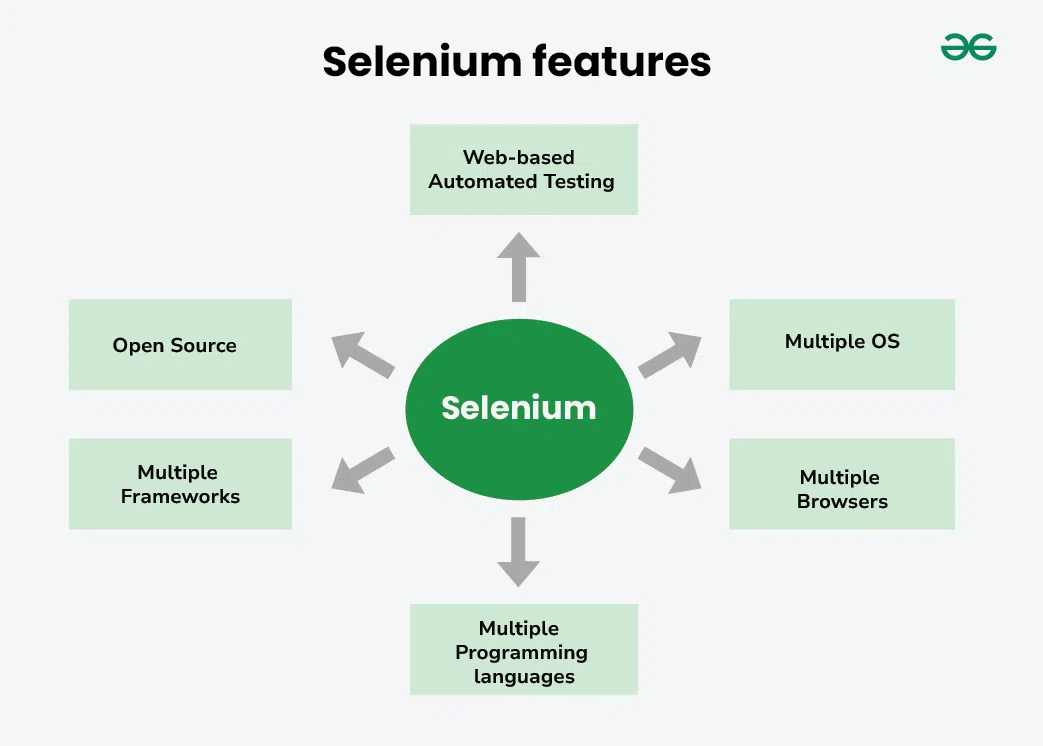
One of the most compelling reasons to use Selenium is its support for a wide array of programming languages. Instead of forcing developers to learn a proprietary scripting language, Selenium provides “Client Shims” or libraries for:
- Java
- Python
- C#
- JavaScript (Node.js)
- Ruby
- PHP
This flexibility allows development teams to write their automation suites in the same language as their application code, fostering better collaboration between developers and testers. It also means teams can leverage existing IDEs, debugging tools, and unit testing frameworks (like JUnit, TestNG, NUnit, or PyTest) that they are already comfortable with.
Cross-Browser and Cross-Platform Compatibility
In a fragmented digital world, your users might be accessing your site from a Chrome browser on a Windows laptop, Safari on an iPhone, or Firefox on a Linux distribution. Selenium provides a unified API to interact with all these environments. Because it adheres to the W3C WebDriver standard, browser vendors themselves are responsible for maintaining the drivers, ensuring that Selenium remains compatible with the latest browser updates.
Open-Source Freedom and Community Support
Being open-source means Selenium is free to use, which is a significant advantage over expensive commercial automation tools. However, the true value of its open-source nature lies in its community. With nearly two decades of history, there is a massive repository of knowledge available. If a developer encounters a specific challenge—such as handling a complex shadow DOM or interacting with a legacy iframe—the solution is likely already documented on platforms like Stack Overflow or the official Selenium documentation.
The Mechanics of Selenium: How It Interacts with the Browser
To master Selenium, one must look under the hood at how it identifies and interacts with elements on a webpage. This is the “science” of automation.
The W3C WebDriver Protocol
Historically, Selenium used the JSON Wire Protocol to communicate between the client libraries and the browser drivers. However, in recent years, Selenium has fully transitioned to the W3C WebDriver Protocol. This was a monumental shift because it turned the WebDriver API into an official web standard. This means that automation is now a built-in feature of the web platform, leading to more stable tests and better performance across different browser implementations.
Element Locators: The Foundation of Reliable Scripts
The most critical part of any Selenium script is identifying the correct element to interact with. If the script cannot find the “Login” button, the entire test fails. Selenium provides several “Locators” to find elements:
- ID and Name: The fastest and most reliable way to find an element, provided the developers have assigned unique IDs.
- CSS Selectors: Highly efficient and widely used for styling, making them a natural choice for automation.
- XPath: An incredibly powerful way to navigate the HTML structure of a page. While it can be slower than CSS selectors, it allows for complex queries, such as finding an element based on its text content or its relationship to other elements (parent, sibling, etc.).
- Link Text and Partial Link Text: Specifically designed for finding anchor tags.
Mastering these locators is what separates a fragile test suite from a robust one. A common pitfall for beginners is using “absolute XPaths” which break the moment a minor layout change occurs. Professional automation engineers prefer “relative paths” and unique attributes to ensure their scripts can withstand UI updates.
Selenium in the Modern Development Lifecycle
Selenium is no longer just a tool for “testers” at the end of a project. It is an integral part of the DevOps movement and the shift-left testing philosophy.
Integration with CI/CD Pipelines
In a modern workflow, code is integrated and deployed multiple times a day. It is impossible for humans to manually verify that no regressions have been introduced with each update. Selenium scripts are typically integrated into CI/CD tools like Jenkins, GitLab CI, or GitHub Actions.
Every time a developer pushes code, the CI server automatically triggers the Selenium suite. If a test fails, the build is “broken,” and the team is notified immediately. This allows for rapid iteration without sacrificing the quality of the end product.
Handling Dynamic Content and Synchronization
One of the biggest hurdles in web automation is timing. Modern web applications use AJAX and frameworks like React or Angular to load content dynamically. If a Selenium script tries to click a button before the JavaScript has finished rendering it, the script will throw an “ElementNotVisibleException.”
Selenium provides sophisticated synchronization mechanisms to handle this:
- Implicit Waits: A global setting that tells the driver to poll the DOM for a certain amount of time before throwing an error.
- Explicit Waits (WebDriverWait): A more surgical approach where the script waits for a specific condition (e.g., “element is clickable” or “text is present”) before proceeding. This is the preferred method for high-quality automation because it prevents unnecessary delays and reduces “flakiness.”
Best Practices for Building Robust Selenium Frameworks
As automation projects grow, they can become difficult to maintain. To prevent this, engineers use specific design patterns.
Implementing the Page Object Model (POM)
The Page Object Model is the gold standard for Selenium framework design. In POM, each page of the web application is represented by a class. The elements on that page are defined as variables within the class, and the actions (like “login” or “addToCart”) are defined as methods.
This separation of concerns means that if the UI changes—for example, if a button’s ID changes—you only need to update the locator in one place (the Page Object class) rather than in dozens of individual test scripts. This significantly reduces maintenance overhead and improves code readability.
Selenium vs. Newer Contenders: Playwright and Cypress
It is worth noting that while Selenium remains the leader, newer tools like Playwright and Cypress have gained popularity. These tools often offer faster execution and built-in waiting mechanisms. However, they are often limited to JavaScript/TypeScript (in the case of Cypress) or have narrower browser support compared to Selenium’s universal reach.
Selenium 4 has bridged many of these gaps by introducing “Relative Locators” and better support for the Chrome DevTools Protocol (CDP), which allows for features like network interception and performance profiling—capabilities that were previously the domain of its newer competitors.

Conclusion
Selenium is the cornerstone of web automation because it offers a rare combination of power, flexibility, and community-driven innovation. By providing a suite of tools that cater to everything from simple recordings to massive, parallelized enterprise test suites, it empowers organizations to achieve the speed and reliability required in today’s digital economy. Whether you are a developer looking to automate repetitive tasks or a QA professional building a global testing infrastructure, Selenium remains the most versatile and essential tool in the tech stack.
aViewFromTheCave is a participant in the Amazon Services LLC Associates Program, an affiliate advertising program designed to provide a means for sites to earn advertising fees by advertising and linking to Amazon.com. Amazon, the Amazon logo, AmazonSupply, and the AmazonSupply logo are trademarks of Amazon.com, Inc. or its affiliates. As an Amazon Associate we earn affiliate commissions from qualifying purchases.