
In an increasingly digital world, the seemingly mundane act of printing often goes overlooked as a potential vector for data breaches and information leaks. While organizations invest heavily in securing their networks, servers, and endpoints, the journey of a document from a computer screen to a physical piece of paper can present a critical vulnerability. This is where “secure print” comes into play – a comprehensive suite of technologies and practices designed to safeguard sensitive information throughout the printing process, ensuring that only authorized individuals can access and retrieve their printed materials. Far from a mere convenience feature, secure print is a fundamental component of a robust cybersecurity strategy, crucial for protecting intellectual property, customer data, and maintaining regulatory compliance.

Understanding the Vulnerabilities of Traditional Printing
To appreciate the necessity of secure print, it’s vital to first acknowledge the inherent risks associated with conventional printing methods. Most offices operate on a shared printer model, where documents are sent to a communal device and often left unattended in output trays. This seemingly innocuous process opens several doors for security compromises.
The Hidden Dangers of Unattended Print Jobs
Consider a scenario where an employee prints a confidential report, a sensitive HR document, or a financial statement to a shared printer. If they are delayed in retrieving it, or simply forget, that document remains exposed. Anyone passing by could pick it up, read its contents, or even walk away with it. This is not merely a theoretical risk; countless incidents of data exposure and compliance violations have stemmed from documents left unsecured on printer trays. These physical documents, once printed, fall outside the digital perimeter, becoming a tangible vulnerability.
Network Interception and Data Breaches
While a document travels from a user’s workstation to a printer, it often traverses the organization’s network. In a non-secure printing environment, this data might be transmitted unencrypted, making it susceptible to interception. Malicious actors, both internal and external, could potentially eavesdrop on network traffic, capturing print jobs that contain sensitive information. Such an attack could lead to the theft of proprietary data, personal identifiable information (PII), or other critical business intelligence, compromising the organization’s integrity and reputation.
Unauthorized Access and Document Misplacement
Even if data transmission is secure, the lack of robust authentication at the printer itself poses a significant risk. Without a mechanism to verify the user at the point of print release, any individual can potentially print documents under another user’s name or access print queues intended for others. This can lead to the misplacement of sensitive documents, intentional data theft, or simply an inability to track who printed what, when, and where—a critical gap in accountability. Furthermore, the sheer volume of unnecessary printing contributes to environmental waste and unnecessary operational costs, adding an often-overlooked dimension to the problem.
The Mechanics of Secure Print Technology
Secure print technology addresses these vulnerabilities by introducing a layer of control and accountability into the printing workflow. At its core, secure print ensures that a document is only printed when the authorized user is physically present at the printer to retrieve it. This “pull printing” or “follow-me printing” concept is central to its operation, but it’s supported by several underlying technical principles.
Authentication and Authorization Mechanisms
The cornerstone of secure print is robust user authentication. Before a print job is released, the user must prove their identity at the printer itself. This can be achieved through various methods:
- PIN/Password Entry: Users enter a unique code or their network credentials directly on the printer’s control panel.
- Card Readers: Proximity cards (like RFID or smart cards) commonly used for building access or employee IDs can be swiped or tapped to authenticate.
- Biometrics: Fingerprint or facial recognition scanners offer a high level of security, linking the print job directly to the unique physical characteristics of the user.
- Mobile Authentication: Users can authenticate via a secure app on their smartphone, often by scanning a QR code on the printer or approving the release from their device.
Once authenticated, the system verifies the user’s authorization to print to that specific device or access certain print queues, preventing unauthorized individuals from using shared resources.
Data Encryption During Transmission and Storage
To counter network interception, secure print solutions encrypt print data both during its transmission from the user’s workstation to the print server and while it’s stored in the server’s queue. This end-to-end encryption ensures that even if a print job is intercepted, its contents remain unreadable to unauthorized parties. Standard encryption protocols like SSL/TLS are commonly employed, providing a secure tunnel for print data, much like securing web traffic.
Audit Trails and Reporting for Accountability
A critical aspect of any security system is the ability to monitor and report on activity. Secure print solutions meticulously log every print job, including who initiated it, when it was sent, when it was released, which printer was used, and even details like document name and page count. These comprehensive audit trails provide an invaluable record for security investigations, compliance audits, and general accountability. If a sensitive document is found misplaced, these logs can help trace its origin and release point, aiding in incident response and identifying potential weaknesses in security protocols.
Pull Printing (Follow-Me Printing) Explained
The “pull printing” model is a defining feature of secure print. Instead of sending a job directly to a specific, static printer, the document is sent to a central secure print server. It then remains in a queue, awaiting release. The user can then go to any enabled printer within the network, authenticate themselves, and “pull” their print job from the queue. This not only enhances security by ensuring physical presence but also provides flexibility, allowing users to print from whichever device is most convenient or available, reducing queues and improving workflow.
Key Features and Advanced Capabilities of Secure Print Solutions
Modern secure print solutions go beyond basic authentication and pull printing, integrating advanced features that offer granular control, enhanced security, and streamlined management.
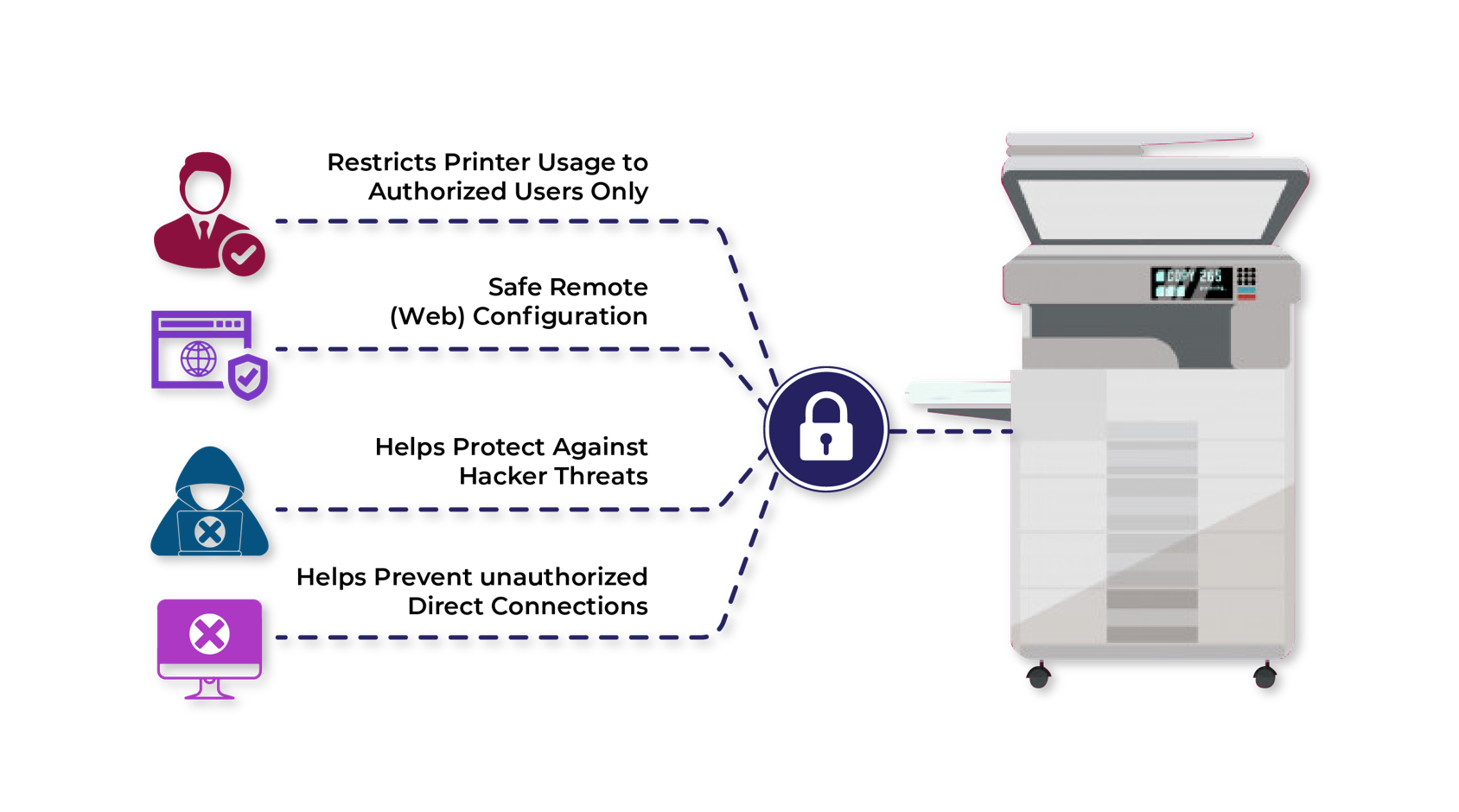
Granular Policy Enforcement and Content Awareness
Advanced secure print systems allow IT administrators to define highly specific printing policies based on user roles, departments, document content, or even time of day. For example:
- Watermarking and Digital Signatures: Automatically apply watermarks (e.g., “CONFIDENTIAL,” “DRAFT”) to documents based on their content, origin, or recipient. Digital signatures can verify the document’s authenticity and origin.
- Print Restriction: Limit who can print sensitive document types (e.g., PDFs containing social security numbers) to specific, highly secure printers or prevent them from being printed at all.
- Redaction and Content Filtering: Some sophisticated solutions can identify and redact sensitive information (like credit card numbers or PII) from documents before they are printed, preventing accidental disclosure.
- Color Printing Control: Restrict color printing to authorized users or departments to manage costs and ensure compliance with brand guidelines.
Integration with Identity Management Systems (IDM)
For seamless operation within an enterprise environment, secure print solutions are typically integrated with existing Identity Management (IDM) systems such as Microsoft Active Directory, LDAP, or single sign-on (SSO) platforms. This integration allows organizations to leverage their established user credentials and group policies for print authentication and authorization, simplifying user management and ensuring consistency across IT services. Users don’t need separate credentials for printing, reducing friction and enhancing the overall security posture by centralizing identity control.
Centralized Management and Reporting
Enterprise-grade secure print solutions offer a centralized management console, providing IT departments with a single pane of glass to:
- Configure printer settings and security policies across the entire fleet.
- Monitor print activity in real-time.
- Generate detailed reports on usage, costs, and security events.
- Manage user accounts and access permissions.
- Troubleshoot issues remotely.
This centralized control drastically simplifies the administration of a complex printing environment, ensuring consistent security application and facilitating rapid response to potential security incidents.
Mobile and Cloud Secure Printing
With the proliferation of mobile devices and the shift towards cloud-based workflows, secure print has evolved to accommodate these new paradigms.
- Mobile Printing: Users can securely print from their smartphones or tablets, often by sending documents via email to the print server or using dedicated mobile apps that integrate with the secure print system. Authentication still occurs at the printer.
- Cloud Printing: Organizations leveraging cloud infrastructure for their IT services can extend secure print capabilities to cloud-based applications and remote users. This ensures that documents printed from cloud applications or by users outside the corporate network still adhere to the organization’s security policies, with print jobs securely routed and authenticated.
Strategic Benefits for Modern Organizations
Implementing a secure print solution extends far beyond merely locking down printers; it delivers a multitude of strategic advantages that impact an organization’s security, compliance, operational efficiency, and even its environmental footprint.
Enhancing Data Confidentiality and Privacy
The primary benefit of secure print is its role in safeguarding sensitive information. By ensuring that documents are only released to authorized individuals upon physical presence, it dramatically reduces the risk of confidential data being exposed, stolen, or accidentally viewed by unintended parties. This protection is vital for intellectual property, HR records, financial statements, legal documents, and any other information critical to business operations or personal privacy.
Meeting Regulatory Compliance Requirements
In today’s highly regulated landscape, organizations face stringent requirements for protecting data under laws such as GDPR (General Data Protection Regulation), HIPAA (Health Insurance Portability and Accountability Act), PCI DSS (Payment Card Industry Data Security Standard), and various industry-specific mandates. Secure print solutions provide the necessary controls, audit trails, and policy enforcement capabilities to demonstrate compliance. The ability to track who printed what and when, coupled with measures to prevent unauthorized access to printed materials, helps organizations meet their obligations and avoid hefty fines and reputational damage.
Reducing Waste and Optimizing Costs
While often viewed as a security investment, secure print also delivers significant cost savings and environmental benefits. With pull printing, unreleased print jobs are automatically deleted from the queue after a set period. This eliminates “ghost prints” – documents sent to the printer but never collected, which account for a substantial percentage of wasted paper and toner in traditional environments. Studies often show a reduction in printing volumes by 15-20% or more after implementing secure print, leading directly to lower consumption of paper, toner, and reduced wear and tear on printing hardware. This not only cuts operational expenses but also aligns with corporate sustainability initiatives.
Improving User Convenience and Workflow Efficiency
Counterintuitively, robust security can also enhance user convenience. The “follow-me” aspect of secure print means users are no longer tied to a specific printer. They can send a job and then collect it from any available device within the network, reducing frustration when a particular printer is busy or out of order. This flexibility streamlines workflows, especially in large organizations or those with multiple office locations, empowering employees to work more efficiently without compromising security.
Fostering a Culture of Security
By implementing secure print, organizations send a clear message to their employees about the importance of data security. It encourages a greater awareness of document handling protocols and reinforces the idea that security is a shared responsibility. When employees understand that every print job is accountable, it cultivates a more security-conscious culture, extending the principles of digital security into the physical realm of printed information.

Conclusion
Secure print is no longer an optional add-on but an essential component of a comprehensive cybersecurity framework. As organizations continue to navigate an increasingly complex threat landscape and rigorous regulatory demands, overlooking the vulnerabilities inherent in traditional printing can lead to significant risks. By leveraging authentication, encryption, pull printing, and granular policy enforcement, secure print solutions transform a potential weak point into a controlled and auditable process. The benefits—ranging from enhanced data confidentiality and compliance to cost savings and improved user experience—make a compelling case for its widespread adoption, ensuring that sensitive information remains secure from screen to paper.
aViewFromTheCave is a participant in the Amazon Services LLC Associates Program, an affiliate advertising program designed to provide a means for sites to earn advertising fees by advertising and linking to Amazon.com. Amazon, the Amazon logo, AmazonSupply, and the AmazonSupply logo are trademarks of Amazon.com, Inc. or its affiliates. As an Amazon Associate we earn affiliate commissions from qualifying purchases.