
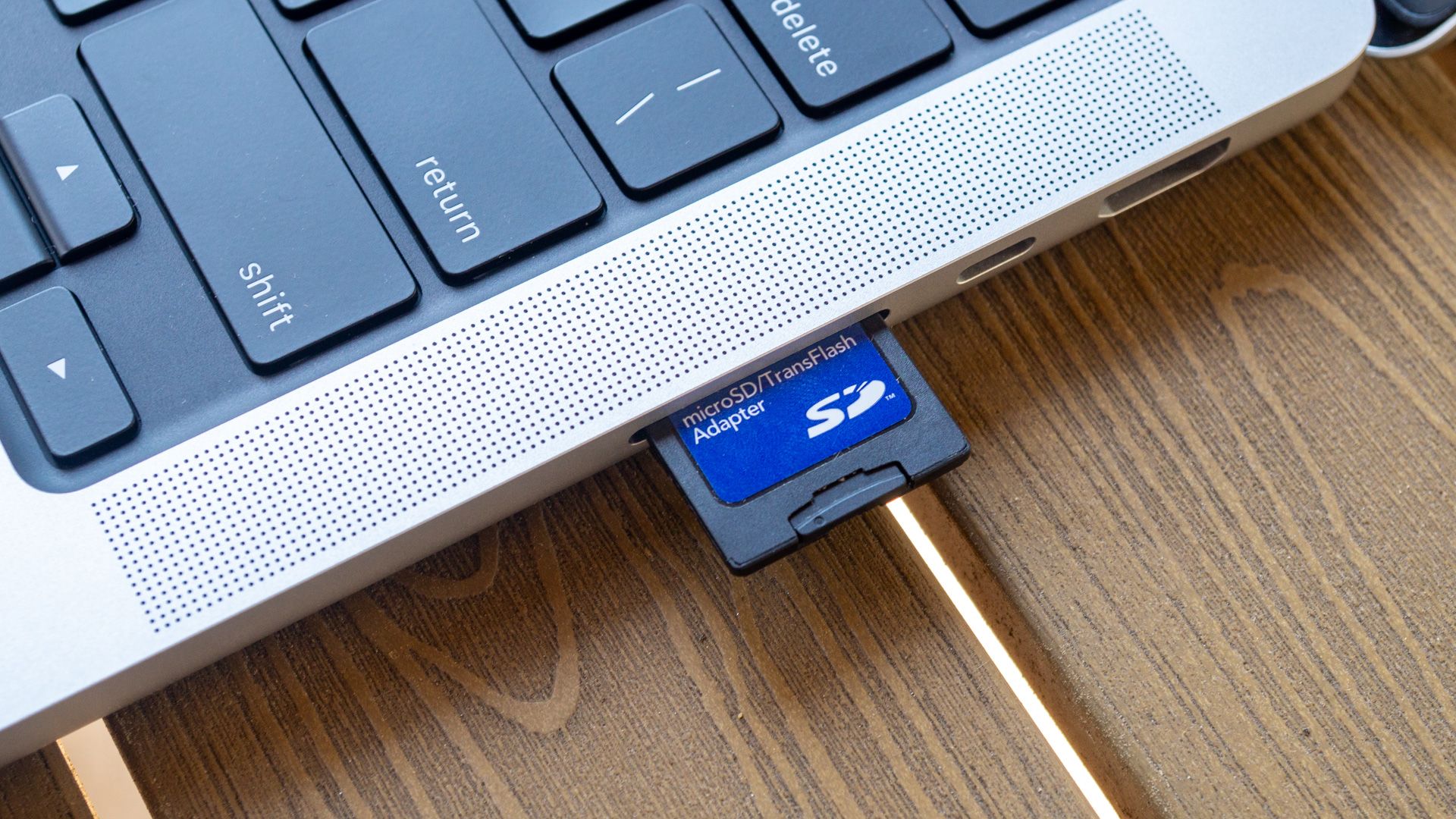
In an increasingly digital world where high-resolution content reigns supreme, the demand for expansive and speedy storage solutions has never been greater. For many users, this need is met not just by internal device storage or cloud services, but by removable memory cards. Among these, SDXC cards have emerged as a dominant force, offering considerable capacity and impressive performance. Understanding “what is an SDXC card slot” is therefore crucial for anyone looking to maximize their device’s potential, especially in areas like photography, videography, and portable data management. An SDXC card slot is specifically designed to accommodate Secure Digital eXtended Capacity (SDXC) memory cards, which represent a significant leap forward in the evolution of the universally recognized SD card standard. This slot allows compatible devices—ranging from digital cameras and camcorders to laptops and drones—to read from and write to these high-capacity cards, thereby extending their storage capabilities well beyond what was previously possible with older SD formats.

Understanding the Evolution of SD Cards
To fully appreciate the significance of an SDXC card slot, it’s essential to trace the lineage of the Secure Digital (SD) card standard. The evolution has been driven by the ever-growing need for more storage space and faster data transfer rates to keep pace with advancing consumer electronics.
SD (Standard Capacity)
The original SD format, introduced in 1999 by SanDisk, Panasonic (Matsushita), and Toshiba, provided capacities up to 2GB. These cards utilized the FAT16 file system and were a revolutionary step forward from previous memory card types like MultiMediaCards (MMCs). While limited by today’s standards, they laid the groundwork for the ubiquity of SD card slots in countless devices. They supported relatively basic photo and video needs but quickly became insufficient as digital cameras began offering higher megapixel counts and initial video recording capabilities.
SDHC (High Capacity)
The rapid increase in digital content size necessitated a new standard, leading to the introduction of SD High Capacity (SDHC) in 2006. SDHC cards significantly boosted storage, offering capacities from 4GB up to 32GB. To achieve this, they shifted from FAT16 to the FAT32 file system, which allowed for larger individual file sizes and overall storage. This upgrade made SDHC cards ideal for early high-definition video recording and storing larger photo libraries. Devices with SDHC slots could also typically read older SD cards, demonstrating an early commitment to backward compatibility, a key feature that would continue with future iterations.
SDXC (eXtended Capacity)
The advent of Full HD, 4K video, and increasingly complex RAW image files demanded even more storage. This demand led to the creation of SD eXtended Capacity (SDXC) in 2009. SDXC cards brought a monumental increase in storage potential, ranging from 64GB up to a theoretical maximum of 2TB. The critical enabler for this massive capacity was the adoption of the exFAT file system. An SDXC card slot, therefore, is designed to interface with these high-capacity cards, allowing devices to harness their vast storage potential. This standard truly opened the door for professional videographers and photographers to record hours of high-bitrate footage or hundreds of high-resolution images without constantly swapping cards.
SDUC (Ultra Capacity)
While SDXC remains the prevalent high-capacity standard, the SD Association has already defined the next generation: SD Ultra Capacity (SDUC). Introduced in 2018, SDUC cards push the theoretical capacity limit even further, up to an astonishing 128TB. This future-proof standard also aims for even higher transfer speeds. While devices with SDUC slots are not yet common, their eventual emergence highlights the ongoing evolution and the continuous push for more storage and speed, building directly on the foundation laid by SDXC.
The Technical Specifications and Advantages of SDXC
The SDXC card slot isn’t just about physical compatibility; it’s about leveraging specific technical advancements that make these cards powerful tools for modern digital workflows.
Capacity Limits
The most striking advantage of SDXC is its capacity. With a minimum of 64GB and a theoretical maximum of 2TB, SDXC cards offer storage previously found only in hard drives. This vast capacity is indispensable for recording extensive 4K or 8K video footage, capturing numerous high-resolution RAW photo bursts, or storing large collections of applications and media files on portable devices. The slot’s design and underlying controller technology facilitate the addressing of these enormous storage blocks, making the full capacity accessible to the host device.
File System (exFAT)
The key enabler for SDXC’s immense capacity is the adoption of the exFAT (Extended File Allocation Table) file system. Unlike FAT32 (used by SDHC), which has a 4GB single-file size limit and a 32GB partition limit, exFAT supports files much larger than 4GB and partitions up to the full 2TB capacity of SDXC. This is crucial for recording single, long-duration 4K video clips that can easily exceed the 4GB mark, or for storing very large individual project files. An SDXC card slot is specifically engineered to interact seamlessly with the exFAT file system, allowing for efficient reading and writing of these large files.
Speed Classes and UHS (Ultra High Speed) Interface
Beyond capacity, speed is paramount for demanding applications. SDXC cards leverage the Ultra High Speed (UHS) interface standards—UHS-I, UHS-II, and UHS-III—to achieve significantly faster data transfer rates compared to older SD and SDHC cards.
- UHS-I: Offers theoretical speeds up to 104 MB/s.
- UHS-II: Achieves speeds up to 312 MB/s through an additional row of pins on the card and slot.
- UHS-III: Pushes speeds even further, up to 624 MB/s, also using the additional pin interface.
An SDXC card slot designed for UHS-II or UHS-III cards will feature the extra row of pins to capitalize on these speeds. If a slot only supports UHS-I, a UHS-II/III card will still function but will operate at UHS-I speeds. These high speeds are critical for continuous burst shooting in high-resolution cameras, recording high-bitrate video without dropping frames, and quickly offloading large files to a computer.
Compatibility and Backward/Forward Look
A well-designed SDXC card slot offers good compatibility. It can read and write to both SD and SDHC cards, providing backward compatibility. However, older devices with only SD or SDHC slots cannot read SDXC cards, as they lack support for the exFAT file system and the necessary controller capabilities. This distinction is crucial: a newer SDXC slot is versatile, but an older slot is limited. As for the future, while an SDXC slot cannot fully utilize SDUC cards, SDUC-compatible devices will inherently support SDXC cards, ensuring a degree of forward compatibility within the SD ecosystem.
Why an SDXC Card Slot Matters in Modern Devices
The inclusion of an SDXC card slot is a critical feature for many contemporary electronics, directly impacting their utility and performance in several key areas.
High-Resolution Media (4K/8K Video, RAW Photos)
Modern cameras and drones frequently capture images and videos in resolutions like 4K and 8K, or produce large RAW image files that contain a wealth of data. These files are massive. A single minute of 4K video can easily consume hundreds of megabytes, and a high-resolution RAW photo can be 50MB or more. An SDXC card slot, paired with a high-speed SDXC card, provides the necessary capacity and speed to record and store this data continuously without interruption. Without it, creators would be constantly swapping smaller cards or facing buffer bottlenecks, severely hindering their workflow.
Expanding Device Storage
Many devices, especially laptops, tablets, and even some gaming consoles, come with fixed internal storage that may become insufficient over time. An SDXC card slot offers a cost-effective and flexible way to expand storage. Users can add hundreds of gigabytes or even a terabyte or two of extra space for documents, media libraries, applications, or even operating system installations if the device supports it. This significantly extends the lifespan and utility of the device without requiring internal upgrades.
Data Portability and Transfer Speeds
SDXC cards are inherently portable. They allow users to quickly move large datasets between devices—from a camera to a laptop, or from a drone to a desktop workstation. When paired with a compatible high-speed card reader and an SDXC slot, transfer speeds can be incredibly fast, especially with UHS-II and UHS-III cards. This efficiency is invaluable for professionals who need to offload footage or photos rapidly in the field or in the studio, streamlining post-production workflows.
Future-Proofing Your Gadgets
While technology evolves rapidly, having an SDXC card slot equips your device with the current standard for removable high-capacity storage. As file sizes continue to grow with increasing resolution and fidelity, a device with an SDXC slot ensures you can keep up with your storage needs for the foreseeable future, potentially accommodating larger capacity cards as they become available within the SDXC standard. It’s a key indicator of a device’s capability to handle demanding media tasks.
Practical Considerations and Troubleshooting
While an SDXC card slot offers powerful capabilities, understanding some practical aspects ensures a smooth user experience.
Ensuring Compatibility with Your Device
The most common issue users encounter is compatibility. While an SDXC slot can read older SD and SDHC cards, an older device (with only an SD or SDHC slot) cannot read an SDXC card. Always check your device’s specifications to confirm SDXC compatibility. Look for “SDXC” or “UHS-I/II/III compatible” in the memory card slot description. Using an SDXC card in an incompatible slot will typically result in the card not being recognized or displaying an error message.
Formatting SDXC Cards
When you first use a new SDXC card, or if you encounter issues, formatting it is often necessary. Always use the device where the card will be primarily used (e.g., your camera) to format the card. This ensures the card is correctly initialized with the exFAT file system and optimized for that specific device. If formatting on a computer, ensure you select exFAT as the file system type. Improper formatting (e.g., trying to format a 256GB SDXC card as FAT32) will lead to errors and limited capacity.
Common Issues and Solutions
- “Card Not Recognized”: Ensure the card is fully inserted. Clean the card’s gold contacts and the slot with a lint-free cloth or compressed air. Try the card in another compatible device to rule out a faulty card or slot.
- Slow Speeds: Even with a high-speed SDXC card, if the device’s slot or the card reader only supports an older UHS standard (e.g., UHS-I instead of UHS-II), you won’t get the maximum speed. Ensure both the card and the slot/reader are rated for the desired speed standard.
- “Write Protected” Error: Check if the physical lock switch on the side of the SDXC card is in the “unlocked” position.
Best Practices for SDXC Card Longevity
To maximize the life and reliability of your SDXC cards:
- Always safely eject the card from your computer before removing it.
- Avoid filling cards to 100% capacity; leaving a small buffer can prevent issues.
- Store cards in protective cases to prevent physical damage and static discharge.
- Back up your data regularly. SD cards, like all storage media, can fail.
The Future of External Storage and SDXC’s Role
While SDXC cards dominate portable, removable storage, the landscape of data storage is dynamic, with emerging technologies and shifting user needs.
Competition from Cloud Storage and Internal NVMe
Cloud storage services offer convenience and accessibility across multiple devices, often eliminating the need for physical media. Simultaneously, internal NVMe (Non-Volatile Memory Express) SSDs in laptops and desktops provide incredibly fast fixed storage. These developments might reduce the perceived need for removable storage in certain contexts. However, for specialized uses like high-resolution media capture, where internet connectivity might be limited or internal storage insufficient, the physical presence and speed of an SDXC card remain unmatched.
Continued Relevance in Specific Niches
Despite competition, SDXC cards and their slots will remain highly relevant in professional and enthusiast niches. Digital cameras, professional camcorders, drones, action cameras, and portable audio recorders all rely heavily on SDXC for its combination of high capacity, robust performance, and physical portability. For these applications, the ability to quickly swap cards and physically transfer data without relying on network infrastructure is paramount.

The Path Towards SDUC
The ongoing development of the SDUC standard, with its staggering 128TB theoretical capacity, indicates that the SD card format is far from obsolete. While current SDXC slots won’t support SDUC cards at full capacity or speed, the continuous innovation ensures that devices will continue to evolve with ever-increasing storage demands. An SDXC card slot, therefore, represents the current pinnacle of widely adopted removable storage technology, bridging the gap between past limitations and future possibilities. It stands as a testament to the enduring utility and adaptability of the Secure Digital standard in an increasingly data-intensive world.
aViewFromTheCave is a participant in the Amazon Services LLC Associates Program, an affiliate advertising program designed to provide a means for sites to earn advertising fees by advertising and linking to Amazon.com. Amazon, the Amazon logo, AmazonSupply, and the AmazonSupply logo are trademarks of Amazon.com, Inc. or its affiliates. As an Amazon Associate we earn affiliate commissions from qualifying purchases.