
In the world of modern computing, our keyboards are filled with relics of a bygone era. While we use the “Enter” key and the “Spacebar” thousands of times a day, there are other keys that sit in the upper-right corner, gathering digital dust. Among these, “Scroll Lock” (often abbreviated as ScrLk) is perhaps the most enigmatic. For many users, it is a key they only notice when an accidental press causes their spreadsheet to behave erratically.
However, the Scroll Lock key is more than just a vestigial organ of the hardware world. Understanding its history, its specific modern applications, and how to manage it provides a fascinating look into the evolution of human-computer interaction. In this article, we will explore the technical nuances of the Scroll Lock key, its enduring relevance in specific software environments, and how to troubleshoot it when it interferes with your workflow.
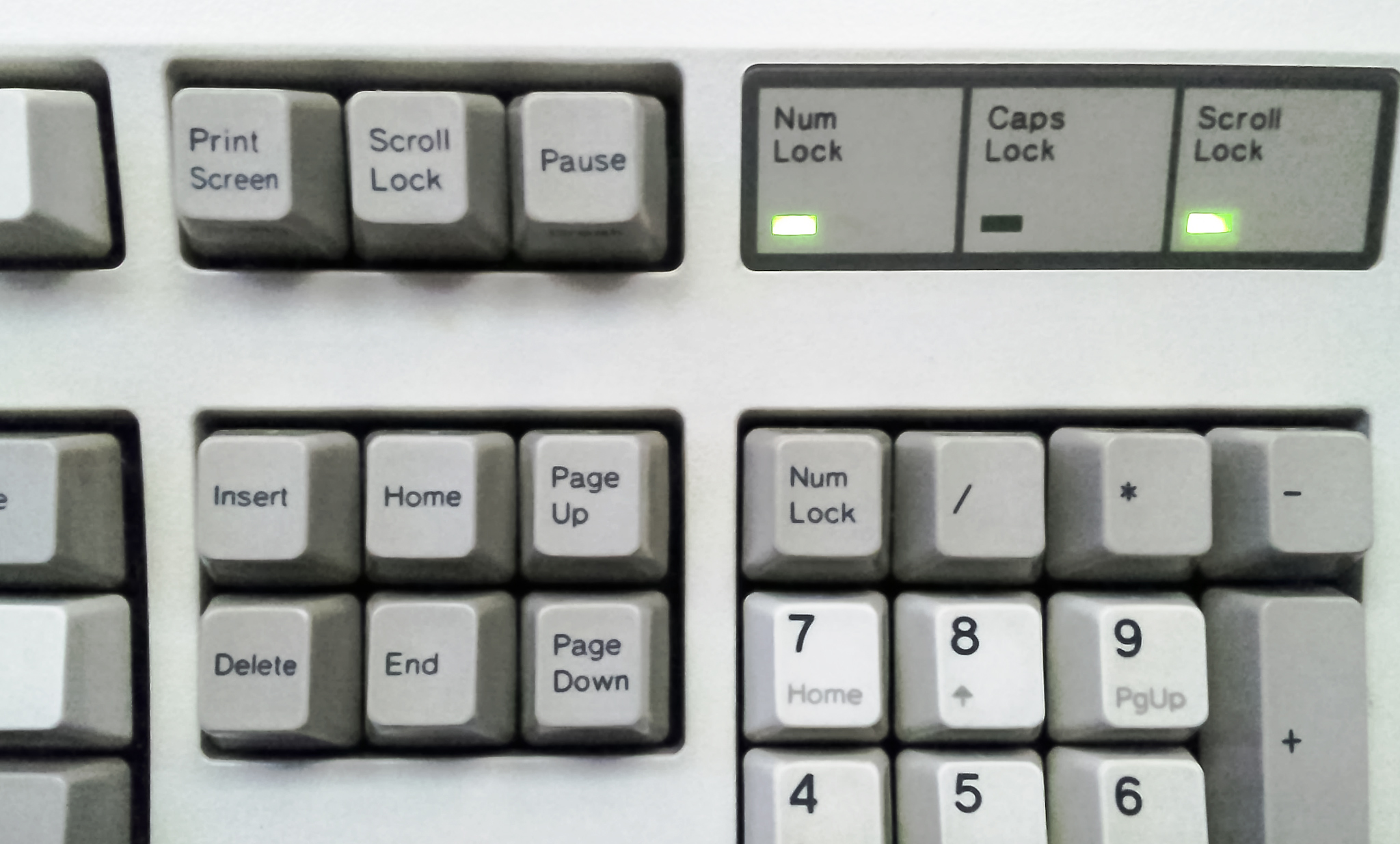
1. The Historical Architecture of the Scroll Lock Key
To understand why the Scroll Lock key exists, we must look back to the early 1980s, specifically the era of the original IBM PC. In those days, the mouse was not a standard peripheral, and the Graphical User Interface (GUI) as we know it—complete with scroll bars and touch gestures—did not exist.
The Original Purpose: Navigation in a Text-Based World
In the early days of DOS and command-line interfaces, the screen could only display a limited amount of text at once. If a document or a list of data was longer than the screen’s vertical resolution, users needed a way to move through it. The arrow keys were typically used to move the cursor from one character or line to the next.
The Scroll Lock key was designed to toggle the behavior of these arrow keys. When Scroll Lock was turned on, the arrow keys would move the entire page of text up or down, rather than moving the cursor. This allowed users to “scroll” through data while keeping the cursor fixed at a specific location. It was essentially the precursor to the scroll wheel on a modern mouse.
The Transition to the Modern Keyboard Layout
As computing shifted toward the Windows and Macintosh environments in the 1990s, the mouse became the primary tool for navigation. Scrolling became a function of the GUI—users could simply click and drag a scroll bar or use a mouse wheel. Consequently, the original utility of the Scroll Lock key began to diminish. While many legacy keys like “Print Screen” and “Pause/Break” found new lives in system shortcuts and programming, Scroll Lock became increasingly obscure, eventually being omitted from many modern laptop and compact keyboard designs.
2. Scroll Lock in the Modern Software Ecosystem
Despite its age, the Scroll Lock key is not entirely dead. Several high-profile software applications still recognize the key, and for power users in certain fields, it remains a vital tool.
The Excel Factor: A Last Bastion of Functionality
The most common place modern users encounter Scroll Lock is within Microsoft Excel. In Excel, the key retains a behavior very similar to its original 1981 purpose.
- Scroll Lock Off (Default): When you press the arrow keys, the selection box (the active cell) moves from one cell to the next.
- Scroll Lock On: When you press the arrow keys, the active cell remains selected, but the entire spreadsheet scrolls in the direction of the arrow.
This is incredibly useful for financial analysts or data scientists who need to look at distant parts of a massive spreadsheet without losing their place in a specific formula or data point. If you have ever found yourself frustrated because Excel isn’t “moving cells” when you press the arrows, there is a 99% chance you have accidentally toggled Scroll Lock.
Behavioral Use in Linux and Coding
In various Linux distributions and terminal emulators, the Scroll Lock key can occasionally be mapped to stop the scrolling of text in the console. This is particularly useful when running a script that generates thousands of lines of output per second. By engaging a lock, a developer can pause the visual stream to inspect a specific error message before allowing the process to continue.
Web Browsers and Word Processors
In contrast to Excel, most modern web browsers (Chrome, Firefox, Safari) and word processors (Microsoft Word, Google Docs) completely ignore the Scroll Lock state. These programs rely entirely on the mouse wheel, trackpad gestures, or dedicated “Page Up” and “Page Down” keys. This inconsistency across software is part of what makes the key so confusing for the average user.
3. Advanced Technical Applications and Customization
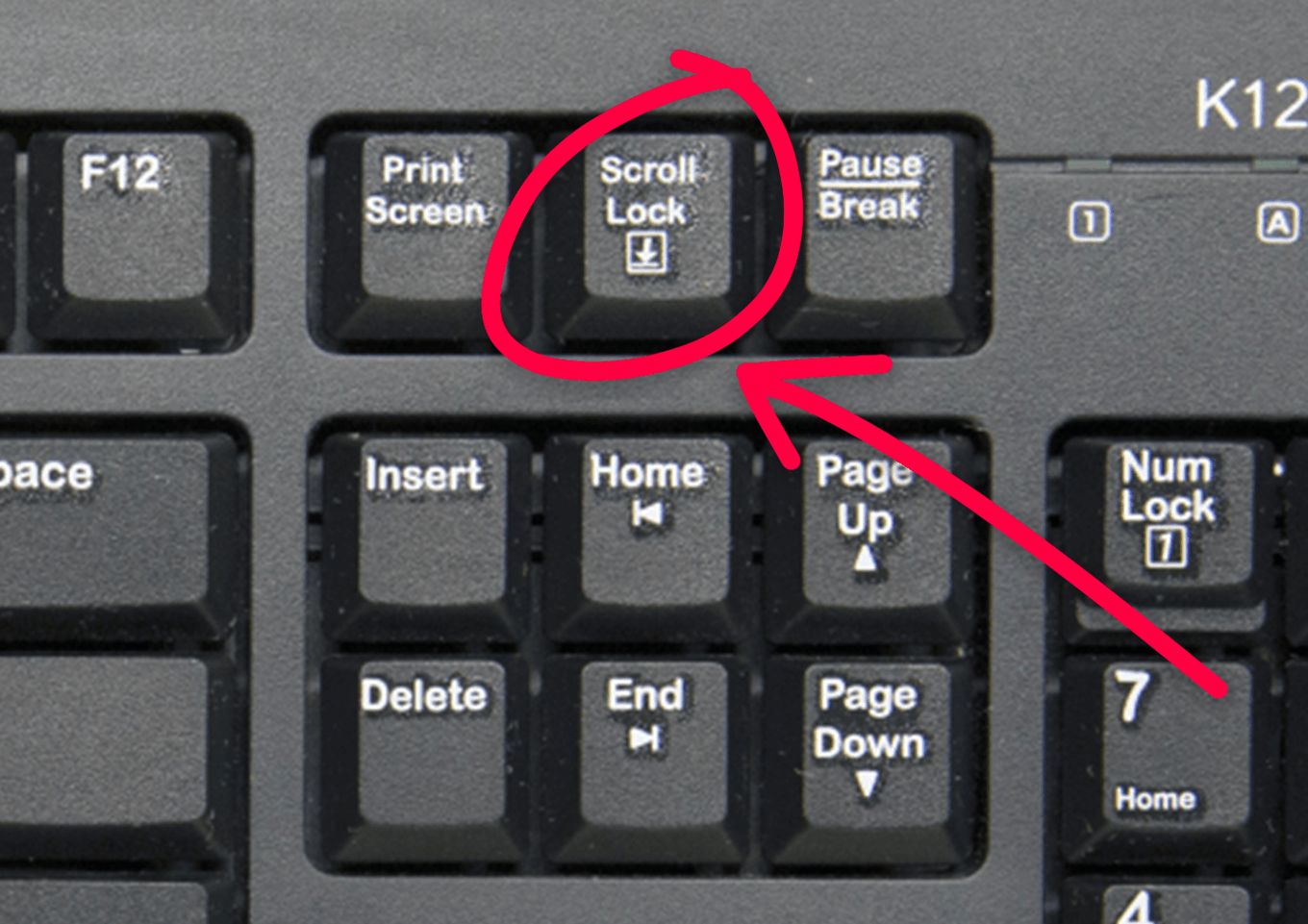
For tech enthusiasts and hardware power users, the Scroll Lock key is often viewed as “free real estate.” Because it has so few native functions in modern Windows or macOS environments, it is the perfect candidate for remapping and custom macros.
KVM Switches and Multi-PC Management
One of the most professional uses for the Scroll Lock key today is in the realm of KVM (Keyboard, Video, Mouse) switches. A KVM switch allows a user to control multiple computers using a single keyboard and monitor. Many hardware manufacturers use a “Double Scroll Lock” tap as the hotkey to switch between computers. For example, pressing Scroll Lock twice in rapid succession might flip the display from your work laptop to your home gaming PC. It was chosen for this purpose specifically because it is rarely used by other applications, minimizing the risk of a “hotkey conflict.”
Custom Macros and Gaming
Gamers and programmers often use software like AutoHotkey (on Windows) or Karabiner (on Mac) to repurpose the Scroll Lock key. Since the key sends a unique scan code to the operating system, it can be programmed to perform complex tasks, such as:
- Muting a microphone during a stream.
- Launching a specific set of development tools.
- Acting as a “push-to-talk” button in communication software like Discord.
- Toggling RGB lighting profiles on mechanical keyboards.
Visual Feedback and Indicators
On many mechanical keyboards, the Scroll Lock key features a dedicated LED indicator. Some users utilize this LED as a notification light. Through third-party software, the Scroll Lock light can be programmed to flash when you receive a new email, when your CPU temperature exceeds a certain threshold, or even as a visual metronome for music production.
4. Troubleshooting: Managing Scroll Lock on Modern Hardware
A common issue today is that many modern keyboards—especially those on laptops like MacBooks or Dell XPS models—do not have a physical Scroll Lock key. This creates a problem when the software (like Excel) gets stuck in “Scroll Lock Mode.”
How to Turn Off Scroll Lock Without a Key
If your spreadsheet is scrolling and you don’t have the key on your board, you can use the Windows On-Screen Keyboard.
- Click the Start button and type “On-Screen Keyboard.”
- Launch the app, and you will see a digital representation of a full-sized keyboard.
- Look for the ScrLk button on the right side. If it is highlighted, click it to turn it off.
On a Mac, the “F14” key traditionally acts as the Scroll Lock, though this often requires an Apple Extended Keyboard. If you are using a laptop, you may need to use a Function (Fn) key combination, such as Fn + C or Fn + K, depending on the manufacturer’s firmware.
Dealing with “Ghost” Toggles
Sometimes, specialized software or driver conflicts can trigger a virtual Scroll Lock state. If you find the key toggling itself, it is worth checking your “Ease of Access” settings in Windows to ensure that “Toggle Keys” (which makes a sound when caps/scroll lock are pressed) is turned off, and checking your keyboard’s proprietary software (like Razer Synapse or Logitech G Hub) for any active macros assigned to that key.
5. The Future of the Scroll Lock Key
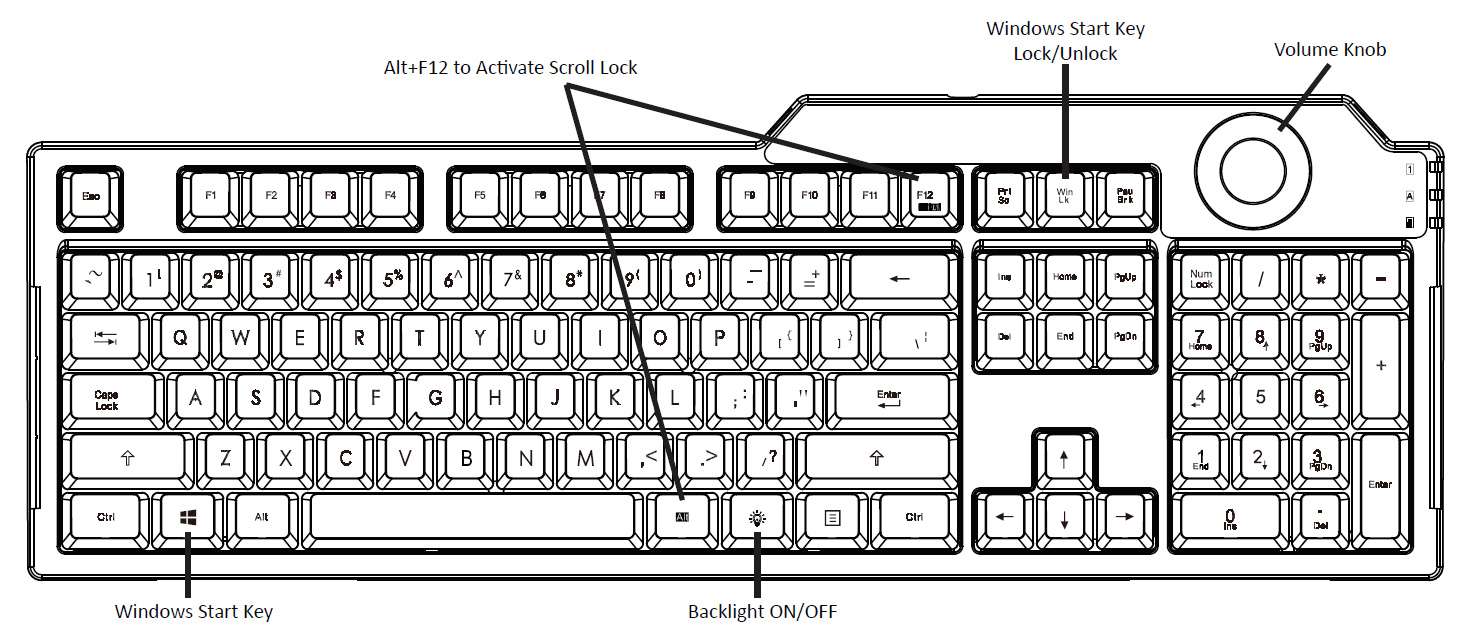
As we move toward more minimalist keyboard designs, such as the 60% and 65% layouts popular in the mechanical keyboard community, the “Navigation Cluster” (where Scroll Lock lives) is the first thing to be removed.
The Decline of Physical Keys
Most modern users value desk space and ergonomics over legacy compatibility. For the average consumer who never touches Excel or KVM switches, the Scroll Lock key is a candidate for extinction. We are seeing a trend where the key is being replaced by dedicated media controls (Volume, Play/Pause) or “Function Layer” keys that offer more immediate utility.
Why It Persists in the Enterprise
Despite the push for minimalism, the Scroll Lock key remains a standard on “Full Size” (104-key) keyboards. This is largely due to the corporate and industrial sectors. Large-scale data entry, legacy terminal emulation in banking, and server management still rely on the standard IBM layout. As long as Microsoft Excel remains the world’s most popular business tool, the Scroll Lock key will likely retain its small, specialized corner of the keyboard.
Conclusion
The Scroll Lock key is a fascinating bridge between the history of computing and the modern digital workflow. While it originated as a solution for navigating text-based interfaces in a pre-mouse era, it has survived as a niche tool for spreadsheet power users and a versatile “blank slate” for tech enthusiasts who love to customize their hardware.
Whether you view it as a nuisance that occasionally ruins your Excel navigation or as a valuable trigger for your KVM switch, the Scroll Lock key serves as a reminder that in technology, old solutions rarely disappear entirely—they simply find new ways to be useful. Understanding how to control and repurpose this legacy key is a small but meaningful way to master the tools we use every day.
aViewFromTheCave is a participant in the Amazon Services LLC Associates Program, an affiliate advertising program designed to provide a means for sites to earn advertising fees by advertising and linking to Amazon.com. Amazon, the Amazon logo, AmazonSupply, and the AmazonSupply logo are trademarks of Amazon.com, Inc. or its affiliates. As an Amazon Associate we earn affiliate commissions from qualifying purchases.