
In the modern digital landscape, data is no longer confined to spreadsheets and text files. As businesses and researchers seek to understand the “where” behind their information, Geographic Information Systems (GIS) have become indispensable. At the forefront of this spatial revolution is QGIS (formerly Quantum GIS), a professional-grade, open-source software that has disrupted the industry by democratizing access to complex geospatial analysis.
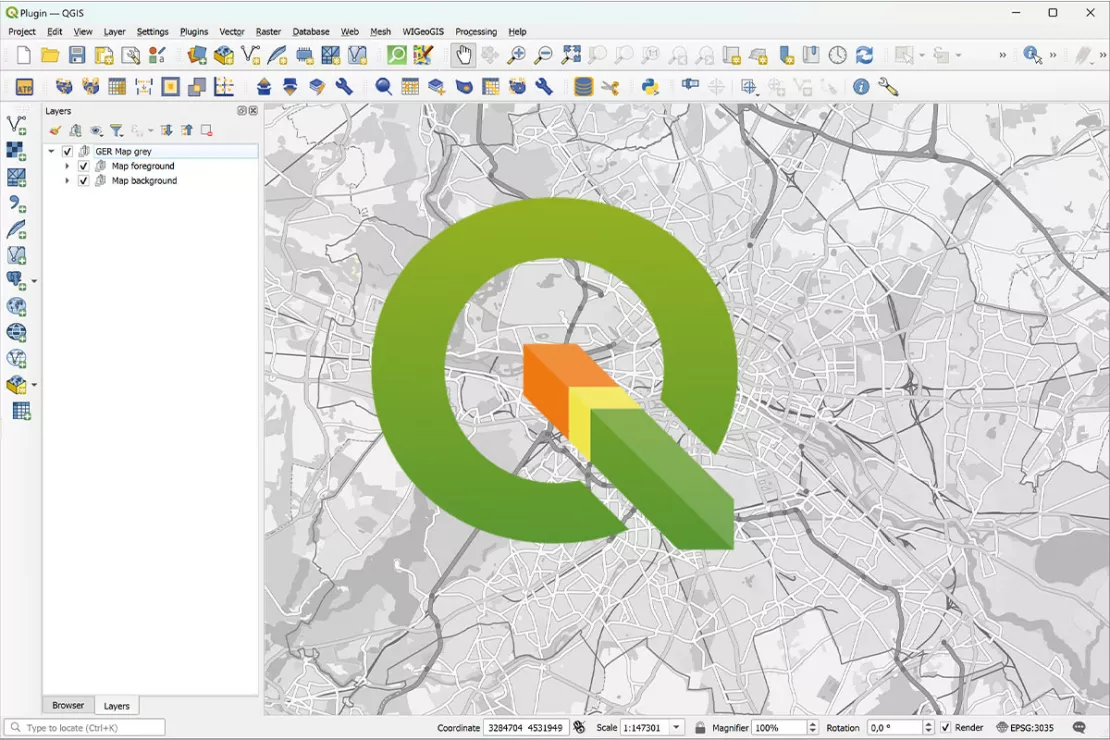
QGIS is a cross-platform desktop application that allows users to create, edit, visualize, analyze, and publish geospatial information. Whether you are tracking urban sprawl, managing a reforestation project, or optimizing a delivery network, QGIS provides the technical infrastructure to turn raw coordinates into actionable intelligence. As part of the Open Source Geospatial Foundation (OSGeo), it represents the pinnacle of collaborative software development, rivaling expensive proprietary alternatives in both functionality and reliability.
Understanding QGIS: A Deep Dive into Open-Source Geospatial Technology
To understand QGIS, one must first understand the philosophy of open-source technology. Unlike proprietary software that requires hefty annual licensing fees, QGIS is released under the GNU General Public License. This means the source code is transparent, customizable, and free for anyone to use—from individual hobbyists to multinational corporations.
The Origins and Philosophy of QGIS
QGIS was born in 2002 out of a need for a lightweight, user-friendly GIS viewer for Linux. Since then, it has evolved into a powerhouse supported by a global community of developers. The project’s philosophy centers on interoperability and accessibility. By supporting a vast array of file formats and projection systems, QGIS ensures that spatial data is not siloed within specific ecosystems. This “open” approach has made it the go-to tool for government agencies and NGOs that prioritize transparency and budget efficiency.
Vector vs. Raster Data: How QGIS Processes Information
At its technical core, QGIS manages two primary types of data: vector and raster.
- Vector Data: This represents geography as points (e.g., a specific well), lines (e.g., a river or road), and polygons (e.g., a city boundary). QGIS allows for precise manipulation of these geometries and their associated attribute tables.
- Raster Data: This consists of a matrix of cells or pixels, such as satellite imagery or digital elevation models (DEMs). QGIS uses powerful rendering engines to process these heavy datasets, allowing users to perform “raster math” to calculate things like vegetation health or slope steepness.
Core Features and Functional Capabilities
The strength of QGIS lies in its versatility. It is not just a map-making tool; it is a comprehensive spatial laboratory. The software provides a structured environment where users can perform complex data manipulation with surgical precision.
Advanced Cartography and Visualization
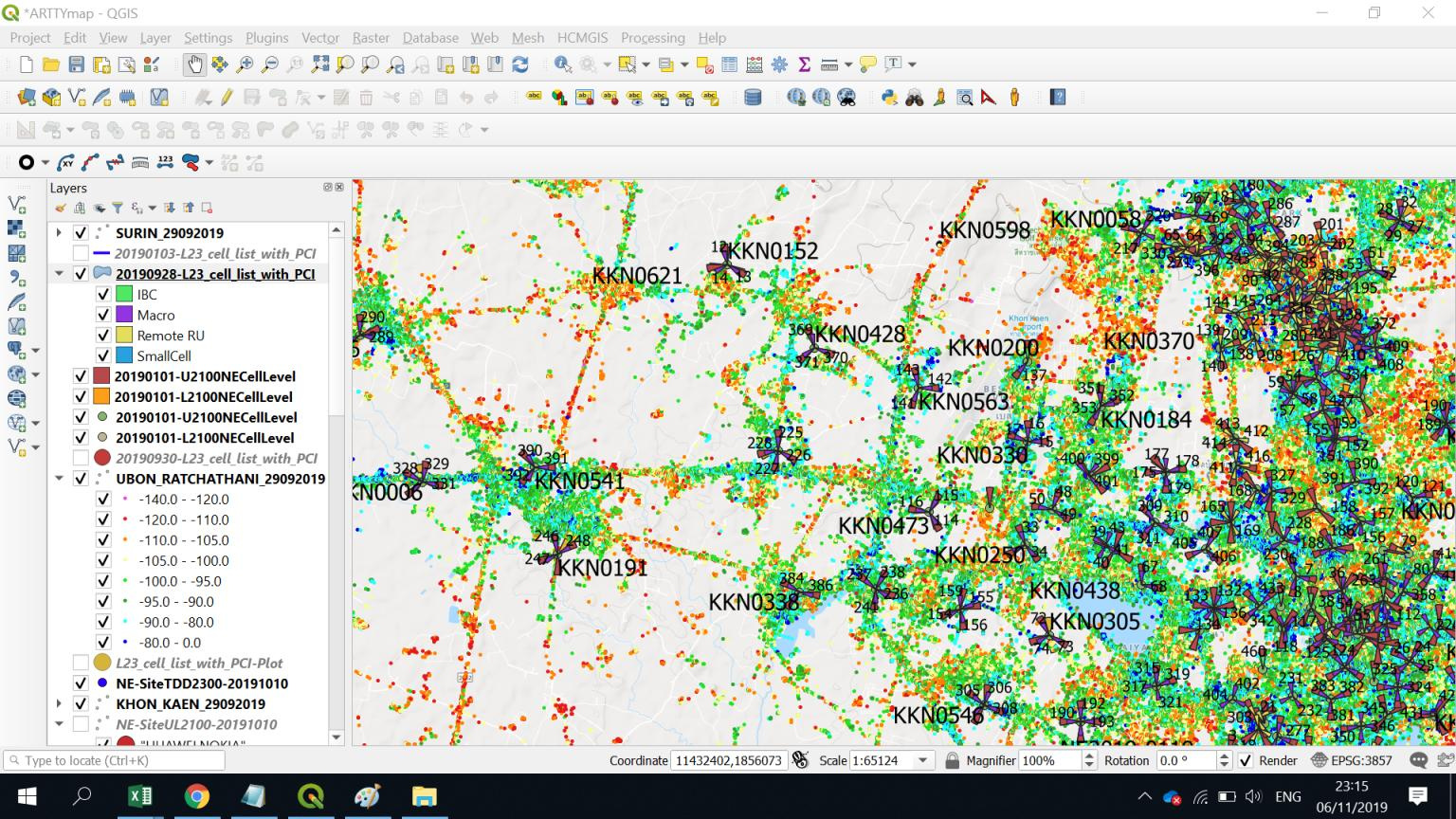
While data analysis is vital, the ability to communicate that data through maps is equally important. QGIS offers an industry-leading “Print Layout” engine. Users can create professional-grade maps with legends, scale bars, north arrows, and inset maps. The software supports advanced symbology, such as rule-based rendering, where features change color or shape based on their data values. For example, a map of fire hydrants can automatically highlight those that haven’t been inspected in over a year by changing their icon color to red.
Spatial Analysis and Geoprocessing
QGIS is equipped with a massive “Processing Toolbox.” This includes native QGIS algorithms as well as integrated tools from other open-source projects like GRASS GIS and SAGA GIS. Common geoprocessing tasks include:
- Buffering: Creating a zone of a specific distance around a feature (e.g., identifying houses within 500 meters of a new highway).
- Clipping and Intersecting: Merging or trimming datasets based on geographical boundaries.
- Network Analysis: Determining the shortest route between two points based on road data.
Database Management and Integration
In a professional tech stack, GIS software rarely exists in a vacuum. QGIS excels at connecting to external databases. It offers seamless integration with PostGIS, the spatial extension for the PostgreSQL database. This allows for the storage and querying of massive datasets that would be too large to handle in a standard file-based format. Additionally, QGIS supports SpatiaLite, Oracle Spatial, and Microsoft SQL Server, making it a flexible node in any corporate data architecture.
The Power of the QGIS Ecosystem: Plugins and Extensibility

One of the most significant advantages of QGIS over its competitors is its extensibility. The core software is purposefully kept streamlined, with specialized functionality handled through a robust plugin system.
Customizing Workflows with Python and PyQGIS
QGIS is built using C++, but its automation and customization are driven by Python. The PyQGIS API allows developers to write scripts that automate repetitive tasks, create custom tools, or even build entire standalone applications based on the QGIS engine. This makes QGIS a favorite for data scientists and software engineers who want to integrate spatial analysis into wider automated pipelines or machine learning models.
Essential Plugins for Modern Workflows
The QGIS Plugin Repository contains thousands of community-contributed tools that expand the software’s capabilities.
- QuickMapServices: This allows users to instantly add base maps from Google, Esri, or OpenStreetMap with a single click.
- Semi-Automatic Classification Plugin (SCP): A vital tool for remote sensing, allowing for the classification of satellite images to identify land cover types.
- QGIS2Web: This plugin bridges the gap between desktop and web, allowing users to export their maps as interactive OpenLayers or Leaflet web maps without writing a single line of HTML or JavaScript.
QGIS vs. Proprietary Software: Why the Industry is Shifting
For decades, the GIS market was dominated by a few major proprietary players, most notably Esri’s ArcGIS. However, recent years have seen a massive shift toward QGIS. This transition is driven by more than just the “free” price tag; it is driven by technical agility.
Cost-Efficiency and Licensing
Proprietary GIS software often involves complex “seat” licenses that can cost thousands of dollars per user, per year. For a startup or a local government office, this is a significant barrier to entry. QGIS removes this barrier. Organizations can deploy QGIS across hundreds of machines at zero licensing cost, redirecting those funds toward data acquisition or specialized staff training. Furthermore, there are no “tiers” of functionality; every user has access to the full suite of advanced tools from day one.
Community Support vs. Corporate Support
While proprietary companies offer formal help desks, QGIS relies on a massive, global community of experts. Issues are often resolved faster through community forums (like Stack Exchange) and GitHub repositories than through traditional corporate support tickets. Because the software is open-source, if a user discovers a bug, they can report it directly to the developers or even fix it themselves and submit a “Pull Request.” This rapid iteration cycle ensures that QGIS remains compatible with the latest operating systems and data standards.
Real-World Applications and the Future of QGIS
As we look toward the future, the role of QGIS continues to expand into high-tech sectors like autonomous driving, smart city development, and precision agriculture.
Urban Planning and Environmental Management
City planners use QGIS to model the impact of new zoning laws or to visualize traffic flow patterns. By layering demographic data over geographic maps, they can identify “food deserts” or areas underserved by public transit. Environmental scientists use the software to monitor deforestation via satellite imagery or to model flood risks in the face of rising sea levels. The ability to perform high-level temporal analysis—tracking changes over time—is a hallmark of QGIS’s technical prowess in these fields.
The Integration of AI and Machine Learning in QGIS
The next frontier for QGIS is the integration of Artificial Intelligence. Through Python-based plugins, users are already beginning to use machine learning models to automate feature extraction. Instead of a human manually tracing every building in a satellite photo, AI algorithms can identify and digitize thousands of structures in seconds. As AI tools become more accessible, QGIS will serve as the primary interface where geographic data meets predictive modeling.
Conclusion
QGIS is far more than just a free alternative to expensive software; it is a sophisticated, highly extensible platform that sits at the intersection of data science and geography. Its commitment to open-source principles has created a resilient ecosystem that empowers users to solve complex spatial problems without being tethered to a specific vendor.
For the tech-savvy professional, learning QGIS is an investment in a tool that is globally recognized and infinitely adaptable. As our world becomes increasingly data-driven, the ability to map, analyze, and understand the physical world through QGIS will remain one of the most valuable skills in the digital age. Whether you are a developer looking to automate spatial workflows or a researcher aiming to visualize the impact of climate change, QGIS provides the tools to map the future.
aViewFromTheCave is a participant in the Amazon Services LLC Associates Program, an affiliate advertising program designed to provide a means for sites to earn advertising fees by advertising and linking to Amazon.com. Amazon, the Amazon logo, AmazonSupply, and the AmazonSupply logo are trademarks of Amazon.com, Inc. or its affiliates. As an Amazon Associate we earn affiliate commissions from qualifying purchases.