
In the contemporary digital landscape, where high-definition screens are ubiquitous and software interfaces are more sophisticated than ever, the term “pixel” is frequently used but often misunderstood. At its simplest, a pixel—short for “picture element”—is the smallest unit of a digital image or display that can be controlled or programmed. However, when we ask “what is px size,” the answer is far more complex than a single measurement. It involves an intricate interplay between hardware engineering, software rendering, and human perception.
For developers, hardware enthusiasts, and digital security professionals, understanding the technical nuances of pixel size is critical. It dictates how software scales across different devices, how images are compressed without losing data integrity, and how artificial intelligence tools reconstruct low-resolution visuals into high-fidelity outputs. This exploration delves into the technical core of pixel units, their role in modern software ecosystems, and the hardware trends shaping the future of digital resolution.
The Anatomy of a Pixel: From Physical Hardware to Logical Units
To understand pixel size, one must first distinguish between the physical reality of hardware and the logical abstractions of software. A pixel is not a fixed unit of length like a millimeter or an inch; rather, its size is relative to the technology being used.
Physical Pixels vs. Logical Pixels
A physical pixel is a hardware component. On an LCD or OLED screen, it is typically composed of three sub-pixels: red, green, and blue (RGB). These sub-pixels emit light at varying intensities to create the millions of colors we see. The physical size of these pixels is determined during the manufacturing process. For example, a 27-inch monitor with a 1080p resolution has much larger physical pixels than a 6-inch smartphone with the same resolution.
Conversely, a logical pixel (often referred to as a “device-independent pixel” or CSS pixel) is an abstraction used by software. When a developer sets an element’s width to “100px” in code, the operating system translates that logical instruction into a specific number of physical pixels based on the device’s display properties. This abstraction is what allows an app to look roughly the same size on a small, high-density phone screen as it does on a large, low-density desktop monitor.
Pixel Density and PPI (Pixels Per Inch)
The “size” of a pixel is most accurately described through the lens of Pixel Density, measured in Pixels Per Inch (PPI). This metric defines how many physical pixels are packed into one square inch of screen real estate.
High-density displays, such as 4K monitors or modern mobile screens, have a high PPI, meaning the individual pixels are incredibly small—often invisible to the naked eye at standard viewing distances. Low-density displays have a lower PPI, resulting in larger pixels that may cause “pixelation” or jagged edges (aliasing) if the resolution is too low for the screen size. Calculating PPI is a fundamental task for hardware reviewers and software engineers to ensure visual clarity across a diverse gadget ecosystem.
Pixels in Software Architecture and Web Development
In the realm of software engineering and web development, the “pixel” serves as the primary coordinate system. However, the evolution of high-resolution displays has forced a shift in how software interprets “px” size to maintain usability and accessibility.
CSS Pixels and the Viewport
In web development, the px is a non-linear unit. According to the World Wide Web Consortium (W3C), a standard reference pixel is defined as the visual angle of one pixel on a device with a pixel density of 96 PPI at an arm’s length distance.
As hardware moved toward “Retina” and “HiDPI” displays, the 1:1 ratio between software pixels and hardware pixels broke. Modern browsers use a “Device Pixel Ratio” (DPR) to scale content. For instance, on a device with a DPR of 2.0, a “100px” box in CSS actually occupies 200 physical pixels horizontally and 200 vertically. This ensures that text remains legible and UI elements do not become microscopically small on high-resolution gadgets.
Resolution, Aspect Ratio, and Rasterization
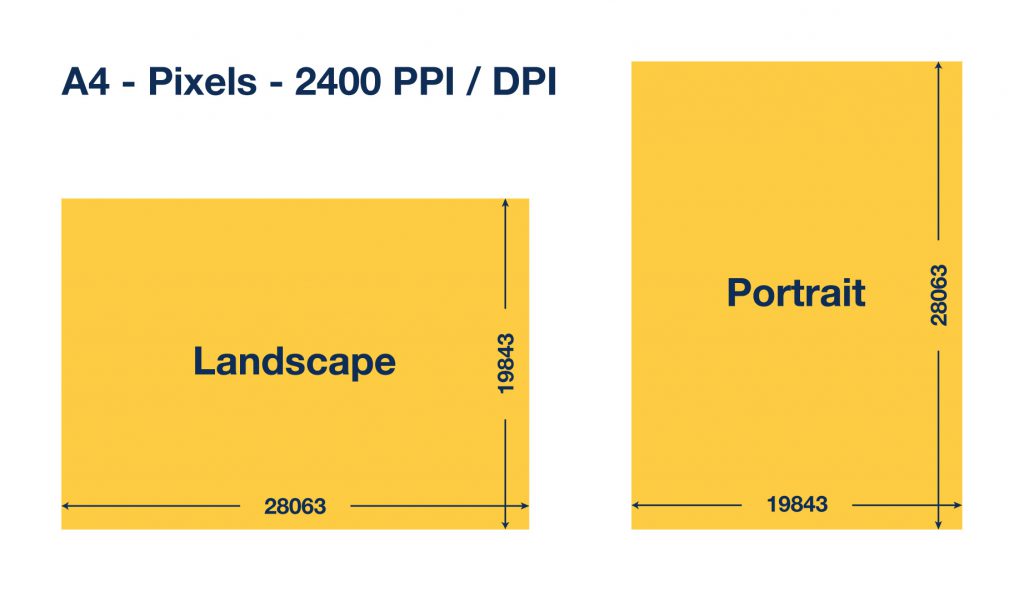
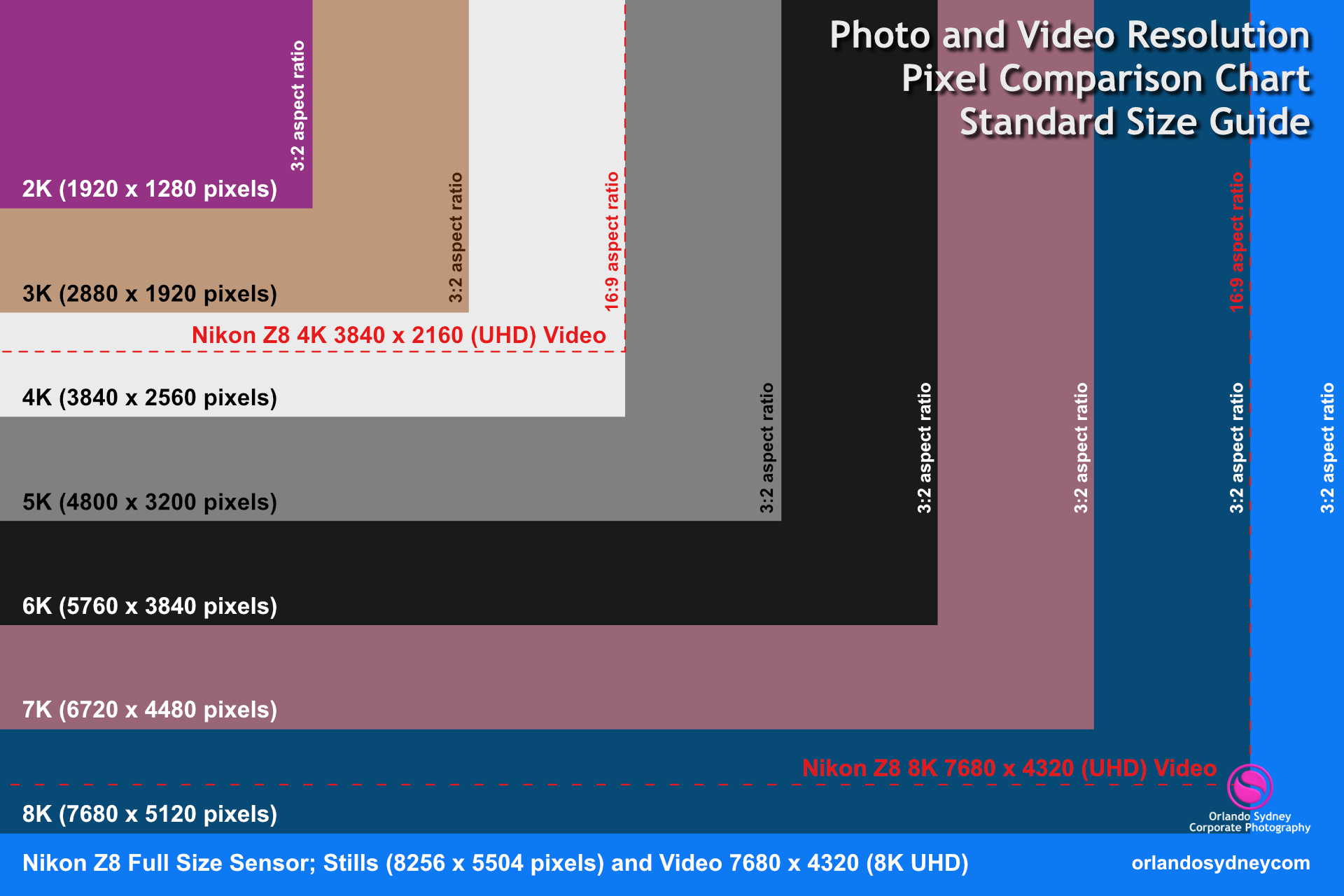
The size and arrangement of pixels define the resolution (the total count of pixels, such as 1920×1080) and the aspect ratio (the proportional relationship between width and height, such as 16:9).
When software displays an image, it performs “rasterization”—the process of mapping vector data or compressed image bits into a grid of pixels. Technical tutorials for digital artists and software developers often emphasize the importance of “pixel-perfect” rendering. This involves aligning UI elements exactly with the physical pixel grid to prevent “sub-pixel rendering” artifacts, which can cause lines to appear blurry or washed out.
The Evolution of Display Technology and Hardware Trends
As technology progresses, the push toward smaller and more efficient pixels continues to drive the hardware industry. This evolution has profound implications for how we consume digital media and interact with AI-driven tools.
High-DPI, Retina Displays, and Beyond
The trend toward “Retina” displays (a term popularized by Apple) signaled a shift where the density of pixels exceeds the limit of human retinal discernment. In these displays, the goal is to make the “px size” so small that the grid disappears entirely, creating an image that looks like a continuous analog photograph rather than a digital recreation.
For hardware manufacturers, this requires advancements in thin-film transistor (TFT) backplanes and organic light-emitting diodes (OLED). In high-end VR (Virtual Reality) headsets, the “pixels per degree” (PPD) metric is even more critical than PPI. Because the screen is centimeters from the eye, pixels must be extraordinarily small to prevent the “screen door effect,” where the gaps between pixels become visible.
The Shift from Raster to Vector-Based Assets
Because physical pixel sizes vary so wildly across gadgets—from smartwatches to 8K televisions—the tech industry is moving away from fixed-size raster images (.JPG, .PNG) toward vector-based assets (.SVG).
Unlike raster images, which consist of a fixed grid of pixels, vector graphics are mathematical instructions. They do not have a set “px size” until they are rendered on a screen. This allows software interfaces to remain crisp at any zoom level or resolution, bypassing the limitations of traditional pixel-based layouts. This is a cornerstone of modern app design and digital security iconography.
Technical Applications: Performance, Security, and AI
The study of pixel size is not merely aesthetic; it has deep implications for digital security, performance optimization, and the integration of AI tools.
Image Compression and Computational Performance
Every pixel carries data—usually 24 to 32 bits for color and transparency information. In software development, managing the “pixel payload” is essential for performance. High-resolution images with millions of tiny pixels result in massive file sizes that can slow down apps and websites.
Advanced compression algorithms (like WebP or AVIF) use “chroma subsampling” and “spatial redundancy” to reduce the amount of data stored per pixel without significantly altering the perceived px size or quality. For digital security professionals, understanding how these pixels are stored is vital for detecting steganography—the practice of hiding encrypted data within the least significant bits of an image’s pixels.
AI-Driven Upscaling and Pixel Reconstruction
One of the most exciting trends in tech today is the use of AI tools to manipulate pixel size and density. Technologies like NVIDIA’s DLSS (Deep Learning Super Sampling) and AMD’s FSR (FidelityFX Super Resolution) use neural networks to render a game or application at a lower internal resolution (larger, fewer pixels) and then “upscale” it to a higher resolution (smaller, more numerous pixels) in real-time.
This process involves the AI predicting what the “missing” pixels should look like based on trained models. This allows gadgets with modest hardware to output 4K-quality visuals, effectively cheating the physical limitations of the hardware. Similarly, AI tools are used in digital forensics to “enhance” low-quality surveillance footage, though the technical reality of “enhancing” pixels is a complex process of probabilistic reconstruction rather than simple enlargement.

Conclusion: The Future of the Digital Unit
The question “what is px size” reveals the intricate layers of modern technology. From the microscopic RGB sub-pixels on an OLED panel to the logical abstractions in a CSS file, the pixel is a versatile and evolving unit. As we move toward 8K displays, augmented reality glasses, and AI-generated environments, the pixel will likely become even more abstracted.
In the future, we may see the industry move entirely toward “resolution-independent” computing, where the software no longer thinks in terms of pixels at all, but in terms of visual angles and light fields. Until then, understanding the technical behavior of pixels remains essential for anyone navigating the worlds of software development, hardware engineering, and digital security. Whether you are optimizing an app for a high-DPI display or analyzing an image for hidden data, the humble pixel remains the fundamental building block of our digital reality.
aViewFromTheCave is a participant in the Amazon Services LLC Associates Program, an affiliate advertising program designed to provide a means for sites to earn advertising fees by advertising and linking to Amazon.com. Amazon, the Amazon logo, AmazonSupply, and the AmazonSupply logo are trademarks of Amazon.com, Inc. or its affiliates. As an Amazon Associate we earn affiliate commissions from qualifying purchases.