
In the intricate world of digital design and image manipulation, file formats are more than just extensions; they are fundamental containers dictating how data is stored, accessed, and utilized. For professionals working with Adobe Photoshop, the .psd file is a ubiquitous and essential standard. However, the sheer scale and complexity of modern digital projects often push the boundaries of even the most robust formats. This is where the PSB file, or “Photoshop Large Document Format,” emerges as a critical tool, designed specifically to accommodate the enormous demands of high-resolution, multi-layered digital artwork.
A PSB file is, at its core, a specialized variant of the standard Photoshop Document (PSD). While both formats are proprietary to Adobe Photoshop and capable of storing all of Photoshop’s features—including layers, masks, smart objects, paths, and effects—the PSB format distinguishes itself by its colossal capacity. It was engineered to handle image dimensions and file sizes that would utterly overwhelm a traditional PSD file, making it indispensable for projects ranging from expansive digital paintings and detailed architectural renderings to large-format print media and ultra-high-resolution composites.
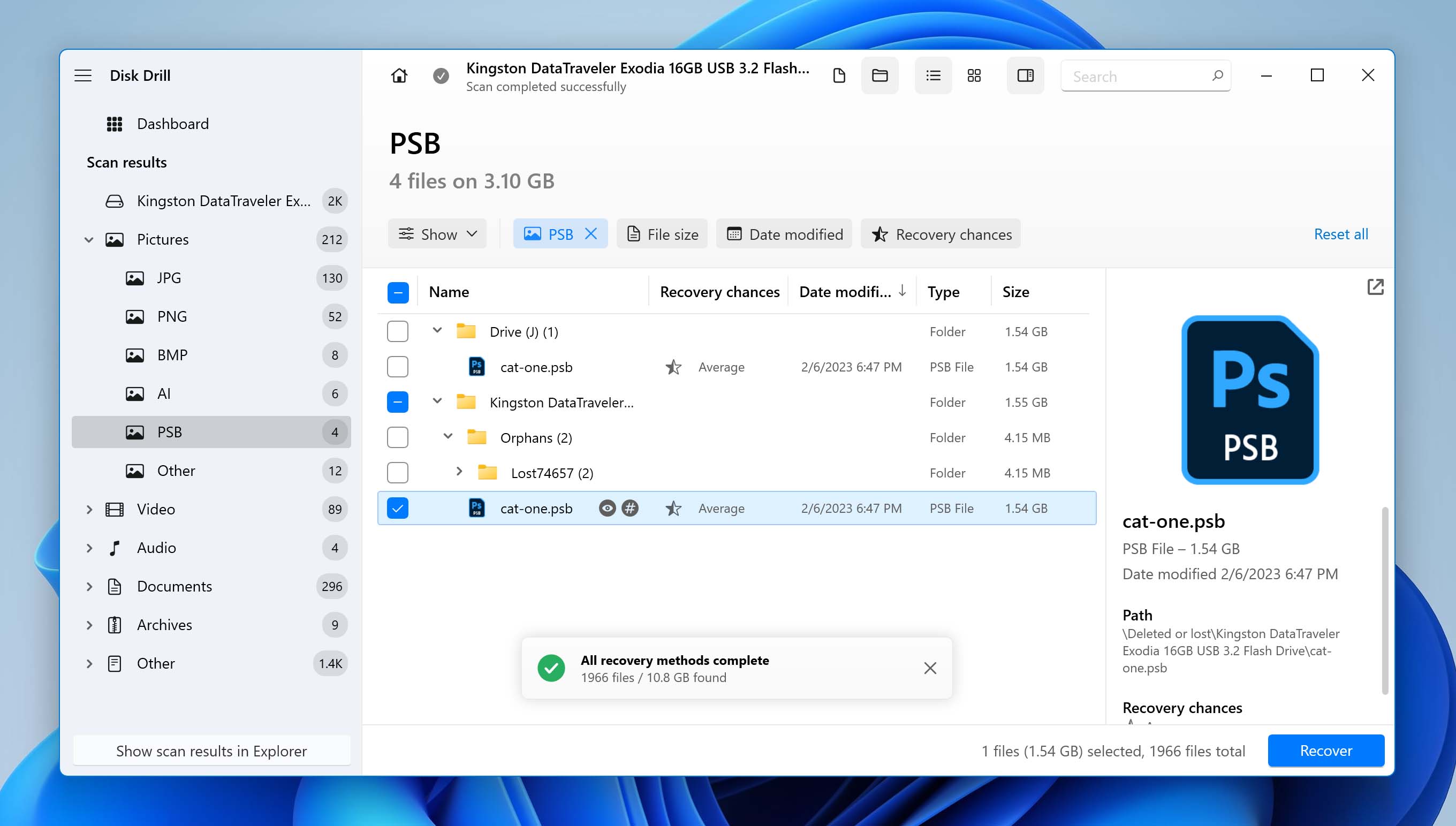
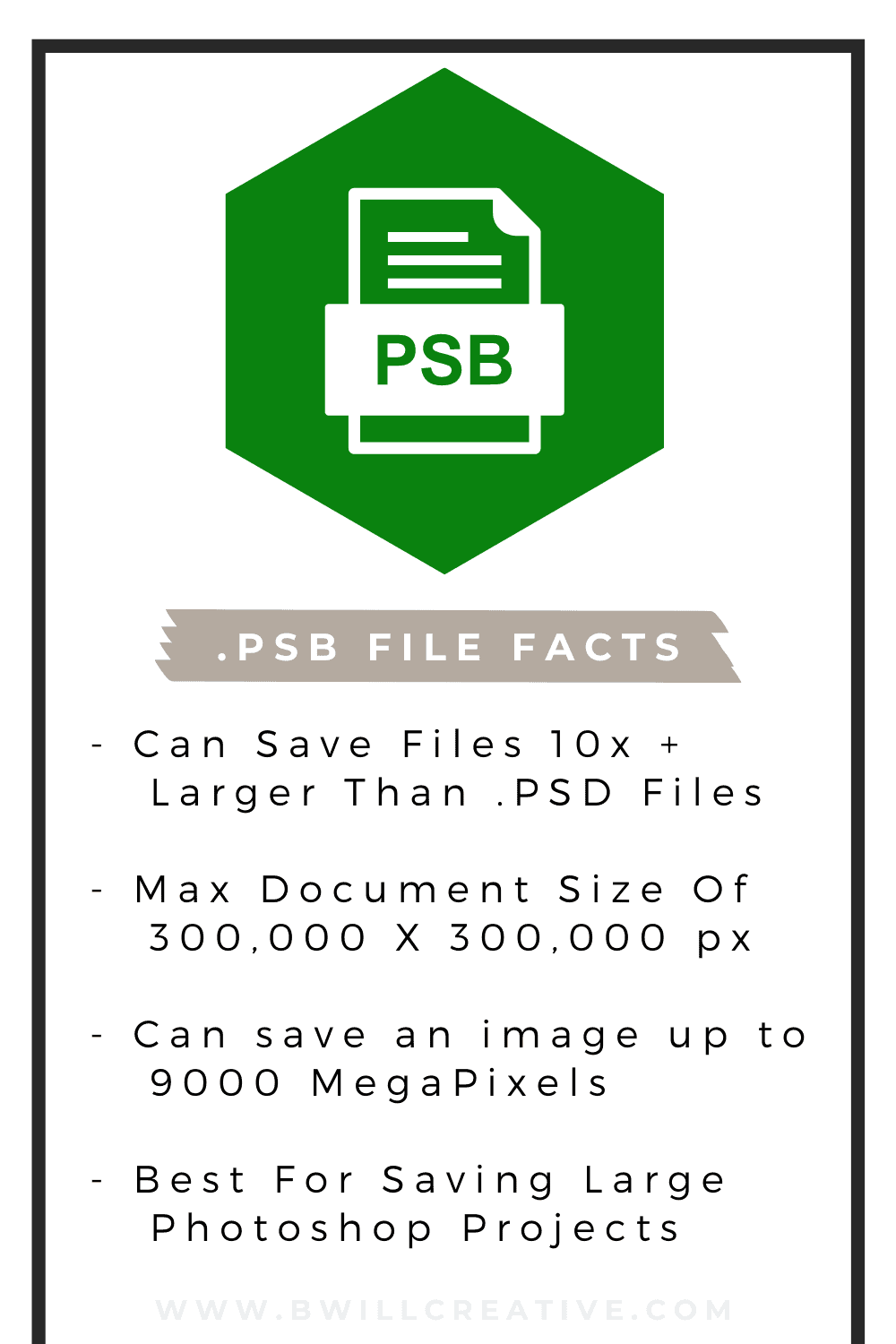
The necessity for the PSB format arose from the evolving capabilities of digital cameras, scanners, and rendering software, which increasingly produced images with staggering pixel counts. Designers and artists found themselves constrained by the PSD format’s inherent limitations: a maximum document size of 30,000 x 30,000 pixels and a file size limit of 2 GB. For projects demanding greater detail, larger canvases, or simply more intricate layering without compromise, a new solution was imperative. The PSB file effectively shatters these barriers, providing a canvas that can span up to 300,000 x 300,000 pixels and support file sizes up to an astounding 4 Exabytes (EB). This monumental leap in capacity ensures that creative vision is no longer curtailed by technical specifications.
Key Characteristics and Advantages of PSB Files
The PSB format is not merely a larger PSD; it represents a significant architectural enhancement designed to manage extreme data loads without sacrificing Photoshop’s rich feature set. Understanding its unique characteristics reveals why it has become an indispensable tool for professionals tackling the most ambitious digital projects.
Overcoming Size Limitations
The most prominent advantage of a PSB file is its extraordinary capacity to handle massive dimensions and file sizes. While a standard PSD file caps out at 30,000 pixels in width or height and a 2GB file size, a PSB file expands these limits exponentially. It supports dimensions up to 300,000 pixels on any side and can accommodate files up to 4 Exabytes. To put this into perspective, a 4 EB file is equivalent to 4 million terabytes or 4 billion gigabytes. This allows artists and designers to work with images that are orders of magnitude larger than what was previously possible, enabling hyper-detailed works for large-format printing, cinematic backdrops, or complex scientific visualizations without the need for tiling or downscaling.
Preserving Complex Workflows
Despite its immense capacity, the PSB format diligently preserves all of Photoshop’s advanced features. This includes an unlimited number of layers, sophisticated layer styles, vector masks, smart objects, adjustment layers, text layers, channels, paths, and more. This means that designers can maintain non-destructive workflows, iterate freely, and make changes to any element of a massive composition without compromising image quality or the integrity of their work. The ability to retain full editability across such vast canvases is crucial for collaborative projects and for clients who may require extensive revisions on high-resolution assets.
Compatibility within the Adobe Ecosystem
PSB files are fully compatible with Adobe Photoshop, ensuring seamless integration into existing workflows for users of the creative suite. When you open a PSB file in Photoshop, it behaves exactly like a PSD, albeit with potentially higher memory and processing demands due to its scale. While primarily a Photoshop format, some other Adobe applications, particularly those focused on video editing (like Premiere Pro) or motion graphics (After Effects), can often import PSB files, or specific layers/composites from them, provided the content falls within their own operational limits. This interoperability streamlines the production pipeline for multi-disciplinary projects that might involve both still imagery and animated content derived from the same high-resolution source.
Working with PSB Files
Integrating PSB files into your workflow is straightforward, especially if you’re already familiar with Adobe Photoshop. However, their unique characteristics necessitate a few considerations regarding performance and file management.
Opening and Editing PSB Files
Opening a PSB file in Adobe Photoshop is identical to opening a PSD file: you can simply navigate to File > Open, or drag and drop the file directly into Photoshop. Once opened, you can edit it using all of Photoshop’s tools and features. Due to the potentially massive size and complexity of PSB files, you might notice increased loading times, slower performance during complex operations (like applying filters or transformations), and higher RAM and CPU usage. It is highly recommended to work on a powerful machine with ample RAM, a fast processor, and sufficient disk space, preferably SSDs, to ensure a smooth editing experience. Regular saving is also a good practice, given the computational load involved.
Saving as a PSB File
Saving a document as a PSB file is typically an automatic process when your project exceeds the PSD format’s limitations. If you’re working on a document that surpasses 30,000 pixels in any dimension or grows beyond 2GB in file size, Photoshop will automatically prompt you to save it as a “Large Document Format” (PSB) when you choose File > Save or File > Save As. You can also manually select PSB from the “Format” dropdown menu in the “Save As” dialog box, even if your document doesn’t yet meet the size criteria. This can be a proactive measure if you anticipate your project will grow significantly.
Conversion and Export Options
While PSB is excellent for preserving high-fidelity, layered source files, it’s not a format for final delivery or web use due to its proprietary nature and immense size. When your work is complete, you will typically export or convert your PSB file into more universally accessible formats.
- Flattening and Exporting for Print: For large-format printing, you might flatten the PSB to a single layer or a simpler composite and then save it as a high-resolution TIFF, JPEG, or PDF. TIFF is often preferred for retaining quality, while PDF is common for print-ready documents.
- Web and Digital Use: For web, mobile, or screen display, you’ll need to significantly downsample and optimize the image. This usually involves resizing the canvas, flattening layers, and then saving as a JPEG, PNG, or WebP, depending on the transparency and compression requirements.
- Generating Derivatives: Often, from one master PSB file, multiple derivative files are created for different purposes—smaller images for web galleries, specific crops for social media, or optimized versions for presentations. Photoshop’s “Export As” function or “File > Generate > Image Assets” can be invaluable here.
When to Use PSB Files
The power of the PSB format makes it invaluable for specific use cases where standard file formats simply cannot cope with the scale and detail required. Recognizing these scenarios is key to optimizing your workflow and achieving superior results.
High-Resolution Imaging Projects
Any project demanding extreme resolution, such as large-format photographic composites, panoramic images composed of many individual shots, or high-fidelity scans of historical documents, is a prime candidate for the PSB format. When combining numerous high-megapixel images into a single canvas, the pixel dimensions can quickly exceed PSD limits. PSB ensures that all source data is preserved, allowing for meticulous editing, retouching, and non-destructive adjustments across the entire immense canvas. This is particularly crucial for art restoration, scientific imaging, and advertising campaigns requiring enormous print outputs.
Digital Painting and Illustration
For digital artists who create vast, intricate artworks, the PSB format offers an expansive canvas that mirrors the limitless potential of traditional large-scale murals or classical paintings. Artists can work on highly detailed environments, complex character designs, or sprawling conceptual pieces without ever hitting a resolution ceiling. This allows for incredibly fine brushwork, detailed textures, and the flexibility to continuously expand the scope of their artwork without fear of technical limitations. The ability to maintain hundreds of layers and smart objects across such a large canvas is a game-changer for complex illustrations that require numerous elements to be individually editable.
Large-Scale Print and Publishing
Publishing projects that require artwork for billboards, building wraps, large exhibition graphics, or multi-panel displays will inevitably necessitate PSB files. These applications demand extremely high resolution to maintain clarity and sharpness when viewed from close distances, making the PSB’s huge pixel dimensions indispensable. Similarly, intricate map designs, architectural blueprints, or detailed engineering schematics that incorporate raster elements often benefit from the PSB format to preserve every minute detail for print. By working in PSB, designers ensure that the final printed output will be crisp, clear, and true to the original digital design, irrespective of its physical size.
Potential Considerations and Best Practices
While PSB files offer unparalleled capacity, their use comes with practical considerations, primarily related to system performance, storage, and collaborative workflows.
Working with PSB files demands significant system resources. Ensure your computer is equipped with a powerful multi-core processor, a substantial amount of RAM (32GB or more is often recommended for very large files), and a fast GPU. Using Solid State Drives (SSDs) for your operating system, Photoshop scratch disk, and project files will drastically improve read/write speeds, reducing loading times and enhancing overall performance. Optimize Photoshop’s performance settings by allocating sufficient RAM and configuring the scratch disk on the fastest available drive.
Due to their massive size, PSB files require substantial storage space. Implement a robust storage solution, such as network-attached storage (NAS) or high-capacity external drives. Backup strategies are crucial; large files take longer to back up, so consider incremental backups or cloud solutions designed for large data volumes. Managing different versions of PSB files can also consume vast amounts of space, so a clear file naming convention and version control system are advisable.
Collaboration on PSB files can be challenging. Directly sharing a 2TB+ file over standard internet connections is impractical. Instead, consider using cloud storage services that specialize in large file transfers or employing asset management systems. For teams working on the same PSB, breaking down the project into smaller, manageable sections that can be worked on separately and then re-composited might be a more efficient approach. Alternatively, generate smaller, flattened preview files for review and approval cycles, reserving the full PSB for expert designers with the necessary hardware to manipulate it. By understanding these implications, designers can harness the immense power of the PSB format effectively, pushing the boundaries of what’s possible in digital art and design.
aViewFromTheCave is a participant in the Amazon Services LLC Associates Program, an affiliate advertising program designed to provide a means for sites to earn advertising fees by advertising and linking to Amazon.com. Amazon, the Amazon logo, AmazonSupply, and the AmazonSupply logo are trademarks of Amazon.com, Inc. or its affiliates. As an Amazon Associate we earn affiliate commissions from qualifying purchases.