
In the rapidly evolving landscape of enterprise software, the demand for agile, scalable, and secure web solutions has never been higher. As businesses undergo digital transformation, the bottleneck often lies in the traditional web development cycle, which can be slow, resource-intensive, and disconnected from core business data. Enter Microsoft Power Pages, the newest standalone member of the Microsoft Power Platform family. Designed to bridge the gap between complex coding and intuitive design, Power Pages represents a significant shift in how organizations build, host, and maintain external-facing business websites.
The Evolution and Architecture of Power Pages
Power Pages is not merely a website builder; it is an enterprise-grade development platform. To understand its current state, one must look at its technical lineage and how it integrates into the broader cloud ecosystem.
From Power Apps Portals to a Standalone Solution
Before becoming Power Pages, the technology existed as “Power Apps Portals.” Originally an evolution of the Adxstudio acquisition, it served as a way to surface Dataverse data to external users. However, as the need for sophisticated web experiences grew, Microsoft rebranded and rebuilt the interface, elevating it to a standalone product in 2022. This transition was more than cosmetic; it introduced a streamlined Design Studio and enhanced developer tools, separating the web-building experience from the app-building experience of Power Apps.
The Core Pillars: Design Studio, Dataverse, and Security
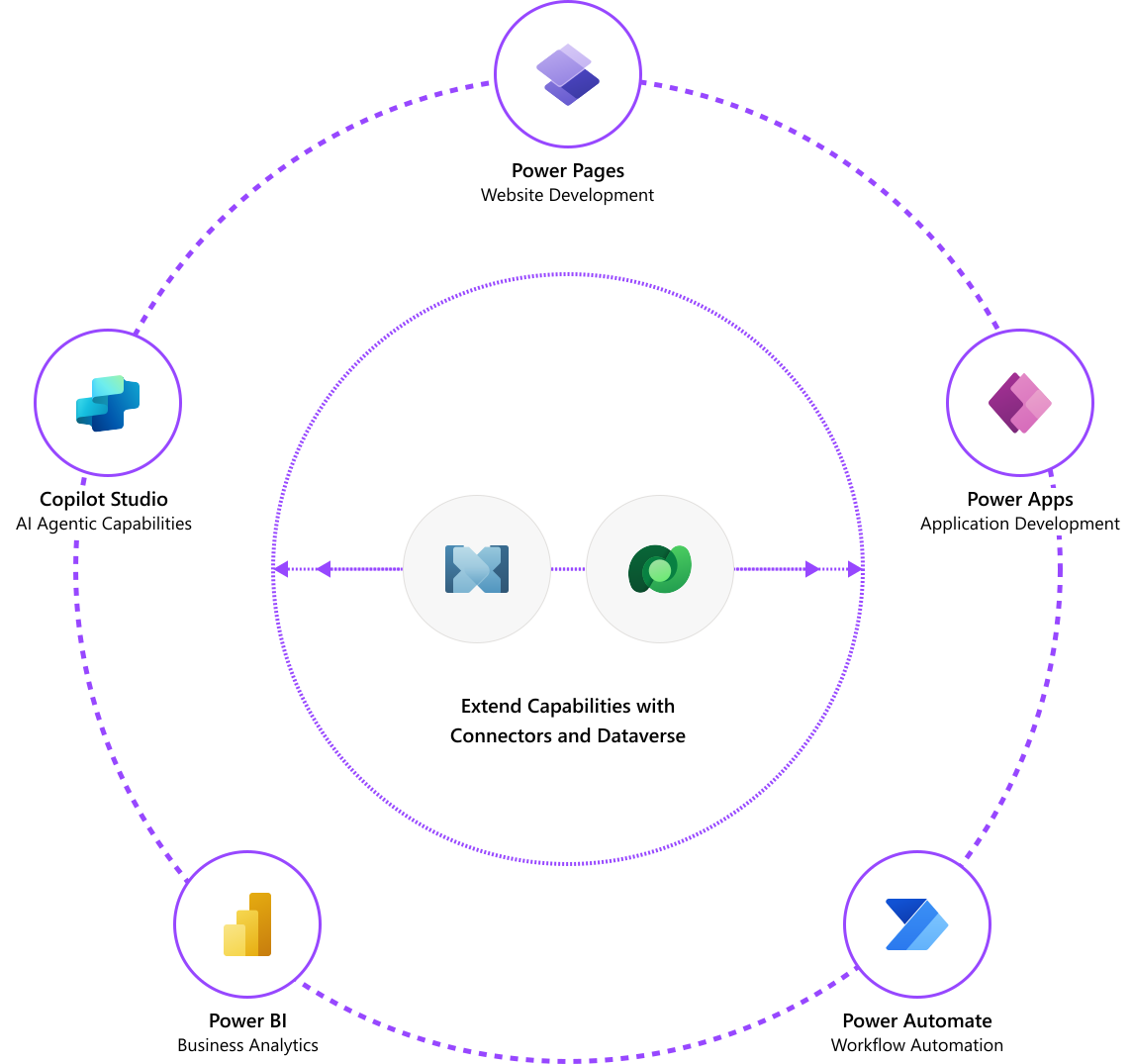
The architecture of Power Pages rests on three critical pillars. First is the Design Studio, a low-code workspace that allows users to build pages without writing HTML or CSS. Second is Microsoft Dataverse, the intelligent, scalable, and secure data platform that stores all the information used by the site. Unlike traditional CMS platforms like WordPress that use SQL databases, Power Pages is natively integrated with Dataverse, allowing for complex data relationships and logic. Finally, the platform is built on Microsoft Azure, inheriting enterprise-level security, global scaling, and compliance certifications that are standard across the Microsoft cloud.
The Learning Hub and Template Engine
A unique technical feature of Power Pages is its integrated Learning Hub. Recognizing the steep learning curve of enterprise data management, Microsoft built-in documentation and “how-to” guides directly into the development interface. Coupled with a robust Template Engine, which provides pre-configured solutions for common scenarios like permit applications, scheduling, and registration, the platform reduces the “blank page” syndrome that often stalls technical projects.
Key Features and Development Capabilities
Power Pages is designed to satisfy two distinct audiences: the “Citizen Developer” who needs speed and simplicity, and the “Pro Developer” who requires deep customization and programmatic control.
Low-Code Design Studio for Rapid Prototyping
The Design Studio is the heart of the user experience. It offers a “What You See Is What You Get” (WYSIWYG) interface where users can drag and drop components such as text, images, videos, and forms. Technologically, the studio handles the heavy lifting of responsive design, ensuring that any site built is automatically optimized for mobile, tablet, and desktop views. This democratization of web design allows business analysts and project managers to create functional prototypes in hours rather than weeks.
Pro-Developer Extensibility with Visual Studio Code
While the low-code tools are powerful, Power Pages does not “lock in” the developer. For advanced requirements, it offers seamless integration with Visual Studio Code (VS Code) and the Power Platform CLI. Developers can use Liquid (a template language), JavaScript, and CSS to extend the functionality of the site. This allows for the creation of custom web APIs, complex client-side validation, and bespoke UI components. By enabling “Fusion Teams”—where professional coders and business experts work on the same project—Power Pages streamlines the development lifecycle.
Advanced Data Integration and Web APIs
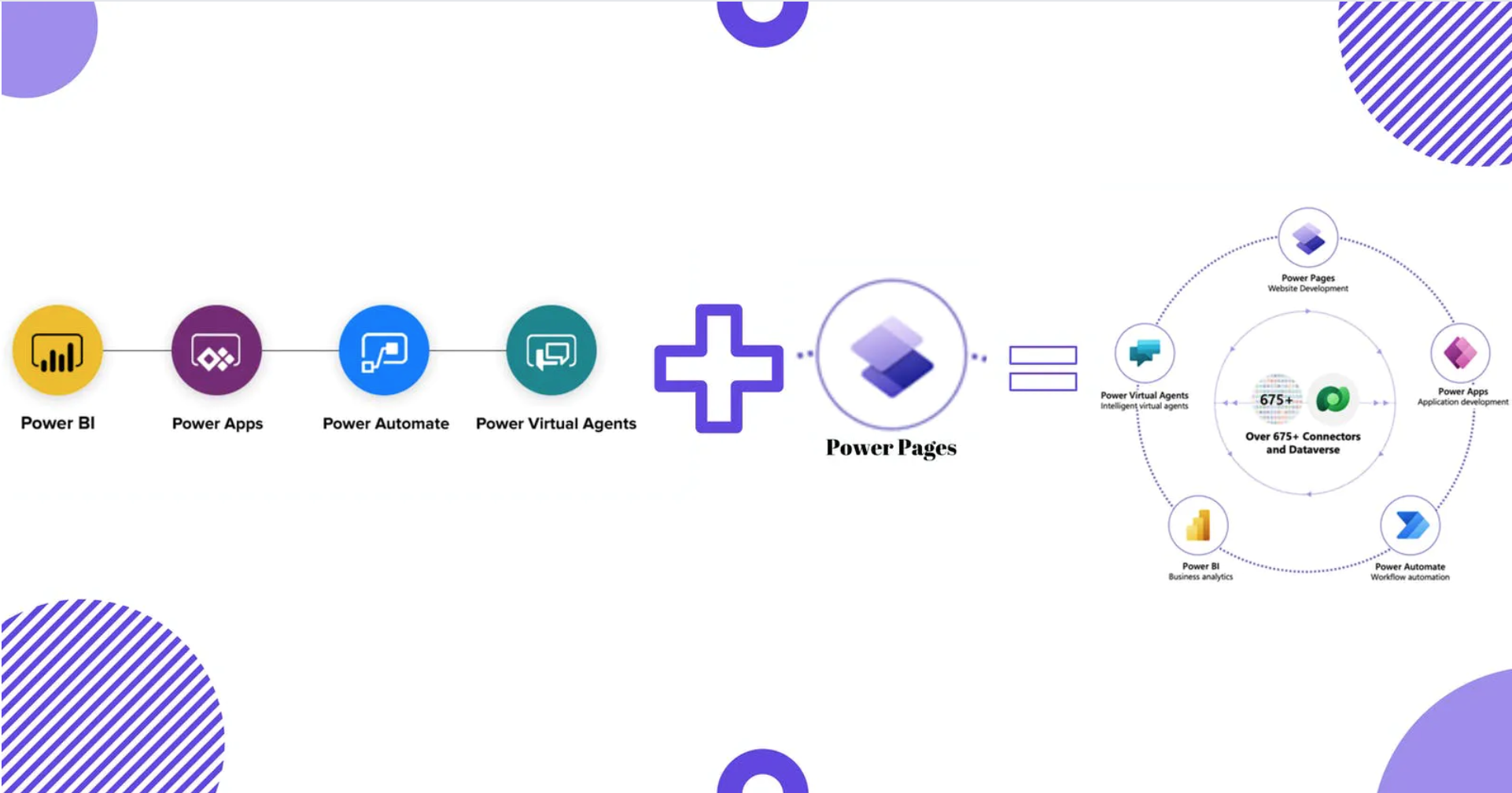
One of the most powerful technical features of Power Pages is its ability to interact with Dataverse via the Web API. This allows developers to perform CRUD (Create, Read, Update, Delete) operations directly from the browser. This means that a Power Pages site isn’t just a static window into a database; it is a dynamic application capable of handling complex business logic, multi-step forms, and real-time data updates. Because it resides within the Power Platform, it can also trigger Power Automate workflows, sending notifications or processing data in the background the moment a user interacts with the site.

Solving Modern Business Challenges with External-Facing Sites
In the current tech ecosystem, the distinction between internal and external data is blurring. Organizations need ways to share data with customers, partners, and vendors without compromising the integrity of their internal systems.
Bridging the Gap Between Internal Data and External Users
The primary use case for Power Pages is the creation of “authenticated” portals. Unlike a standard marketing website, a Power Pages site is often used for scenarios where a user needs to log in to see their specific data—such as a customer checking the status of a support ticket or a vendor updating their inventory levels. Because Power Pages sits on the same data layer as an organization’s internal Dynamics 365 or Power Apps environment, there is no need for complex integration or data synchronization between the website and the back-office system.
Empowering Citizen Developers While Maintaining IT Governance
One of the biggest risks in modern IT is “Shadow IT”—employees using unauthorized tools to solve problems because the IT department is too slow. Power Pages mitigates this by providing an IT-approved platform for building websites. The Power Platform Admin Center gives IT departments full visibility and control over every site created. They can manage environments, control who has the right to publish, and set data loss prevention (DLP) policies. This creates a “safe sandbox” where business users can innovate without risking the organization’s security posture.
Scalability and Global Performance
From a technical infrastructure standpoint, Power Pages leverages the Azure Content Delivery Network (CDN) to ensure fast loading times globally. As traffic increases, the platform automatically scales to handle the load. This is a significant advantage over self-hosted solutions, where a sudden spike in traffic can crash a server. For enterprises operating in multiple regions, this built-in scalability and reliability are critical for maintaining a professional digital presence.
Security, Compliance, and Enterprise Scalability
When dealing with external-facing websites, security is the paramount concern. Power Pages is engineered with a “security-first” mindset, leveraging the comprehensive security stack of the Microsoft ecosystem.
Role-Based Access Control (RBAC) and Authentication
Security in Power Pages is granular. It uses a robust Role-Based Access Control (RBAC) system linked to Dataverse. Administrators can define exactly what an anonymous user can see versus what an authenticated user can see. Authentication is highly flexible; the platform supports a variety of providers, including Azure Active Directory B2C, LinkedIn, Google, Facebook, and any OpenID Connect or SAML 2.0 provider. This ensures that users can log in using credentials they already have, while the organization maintains strict control over data access.
The Security Lab and WAF Integration
Microsoft recently introduced the “Security Lab” within the Power Pages interface. This tool provides a centralized dashboard for monitoring the security health of a site. It alerts developers to potential vulnerabilities, such as misconfigured permissions or exposed data. Furthermore, Power Pages can be integrated with Azure Web Application Firewall (WAF), providing protection against common web attacks like SQL injection and cross-site scripting (XSS). This level of protection is often difficult and expensive to implement in custom-coded web applications.
Compliance and Data Privacy
For organizations in regulated industries—such as healthcare (HIPAA) or finance—Power Pages offers a significant advantage. Because it is part of the Microsoft Cloud, it adheres to hundreds of global compliance standards. Data residency is also strictly managed; organizations can choose exactly which geographic region their data is stored in, helping them comply with local laws like GDPR. This makes Power Pages an ideal choice for government agencies and large enterprises that have stringent legal requirements for data handling.
Conclusion: The Future of Low-Code Web Development
As we look toward the future of software development, the trend is clear: abstraction and automation. Power Pages is at the forefront of this movement, removing the technical barriers that have traditionally made web development a specialized, siloed activity. By providing a platform that is accessible to business users yet powerful enough for professional developers, Microsoft has created a tool that addresses the speed and security demands of the modern enterprise.
In the coming years, we can expect Power Pages to integrate even more deeply with AI through Microsoft Copilot. This will likely allow users to generate entire page layouts, write custom scripts, and configure data models using natural language. As the platform continues to evolve, it will solidify its place as a cornerstone of the digital workplace, transforming the way organizations connect with the world through the web. Power Pages is more than just a website builder; it is the technical foundation for a more connected, data-driven, and agile business future.
aViewFromTheCave is a participant in the Amazon Services LLC Associates Program, an affiliate advertising program designed to provide a means for sites to earn advertising fees by advertising and linking to Amazon.com. Amazon, the Amazon logo, AmazonSupply, and the AmazonSupply logo are trademarks of Amazon.com, Inc. or its affiliates. As an Amazon Associate we earn affiliate commissions from qualifying purchases.