
In the rapidly evolving landscape of digital media, accessibility is no longer a luxury—it is a technical requirement. As video content becomes the primary medium for information exchange, the mechanisms by which we deliver that content to diverse audiences have undergone a massive technological shift. One of the most critical, yet often misunderstood, components of this shift is “open captioning.”
To the casual viewer, captions are simply words on a screen. However, from a technical perspective, open captioning represents a specific method of metadata integration and video rendering. Unlike its counterpart, closed captioning, which exists as a separate data stream, open captioning is a permanent fixture of the visual architecture. In this deep dive, we will explore the technical nuances of open captioning, the software driving its implementation, and why it remains a cornerstone of universal design in the tech industry.
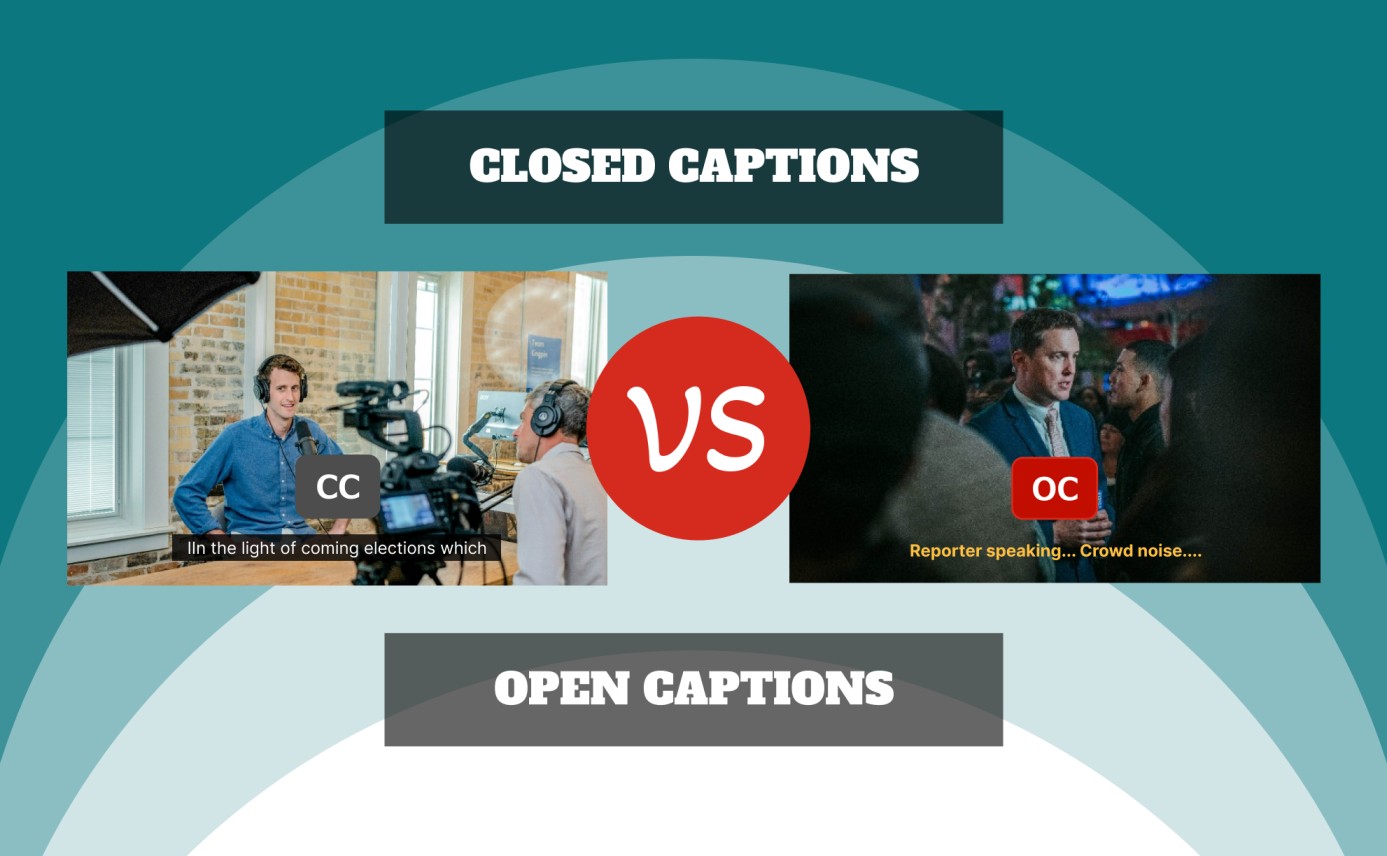
1. Defining Open Captions in the Digital Landscape
At its core, open captioning (often abbreviated as OC) refers to text that is “burned-in” or “hard-coded” directly into the video file. This means the captions are part of the actual video frames, much like the pixels that form the background or the subjects of the film.
The Core Difference: Open vs. Closed Captions
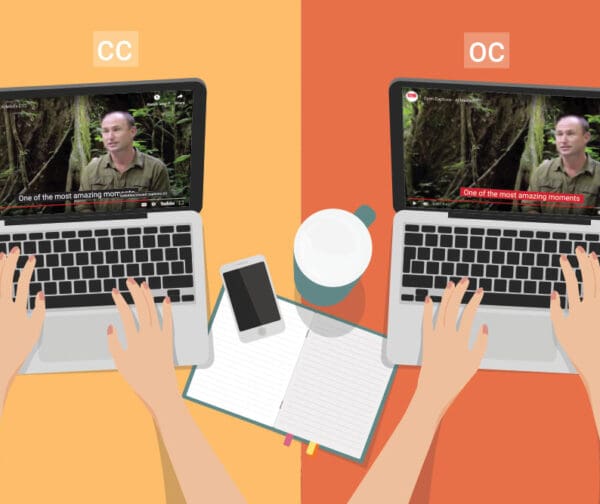
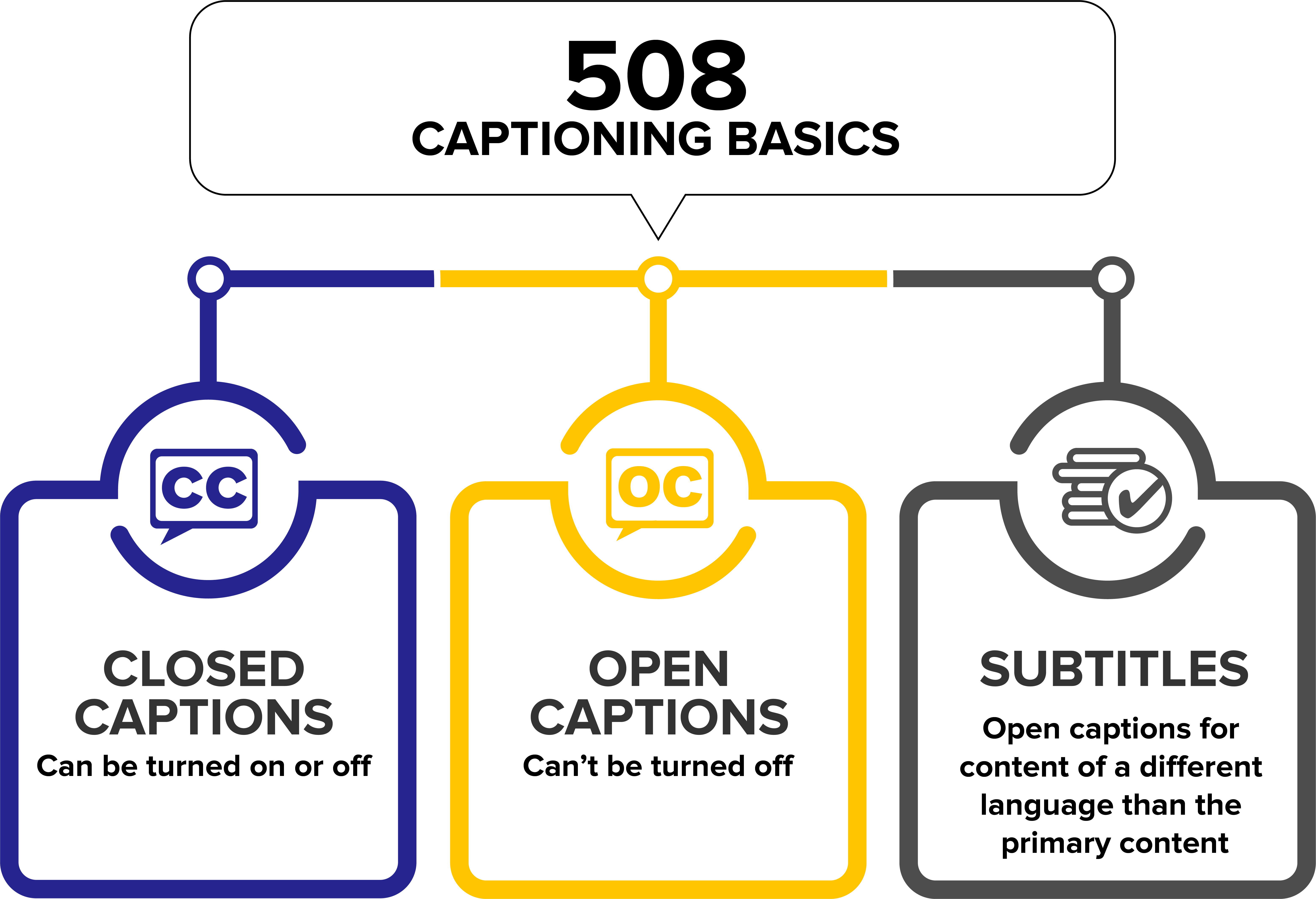
The primary distinction between open and closed captions (CC) lies in user agency and data architecture. Closed captions exist as a separate “sidecar” file (such as an .SRT or .VTT) or as a hidden data track within the video container (like an MP4 or MKV). The media player reads this file and overlays the text in real-time. Because the text is separate, the user has the technical ability to toggle it on or off.
Open captions, conversely, offer no such choice. Because they are rendered into the video during the post-production export process, they are always visible. From a technical standpoint, the media player does not “see” open captions as text; it sees them as part of the image data. This eliminates the need for specialized decoders or caption-compatible hardware, making open captions a robust solution for platforms with limited metadata support.
How Open Captions Are Rendered
The rendering process for open captions involves a procedure called rasterization. During the “burn-in” process, the video editing software takes the text strings and their associated timecodes and transforms them into bitmap images. These images are then merged with the video frames. This ensures that the font, size, color, and positioning of the captions remain identical regardless of the device, operating system, or video player being used.
2. The Technical Architecture of Open Captioning
For developers and video engineers, the decision to use open captions involves understanding the underlying file structures and the impact on video encoding. While open captions simplify the playback experience, they require a more rigorous approach to the initial file creation.
Burning-In: The Process of Rasterization
When a video editor “burns in” captions, the software must calculate the placement of text relative to the video resolution (e.g., 1920×1080). This involves an alpha-channel overlay, where the text is placed on a transparent layer and then “flattened” into the final export.
The technical advantage here is “What You See Is What You Get” (WYSIWYG). In closed captioning, different players (like VLC, YouTube, or an iPhone’s native player) might render fonts or background boxes differently, sometimes obscuring vital visual information. Open captioning bypasses this inconsistency by locking the visual aesthetics at the source.
File Formats and Encoding Standards
Even though open captions end up as part of the video, the workflow usually begins with standard caption formats. The most common include:
- SRT (SubRip Subtitle): A basic text format that includes the sequence number, timecodes, and the text itself.
- VTT (Video Text Tracks): The standard for HTML5 media, allowing for more advanced styling.
- SCC (Scenarist Closed Captions): Often used in broadcast environments.
In an open captioning workflow, the video engine (such as FFmpeg or Adobe Media Encoder) ingests these files and “paints” them onto the video frames during the final pass of the H.264 or H.265 (HEVC) encoding. This requires additional computational power during the export phase compared to simply attaching a sidecar file, as every frame containing text must be re-calculated and compressed.
3. AI and Automation in Modern Captioning Software
The rise of Artificial Intelligence (AI) and Machine Learning (ML) has revolutionized the speed and accuracy of open captioning. Previously, burning in captions was a manual, frame-by-frame endeavor. Today, sophisticated software stacks have automated the entire pipeline.
Speech-to-Text Engines and Natural Language Processing
Modern captioning tools leverage Neural Speech Recognition (NSR) to transcribe audio with upwards of 95% accuracy. Engines like OpenAI’s Whisper or Google’s Cloud Speech-to-Text use deep learning models to distinguish between multiple speakers, filter out background noise, and even predict punctuation based on vocal inflection.
These AI models generate a timed transcript that serves as the foundation for open captions. By utilizing Natural Language Processing (NLP), the software can automatically “chunk” text into readable segments, ensuring that no more than two lines of text appear on screen at once—a critical UX standard for readability.
Editing for Accuracy: The Role of Human-in-the-Loop AI
While AI handles the heavy lifting, the “Human-in-the-Loop” (HITL) workflow remains essential for high-stakes technical content. Software platforms now offer integrated editors where users can review the AI-generated timestamps and text. Once the text is verified, the software provides a “one-click” burn-in feature. This automation has reduced the production time for open-captioned videos from hours to minutes, allowing for the rapid deployment of accessible tech tutorials and product reviews.
4. Use Cases and Implementation Strategies in Tech
In the tech industry, open captioning is often a strategic choice driven by the limitations of digital platforms and the hardware on which content is consumed.
Social Media Algorithms and Autoplay Features
On platforms like LinkedIn, X (formerly Twitter), and TikTok, videos frequently autoplay on mute as users scroll through their feeds. If a video relies on closed captions, the viewer must often take an extra step to enable them. However, with open captions, the text is immediately available, capturing the viewer’s attention without requiring audio.
Technically, this increases the “watch time” metric, which is a key signal for social media algorithms. By hard-coding the captions, developers ensure that the core message of a video—whether it’s a software demo or a security alert—is communicated even in “sound-off” environments.
Enhancing UX through Universal Design
Universal Design is the framework of creating products that are usable by all people, to the greatest extent possible, without the need for adaptation. Open captions embody this principle. They serve not only the Deaf and hard-of-hearing communities but also non-native speakers, individuals in noisy environments (like public transit), and those in sound-sensitive environments (like quiet offices).
From a UX design perspective, open captions allow creators to control the typography, ensuring it aligns with the brand’s visual identity. Developers can choose high-contrast colors and specific fonts (like Tiresias or Helvetica) that are optimized for legibility on small mobile screens, a level of control that closed captions often lack.
5. The Future of Captioning Technology
As we look toward the future of video tech, open captioning is evolving beyond simple static text. We are seeing a move toward more dynamic and interactive implementations.
Real-Time Open Captioning in Augmented Reality
One of the most exciting frontiers is the integration of open captions into Augmented Reality (AR) and Virtual Reality (VR) environments. In AR, “open” captions can be spatially mapped to a speaker in a 3D space. Because the captions are rendered as part of the visual overlay (essentially “burned” into the user’s field of vision), they provide a seamless accessibility layer that doesn’t rely on external text files which might lag or desync in a 360-degree environment.
Dynamic Styling and Adaptive Typography
The next generation of video encoding software is beginning to support “Adaptive Open Captions.” While traditionally “burned-in” and static, new techniques allow for captions that can subtly shift position based on the video content (e.g., moving to the top of the screen if important visual data appears at the bottom). This utilizes AI computer vision to analyze each frame, ensuring that the hard-coded text never obstructs the most important parts of the video.
In conclusion, open captioning is much more than a simple subtitle format; it is a sophisticated technical solution to the challenges of digital fragmentation. By embedding text directly into the video stream, the tech industry ensures that accessibility is “baked in” rather than “bolted on.” As AI continues to refine transcription accuracy and rendering software becomes more efficient, open captioning will remain a vital tool for ensuring that information remains accessible, searchable, and engaging for every user, regardless of their hardware or hearing ability.
aViewFromTheCave is a participant in the Amazon Services LLC Associates Program, an affiliate advertising program designed to provide a means for sites to earn advertising fees by advertising and linking to Amazon.com. Amazon, the Amazon logo, AmazonSupply, and the AmazonSupply logo are trademarks of Amazon.com, Inc. or its affiliates. As an Amazon Associate we earn affiliate commissions from qualifying purchases.