
In today’s hyper-connected world, the ability to seamlessly share information between devices is no longer a luxury, but a necessity. Whether you’re a professional juggling multiple gadgets, a student collaborating on projects, or simply someone who enjoys sending photos and videos to friends and family, the process of transferring files can sometimes feel clunky and time-consuming. Enter Nearby Share, a feature designed by Google to simplify and expedite the way you share content across Android devices and, increasingly, Windows PCs.
This article will delve into the intricacies of Nearby Share, exploring its core functionalities, how it leverages cutting-edge technology to facilitate effortless file transfers, and its potential impact on how we manage and distribute digital assets in both our personal and professional lives. We’ll also touch upon how its underlying principles align with broader trends in digital security and productivity, and how understanding such tools can be beneficial for personal branding and even financial efficiency.
The Evolution of Device-to-Device Sharing
For years, sharing files between devices involved a series of often frustrating steps. We relied on email attachments, cloud storage services that required uploads and downloads, or physical media like USB drives. While these methods served their purpose, they were often slow, cumbersome, and lacked the immediate, intuitive feel that modern technology users have come to expect.
The advent of Bluetooth and Wi-Fi Direct laid the groundwork for more direct device-to-device communication. Early attempts at streamlined sharing, like Android Beam, showed promise but were eventually retired. Nearby Share represents a significant leap forward, building on these foundations and incorporating more advanced technological solutions to create a robust and user-friendly sharing experience.
How Does Nearby Share Work?
At its heart, Nearby Share is an intelligent system that leverages a combination of technologies to discover nearby devices and establish a secure connection for file transfer. It’s designed to be as frictionless as possible, requiring minimal user input once configured.
The magic happens through a multi-faceted approach:
- Bluetooth: Nearby Share uses Bluetooth Low Energy (BLE) to initially discover and handshake with nearby devices. This allows for efficient detection without draining battery life excessively.
- Bluetooth High-Speed: Once devices are discovered, it can utilize Bluetooth High-Speed for a more robust connection and faster data transfer initiation.
- Wi-Fi Direct: For the actual file transfer, Nearby Share predominantly relies on Wi-Fi Direct. This creates a peer-to-peer connection between devices, bypassing the need for a shared Wi-Fi network or cellular data. This is crucial for large files and ensures speedy transfers.
- WebRTC: In certain scenarios, especially when devices are further apart or initial discovery methods are less effective, Nearby Share can utilize WebRTC (Web Real-Time Communication) to help establish a connection. This is a more advanced protocol that allows for real-time audio and video communication, which in this context, helps in finding and connecting devices for data exchange.
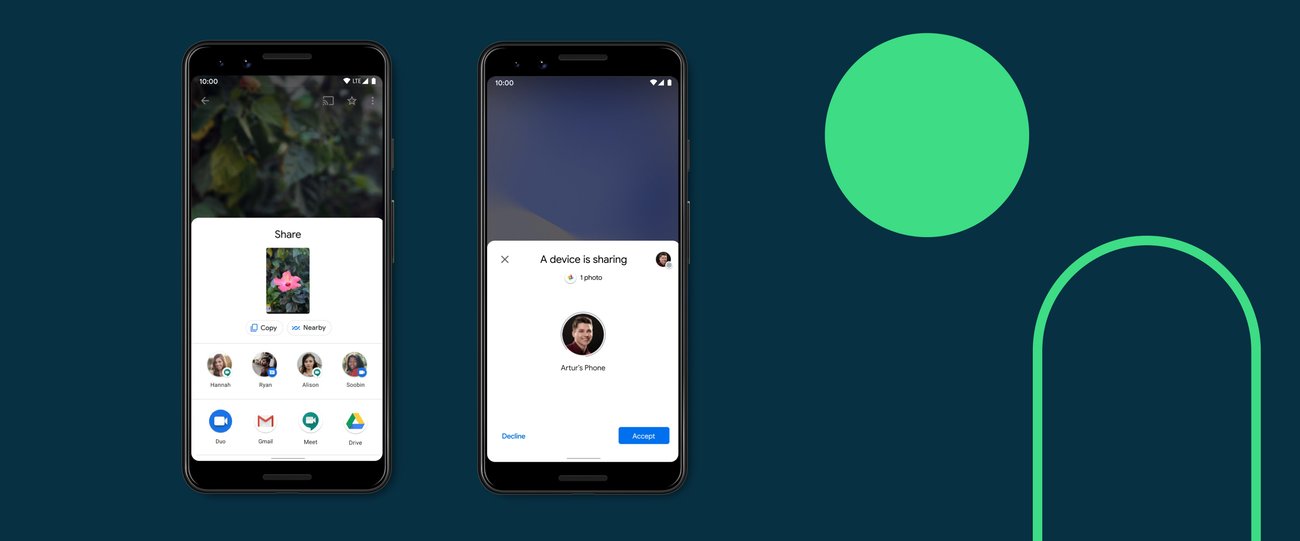
The beauty of this system lies in its automation. When you initiate a share, your device quickly scans for other Nearby Share-enabled devices within range. It then presents you with a list of discoverable devices. Once you select a recipient, the sender’s device proposes a connection, and the recipient’s device accepts. The transfer then proceeds directly between the two devices using the most efficient connection protocol available.
Key Features and Functionality
Nearby Share isn’t just about moving files; it’s about making the entire sharing process intuitive and secure. Here are some of its standout features:
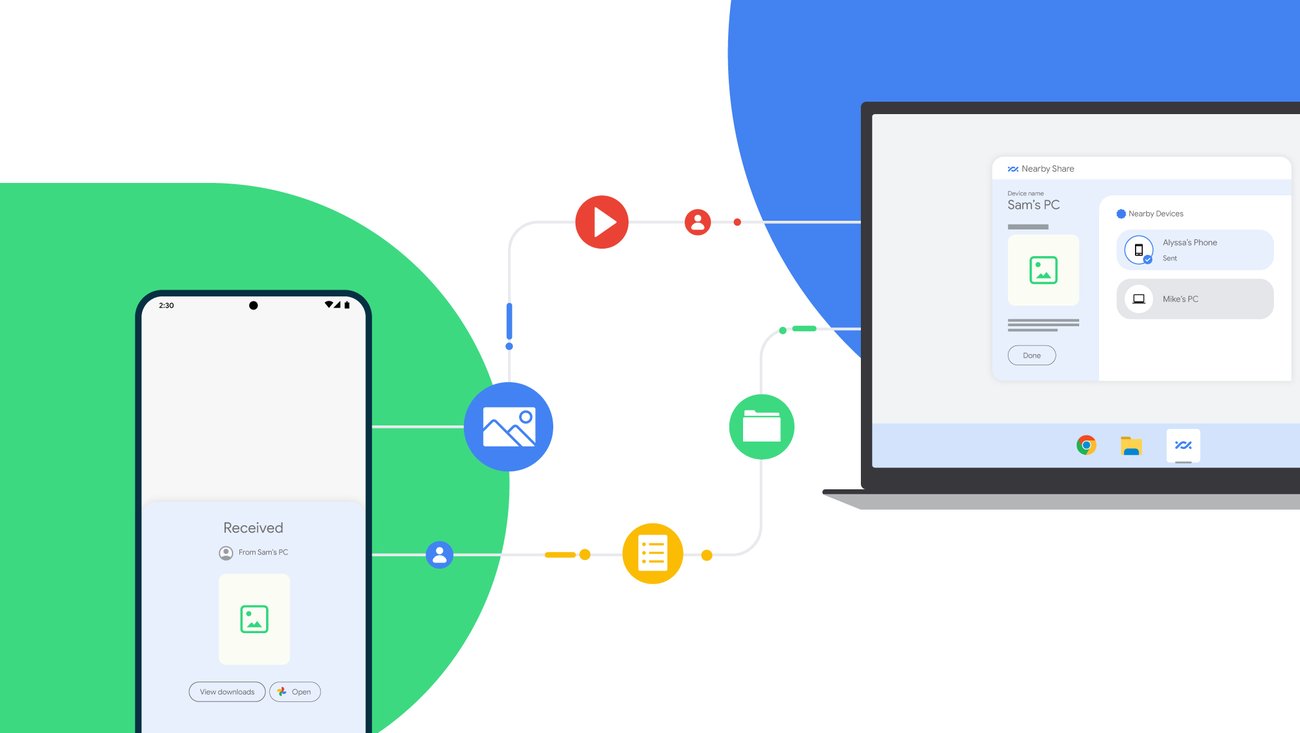
- Wide Range of Shareable Content: You can share almost anything from your Android device: photos, videos, links, documents, contacts, and even entire apps from the Google Play Store.
- Cross-Platform Compatibility: While initially an Android-exclusive feature, Google has extended Nearby Share’s capabilities to Windows PCs. This significantly broadens its utility, allowing seamless sharing between your phone and your laptop.
- Configurable Visibility: You have control over who can see your device. You can choose to be visible to “All contacts,” “Some contacts,” or “No one.” This granular control is essential for maintaining your digital privacy and security.
- Offline Sharing: The reliance on Wi-Fi Direct means that you don’t need an active internet connection to share files with nearby devices. This is a major advantage in situations where Wi-Fi or cellular data is unavailable or unreliable.
- Fast Transfer Speeds: By leveraging Wi-Fi Direct, Nearby Share offers significantly faster transfer speeds compared to older methods like Bluetooth classic. This is particularly noticeable when sharing larger files.
- Resumable Transfers: If a transfer is interrupted, Nearby Share can often resume it where it left off, saving you the hassle of starting over.
- User-Friendly Interface: The integration into the Android sharing menu makes it incredibly easy to access. A simple tap of the share icon reveals Nearby Share as an option, followed by a clear selection of nearby devices.
Leveraging Nearby Share for Enhanced Productivity and Digital Security
The implications of a tool like Nearby Share extend beyond mere convenience. It can significantly impact how we approach our digital lives, influencing our productivity, our personal branding, and even our understanding of digital security.
Boosting Productivity in the Digital Age
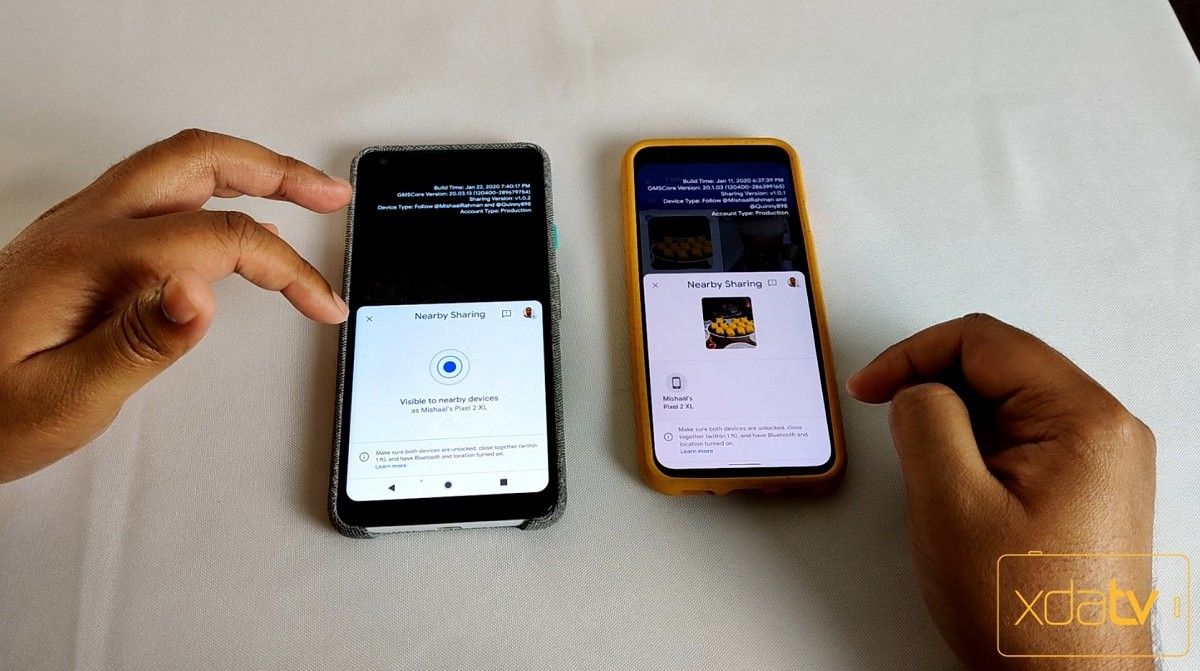
In a professional context, time is a valuable commodity. The ability to quickly share documents, presentations, or research materials between devices can dramatically improve workflow efficiency. Imagine working on a report on your tablet and needing to quickly send a draft to your laptop for final touches. With Nearby Share, this can be accomplished in seconds, without the need to email yourself or rely on cloud syncing services that might have a slight delay.
For teams and collaborators, this speed and ease of use can facilitate quicker feedback loops and smoother project handoffs. Students can effortlessly share notes, assignments, and research papers with classmates, fostering a more collaborative learning environment. The elimination of friction in file sharing directly translates to more time spent on productive tasks and less time wrestling with technology.
Personal Branding and Digital Presence
Your digital presence is increasingly becoming an extension of your personal brand. How you manage and share information reflects your efficiency, your organization, and your technical savviness. A tool like Nearby Share, when used effectively, can subtly enhance your personal brand. Being able to quickly and smoothly share your portfolio, presentations, or even high-quality images for social media can project an image of professionalism and preparedness.
Furthermore, understanding and utilizing such advanced features demonstrates an awareness of current technological trends. In interviews, networking events, or even informal professional interactions, being able to articulate your familiarity with tools that streamline digital workflows can be a significant differentiator. It signals that you are adaptable, tech-literate, and keen to leverage modern solutions for better outcomes.
Digital Security Considerations with Nearby Share
While Nearby Share is designed with security in mind, like any technology that facilitates data transfer, it’s crucial to be aware of its security implications. Google has implemented several measures to ensure a safe sharing experience:
- End-to-End Encryption (for certain transfers): While the exact implementation can vary, Google has emphasized security in Nearby Share. Sensitive data, like contacts, often utilizes secure protocols. For file transfers, while not always end-to-end encrypted in the traditional sense, the direct peer-to-peer connection and the transient nature of the data transfer aim to minimize exposure.
- Device Visibility Controls: As mentioned, your ability to control who can see your device is paramount. Limiting your visibility to trusted contacts or specific individuals is the most effective way to prevent unwanted sharing attempts.
- Discovery Mechanisms: Nearby Share uses a combination of Bluetooth and Wi-Fi to discover devices, which are inherently less prone to broad network exploitation than older protocols.
- Confirmation Prompts: The recipient always has to explicitly accept a file transfer. This provides a crucial layer of security, ensuring that files are only received by intended parties.
It’s important to remember that while Nearby Share is secure, users should always practice good digital hygiene. This includes keeping your operating system and apps updated, being mindful of the information you’re sharing, and only accepting transfers from trusted sources. Understanding the settings and controls within Nearby Share is also key to maximizing its security benefits.
Nearby Share and Your Financial Efficiency
The connection between a file-sharing tool and personal or business finance might not be immediately obvious, but there are subtle overlaps that are worth considering.
Saving Time and Resources
One of the most direct financial benefits of Nearby Share is its ability to save you time. Time, as the saying goes, is money. By reducing the time spent on file transfers, you free up valuable hours that can be dedicated to income-generating activities, strategic planning, or skill development. This is true for individuals managing side hustles, freelancers, or small business owners where every minute counts.
Furthermore, when sharing files that might otherwise incur data charges (e.g., large video files sent via cellular data), using Nearby Share’s Wi-Fi Direct capabilities can save you money on your mobile data plan. For businesses, this can translate into significant cost savings over time, especially with larger teams and more frequent data exchanges.
Streamlining Business Operations
For businesses that handle sensitive documents or large datasets, efficient and secure internal file sharing is crucial. Nearby Share can be a valuable component of a company’s internal IT infrastructure, particularly for smaller businesses or for quick, ad-hoc sharing needs. It reduces reliance on potentially more complex and expensive enterprise solutions for everyday tasks. The ability to quickly transfer large design files, project plans, or client information between employee devices can expedite operational workflows and reduce costly delays.
The Future of Seamless Connectivity
Nearby Share is a testament to the ongoing innovation in how we interact with our devices and each other. As technology continues to evolve, we can expect even more seamless and intelligent ways to share and transfer information. Features like this are not just about moving data; they’re about creating a more fluid, efficient, and connected digital experience that can positively impact our productivity, our professional image, and even our financial well-being. Understanding tools like Nearby Share empowers you to navigate the modern technological landscape with greater confidence and efficiency.
aViewFromTheCave is a participant in the Amazon Services LLC Associates Program, an affiliate advertising program designed to provide a means for sites to earn advertising fees by advertising and linking to Amazon.com. Amazon, the Amazon logo, AmazonSupply, and the AmazonSupply logo are trademarks of Amazon.com, Inc. or its affiliates. As an Amazon Associate we earn affiliate commissions from qualifying purchases.