
In the fast-evolving landscape of social media, digital identity serves as the cornerstone of every interaction. Whether you are a casual browser, a developer utilizing the X API, or a power user navigating the platform’s rebranding from Twitter to X, understanding the nuances of your username is essential. Often referred to interchangeably as a “handle,” your Twitter username is more than just a label; it is a unique identifier that dictates your profile’s URL, your visibility in search engines, and your direct address in the global digital conversation.
As the platform undergoes significant architectural and branding shifts, many users find themselves questioning where to find their specific credentials or how to distinguish between their display name and their official handle. This guide provides a deep technical and practical dive into identifying, managing, and securing your Twitter username across various devices and scenarios.
Understanding the Difference Between Your Username and Display Name
Before locating your credentials, it is vital to understand the structural difference between the two primary identifiers on your profile: the Username and the Display Name. While they appear together, they serve very different functions within the platform’s software architecture.
The Anatomy of a Twitter Handle
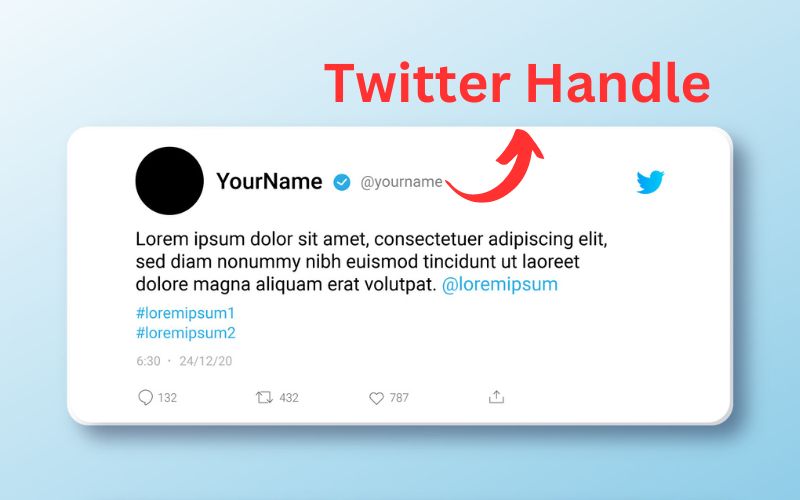
Your Twitter username, or “handle,” is the unique string of characters preceded by the “@” symbol. For example, in “@TechExplorer,” “TechExplorer” is the username. This identifier is unique to you; no two accounts on the platform can share the same handle simultaneously.
From a technical standpoint, the username is restricted to 15 characters and can only contain alphanumeric characters (letters A-Z, numbers 0-9) and underscores. It cannot contain spaces or special symbols like dashes or periods. This limitation ensures that the username remains “URL-friendly,” as it forms the tail end of your profile link (e.g., x.com/username).
Why the Distinction Matters for Security and Search
The Display Name, on the other hand, is your personal or business name shown prominently on your profile. It can be up to 50 characters long and can include emojis, spaces, and special characters. Unlike the username, display names are not unique. Hundreds of users can have the display name “John Doe,” but only one can have the username “@JohnDoe.”
In the context of digital security, recognizing your username is critical for account recovery and two-factor authentication (2FA). Phishing attempts often exploit the display name to mimic a trusted entity, while the username—visible in the URL or the small text below the display name—reveals the account’s true identity. Understanding this distinction is the first step in maintaining a secure digital presence.
How to Locate Your Twitter Username on Any Device
Finding your username is generally straightforward, but the user interface (UI) changes depending on whether you are using the mobile application or a desktop browser. Furthermore, the 2023 transition from Twitter to X introduced subtle shifts in iconography and navigation.
Finding Your Handle on the X Mobile App (iOS and Android)
On mobile devices, the UI is optimized for quick access, but the username can sometimes be obscured if you have multiple accounts logged in.
- Open the App: Ensure you are logged into the X app.
- Access the Profile Icon: In the top-left corner of your home feed, you will see a circular icon representing your profile picture.
- The Navigation Drawer: Tap this icon to open the side navigation menu.
- Identification: Your display name will appear in bold at the top of this menu. Immediately underneath it, in a smaller, gray font, you will see your username starting with the “@” symbol.
- Profile View: For more detail, tap “Profile” within that menu. Your username will appear directly under your profile photo on your main page.
Locating Your Username via Desktop Browser
The desktop experience offers a wider view of the platform’s layout, making the username highly visible in several locations.
- Home Feed: When logged in at x.com, look at the bottom-left corner of the sidebar navigation. Your profile picture, display name, and username (@handle) are pinned there for constant reference.
- Profile Page: Click on the “Profile” tab in the left-hand navigation menu. Look at the browser’s address bar. The text following “x.com/” is your unique username.
- Direct Navigation: On the profile page itself, your username is situated directly beneath your display name in the header section.
Finding Your Username Without Logging In
If you have forgotten your credentials and cannot log in, you can still find your username through external methods.
- Search Engines: Use a search engine to look up your display name followed by the word “Twitter” or “X.” If your profile is public, it will likely appear in the search results, and the URL will contain your handle.
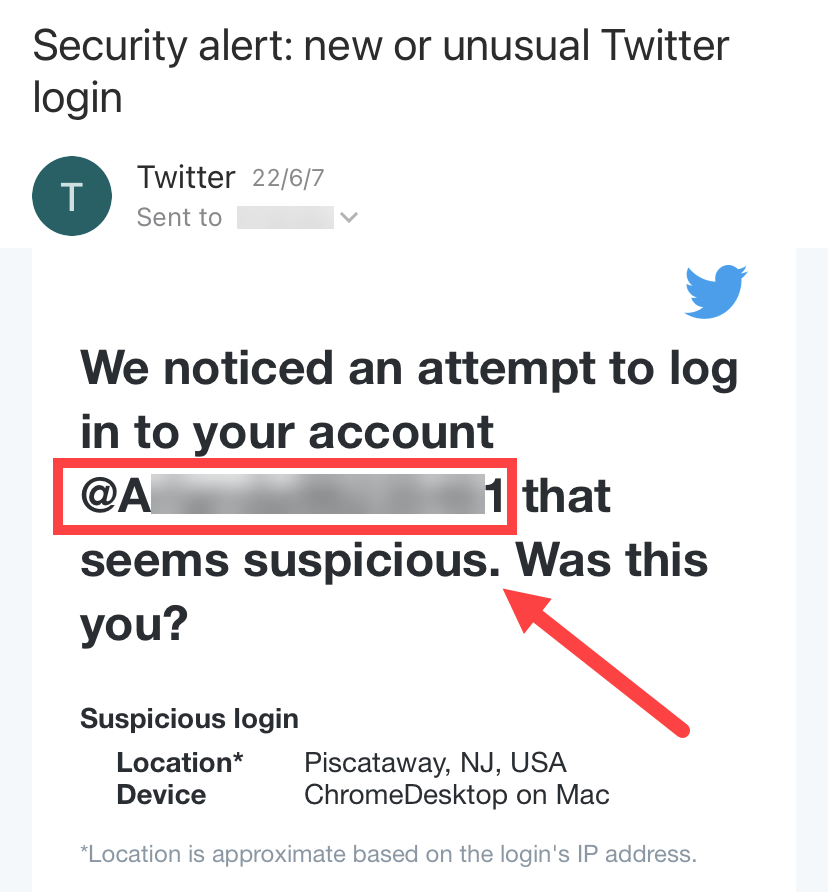
- Email Notifications: Search your email inbox for historical notifications from “Twitter” or “X.” Most automated emails, such as password reset prompts or mention notifications, address you by your username.
- Friend’s List: Ask a contact who follows you to visit your profile and screenshot the handle for you.
The Technical Significance of Your Twitter Username
Beyond its role as a social tag, the username is a critical data point in the platform’s backend ecosystem. Understanding the technical side of your handle can help you understand how the internet indexes your presence.
Handles vs. User IDs: The Backend Reality
While you identify yourself by a username, the platform’s database identifies you by a “User ID.” This is a permanent, unique numerical string assigned to your account upon creation. Unlike your username, which can be changed, your User ID stays the same forever.
Developers using the X API (Application Programming Interface) often rely on the User ID rather than the handle because handles are “mutable.” If you change your handle, third-party apps tracking your User ID will still know it is you, whereas apps relying solely on the handle would lose the connection.
How Usernames Impact URL Structure and SEO
Your username is the primary driver of your profile’s Search Engine Optimization (SEO). When Google or Bing crawls the web, the “slug” (the part of the URL containing your username) tells the search engine who the page belongs to.
If you have a highly relevant, keyword-rich username, you are more likely to appear at the top of search results for those terms. Furthermore, when the platform moved from twitter.com to x.com, the canonical URL structure remained the same: x.com/[username]. This consistency ensures that even with a total brand overhaul, the link between your username and your digital “real estate” remains intact.
Managing and Changing Your Twitter Username
One of the most powerful features of X is the ability to change your username without losing your followers, your post history, or your direct messages. However, this process requires careful planning to avoid breaking links or losing your “Verified” status.
Step-by-Step Guide to Changing Your Handle
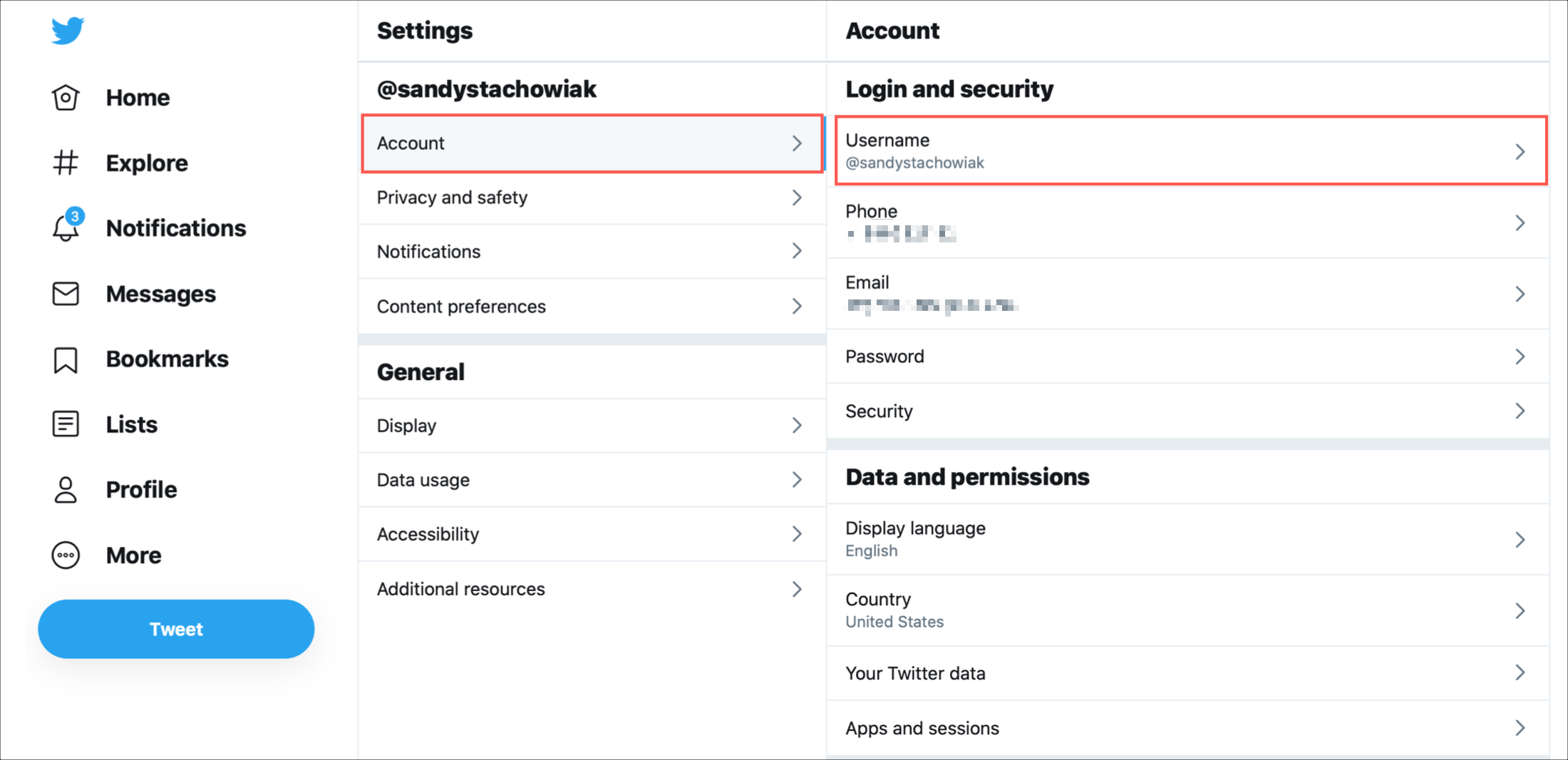
- Navigate to Settings: Click on “More” (the three-dot icon) in the sidebar on desktop, or tap your profile icon on mobile.
- Settings and Privacy: Select “Settings and privacy,” then tap “Your account.”
- Account Information: Enter “Account information.” You may be prompted to re-enter your password for security.
- Update Username: Select “Username.” Type your new desired handle into the text field. The system will provide real-time feedback on whether the name is available.
- Save: Once you find an available name, click “Save.”
What Happens to Your Mentions and Followers?
When you change your username, your followers and messages remain unaffected. However, your previous handle is immediately released back into the public pool. This means anyone else can claim your old username.
Crucially, any old tweets that mention your previous handle will not automatically update to your new one. Those mentions will lead to a “dead link” or to the profile of whoever claims your old handle. If you are a high-profile user, it is a common technical strategy to create a “placeholder” account with your old handle immediately after switching to prevent impersonation.
Securing a New Username: Tips for Availability
Finding a desirable username is increasingly difficult as the platform grows. If your preferred name is taken:
- Underscores: Use an underscore (e.g., @Tech_Explorer) to separate words.
- Identifiers: Add “Real,” “Official,” or “HQ” to the end.
- Phonetics: Use creative spelling that maintains the brand’s sound.
- Availability Tools: Use third-party “handle checkers” to see if a name is truly inactive or if it is being held by a suspended account.
Troubleshooting Common Access Issues
Sometimes, the quest to find “What is my Twitter username?” is born out of a loss of account access. Managing these hurdles requires navigating the platform’s security protocols.
Recovering an Account If You’ve Forgotten Your Username
If you cannot remember your handle to log in, you can use the email address or phone number associated with the account.
- Go to the login page and select “Forgot password?”
- Enter your email or phone number.
- The system will send a code. Once entered, the recovery screen will often display the username associated with that contact information before asking you to reset the password.
Dealing with Suspended or “Taken” Usernames
You may find a username that appears to be inactive (no tweets for years) and want to claim it. Technically, X does not have a formal process for requesting inactive handles. The platform periodically “purges” inactive accounts, but there is no public schedule for this.
If a username is “taken” but shows no activity, it is often tied to an account that is either suspended or being used only for “listening” (reading content without posting). In cases of trademark infringement, businesses can file a legal claim through the X Help Center to attempt to secure a username that violates their corporate identity.
In the modern digital era, your Twitter or X username is a vital piece of software metadata that defines your online footprint. By understanding how to locate it, the technical logic behind it, and the proper way to manage changes, you ensure that your digital identity remains secure, searchable, and professional in an ever-shifting technological environment.
aViewFromTheCave is a participant in the Amazon Services LLC Associates Program, an affiliate advertising program designed to provide a means for sites to earn advertising fees by advertising and linking to Amazon.com. Amazon, the Amazon logo, AmazonSupply, and the AmazonSupply logo are trademarks of Amazon.com, Inc. or its affiliates. As an Amazon Associate we earn affiliate commissions from qualifying purchases.