
Microsoft Project. The name itself conjures images of intricate timelines, resource allocation charts, and the relentless pursuit of deadlines. In the fast-paced world of technology, branding, and business finance, effective project management isn’t just a nice-to-have; it’s a fundamental pillar of success. Whether you’re launching a groundbreaking new app, orchestrating a complex marketing campaign, or managing the financial rollout of a new product, the ability to plan, execute, and monitor projects efficiently is paramount. This is precisely where Microsoft Project shines, offering a robust suite of tools designed to bring order to chaos and transform ambitious ideas into tangible realities.

This comprehensive guide will delve deep into the multifaceted uses of Microsoft Project, exploring how its capabilities empower professionals across various domains, particularly within the realms of Tech, Brand, and Money. We’ll unpack its core functionalities, highlight its advantages, and illustrate how it serves as an indispensable ally in navigating the complexities of modern business endeavors.
Streamlining Tech Project Lifecycles: From Conception to Deployment
The technology sector is characterized by rapid innovation, iterative development, and often, a significant degree of complexity. Projects in this domain can range from software development cycles and hardware engineering initiatives to IT infrastructure upgrades and the implementation of cutting-edge AI tools. In this dynamic landscape, meticulous planning and execution are crucial to avoid costly delays, budget overruns, and ultimately, a failure to deliver a competitive product or service. Microsoft Project provides the essential framework to manage these intricate processes effectively.
The Foundation of Tech Project Planning: Task Management and Scheduling
At its core, Microsoft Project excels at breaking down large, complex tech projects into manageable tasks. Developers, engineers, and product managers can meticulously define every step required for development, testing, deployment, and ongoing maintenance. The software allows for the creation of detailed task lists, each with specific durations, dependencies, and assigned resources. This granular level of detail is critical for several reasons:
- Clarity and Transparency: Everyone involved in the project gains a clear understanding of their responsibilities, deadlines, and how their work fits into the larger picture. This reduces ambiguity and fosters a collaborative environment.
- Dependency Management: In tech projects, tasks are rarely independent. One piece of code might depend on another being completed, or hardware testing might need to precede software integration. Microsoft Project’s ability to define these dependencies ensures that the project flows logically, preventing bottlenecks. If Task B cannot start until Task A is finished, Project will visually represent this and adjust timelines accordingly if Task A slips.
- Resource Optimization: Tech projects often involve specialized skills and limited resources (e.g., a senior AI engineer, a specific testing environment). Project allows managers to assign these resources to tasks, ensuring they are utilized efficiently and not over-allocated, which can lead to burnout and decreased productivity.
Visualizing Progress and Mitigating Risks: Gantt Charts and Beyond
One of Microsoft Project’s most iconic features is its Gantt chart. This visual representation of the project schedule is invaluable for tech teams. It displays tasks on a horizontal timeline, clearly showing their start and end dates, durations, and dependencies. This visual overview allows project managers to:
- Track Progress in Real-Time: As tasks are completed, they can be marked as such in Project, visually updating the Gantt chart. This provides an immediate snapshot of project status, highlighting what’s on track, what’s ahead, and what’s falling behind.
- Identify Critical Paths: The critical path is the sequence of tasks that determines the shortest possible project duration. Any delay on a critical path task will directly impact the project’s overall completion date. Microsoft Project automatically identifies and highlights the critical path, enabling managers to focus their attention on these crucial tasks and proactively address potential issues.
- Scenario Planning and Risk Assessment: What happens if a key developer leaves the project? What if a critical piece of hardware is delayed? Microsoft Project allows for “what-if” analysis. Managers can adjust task durations, resource assignments, or even simulate the impact of unforeseen events to assess potential risks and develop contingency plans. This foresight is vital in the fast-moving tech industry where unexpected challenges are common.
Managing Budgets and Allocating Resources for Tech Initiatives
Beyond scheduling, Microsoft Project plays a significant role in managing the financial aspects of tech projects. This includes:
- Cost Tracking: Project allows for the estimation and tracking of costs associated with individual tasks, resources, and the overall project. This includes labor costs, material expenses, and any other direct project-related expenditures.
- Budgeting and Forecasting: By combining task durations, resource rates, and estimated costs, Project can help create detailed project budgets. It can also provide forecasts of future expenditures, allowing for better financial planning and control.
- Resource Leveling: When multiple tasks require the same limited resource, Microsoft Project can perform resource leveling. This process automatically adjusts task schedules to resolve resource over-allocations, ensuring that no individual is overloaded. While this might extend the project timeline, it prevents burnout and ensures the quality of work.
Enhancing Brand Projects: From Marketing Campaigns to Corporate Identity Overhauls
The world of branding is equally project-driven, albeit with a different set of deliverables and stakeholders. Marketing campaigns, product launches, rebranding initiatives, and website redesigns all require meticulous planning and execution to resonate with target audiences and achieve desired business outcomes. Microsoft Project provides the structure and control necessary to manage these creative and strategic endeavors.
Orchestrating Complex Marketing Campaigns
A modern marketing campaign is rarely a single event; it’s a multi-faceted operation involving various channels, creative assets, and promotional activities. Microsoft Project can be used to:
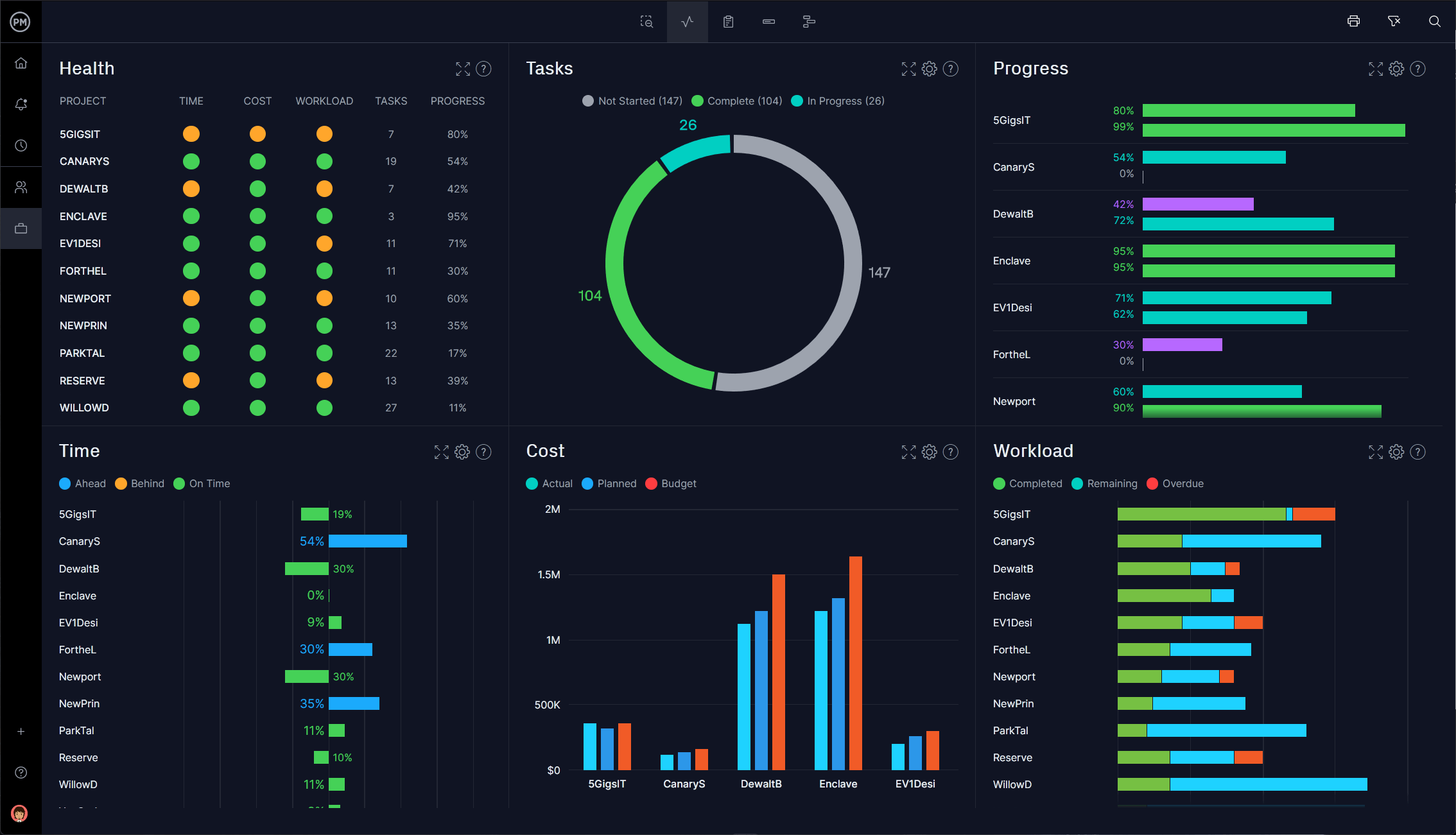
- Define Campaign Phases: From market research and strategy development to content creation, media buying, execution, and post-campaign analysis, Project can break down the campaign into distinct phases and granular tasks.
- Manage Creative Asset Development: The creation of advertisements, social media posts, website copy, and video content can be treated as individual tasks with assigned creative teams, review processes, and delivery deadlines.
- Coordinate Cross-Functional Teams: Marketing campaigns often involve collaboration between internal teams (marketing, sales, design) and external agencies (advertising, PR). Project facilitates seamless communication and coordination by providing a central platform for tasks, timelines, and responsibilities.
- Track Campaign Performance Metrics: While Project isn’t a direct analytics tool, it can incorporate key performance indicator (KPI) milestones into the schedule. This ensures that the project plan is aligned with the overarching goals of the campaign and that progress towards these KPIs is regularly reviewed.
Guiding Rebranding and Corporate Identity Projects
Rebranding or establishing a new corporate identity is a significant undertaking that impacts every aspect of a company’s public face. Microsoft Project is instrumental in managing the numerous moving parts of such initiatives:
- Phased Implementation: Rebranding often involves a phased rollout, from internal communications and brand guideline development to the updating of signage, websites, and marketing materials. Project allows for the mapping out of these phases and their associated tasks.
- Asset Management: This includes tracking the creation and rollout of new logos, color palettes, typography, and brand messaging across all touchpoints. Project can help ensure consistency and timely updates.
- Stakeholder Communication: Rebranding projects often require extensive communication with internal stakeholders, external partners, and sometimes, the public. Project can facilitate the planning of communication schedules and the assignment of responsibility for delivering key messages.
Ensuring Brand Consistency Across All Initiatives
Microsoft Project helps maintain brand consistency by providing a central source of truth for project timelines and deliverables. When multiple brand-related projects are running concurrently, Project can help avoid conflicts and ensure that all initiatives align with the overarching brand strategy. For example, when launching a new product, Project can be used to coordinate the marketing launch alongside product development, ensuring that the brand messaging is consistent across both efforts.
Leveraging Microsoft Project for Financial Project Management
The “Money” aspect of business is inextricably linked to project success. Whether it’s managing the financial intricacies of a new product development, overseeing investment portfolios, or planning the rollout of a new financial service, Microsoft Project offers powerful tools for financial oversight and control.
Managing the Financial Lifecycle of Projects
For any project, understanding and managing its financial implications is crucial for profitability and sustainability. Microsoft Project enables this by:
- Detailed Cost Estimation and Budgeting: Project allows for the creation of comprehensive project budgets by estimating costs for labor, materials, equipment, and other expenses. This granular approach to budgeting helps identify potential cost drivers and areas for optimization.
- Cost Tracking and Variance Analysis: As the project progresses, actual costs can be tracked and compared against the budget. Microsoft Project facilitates variance analysis, highlighting where expenditures are deviating from the plan. This allows for timely intervention to correct cost overruns or capitalize on cost savings.
- Resource Cost Management: Project allows for the assignment of costs to specific resources (e.g., hourly rates for employees, rental costs for equipment). This ensures that resource allocation decisions are made with full awareness of their financial impact.
- Cash Flow Management: By forecasting project expenditures over time, Project can assist in managing cash flow. This is particularly important for large projects that require significant upfront investment or have staggered payment schedules. Understanding when costs will be incurred helps businesses plan their financial resources accordingly.
Facilitating Investment and Financial Service Projects
When the project itself is financial in nature, such as launching a new investment product or implementing a new financial technology (FinTech) solution, Microsoft Project is invaluable:
- Phased Rollout of Financial Products: The development and launch of new financial services often involve regulatory approvals, system integrations, and extensive testing. Project can map out these complex phases, ensuring all necessary steps are completed in the correct order.
- Tracking Investment Milestones: For investment projects, Project can track key milestones such as due diligence, funding rounds, and regulatory compliance deadlines.
- Managing Compliance and Risk: Financial projects are heavily regulated. Project can incorporate compliance-related tasks and deadlines into the project schedule, ensuring that all legal and regulatory requirements are met. It can also be used to map out risk assessment activities and mitigation strategies.
Optimizing Resource Allocation for Financial Initiatives
Similar to tech and brand projects, financial initiatives also benefit from efficient resource allocation. Project helps ensure that financial analysts, compliance officers, and other specialized personnel are utilized effectively, preventing bottlenecks and ensuring that critical tasks are completed on time. This not only optimizes operational efficiency but also contributes to the financial success of the project by minimizing unnecessary expenditure on idle resources.
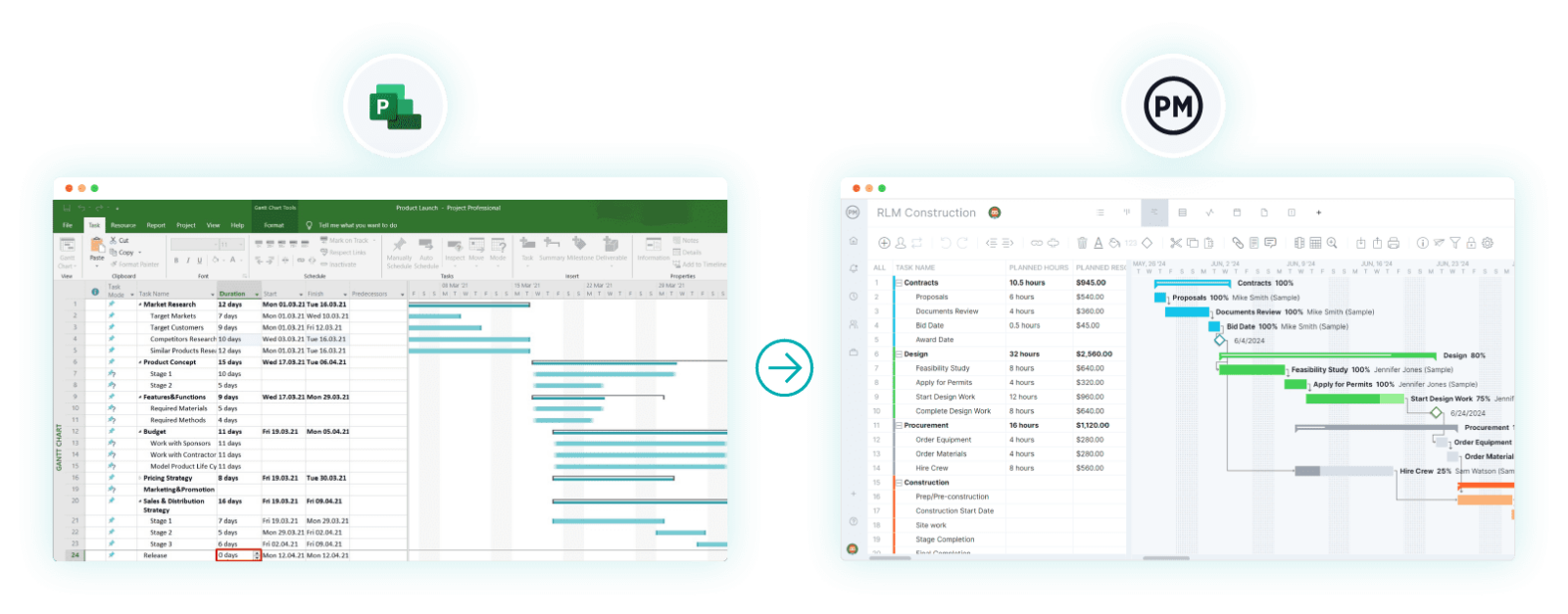
Conclusion: Microsoft Project as a Catalyst for Success
In today’s competitive landscape, the ability to manage projects effectively across technology, branding, and financial domains is no longer a differentiator; it’s a necessity. Microsoft Project, with its comprehensive suite of features for planning, scheduling, resource management, and cost tracking, stands as a powerful tool for organizations seeking to achieve their strategic objectives.
From the intricate development cycles of cutting-edge tech to the nuanced execution of impactful brand campaigns and the meticulous financial oversight of critical business initiatives, Microsoft Project provides the structure, visibility, and control necessary to navigate complexity and drive successful outcomes. By embracing its capabilities, businesses can foster greater collaboration, mitigate risks, optimize resource utilization, and ultimately, transform ambitious visions into tangible, profitable realities. Whether you’re a seasoned project manager or embarking on your first major undertaking, understanding and leveraging Microsoft Project is a key step towards achieving project success in any field.
aViewFromTheCave is a participant in the Amazon Services LLC Associates Program, an affiliate advertising program designed to provide a means for sites to earn advertising fees by advertising and linking to Amazon.com. Amazon, the Amazon logo, AmazonSupply, and the AmazonSupply logo are trademarks of Amazon.com, Inc. or its affiliates. As an Amazon Associate we earn affiliate commissions from qualifying purchases.