
The Macintosh, often affectionately known as the Mac, stands as a cornerstone in the history of personal computing, a testament to innovation, design, and user experience. Conceived and developed by Apple Inc., it introduced many concepts that are now ubiquitous in modern computing, fundamentally altering how people interact with technology. More than just a piece of hardware, a Macintosh computer represents a complete ecosystem, blending proprietary hardware with a custom-designed operating system, macOS, to deliver a cohesive and intuitive user experience.
The Genesis and Evolution of a Computing Icon
The journey of the Macintosh began in the early 1980s, born from Apple’s vision to create an accessible personal computer for the masses, one that didn’t require users to learn complex command-line interfaces. Inspired by the graphical user interface (GUI) research at Xerox PARC, Apple engineers, under the guidance of Steve Jobs, embarked on a mission to bring a user-friendly, mouse-driven computer to market.
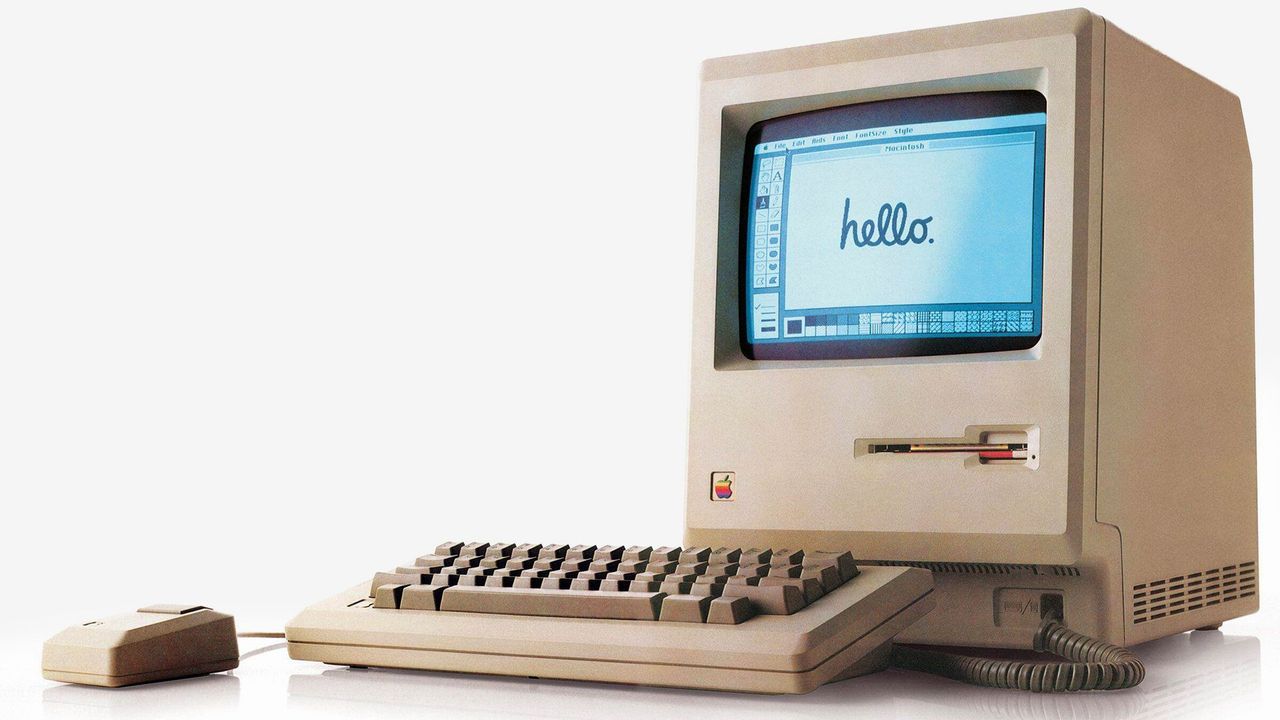
The Original Macintosh: A Revolution in a Box
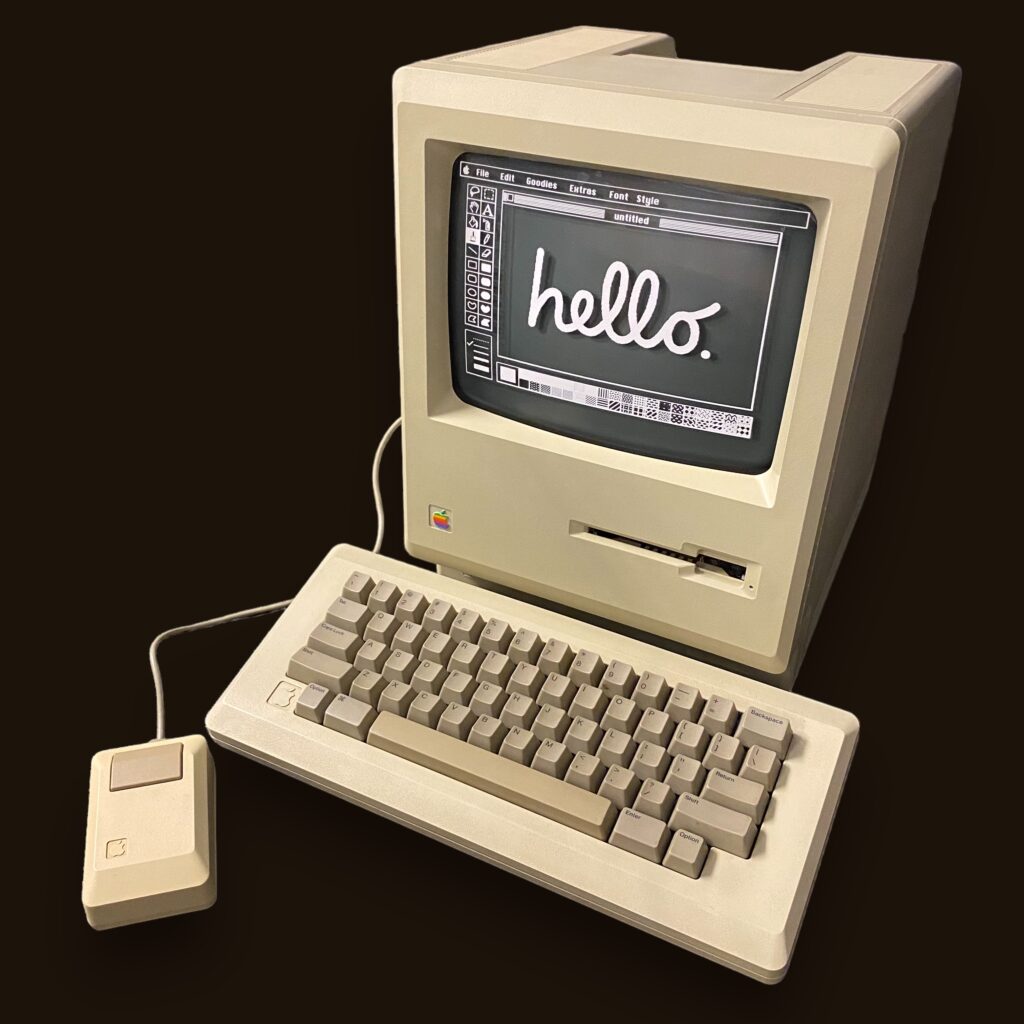
Launched on January 24, 1984, with the now-legendary “1984” Super Bowl commercial, the original Macintosh 128K was a groundbreaking device. It featured a built-in monitor, a graphical user interface with icons and windows, and a mouse for navigation—a radical departure from the text-based interfaces prevalent at the time. This innovation made computing approachable to a much wider audience, sparking a paradigm shift from command-line proficiency to intuitive, direct manipulation. Early applications like MacWrite and MacPaint demonstrated the Mac’s capabilities for desktop publishing and graphic design, fields where it would quickly establish dominance.
From PowerPC to Intel: Adapting to the Landscape
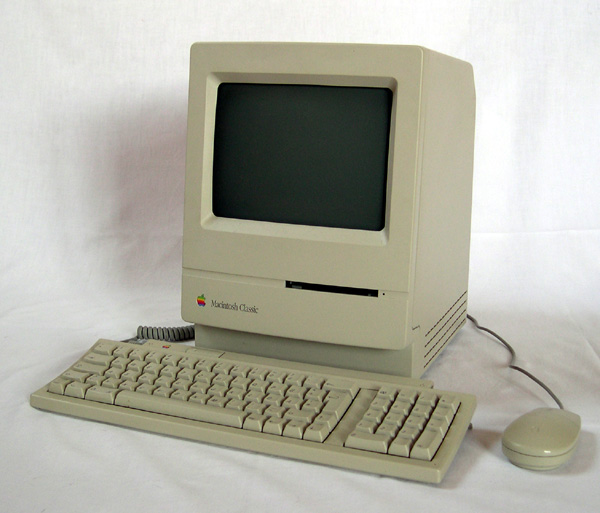
Throughout the late 1980s and 1990s, the Macintosh lineup expanded, introducing models like the Macintosh Plus, SE, and the colorful iMac G3. The underlying architecture also evolved, with Apple transitioning from Motorola 68k processors to PowerPC chips in the mid-1990s. This move provided significant performance boosts and allowed the Mac to compete more effectively with the burgeoning PC market. However, by the early 2000s, Apple recognized the limitations of the PowerPC architecture, particularly concerning power efficiency and a shrinking market for PowerPC development. In a bold strategic move, Apple announced in 2005 that it would transition the entire Mac line to Intel processors, enabling Macs to run Windows via Boot Camp and significantly broadening their appeal. This transition also paved the way for more powerful laptops and desktops, leveraging Intel’s widely adopted chip technology.
Apple Silicon: A New Era of Performance and Efficiency
The most recent and perhaps most significant architectural shift began in 2020 with the introduction of Apple Silicon, a family of ARM-based processors designed in-house by Apple. Beginning with the M1 chip and subsequently expanding with the M2, M3, and their Pro, Max, and Ultra variants, Apple Silicon represents a complete reimagining of the Mac’s internal architecture. These chips integrate the CPU, GPU, Neural Engine, unified memory, and other components onto a single system-on-a-chip (SoC), delivering unprecedented performance, power efficiency, and tight integration with macOS. This transition has allowed Apple to engineer Macs that are remarkably powerful, run cooler, and offer significantly longer battery life in portable form factors, further solidifying the Mac’s reputation for premium performance.
The Mac Ecosystem: Hardware, Software, and Seamless Integration
At the heart of the Macintosh experience is its meticulously crafted ecosystem, a harmonious blend of hardware, software, and services designed to work together flawlessly. This integration is a defining characteristic that sets the Mac apart from many other computing platforms.
macOS: The Intuitive Operating System
The operating system that powers Macintosh computers, macOS (formerly OS X), is renowned for its elegant user interface, powerful multitasking capabilities, and robust security features. Built on a Unix-based foundation, macOS provides a stable and secure environment while offering a suite of powerful, user-friendly applications. Features like Mission Control for managing windows, Spaces for virtual desktops, and Spotlight for system-wide search contribute to a highly productive workflow. The consistent design language and intuitive gestures across devices make it easy for users to navigate and interact with their Mac. Furthermore, macOS is continuously updated, bringing new features, security enhancements, and performance improvements to the platform annually.
The Apple Hardware Lineup: A Device for Every Need
The Macintosh family encompasses a diverse range of hardware, each designed with specific use cases and user preferences in mind:
- MacBook Air: Apple’s most popular laptop, known for its ultra-thin design, portability, and excellent battery life, making it ideal for students, everyday users, and those who prioritize mobility.
- MacBook Pro: Designed for professionals and power users, the MacBook Pro offers advanced performance, often featuring higher-tier Apple Silicon chips, brighter Retina XDR displays, and robust cooling systems for demanding tasks like video editing, graphic design, and software development.
- iMac: The iconic all-in-one desktop computer, featuring a stunning Retina display integrated directly into the computer’s chassis, offering a minimalist footprint and powerful performance for home and office use.
- Mac mini: A compact, powerful, and affordable desktop computer that requires users to provide their own display, keyboard, and mouse, making it a versatile option for various setups, including servers or home media centers.
- Mac Studio: A high-performance desktop designed for creative professionals who need extreme processing power and extensive connectivity, positioning itself between the Mac mini and Mac Pro.
- Mac Pro: Apple’s most powerful and customizable desktop workstation, engineered for the most demanding professional workflows, offering unparalleled expansion capabilities and raw processing power.
Software and Services Integration
The Mac benefits from a rich software ecosystem, ranging from Apple’s own suite of productivity (Pages, Numbers, Keynote), creativity (GarageBand, iMovie, Photos), and communication (Messages, FaceTime, Mail) applications, to a vast array of third-party software available through the Mac App Store and direct downloads. The seamless integration with Apple services like iCloud, Apple Music, Apple Pay, and Continuity features (such as Handoff, Universal Clipboard, and Sidecar) further enhances the user experience, allowing for fluid transitions between Mac, iPhone, iPad, and other Apple devices.
Key Features, User Experience, and Digital Security
The Macintosh has consistently championed a user-centric design philosophy, prioritizing ease of use, aesthetic appeal, and robust security. These pillars define much of the user experience and contribute to the platform’s enduring popularity.
User Experience: Simplicity Meets Power
From its inception, the Mac has been celebrated for its intuitive user interface. The graphical environment, combined with consistent application design guidelines, ensures a gentle learning curve for new users while offering deep functionality for advanced tasks. Key elements contributing to this experience include:
- Retina Displays: Offering incredibly high pixel densities, Retina displays deliver sharp text, vibrant colors, and stunning clarity, making visual work a pleasure.
- Precision Trackpads and Magic Mouse: Apple’s input devices are known for their responsiveness and support for multi-touch gestures, providing an efficient and natural way to interact with macOS.
- Unified Design Language: Across macOS and its native applications, a consistent design ethos ensures a cohesive and aesthetically pleasing experience.
- Optimized Performance: With Apple Silicon, Macs deliver exceptional speed and responsiveness, handling demanding applications with ease while maintaining efficiency.
Digital Security: A Fortified Environment
Digital security is a paramount concern for Apple, and the Macintosh platform incorporates multiple layers of protection to safeguard user data and privacy.
Hardware-Level Security
Modern Macs include sophisticated hardware security features, notably the Secure Enclave within Apple Silicon chips (or the T2 Security Chip in Intel-based Macs). This dedicated hardware processor handles sensitive operations like Touch ID authentication and encryption key management, ensuring they are isolated from the main system. FileVault provides full-disk encryption, scrambling all data on the startup drive to prevent unauthorized access, even if the device is physically compromised.
Software-Level Protection
macOS employs several software-based security mechanisms:
- Gatekeeper: This feature helps prevent malware by verifying downloaded applications for developer identity and ensuring they haven’t been tampered with. It can block unsigned apps or apps from unidentified developers from running.
- XProtect: An antivirus technology built directly into macOS, XProtect automatically scans downloaded files for known malware signatures and prevents malicious applications from launching.
- App Store Sandboxing: Applications downloaded from the Mac App Store are “sandboxed,” meaning they are restricted in what system resources they can access, limiting the potential damage a malicious app could cause.
- Privacy Controls: macOS provides granular control over privacy settings, allowing users to manage which applications have access to their location, contacts, photos, microphone, camera, and other personal data.
- Automatic Updates: Apple regularly releases security updates for macOS, patching vulnerabilities and enhancing system protection, which are often installed automatically.
Together, these hardware and software security measures contribute to a highly resilient computing environment, making the Macintosh a secure platform for personal and professional use.
In conclusion, a Macintosh computer is more than just a brand of personal computer; it’s a meticulously engineered ecosystem designed to offer a powerful, intuitive, and secure computing experience. From its revolutionary beginnings to its current state with Apple Silicon, the Mac continues to evolve, pushing the boundaries of technology while maintaining its core commitment to user-centric design and seamless integration.
aViewFromTheCave is a participant in the Amazon Services LLC Associates Program, an affiliate advertising program designed to provide a means for sites to earn advertising fees by advertising and linking to Amazon.com. Amazon, the Amazon logo, AmazonSupply, and the AmazonSupply logo are trademarks of Amazon.com, Inc. or its affiliates. As an Amazon Associate we earn affiliate commissions from qualifying purchases.