
In the rapidly evolving landscape of social media, the technical precision of content delivery is often the silent architect of a user’s experience. For developers, content creators, and software enthusiasts, understanding the nuances of digital dimensions is more than just an aesthetic choice—it is a technical necessity. At the heart of this discussion is the concept of the aspect ratio. On Instagram, a platform that serves billions of images and videos daily, the aspect ratio determines how an asset is displayed, how it is compressed by the platform’s servers, and how it interacts with the diverse hardware of modern smartphones.
Navigating Instagram’s specific requirements can be complex due to the variety of formats supported within a single application. From the legacy of the square frame to the immersive verticality of Reels, this guide provides a deep dive into the technical specifications of Instagram’s aspect ratios, ensuring your digital assets are optimized for peak performance and visual integrity.
Understanding the Fundamentals of Aspect Ratio in Digital Media
Before delving into specific Instagram requirements, it is essential to define what an aspect ratio is from a technical standpoint. An aspect ratio is the proportional relationship between the width and height of an image or screen. It is expressed as two numbers separated by a colon, such as 16:9. It does not represent the actual size of the image (in pixels) but rather how the width and height relate to one another.
The Mathematics of Pixels and Proportions
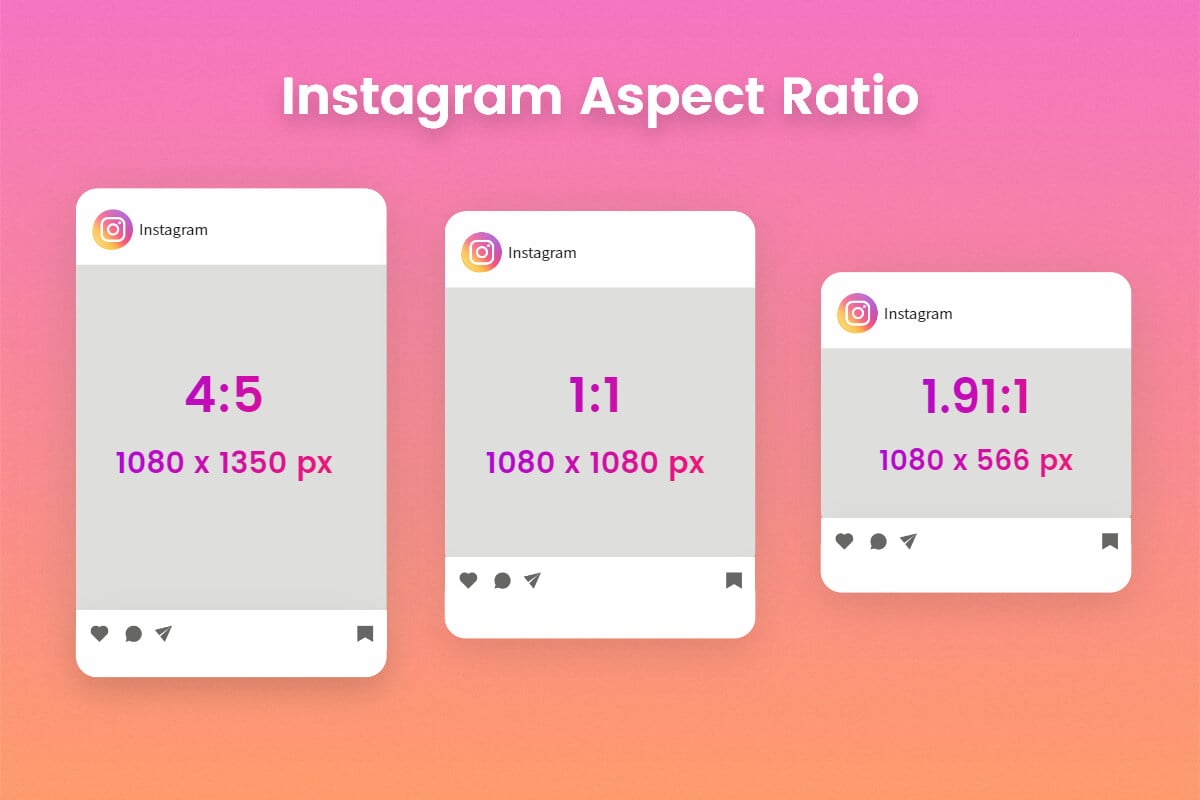
In digital imaging, pixels are the smallest units of data on a screen. When we discuss an aspect ratio of 4:5, we are stating that for every 4 units of width, there are 5 units of height. Mathematically, this dictates the “shape” of the canvas. However, the resolution—the total number of pixels—is what determines the quality. For example, a 1080 x 1350 pixel image maintains a 4:5 aspect ratio.
If a user attempts to upload an image that does not match the supported ratios, Instagram’s software uses a process called “auto-cropping.” This algorithm identifies the center of the image and removes the excess pixels to fit the required container. Understanding this mathematical relationship allows creators to design within “safe zones,” ensuring that critical visual data is not lost during the upload process.
Why Aspect Ratio Matters for App Performance
From a software engineering perspective, aspect ratios are integrated into the app’s UI/UX design to ensure consistency across millions of different devices. Whether a user is on a high-end OLED display or an older LCD screen, the app must render content predictably.
When you upload a file that matches the native aspect ratio of the intended container (like 9:16 for Stories), the app’s processing engine undergoes less strain. It doesn’t have to calculate custom crops or fill empty space with “letterboxing” (the black bars seen on the top/bottom or sides of a video). This optimization results in faster load times and less data consumption for the end-user, contributing to a smoother overall digital experience.
Detailed Technical Specifications for Instagram Content Formats
Instagram has moved far beyond its original 1:1 square limitation. Today, the platform supports a spectrum of ratios designed to maximize screen real estate on modern mobile devices.
The Classic Square (1:1) and the Shift to Vertical (4:5)
The 1:1 aspect ratio is the original identity of Instagram. For years, the standard was 1080 x 1080 pixels. While still widely used, it is no longer the most efficient for mobile users. Because smartphones are held vertically, a square image occupies less vertical space than the screen allows.
To address this, Instagram introduced the 4:5 aspect ratio (1080 x 1350 pixels) for feed posts. This “Portrait” mode is the gold standard for static imagery. Technically, it allows the content to take up significantly more vertical space on the user’s feed, which increases the time it takes for a user to scroll past the post, thereby improving engagement metrics through purely structural means.
Instagram Stories and Reels: The 9:16 Dominance
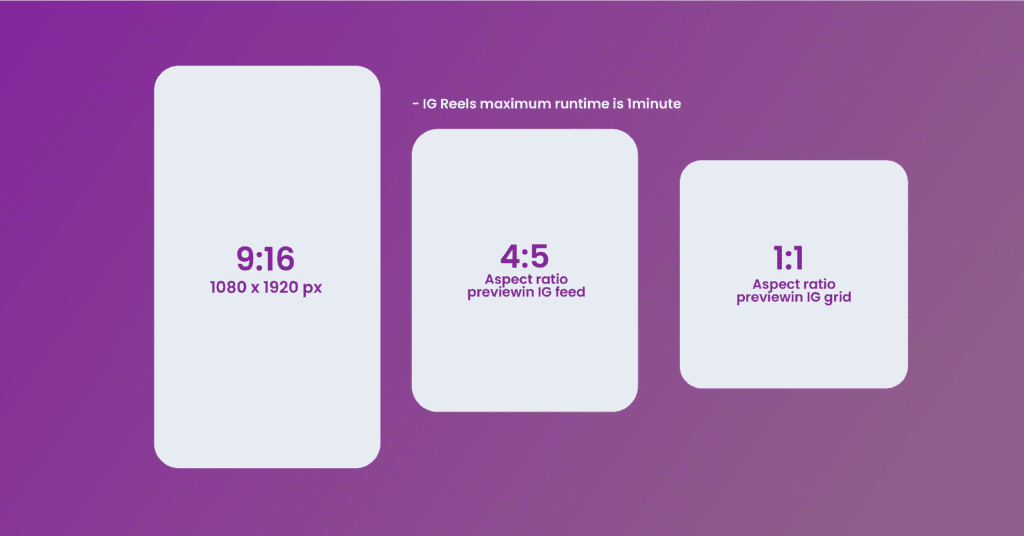
The 9:16 aspect ratio (1080 x 1920 pixels) is the standard for Instagram Stories and Reels. This is a full-screen vertical format that matches the native orientation of almost all modern smartphones.
From a technical perspective, 9:16 is a direct inversion of the 16:9 widescreen standard used in traditional television and cinematography. When developing video content for this ratio, it is vital to account for the “UI Overlay.” The bottom of a Reel contains the caption and audio information, while the top contains the “Follow” button and camera icons. Sophisticated creators use a “safe zone” of approximately 1080 x 1420 pixels within the 9:16 frame to ensure that text and vital visuals are not obscured by the app’s interface elements.
Landscape Dimensions for Video and Grid Posts
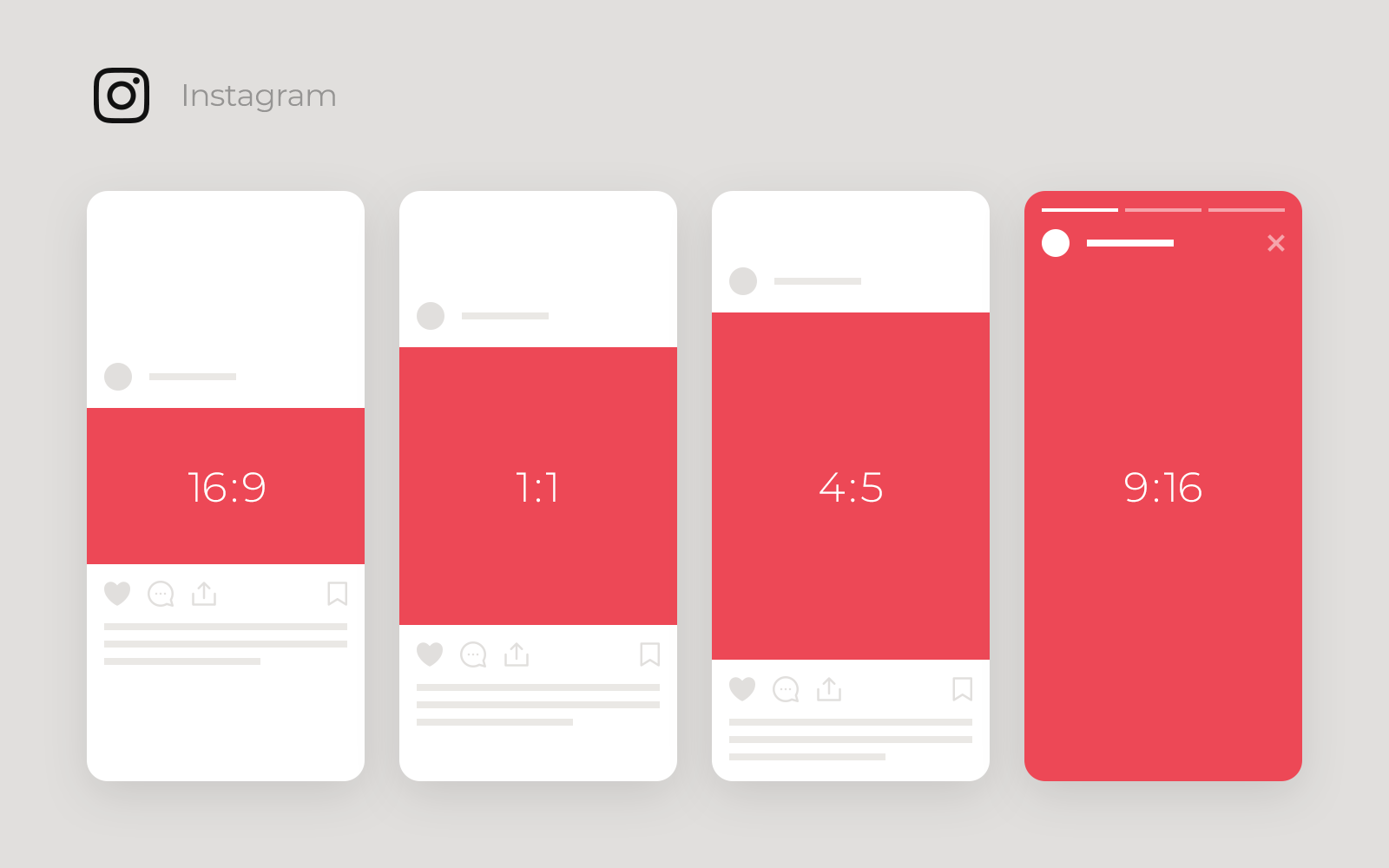
While Instagram is a vertical-first platform, it does support landscape (horizontal) content, primarily in the 1.91:1 ratio (typically 1080 x 566 pixels). However, landscape content is technically disadvantaged on the platform. It occupies very little screen space, making it appear smaller and less immersive. In the current algorithmic environment, landscape videos are often automatically reformatted into a 1:1 or 4:5 container with blurred edges or black bars to fill the space, which can degrade the perceived quality of the video.
Software Optimization and Compression Algorithms
Understanding aspect ratio is only half the battle; the other half is understanding how Instagram’s backend software treats your files once you hit “Post.”
How Instagram’s Code Handles High-Resolution Uploads
Instagram uses aggressive compression algorithms to manage the petabytes of data uploaded to its servers every day. Even if you upload a 4K video, Instagram will downsample it. The current maximum resolution for most content is 1080 pixels wide.
If you upload a file with an incorrect aspect ratio, the software must perform two operations: cropping and compression. This double-processing often leads to “artifacting”—the pixelation and blurriness sometimes seen in low-quality posts. To maintain high fidelity, it is technically superior to resize your content to the exact pixel dimensions (e.g., 1080×1350) in a dedicated editor before uploading, rather than letting the app’s internal software do the work.
Avoiding the “Blur”: Bitrate and File Size Limitations
Beyond the aspect ratio, the technical health of a file depends on its bitrate and format. For 9:16 Reels, Instagram generally prefers the H.264 codec and a bitrate of approximately 3,000 to 6,000 kbps. If your file exceeds these parameters or uses a non-standard aspect ratio, the server-side transcoder may strip too much data, resulting in a loss of sharpness. Technical mastery involves balancing the aspect ratio with these background file specifications to ensure the final render is crisp.
Essential Tools and Workflows for Ratio Management
For those looking to automate and streamline their technical workflow, several tools and software suites are essential for managing Instagram’s various aspect ratios.
In-App Editing vs. Professional Post-Production Software
Instagram’s native editor provides basic tools for adjusting aspect ratios, but it lacks the precision required for professional-grade output. Professional software like Adobe Premiere Pro, Final Cut Pro, or DaVinci Resolve allows editors to set custom “Sequence Settings.” By setting a sequence to 1080 x 1920 from the start, you ensure that every asset brought into the timeline is handled with the correct 9:16 proportions, preventing accidental stretching or distorting of the image.
Leveraging AI Tools for Automatic Resizing
The rise of Artificial Intelligence has introduced a new era of “Generative Fill” and “Auto-Reframe” tools. Adobe Sensei and other AI engines can now analyze a 16:9 horizontal video and automatically track the subject, cropping it into a 9:16 vertical frame for Instagram Reels. This technology uses machine learning to identify the most relevant pixels in a frame, ensuring that despite the change in aspect ratio, the technical focus of the shot remains intact.
Future-Proofing Content: The Evolution of Display Standards
As hardware technology changes, so too will the requirements for social media aspect ratios. We are already seeing the beginning of this shift with the rise of new device categories.
From Mobile-First to Foldable Screens
Foldable smartphones, such as the Samsung Galaxy Z Fold series, present a unique challenge for Instagram’s aspect ratios. These devices transition from a narrow 23:9 external screen to a nearly square 6:5 internal screen. Currently, the Instagram app uses a “responsive design” approach, where it attempts to scale content dynamically. For developers, this means that while 4:5 and 9:16 remain the standards, creating content with flexible margins is becoming increasingly important to ensure the UI doesn’t break on non-standard screens.
The Role of Aspect Ratio in AR and Immersive Tech
As Instagram integrates more Augmented Reality (AR) filters and explores the metaverse, the concept of a fixed aspect ratio may eventually give way to “spatial” dimensions. In an AR environment, the “frame” is the user’s field of view. However, for the foreseeable future, the technical constraints of the 2D mobile screen will continue to dictate the 1:1, 4:5, and 9:16 standards. Mastery of these ratios is the foundational step for any technologist or creator looking to dominate the digital space.
In conclusion, Instagram’s aspect ratios are not merely suggestions; they are the technical framework upon which the app is built. By adhering to the precise pixel dimensions and understanding the underlying compression and rendering processes, you can ensure that your content is delivered with the highest possible quality, optimized for both the platform’s algorithms and the user’s hardware.
aViewFromTheCave is a participant in the Amazon Services LLC Associates Program, an affiliate advertising program designed to provide a means for sites to earn advertising fees by advertising and linking to Amazon.com. Amazon, the Amazon logo, AmazonSupply, and the AmazonSupply logo are trademarks of Amazon.com, Inc. or its affiliates. As an Amazon Associate we earn affiliate commissions from qualifying purchases.