
The Engine Behind Visual Brilliance
At the heart of every modern computing experience, from high-fidelity gaming to complex architectural rendering, lies a specialized piece of hardware known as a graphics card, or often, a Graphics Processing Unit (GPU). Far more than a mere display adapter, a graphics card is a dedicated co-processor designed to rapidly render images, videos, and animations for display on a screen. It takes digital data from the computer and translates it into the pixels you see, performing billions of calculations per second to create the vibrant, dynamic visuals we have come to expect.

More Than Just an Output Device
While its most apparent function is to output visual information to a monitor, the true power of a graphics card lies in its ability to process graphical data independently and at an unparalleled speed. Imagine a complex 3D scene in a video game: it’s composed of millions of polygons, textures, lighting effects, and shadows. The graphics card doesn’t just display these; it actively calculates their positions, colors, and interactions in real-time. This specialized parallel processing capability is what distinguishes it from other computer components, making it indispensable for any task demanding intensive visual computation.
CPU vs. GPU: A Symbiotic Relationship
To truly understand the graphics card, it’s essential to differentiate its role from that of the Central Processing Unit (CPU). The CPU, often referred to as the “brain” of the computer, excels at sequential tasks, handling general-purpose instructions, operating system operations, and managing overall system resources. It’s a master of varied, complex tasks but performs them one at a time. In contrast, the GPU is a specialist in parallel processing. It features thousands of smaller, more efficient cores optimized to perform many simpler calculations simultaneously.
Think of it this way: if the CPU is a highly skilled project manager overseeing diverse tasks, the GPU is a massive team of specialized workers, each performing a small part of a much larger, repetitive calculation, such as rendering individual pixels or applying a specific lighting effect across an entire scene. They don’t compete but rather complement each other, with the CPU setting up the data and the GPU executing the heavy lifting of graphical computation, ensuring a smooth and responsive visual experience.
Anatomy of a Graphics Card
A graphics card is a complex piece of engineering, integrating several key components that work in unison to deliver visual output. Understanding these parts provides insight into its overall functionality and performance.
The Graphics Processing Unit (GPU)
The GPU is the most critical component, acting as the brain of the graphics card. It’s an integrated circuit designed specifically for accelerating the creation of images, videos, and animations. Unlike a CPU with a few powerful cores, a GPU typically contains hundreds or even thousands of smaller, specialized processing cores. These cores are optimized for parallel computation, making them incredibly efficient at tasks that can be broken down into many independent, simultaneous operations, such as pixel shading, texture mapping, and geometry processing. The architecture of a GPU, including its core count, clock speed, and design, dictates its raw processing power.
Video Memory (VRAM)
VRAM, or Video Random Access Memory, is dedicated high-speed memory specifically for the GPU. Its primary function is to store all the data the GPU needs to render an image, including textures, frame buffers, and geometry data. The amount of VRAM is crucial, especially for high-resolution gaming, complex 3D modeling, or multi-monitor setups, as insufficient VRAM can lead to performance bottlenecks and stuttering. Modern graphics cards utilize specialized, high-bandwidth memory types like GDDR5, GDDR6, or HBM (High Bandwidth Memory) to ensure the GPU can access data quickly, minimizing latency and maximizing throughput. The speed and bandwidth of VRAM are just as important as its capacity.
Cooling System
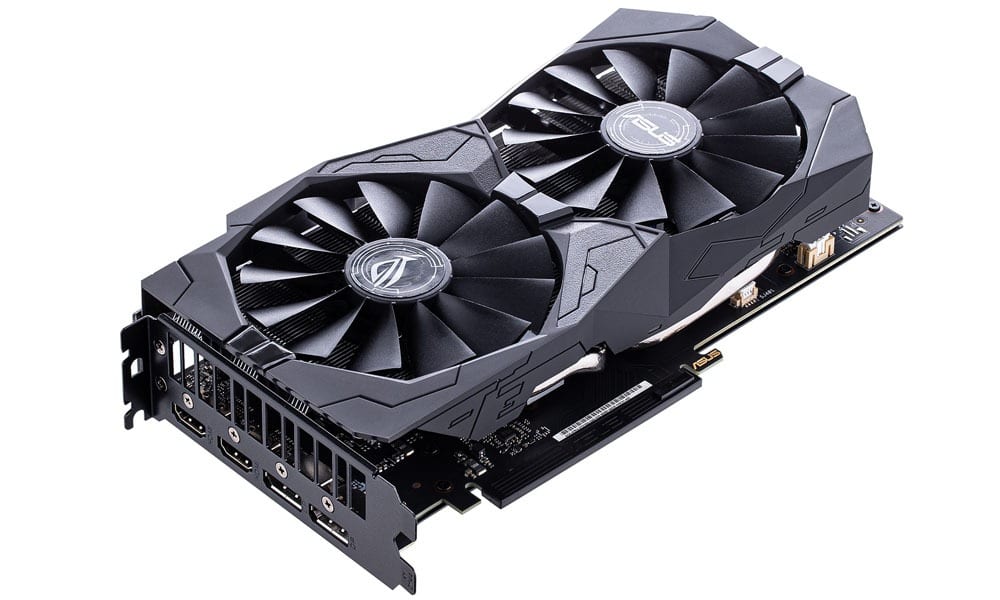
Given the immense computational power and high clock speeds, GPUs generate a significant amount of heat. An effective cooling system is paramount to prevent thermal throttling (where the GPU reduces its performance to prevent overheating) and ensure long-term stability and longevity. Cooling systems typically consist of a large metal heatsink to absorb heat, and one or more fans to dissipate it away from the card. High-end cards may employ advanced cooling solutions like vapor chambers, elaborate heat pipe configurations, or even integrated liquid cooling systems for superior thermal management.
Power Connectors and Interface
A graphics card requires power to operate, and while some entry-level cards draw power directly from the motherboard’s PCI Express (PCIe) slot, most mid-range and high-end models require additional power via 6-pin, 8-pin, or even 12-pin auxiliary power connectors directly from the power supply unit (PSU). The type and number of connectors indicate the card’s power draw and, consequently, its performance tier. The card physically connects to the motherboard via a PCIe slot, typically a PCIe x16 slot, which provides a high-bandwidth data pathway for communication with the rest of the system. Display outputs, such as HDMI, DisplayPort, and sometimes DVI, are located on the rear bracket of the card, allowing connection to monitors and other display devices.
How a Graphics Card Works: The Rendering Pipeline
The process by which a graphics card transforms digital instructions into visible pixels on your screen is a complex series of steps known as the rendering pipeline. This pipeline is highly optimized and executed with incredible speed.
From Data to Pixels
The rendering pipeline begins when the CPU sends instructions to the GPU, detailing the 3D models, textures, and lighting information for a scene. The GPU then embarks on a multi-stage process:
- Geometry Processing: The GPU takes the raw 3D model data (vertices, edges, polygons) and transforms them, adjusting for perspective, rotation, and position in the 3D world. It determines which parts of the model are visible and culls those that are not.
- Rasterization: This is the process of converting the transformed 3D geometry into 2D fragments, or potential pixels, that can be drawn on the screen. Each fragment contains information about its position, color, and depth.
- Texture Mapping: Textures (2D images that add detail and realism) are applied to the rasterized fragments. The GPU samples the appropriate colors from the textures and maps them onto the fragments.
- Shading: This is where lighting, shadows, and material properties are calculated for each fragment. The GPU applies algorithms to determine how light interacts with surfaces, creating realistic reflections, refractions, and shadows. Modern GPUs use sophisticated shading models, including those for real-time ray tracing, to simulate light paths more accurately.
- Post-Processing and Blending: After shading, various post-processing effects might be applied, such as anti-aliasing (to smooth jagged edges), depth of field, motion blur, or color correction. Finally, the fragments are blended together to form the final pixel color, taking into account transparency and depth order.
Frame Buffer and Refresh Rates
Once a complete image (a “frame”) is rendered, it’s stored in a dedicated section of the VRAM called the frame buffer. From here, the digital image data is converted into an analog or digital signal (depending on the display output type) and sent to the monitor. The refresh rate of your monitor (measured in Hertz, Hz) dictates how many times per second the display updates with a new frame from the frame buffer. A graphics card’s ability to render frames at a rate equal to or higher than the monitor’s refresh rate is crucial for smooth, fluid motion, especially in fast-paced gaming.
Types of Graphics Cards and Their Applications
Graphics cards come in various forms, each suited for different computing needs and performance expectations.
Integrated Graphics
Integrated graphics, often referred to as iGPUs, are graphics processors built directly into the CPU or the motherboard’s chipset. They share system RAM with the CPU for their VRAM needs. iGPUs are highly power-efficient and cost-effective, making them common in laptops, entry-level desktop PCs, and small form-factor systems where space and power consumption are critical. While they are perfectly capable of handling everyday tasks like web browsing, video playback (even 4K streaming), basic photo editing, and light gaming, their performance is significantly limited compared to dedicated solutions, particularly for demanding 3D applications.
Dedicated/Discrete Graphics
Dedicated graphics cards are separate, standalone components that plug into a motherboard’s PCIe slot. They come with their own dedicated VRAM and a more powerful, specialized GPU. These cards offer superior performance, enabling high-resolution gaming, professional content creation, and accelerated scientific computing.
Gaming
For gamers, a dedicated graphics card is non-negotiable. It allows for high frame rates, crisp resolutions (1080p, 1440p, 4K), and the rendering of complex visual effects like real-time ray tracing, which simulates light behavior for incredibly realistic lighting and reflections. High-end gaming cards are designed to deliver immersive experiences with smooth gameplay across the latest titles.
Professional Workloads
Beyond gaming, dedicated graphics cards are critical tools in various professional fields.
- Video Editing and 3D Rendering: GPUs accelerate video encoding/decoding, special effects rendering, and the processing of complex 3D models and animations in software like Adobe Premiere Pro, Blender, and Autodesk Maya.
- CAD and Design: Engineers and architects rely on powerful GPUs for computer-aided design (CAD) and simulating complex structures.
- Scientific Simulation and Data Analysis: Research in fields like fluid dynamics, molecular modeling, and astrophysics heavily leverages the parallel processing power of GPUs for computationally intensive simulations.
- AI and Machine Learning: The architecture of GPUs, particularly their ability to perform many calculations in parallel, makes them exceptionally well-suited for training deep learning models and executing complex AI algorithms, leading to their widespread adoption in AI research and development.
Content Creation
Digital artists, graphic designers, streamers, and animators benefit immensely from dedicated graphics cards. They accelerate rendering in graphic design suites, enable smooth playback and editing of high-resolution video footage, and provide the processing power necessary for real-time encoding during live streaming, ensuring high-quality output.
Key Specifications and What They Mean for Performance
When evaluating graphics cards, several specifications provide insights into their capabilities and suitability for different tasks.
GPU Core Count and Clock Speed
The number of CUDA Cores (NVIDIA) or Stream Processors (AMD) indicates the sheer parallel processing capability of the GPU. More cores generally translate to higher performance. The clock speed, measured in MHz or GHz, represents how quickly these cores operate. A higher clock speed means the GPU can perform more calculations per second. Both core count and clock speed are direct indicators of the GPU’s raw processing power.
VRAM Capacity and Speed
VRAM capacity (e.g., 8GB, 12GB, 16GB) is crucial for storing high-resolution textures, complex models, and multiple frame buffers. Larger capacities are essential for 4K gaming, professional 3D rendering, and AI workloads that handle massive datasets. VRAM speed, typically indicated by the GDDR generation (e.g., GDDR6, GDDR6X), determines how quickly the GPU can access this memory. Faster VRAM reduces bottlenecks and improves overall performance.
Memory Bus Width
The memory bus width, measured in bits (e.g., 128-bit, 256-bit, 384-bit), dictates the amount of data that can be transferred between the GPU and its VRAM simultaneously. A wider bus width, combined with fast VRAM, results in higher memory bandwidth, which is critical for moving large amounts of graphical data quickly, especially at higher resolutions and with more demanding graphical settings.
Thermal Design Power (TDP)
TDP is a metric that represents the maximum amount of heat generated by the GPU that the cooling system is designed to dissipate. It’s a good indicator of the card’s power consumption and, consequently, the heat it will produce. A higher TDP often correlates with higher performance but also requires a more robust power supply and effective case cooling.
Ray Tracing Cores and Tensor Cores
Modern GPUs from NVIDIA (RT Cores and Tensor Cores) and AMD (Ray Accelerators) include specialized hardware units. Ray Tracing Cores are dedicated to accelerating ray tracing calculations, enabling more realistic lighting, reflections, and shadows in real-time. Tensor Cores are specialized for AI and machine learning tasks, specifically for accelerating matrix multiplication operations crucial for deep learning inference and training. These specialized cores enhance both visual fidelity and computational efficiency for specific workloads.
Choosing the Right Graphics Card
Selecting the optimal graphics card involves a careful assessment of your computing needs, budget, and existing system.
Understanding Your Needs and Budget
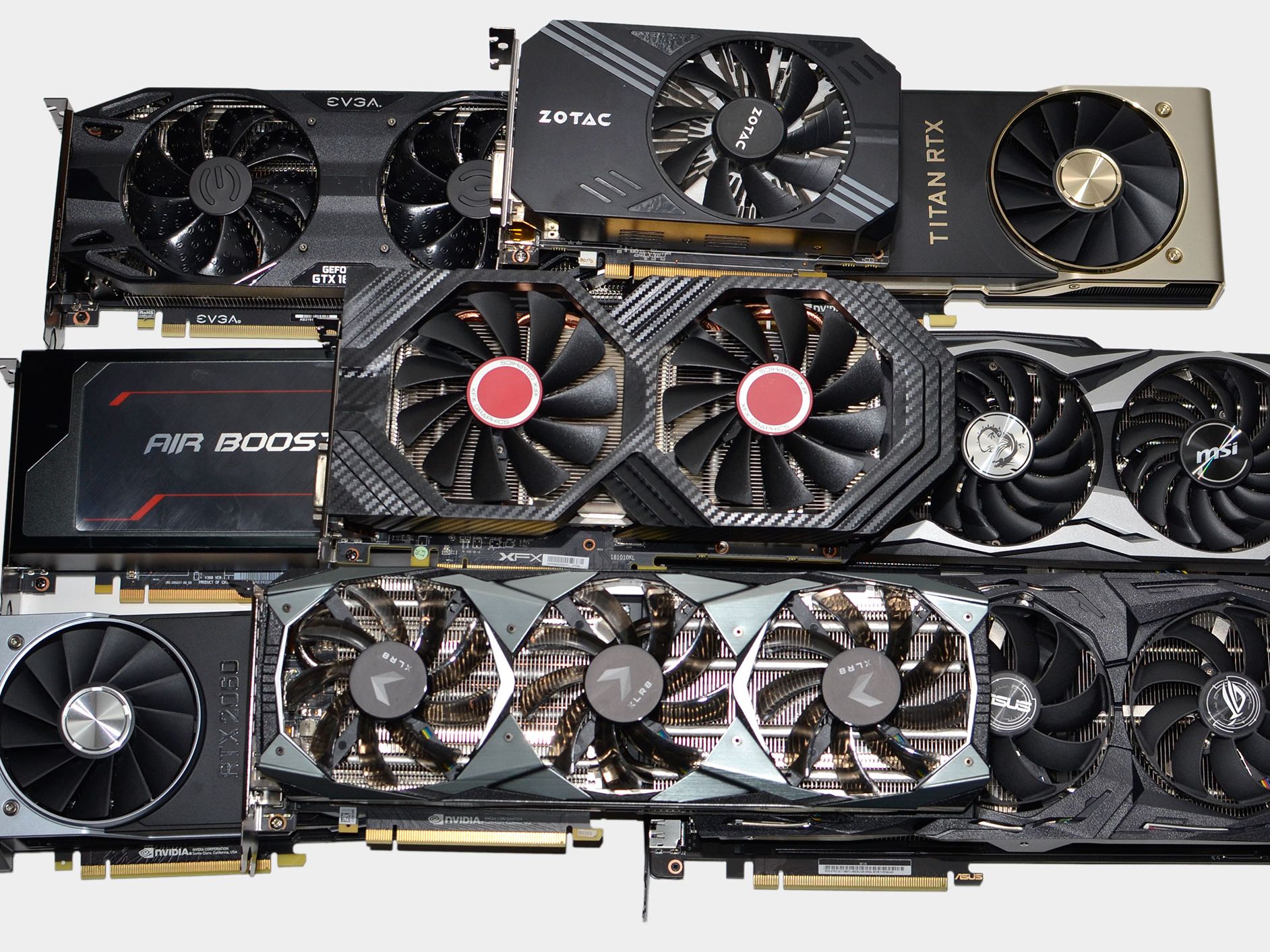
The first step is to define your primary use case. Are you a competitive gamer aiming for high frame rates at 1440p or 4K? Are you a professional video editor or 3D artist requiring rapid rendering capabilities? Or do you simply need solid performance for everyday tasks and occasional light gaming? Your budget will naturally align with these needs. Entry-level cards are excellent for basic computing and light gaming, mid-range cards offer a balance of performance and cost for serious gamers, and high-end cards are reserved for enthusiasts and professionals who demand the absolute best.
Compatibility with Your System
Ensure the chosen graphics card is compatible with your current PC. Check your motherboard for an available PCI Express x16 slot. More importantly, verify that your power supply unit (PSU) has enough wattage and the necessary PCIe power connectors (e.g., 6-pin, 8-pin) to support the card’s power requirements. Physically, ensure your PC case has sufficient space to accommodate the card’s length and thickness, as high-performance cards can be quite large.
Future-Proofing Considerations
While technology evolves rapidly, investing in a graphics card with slightly more VRAM or a newer generation architecture than your immediate needs might offer better longevity. This can help ensure your system remains capable of handling future game releases or software updates for several years, providing a better return on your investment before a complete upgrade becomes necessary. Researching current benchmarks, reviews, and expected performance trends for upcoming titles or software can guide your decision toward a card that will serve you well into the future.
aViewFromTheCave is a participant in the Amazon Services LLC Associates Program, an affiliate advertising program designed to provide a means for sites to earn advertising fees by advertising and linking to Amazon.com. Amazon, the Amazon logo, AmazonSupply, and the AmazonSupply logo are trademarks of Amazon.com, Inc. or its affiliates. As an Amazon Associate we earn affiliate commissions from qualifying purchases.