
In the rapidly evolving landscape of PC gaming and creative work, optimizing hardware performance and streamlining user experience has become paramount. For millions of NVIDIA GeForce GPU owners worldwide, a critical piece of software often operates quietly in the background, yet significantly enhances their digital lives: NVIDIA GeForce Experience. Far more than just a simple utility, GeForce Experience acts as a comprehensive command center, seamlessly integrating cutting-edge features designed to keep graphics drivers updated, optimize game settings, capture and share gaming moments, and even enhance live streaming.
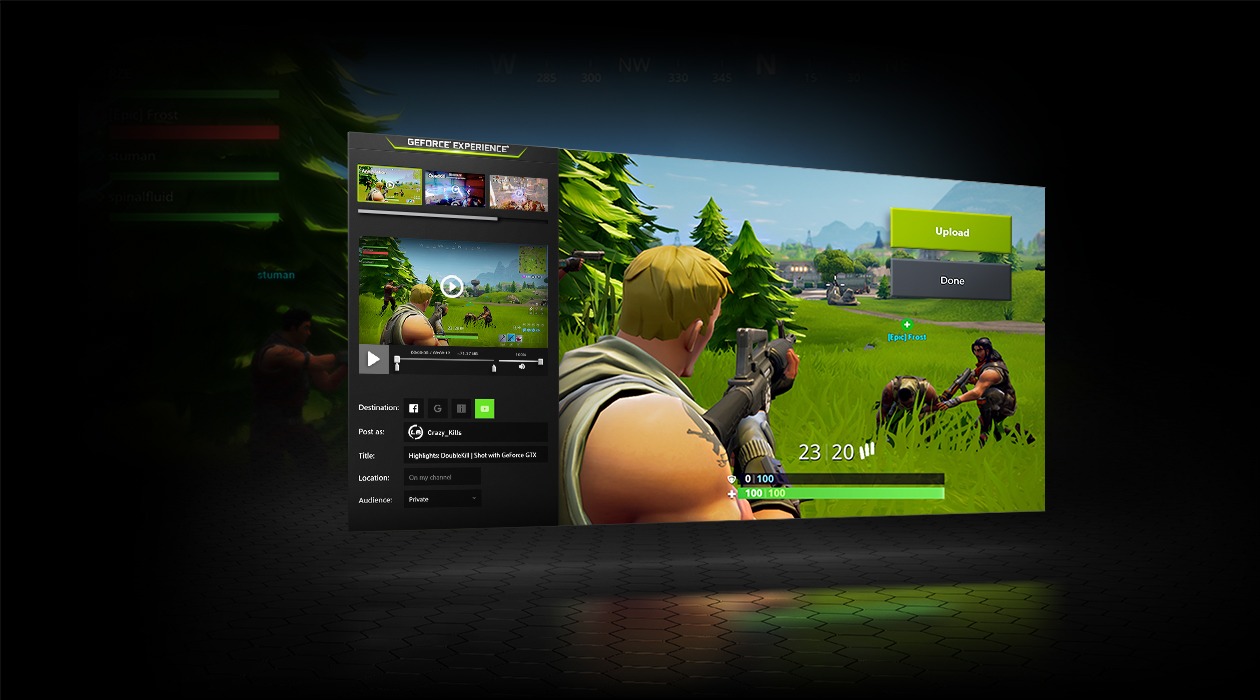
At its core, GeForce Experience is a powerful software companion engineered by NVIDIA to complement its GeForce graphics processing units. It’s built on the premise of simplifying complex technical configurations and delivering a consistent, high-quality user experience across a vast library of PC games and creative applications. By intelligently leveraging the capabilities of your NVIDIA hardware, GeForce Experience ensures that users, from casual gamers to professional streamers and content creators, can extract the maximum performance and visual fidelity their system can offer, often with minimal effort. This article delves into the multifaceted functionalities of GeForce Experience, exploring how it elevates the digital experience and solidifies NVIDIA’s commitment to innovation in the tech ecosystem.
The Core Definition: Bridging Hardware and Software Excellence
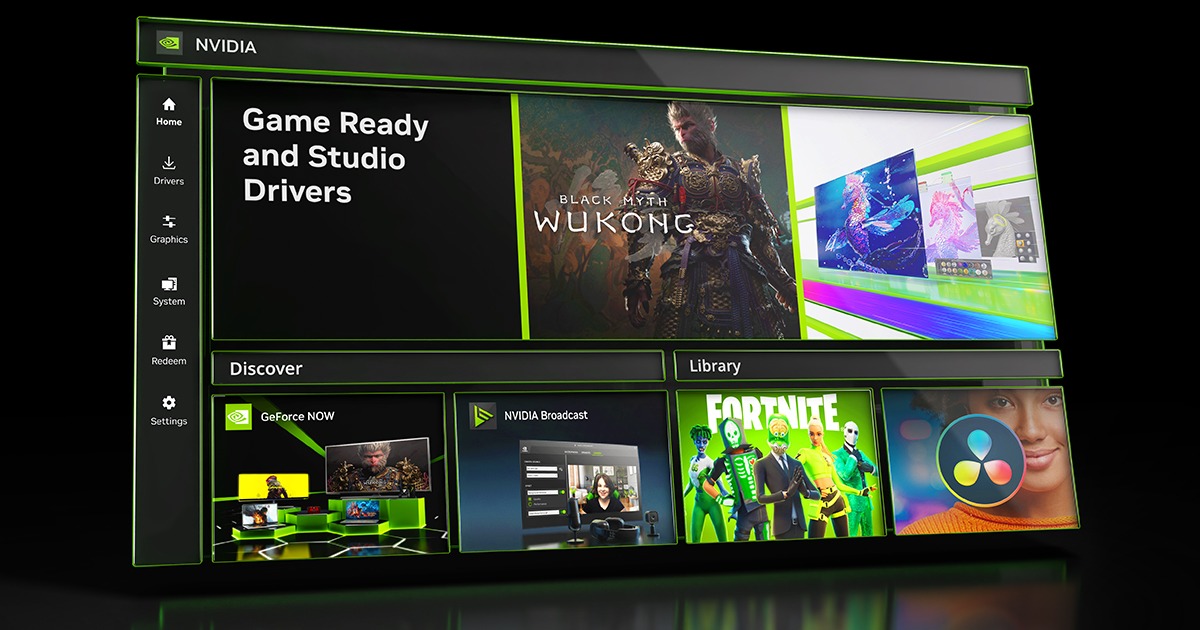
NVIDIA GeForce Experience is essentially a free application that serves as the official hub for optimizing and enhancing the NVIDIA GeForce GPU ecosystem on a Windows PC. It acts as an intelligent intermediary, translating the raw power of your graphics card into tangible improvements in performance, visual quality, and overall user convenience. While the GPU itself handles the heavy lifting of rendering graphics, GeForce Experience provides the crucial software layer that makes managing and utilizing that power intuitive and efficient.
More Than Just a Driver Updater
One of the most frequently cited benefits of GeForce Experience is its robust driver management system. In the world of PC gaming, timely driver updates are not merely a suggestion; they are a necessity. New game releases, software patches, and even operating system updates can introduce performance bottlenecks or compatibility issues if your graphics drivers aren’t up to date. GeForce Experience addresses this by providing instant notifications for new Game Ready Drivers, which are meticulously tested and optimized by NVIDIA engineers for the latest game titles. With a single click, users can download and install these updates directly through the application, ensuring their system is always primed for peak performance and stability. This proactive approach to driver management significantly reduces the guesswork and manual effort traditionally associated with maintaining an optimal gaming rig, making it accessible even to less tech-savvy users.
Bridging Hardware and Software Integration
The true brilliance of GeForce Experience lies in its deep integration with the NVIDIA hardware and software ecosystem. It’s not a generic system utility; it’s specifically designed to understand and interact with GeForce GPUs, leveraging their unique architectural advantages. This symbiotic relationship allows GeForce Experience to perform optimizations that a standalone application simply couldn’t. For instance, its game optimization features rely on extensive data collected by NVIDIA from thousands of system configurations, allowing it to recommend settings that are precisely tailored to your specific GPU, CPU, and monitor combination. This level of tailored performance tuning underscores NVIDIA’s commitment to delivering a holistic and optimized experience, moving beyond mere hardware specifications to real-world performance gains.
Unlocking Peak Performance and Visuals: Intelligent Game Optimization
For many gamers, the most compelling reason to use GeForce Experience is its unparalleled game optimization capabilities. Manually tweaking game settings to find the perfect balance between visual fidelity and frame rate can be a tedious and time-consuming process. GeForce Experience automates this intricate task, making it accessible to everyone.
Optimal Game Settings: A One-Click Solution
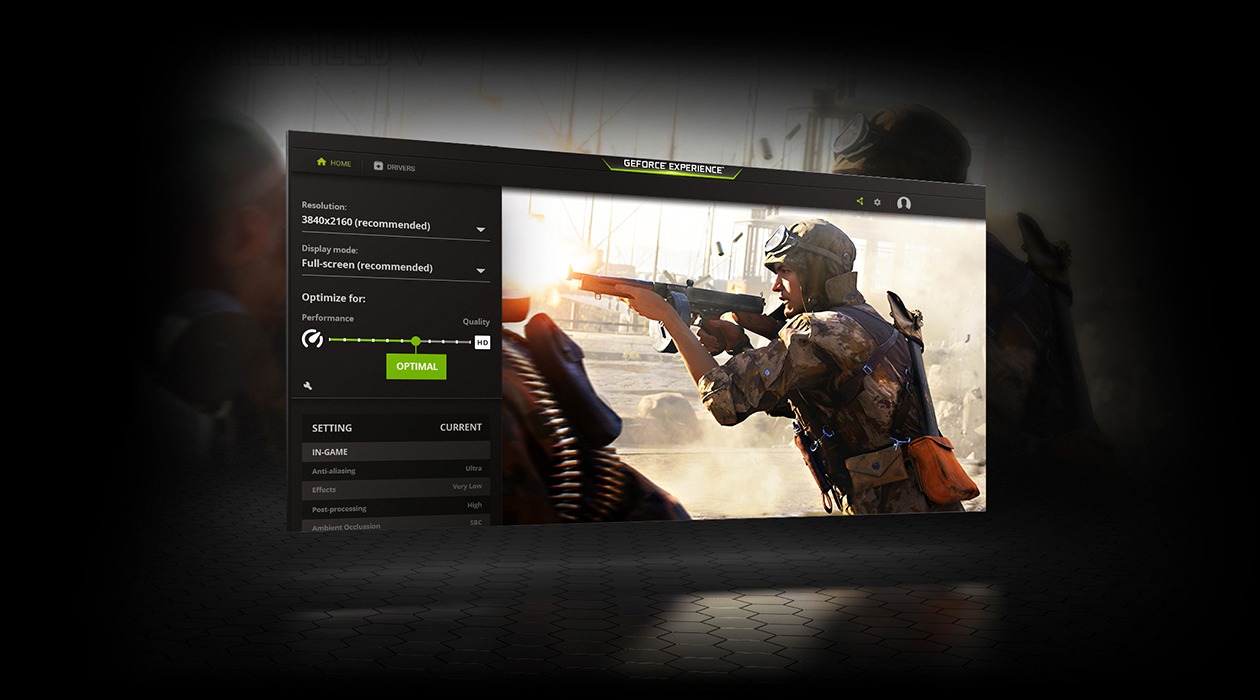
The cornerstone of GeForce Experience’s performance features is its ability to automatically apply optimal game settings. How does it achieve this? NVIDIA maintains a vast cloud-based database of optimal settings for hundreds of game titles, derived from extensive testing across countless hardware configurations. When you launch GeForce Experience, it scans your system, identifies your GPU, CPU, and monitor, and then cross-references this information with its database. It then presents you with “optimal” settings for each game installed on your system, which you can apply with a single click.
These optimal settings aren’t just arbitrary recommendations; they are carefully calibrated to provide the best possible visual experience while maintaining a smooth and playable frame rate on your specific system. This eliminates the need for endless experimentation with anti-aliasing, shadow quality, texture filtering, and other graphical parameters, allowing gamers to jump straight into the action with confidence that their setup is performing at its best. Furthermore, it intelligently adjusts settings when your system configuration changes, such as upgrading a component or installing a new driver, ensuring continuous optimization.
Dynamic Resolution and NVIDIA DLSS Integration
Beyond static settings, GeForce Experience also works in conjunction with advanced NVIDIA technologies like Dynamic Super Resolution (DSR) and Deep Learning Super Sampling (DLSS). DSR allows games to be rendered at a higher, more detailed resolution and then intelligently scaled down to your monitor’s native resolution, resulting in a sharper, more detailed image than your display would typically allow. While not explicitly a “one-click” optimization in the same vein as basic settings, GeForce Experience helps manage DSR settings, making it easier for users to experiment with this advanced visual enhancement.
More profoundly, for games that support it, GeForce Experience can highlight or enable NVIDIA DLSS, a revolutionary AI-powered rendering technology that boosts frame rates while generating sharp, high-quality images. While DLSS is enabled within individual game settings, GeForce Experience often guides users toward driver updates and game patches that support and improve DLSS performance, underscoring its role in ensuring users capitalize on the latest advancements in real-time graphics technology.
Enhancing Your Gaming Moments: Capture, Broadcast, and Personalize
GeForce Experience transcends mere performance tuning by offering a suite of powerful tools designed to enrich the entire gaming experience, from capturing epic moments to personalizing visual aesthetics and facilitating professional-grade streaming. These features transform a solitary gaming session into a shareable, customizable, and more immersive adventure.
Instant Replay & Recording with NVIDIA ShadowPlay
One of the most popular features within GeForce Experience is NVIDIA ShadowPlay. This incredibly efficient tool allows gamers to effortlessly record and share high-quality gameplay videos and screenshots without a noticeable impact on performance. ShadowPlay operates in two primary modes:
- Instant Replay: This feature continuously records gameplay in the background for a user-defined duration (e.g., the last 5 minutes). When an epic moment occurs – a clutch victory, a spectacular stunt, or an unexpected bug – a simple keyboard shortcut saves the preceding footage instantly. This eliminates the need to constantly record entire sessions, saving storage space and ensuring no memorable moment is missed.
- Manual Recording: For those who wish to capture extended gameplay sessions or create long-form content, ShadowPlay also offers traditional manual recording. It records directly to your hard drive, often with hardware acceleration, minimizing performance overhead compared to software-based recorders. The quality and efficiency of ShadowPlay recordings make it a preferred tool for many content creators.
NVIDIA Ansel: Capturing Pro-Level Screenshots
For screenshot enthusiasts and virtual photographers, NVIDIA Ansel is a game-changer. Available in supported titles, Ansel allows players to pause the action, freely compose camera angles, apply post-process filters, capture high-resolution images (including super-resolution and 360-degree panoramic shots), and even save them in HDR formats. It transforms static screenshots into artistic expressions, offering a level of creative control previously confined to professional photography software. GeForce Experience facilitates the activation and management of Ansel, making it easy for users to dive into this unique feature.
NVIDIA Freestyle: Customizing Your Game’s Look
NVIDIA Freestyle empowers users to apply real-time post-processing filters to their games, customizing the visual aesthetics to their liking. Accessible via the in-game overlay, Freestyle offers a wide array of filters, from color blindness correction and contrast adjustments to artistic styles like sepia tones or a watercolor effect. Gamers can create and save their own filter presets, effectively re-coloring or re-styling their favorite games on the fly. This personalization adds a significant layer of immersion and accessibility, allowing players to tailor the visual experience to their preferences or even improve visibility in certain game environments.
NVIDIA Broadcast & Reflex: Elevating Streaming and Responsiveness
GeForce Experience also serves as a gateway to more advanced NVIDIA technologies crucial for modern gaming and content creation. While NVIDIA Broadcast is a separate application, GeForce Experience often guides users towards it for features like AI-powered noise removal, virtual backgrounds, and eye contact correction – all powered by RTX GPUs. Similarly, GeForce Experience’s driver updates and in-game overlay features help users monitor and enable NVIDIA Reflex, a suite of technologies designed to reduce system latency (input lag) in competitive games, leading to faster target acquisition and improved responsiveness. These integrations highlight GeForce Experience’s role not just as a standalone tool, but as a central component in NVIDIA’s broader ecosystem for gamers and creators.
Beyond Gaming: Practical Tools for Every User
While gaming remains the primary focus of GeForce Experience, its utility extends to broader system management and monitoring, offering practical benefits even for users who only occasionally game or use their NVIDIA GPU for productivity tasks. Its integrated tools provide valuable insights and control over the GPU’s operational parameters.
In-Game Overlay and Performance Monitoring
The GeForce Experience in-game overlay (accessible via Alt+Z by default) is a versatile dashboard that puts a wealth of tools at your fingertips without requiring you to exit your game. Beyond ShadowPlay and Freestyle, the overlay provides:
- Performance Monitor: Displays real-time statistics such as frames per second (FPS), GPU utilization, temperature, clock speed, and CPU usage. This is invaluable for troubleshooting performance issues, validating optimal settings, or simply understanding how your system is performing under load.
- Settings Access: Quick access to various GeForce Experience settings, including recording options, broadcast configurations, and filter management.
- Photo Mode/Game Filter: Direct links to activate Ansel and Freestyle.
- Share Functionality: Easy sharing of screenshots and videos to social media platforms.
This overlay enhances user control and provides immediate feedback, making it a critical tool for both optimizing and enjoying the gaming experience without interruption.
System Requirements and Compatibility
GeForce Experience is designed to run on Windows PCs equipped with NVIDIA GeForce GPUs. Specific system requirements include:
- Operating System: Windows 7, 8, 8.1, 10, or 11 (64-bit versions only).
- GPU: GeForce GTX 600 series or newer (for most features, older GPUs might have limited functionality).
- CPU: Intel Pentium G Series, Core i3, i5, i7 or higher; AMD FX, Ryzen 3, 5, 7, Threadripper or higher.
- RAM: 2GB system memory (4GB recommended).
- Disk Space: 200MB of available hard-disk space.
- Internet Connection: Required for driver downloads, optimal settings database access, and online features.
Understanding these requirements ensures that users can correctly assess their system’s compatibility and leverage all the features GeForce Experience has to offer. While it is free software, its full potential is realized when paired with relatively modern NVIDIA hardware, emphasizing the tight integration between software and specific GPU generations.
Is GeForce Experience Right for You? Weighing the Benefits
Given its comprehensive suite of features, the question isn’t usually if you should use GeForce Experience, but rather how much value it brings to your specific workflow. For the vast majority of NVIDIA GPU owners, the benefits far outweigh any potential drawbacks.
The Convenience Factor
The overarching theme of GeForce Experience is convenience. It automates tasks that were once manual and often complex, such as driver updates and game optimization. This frees up users to focus on what matters most: enjoying their games and creating content. The one-click optimization, intuitive recording tools, and personalized visual filters significantly reduce the technical barrier to entry for achieving a premium PC experience. For casual gamers, it means less time tinkering and more time playing. For content creators, it provides a powerful, performance-efficient suite of tools to capture and enhance their work. The constant flow of Game Ready Drivers ensures that users are always equipped with the latest performance enhancements and bug fixes, providing peace of mind and system stability.
Potential Considerations
While largely beneficial, some users might consider a few aspects. GeForce Experience is a background application, and like any software, it consumes a small amount of system resources (CPU, RAM). For extremely resource-constrained systems, or users who prefer a minimalist software footprint, this might be a minor consideration. However, NVIDIA has continually optimized its resource usage, and for most modern gaming PCs, the impact is negligible. Another point is privacy; GeForce Experience collects system data to provide optimal settings, though users can adjust privacy settings within the application. For those extremely sensitive to data collection, reviewing these settings is advisable. Ultimately, these are minor points when weighed against the significant enhancements and quality-of-life improvements the software provides.
Conclusion: An Indispensable Companion for NVIDIA GPU Owners
NVIDIA GeForce Experience has solidified its position as an indispensable software companion for anyone wielding an NVIDIA GeForce GPU. It transcends the role of a mere utility, evolving into a central hub that bridges hardware capabilities with software intelligence. From ensuring optimal performance through streamlined driver updates and intelligent game optimization to empowering creative expression with ShadowPlay, Ansel, and Freestyle, it offers a robust ecosystem of tools designed to elevate the entire PC experience.
For gamers, it means consistently high frame rates and stunning visuals without the hassle of manual configuration. For streamers and content creators, it provides efficient capture, sharing, and enhancement tools that integrate seamlessly with their workflow. By continuously pushing updates and integrating with the latest NVIDIA technologies like DLSS and Reflex, GeForce Experience ensures that users are always at the forefront of graphical innovation. In an era where technology is increasingly expected to be smart and user-friendly, GeForce Experience stands as a testament to NVIDIA’s commitment to delivering not just powerful hardware, but also the intelligent software required to unlock its full potential. If you own an NVIDIA GeForce GPU, installing and regularly utilizing GeForce Experience is not just recommended – it’s essential for a truly optimized and immersive digital journey.
aViewFromTheCave is a participant in the Amazon Services LLC Associates Program, an affiliate advertising program designed to provide a means for sites to earn advertising fees by advertising and linking to Amazon.com. Amazon, the Amazon logo, AmazonSupply, and the AmazonSupply logo are trademarks of Amazon.com, Inc. or its affiliates. As an Amazon Associate we earn affiliate commissions from qualifying purchases.