
In the vast ecosystem of PC customization, troubleshooting, and hardware monitoring, few tools have achieved the legendary status of CPU-Z. Developed by CPUID, this small, lightweight utility has been a staple in the toolkit of PC enthusiasts, overclockers, and IT professionals for over two decades. At its core, CPU-Z is a freeware system profiler that provides an exhaustive, real-time snapshot of your computer’s internal architecture, allowing users to peek under the hood of their machines with unprecedented precision.
Whether you are looking to confirm that the memory modules you just installed are running at their advertised speeds, or you are troubleshooting a stability issue caused by a mismatched motherboard BIOS, CPU-Z serves as the source of truth. By tapping directly into the hardware registers and system configuration files, it presents complex data in a digestible, tabbed interface that has remained remarkably consistent since its inception.

Understanding the Architecture of CPU-Z
The utility functions by reading the hardware information directly from the CPU, motherboard, and memory controllers. Unlike bloated system management suites that often consume significant background resources, CPU-Z is designed with a minimalist philosophy. It doesn’t install intrusive services; it simply polls the hardware, aggregates the data, and displays it in a clean format.
The CPU Tab: The Heart of the Machine
The primary tab provides granular details about your processor. It displays the processor name, the core stepping, the package type, and, perhaps most importantly, the core voltage and clock speeds. Because CPU-Z updates these values in real-time, it is the industry standard for verifying the effectiveness of an overclock. When you push your CPU frequency in the BIOS, CPU-Z acts as the primary validation tool to ensure that the changes have propagated correctly to the OS environment.
Cache and Mainboard Integration
Beyond the raw processing speed, the Cache tab breaks down the L1, L2, and L3 cache sizes and associativity—data often hidden deep within obscure manufacturer documents. The Mainboard tab is equally vital, identifying the motherboard manufacturer, the chipset, the Southbridge version, and the current BIOS version. For users looking to update their firmware or determine if a motherboard supports a specific high-end GPU, this section of CPU-Z is indispensable.
The Role of CPU-Z in Memory and Graphics Validation
Modern computers rely heavily on the synchronization between the CPU and the system memory (RAM). Even if you purchase high-performance DDR5 memory, it often defaults to lower JEDEC speeds out of the box. CPU-Z allows users to bridge the gap between physical installation and software configuration.
The Memory and SPD Tabs
The Memory tab displays the current frequency, channel configuration (Single, Dual, or Quad), and the CAS latency timings. If your system feels sluggish, a quick glance at the Memory tab can reveal if your RAM is running in single-channel mode despite having dual-channel capable sticks installed.
The “SPD” (Serial Presence Detect) tab goes a step further. It pulls the profile data stored directly on the memory module’s EEPROM. This tells you exactly what the manufacturer intended for that specific stick of RAM, including XMP (Extreme Memory Profile) settings. If your computer crashes during intense gaming sessions, you can use the SPD tab to compare your current running timings against the manufacturer’s recommended profiles to identify potential instability.

The Graphics Tab
While not a dedicated GPU diagnostic tool, the Graphics tab provides a high-level overview of the installed GPU. It identifies the codename, technology (lithography), and the core and memory clocks. For users who need a quick confirmation of which version of a graphics card is installed—especially when dealing with rebranded OEM hardware or aftermarket variants—this tab provides the necessary data points without requiring a full system reboot or the installation of proprietary manufacturer software.
Benchmarking and Stress Testing with CPU-Z
One of the most powerful features of CPU-Z is its built-in benchmarking engine. While it is not intended to replace heavy-duty rendering benchmarks like Cinebench or Blender, it offers a quick and reliable way to compare your system’s performance against a database of standard hardware configurations.
Performance Evaluation
The “Bench” tab allows you to run a single-thread or multi-thread stress test on your CPU. Upon completion, the utility calculates a score based on your processor’s output. This score can then be compared against common hardware profiles, such as the Intel Core i9 or AMD Ryzen 9 series, directly within the application. This provides an immediate “sanity check” for your machine’s performance. If your multi-thread score is significantly lower than that of identical hardware, it is a clear indicator of a system bottleneck, such as thermal throttling, outdated drivers, or background processes sapping CPU cycles.
The Validation Feature
CPU-Z introduced a “Validation” feature that allows users to upload their system’s hardware snapshot to the CPUID database. This generates a unique URL that serves as a permanent record of a specific system configuration. This feature is heavily utilized in the competitive overclocking community. When a user breaks a world record for CPU frequency or memory speed, they use the CPU-Z validator to provide verifiable, tamper-resistant proof of their achievement. This peer-to-peer verification system has cemented CPU-Z as the gold standard for hardware reporting.
Why CPU-Z Remains Essential for Modern Computing
Despite the emergence of sophisticated AI-driven monitoring tools and cloud-based diagnostics, CPU-Z remains as relevant today as it was in the early 2000s. Its persistence in the tech community is rooted in three key pillars: reliability, portability, and simplicity.
Unbiased Reporting
Unlike software provided by motherboard or CPU manufacturers—which may prioritize promotional materials or force proprietary driver installations—CPU-Z is vendor-neutral. It reports the hardware exactly as it is, without marketing filters. This neutrality makes it the go-to tool for tech reviewers, hardware support technicians, and enthusiasts who want an objective assessment of their components.
Lightweight Portability
In an era where most software requires a complex installation process, creates registry keys, and adds startup services, the portable version of CPU-Z is a breath of fresh air. You can carry it on a USB flash drive, plug it into any PC, and have immediate access to deep-level hardware data. This makes it an essential tool for IT professionals tasked with auditing hardware on corporate networks or troubleshooting a friend’s PC.
The Future-Proof Interface
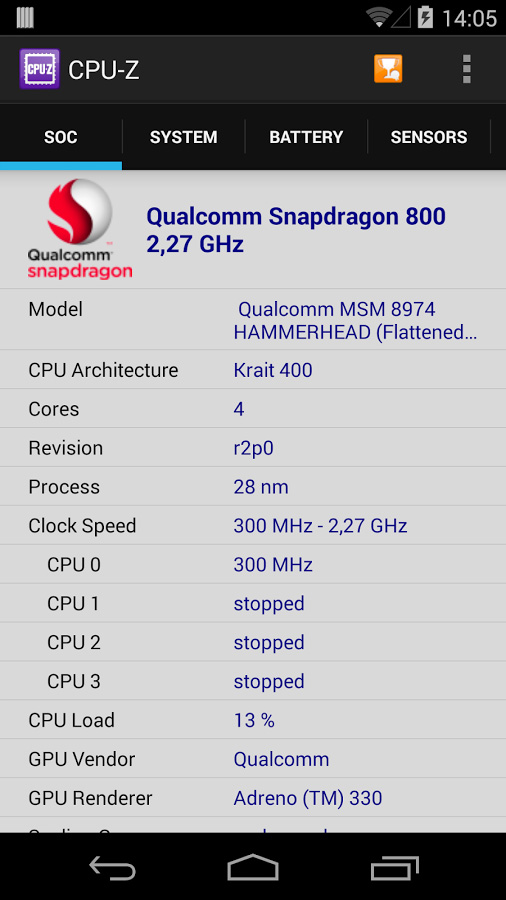
While the interface may look “retro” by modern standards, its utility is unmatched. By maintaining a clean, tabbed structure, CPU-Z ensures that users spend less time navigating menus and more time identifying hardware issues. Every bit of information is exactly where you expect it to be. As we move into an era of increasingly complex hybrid CPU architectures, such as Intel’s big.LITTLE design, CPU-Z continues to update its database to ensure that core counts and performance threads are accurately reported, proving that even a “simple” tool can evolve to support the most complex hardware on the market.
Whether you are a professional systems integrator or a casual user wondering why your computer isn’t running as fast as it should, CPU-Z provides the insight necessary to understand your machine. It strips away the marketing jargon and the operating system abstractions, leaving you with the raw truth of your hardware. In a world of increasing digital complexity, having a tool that tells you exactly what is happening beneath the silicon is not just a convenience—it is a necessity.
aViewFromTheCave is a participant in the Amazon Services LLC Associates Program, an affiliate advertising program designed to provide a means for sites to earn advertising fees by advertising and linking to Amazon.com. Amazon, the Amazon logo, AmazonSupply, and the AmazonSupply logo are trademarks of Amazon.com, Inc. or its affiliates. As an Amazon Associate we earn affiliate commissions from qualifying purchases.