
In an increasingly digital financial world, peer-to-peer (P2P) payment applications like Cash App have become indispensable tools for managing personal finances. These platforms facilitate seamless money transfers, direct deposits, and even stock investments, all from the convenience of a smartphone. However, with this digital convenience often comes a new set of questions, particularly around customer support and identification. One common query that frequently arises is, “What is Cash App number?” This seemingly simple question often masks a deeper need for clarity regarding how to contact support, identify one’s account, and ensure security within a predominantly app-based ecosystem.
Unlike traditional banks or service providers that might have a single, widely advertised customer service phone number, digital platforms like Cash App operate differently. Their support infrastructure is designed to be integrated directly into the application, prioritizing digital channels for efficiency and enhanced security. Understanding this distinction is crucial for any user looking to navigate Cash App effectively, whether it’s to resolve an issue, send money, or protect their financial information. This article delves into what “Cash App number” truly refers to, exploring the various identifiers within the app and the official, secure channels for seeking assistance, all through the lens of modern technological interaction.
Understanding “Cash App Number”: More Than Just a Single Digit
The concept of a “Cash App number” is often misunderstood, stemming from an expectation of traditional customer service models. In the context of a digital payment application, a singular, universal phone number for all inquiries is largely obsolete. Instead, Cash App employs a multi-faceted approach to identification and support, primarily leveraging in-app functionalities and unique user identifiers.
The $Cashtag: Your Unique Digital Identifier
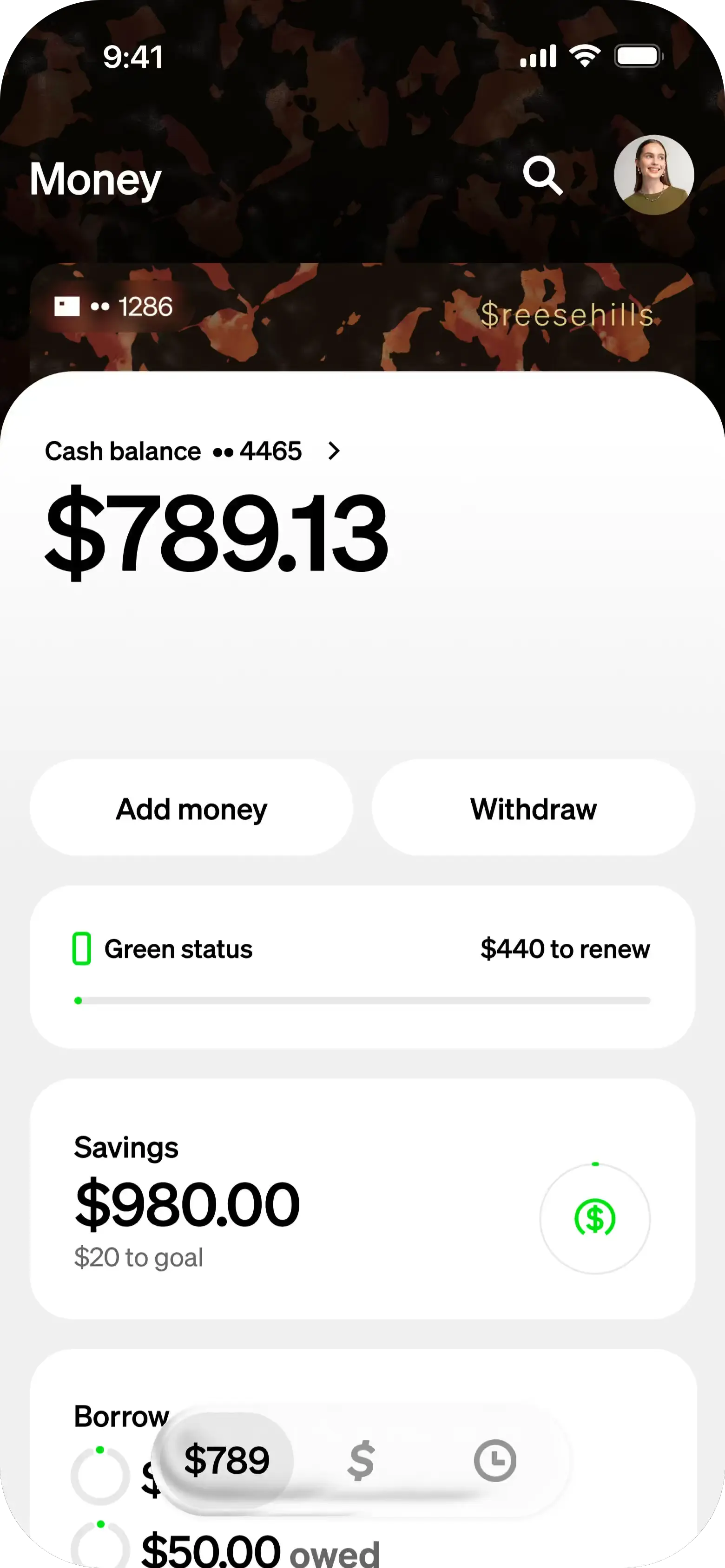
Perhaps the closest equivalent to a personal “number” within the Cash App ecosystem is the $Cashtag. This is a unique identifier assigned to each Cash App user, serving as their public username. It begins with a dollar sign (e.g., $YourName123) and allows others to easily find and send money to you without needing your phone number or email address. Your $Cashtag is instrumental in how you interact with other users on the platform and is prominently displayed on your profile.
Purpose and Functionality:
The $Cashtag acts as a digital handle, simplifying transactions. When someone wants to send you money, they can simply type in your $Cashtag. This eliminates the need to share more sensitive personal information. It also provides a level of privacy, as you can control who sees your full name associated with the $Cashtag. From a technological standpoint, the $Cashtag streamlines the process of peer-to-peer payments, making the app more user-friendly and efficient.
How to Find and Customize Your $Cashtag:
Your $Cashtag is typically displayed at the top of your Cash App home screen, or you can find it by tapping on your profile icon (the circle in the top right corner). Upon initial setup, Cash App often suggests a $Cashtag, but you can usually customize it to be something more memorable or reflective of your identity, as long as it’s not already taken. This personalization is a key feature, adding a layer of individual branding within the app.
Distinguishing from Traditional Phone Numbers
It’s vital to differentiate the app’s operational model from traditional banking. While Cash App accounts are typically linked to a user’s phone number or email for login and verification, this isn’t the “Cash App number” for support. The very design of modern financial apps emphasizes a digital-first approach, where the app itself is the primary interface for both transactions and customer service. Relying on an external, universal phone number as the main point of contact would contradict the integrated, secure nature of the app’s architecture. This shift reflects a broader trend in technology, moving towards self-service and in-app solutions.
Linked Bank Accounts and Card Numbers
While not “Cash App numbers” for identification or support, your linked bank account and debit card numbers are critical components of your Cash App functionality. These numbers facilitate the transfer of funds between your bank and your Cash App balance. For example, when you “cash out” funds from Cash App, they are transferred to your linked bank account number. Similarly, if you have a Cash Card (Cash App’s physical or virtual debit card), it will have its own 16-digit card number, expiration date, and CVV, just like any other bank card. These are external financial identifiers that Cash App interacts with, rather than internal support or user IDs. Understanding their role is essential for managing your funds, but they should never be shared with anyone claiming to be Cash App support outside of official, secure app channels.
The Official Channels for Cash App Support
Given the absence of a single, universally advertised support phone number, understanding the legitimate and secure ways to contact Cash App is paramount. The platform has intentionally designed its support infrastructure to be predominantly digital, aiming to provide efficient, secure, and personalized assistance.
In-App Support: Your Primary Go-To
The most secure and recommended method for contacting Cash App support is directly through the application itself. This channel ensures that you are communicating within a verified, encrypted environment, significantly reducing the risk of phishing or scam attempts.
How to Access In-App Support:
- Open Cash App: Launch the application on your smartphone.
- Tap the Profile Icon: Located in the top-right corner of the home screen.
- Scroll Down and Select “Support”: This will take you to the help section.
- Browse Topics or Contact Support: You can search for relevant articles in the help center or tap “Contact Support” to initiate a conversation with a support agent.
This in-app chat feature connects you with a live agent who can access your account details (with your permission) to provide tailored assistance. The benefit of this approach is that it verifies your identity through the logged-in app session, eliminating the need to provide sensitive information repeatedly, and offers a written record of your conversation. This design reflects modern tech support strategies, prioritizing context-aware and secure communication.
Website and Help Center Resources
Cash App maintains an extensive online help center and FAQ section on its official website. This resource is an invaluable first stop for troubleshooting common issues, understanding features, and finding answers to frequently asked questions.
Utilizing the Online Help Center:
Visit cash.app/help from any web browser. Here, you can search for specific topics, browse categories (e.g., “Account & Settings,” “Sending & Receiving Money,” “Cash Card”), and find detailed guides. Often, many questions can be resolved independently by consulting these comprehensive resources, empowering users with self-service options. This aligns with the broader tech trend of providing robust documentation to reduce the load on live support channels.
Social Media: Limited but Legitimate Presence
Cash App does maintain official social media accounts, particularly on platforms like X (formerly Twitter). These accounts are primarily used for announcing updates, sharing tips, and providing general information. While you might be able to send a direct message, it’s crucial to understand the limitations and security risks.
Cautions for Social Media Support:
- Never share sensitive information: Do not disclose your $Cashtag, full name, bank details, or any account-specific information in public posts or even in direct messages on social media.
- Verify official accounts: Ensure you are interacting with the official, verified Cash App account (usually denoted by a blue checkmark). Scammers often create fake accounts to impersonate support.
- General inquiries only: For detailed account-specific issues, you will almost always be redirected to in-app support for security reasons.
The Elusive Phone Number: When It Exists and Why Caution is Key
While Cash App’s primary support is digital, there are very specific and limited circumstances where a phone number might be relevant, such as for activating a Cash Card or reporting fraud immediately. However, it is not for general customer service. The greatest danger lies in searching for “Cash App phone number” online, as this search term is heavily exploited by scammers.
Legitimate vs. Scam Numbers:
- Official context: Any legitimate phone number provided by Cash App will be found within the app itself for a specific purpose (e.g., calling an automated line for card activation) or on its official website (
cash.app) for urgent, specific issues like reporting a lost or stolen Cash Card. - Scam prevalence: Be extremely wary of any phone numbers found through a general web search, pop-up ads, or suspicious emails/texts. Scammers set up fake “support” lines to trick users into divulging account credentials, PINs, or sending them money.
- Verification is vital: If you are ever prompted to call a number for Cash App, always cross-reference it with information found directly within your Cash App application or on the official
cash.appwebsite. Never trust a number provided by an unsolicited call, email, or third-party website. The absence of a prominent, general support phone number is a deliberate security measure.
Securing Your Cash App Experience: Avoiding Scams and Phishing
The digital nature of Cash App, while convenient, also presents opportunities for malicious actors. Understanding how to identify and avoid scams is as critical as knowing how to contact legitimate support. The query “what is Cash App number” is a common entry point for users falling victim to support scams.
The Dangers of Unofficial “Support Numbers”
Scammers frequently impersonate Cash App support, often by creating fake websites, social media profiles, or advertising fake phone numbers online. Their goal is to convince users to call these numbers, where they will then attempt to trick the user into:
- Providing account credentials: Your login, PIN, or even Social Security number.
- Sending money to the “support agent”: Claiming it’s for verification, to fix an issue, or to receive a larger sum later.
- Downloading remote access software: Giving scammers direct control over your device and Cash App account.
These tactics exploit the user’s immediate need for help, particularly if they are frustrated by not finding a direct phone line. Always remember: legitimate Cash App support will never ask for your PIN, sign-in code, or request you send them money.
Verifying Communication: Always Check the Source
A cornerstone of digital security is verifying the legitimacy of any communication claiming to be from a service provider.
- Emails: Check the sender’s email address. Official Cash App emails will come from domains like
@square.com,@cash.app, or@squareup.com. Be suspicious of misspellings or generic email providers. - SMS/Texts: Cash App will send texts for verification codes, but they will never ask you to click suspicious links or call a specific “support” number in an unsolicited message.
- In-App Notifications: The most reliable communication comes directly through the Cash App itself. Notifications and messages within the app are typically secure.
If in doubt, ignore the communication and open your Cash App directly to check for any alerts or to contact support through the official in-app channels.
Best Practices for Digital Security
Beyond understanding support channels, maintaining robust digital security habits is essential for any app, including Cash App.
- Strong, Unique Passwords: Use a complex password for your Cash App account and avoid reusing it across different services. Consider a password manager.
- Two-Factor Authentication (2FA): Enable 2FA whenever possible. This adds an extra layer of security, requiring a code from your phone in addition to your password.
- Regular Monitoring: Periodically review your transaction history within Cash App to spot any unauthorized activity.
- Keep Software Updated: Ensure your Cash App and smartphone operating system are always updated to the latest versions. Updates often include critical security patches.
- Be Skeptical: Adopt a healthy skepticism towards unsolicited offers, urgent requests for information, or promises of free money. If something sounds too good to be true, it almost certainly is.
The Future of Digital Payments and Support in Tech
The evolution of how users interact with financial services, particularly through apps, continues to redefine expectations for both convenience and support. The Cash App model of integrated, digital-first support is not an anomaly but rather a precursor to future trends in technology.
Evolution of App-Based Support
Companies are increasingly shifting away from traditional call centers towards sophisticated in-app and web-based support systems. This trend is driven by several factors:
- Efficiency: Automated chatbots and self-help articles can handle a high volume of common queries instantly.
- Contextual Assistance: In-app support agents have immediate access to relevant account information, leading to faster and more personalized resolutions.
- Security: By keeping communication within the app, platforms can maintain a secure, encrypted environment, reducing external vulnerabilities.
- User Preference: Many users, especially younger demographics, prefer texting or chatting over phone calls for support.
AI and Chatbots in Customer Service
Artificial intelligence (AI) and machine learning are revolutionizing customer service within apps. Chatbots are becoming more sophisticated, capable of understanding complex queries, guiding users through troubleshooting steps, and even escalating issues to human agents seamlessly when necessary. This integration allows Cash App and similar platforms to offer 24/7 preliminary support, enhancing the user experience and freeing up human agents for more intricate problems.
Empowering Users Through Self-Service
A significant aspect of the digital-first support model is the empowerment of users through self-service options. Comprehensive help centers, intuitive FAQs, and guided troubleshooting within the app enable users to find solutions independently. This not only lightens the load on direct support channels but also provides users with a sense of control and faster problem resolution. The design philosophy is often centered around anticipating user needs and providing immediate, accessible information, making the app a self-sufficient resource.

Conclusion
The question “what is Cash App number?” opens a gateway to understanding the nuances of modern digital finance and app-based customer service. It highlights the paradigm shift from a world dominated by physical banks and phone lines to one where financial interactions are primarily conducted through secure, feature-rich applications. There isn’t a singular, universal “Cash App number” in the traditional sense. Instead, users navigate a landscape of unique digital identifiers like the $Cashtag and a robust, multi-channel support system heavily reliant on in-app functionalities and official online resources.
For any Cash App user, the key takeaways are clear: prioritize in-app support for security and efficiency, leverage the extensive online help center for self-service, exercise extreme caution when encountering phone numbers or external communications claiming to be from support, and always adhere to best practices for digital security. By understanding these principles, users can not only effectively manage their finances through Cash App but also protect themselves from the evolving threats in the digital payments landscape, ensuring a secure and seamless experience.
aViewFromTheCave is a participant in the Amazon Services LLC Associates Program, an affiliate advertising program designed to provide a means for sites to earn advertising fees by advertising and linking to Amazon.com. Amazon, the Amazon logo, AmazonSupply, and the AmazonSupply logo are trademarks of Amazon.com, Inc. or its affiliates. As an Amazon Associate we earn affiliate commissions from qualifying purchases.