
An audio card, also known as a sound card, is a crucial component within a computer system, responsible for processing and outputting audio signals. In essence, it’s the hardware that allows your computer to generate sound, transforming digital information into analog waves that your speakers or headphones can reproduce. While once a distinct, often add-in card, the audio card has largely been integrated directly onto the motherboard of modern computers, becoming a standard feature rather than an optional upgrade for most users. However, its fundamental role remains the same: to mediate the creation and reproduction of sound within the digital realm.
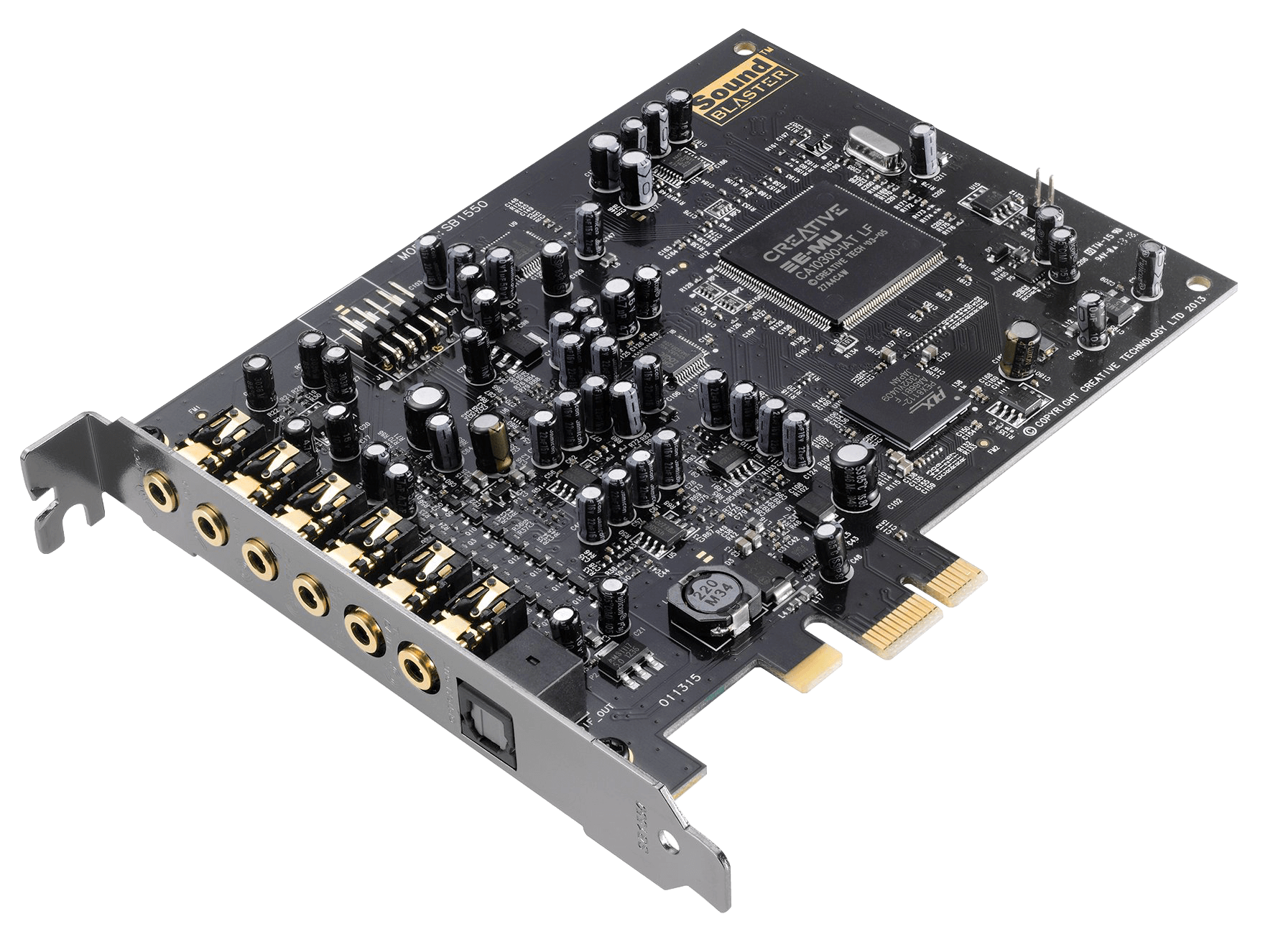
The journey of sound within a computer begins with the digital data representing an audio file. This data needs to be converted into an analog electrical signal that can drive speakers or headphones. Conversely, when you use a microphone, the analog sound waves from the environment are converted into digital data that the computer can process, store, or transmit. This intricate translation process is the primary domain of the audio card. It houses the essential digital-to-analog converters (DACs) and analog-to-digital converters (ADCs) that perform these crucial transformations, along with various processors and controllers that manage the flow and quality of audio data. Understanding what an audio card is and its capabilities can unlock a deeper appreciation for the audio experience on your computer, from casual listening to professional audio production.
The Fundamental Role of the Audio Card in Sound Processing
At its core, the audio card acts as the bridge between the digital world of your computer and the analog world of sound. This seemingly simple function involves a complex interplay of hardware and software. Without an audio card, your computer would be a silent machine, incapable of playing music, delivering voiceovers in videos, or providing audio feedback for games. Its presence is so fundamental that it’s often taken for granted, yet its impact on the overall user experience is profound.
Digital-to-Analog Conversion (DAC): Bringing Sound to Life
The most significant function of an audio card is its ability to convert digital audio data into analog signals. Digital audio is essentially a series of numbers representing sound at discrete points in time. These numbers need to be translated into a continuous electrical signal that can vibrate a speaker cone or move the diaphragm of a headphone driver. This is where the Digital-to-Analog Converter (DAC) within the audio card comes into play.
The DAC takes the binary data of a digital audio file (e.g., an MP3, WAV, or FLAC file) and reconstructs the original analog waveform. The quality of the DAC directly influences the fidelity and clarity of the sound produced. Higher-quality DACs can process more bits of information per sample and at higher sampling rates, resulting in a more accurate and nuanced representation of the original audio. This translates to richer bass, clearer highs, and a more dynamic soundstage. For audiophiles and music professionals, the quality of the DAC is a paramount consideration, as it directly impacts the listening experience.
Analog-to-Digital Conversion (ADC): Capturing Your Voice and Music
The inverse process, Analog-to-Digital Conversion (ADC), is equally vital. When you speak into a microphone or record an instrument, the sound waves are analog in nature. These waves are captured by a microphone, which converts them into an electrical analog signal. This analog signal then needs to be digitized so that the computer can understand and process it.
The ADC within the audio card performs this conversion. It samples the incoming analog signal at regular intervals and quantifies its amplitude at each sample point, converting it into a digital value. The sampling rate and bit depth of the ADC determine how accurately the analog signal is captured and represented digitally. A higher sampling rate means more samples per second, capturing higher frequencies more faithfully. A higher bit depth means more possible values to represent the amplitude of each sample, leading to a wider dynamic range and less quantization noise. For podcasters, musicians, and anyone involved in audio recording, a good quality ADC is essential for capturing clean and accurate audio.
Evolution of the Audio Card: From Discrete Components to Integrated Solutions
The journey of the audio card from a bulky expansion card to an integrated chip on the motherboard reflects the broader trends in computing – miniaturization, cost reduction, and increased integration. In the early days of personal computing, sound capabilities were often limited or non-existent. The advent of dedicated sound cards brought advanced audio processing to the masses, paving the way for richer multimedia experiences.
The Era of Discrete Sound Cards: Unleashing Audio Power
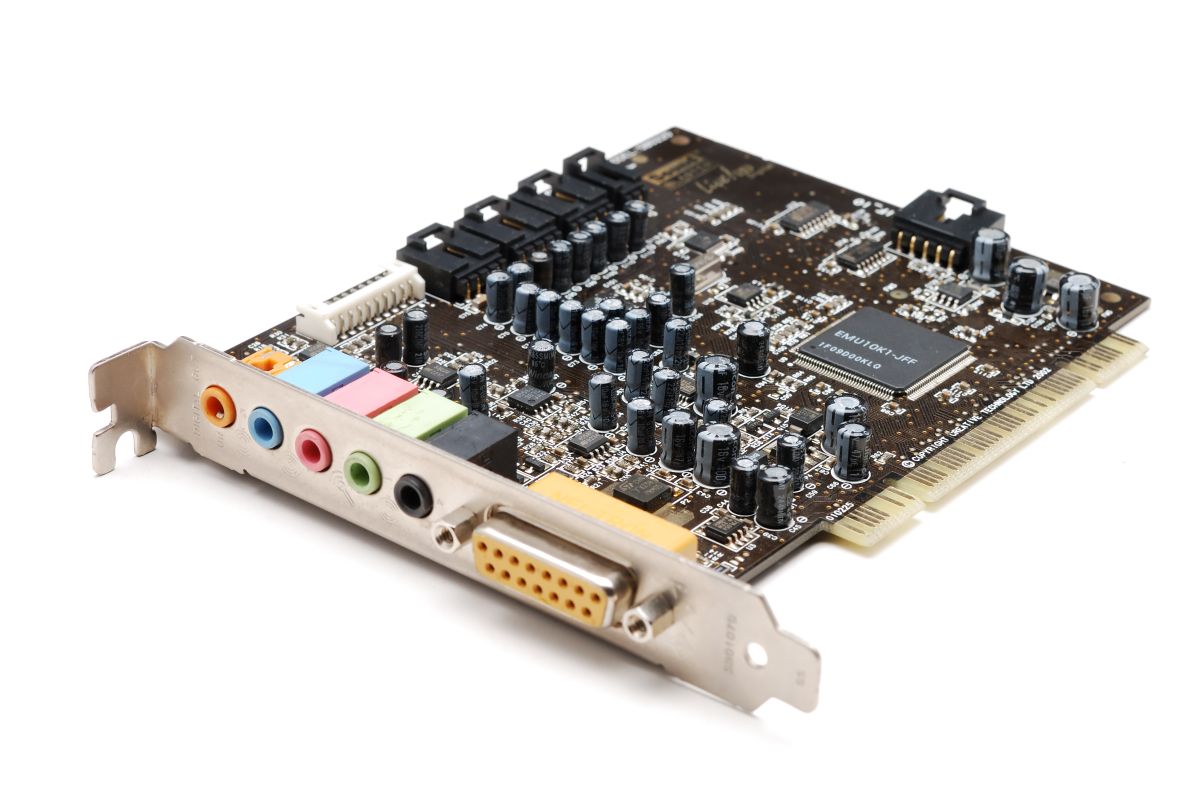
In the 1980s and 1990s, sound cards were typically add-in expansion cards that users would install into their computer’s PCI or ISA slots. Companies like Creative Labs (with its iconic Sound Blaster series), AdLib, and Roland were at the forefront of this revolution. These discrete cards offered significantly better audio quality and capabilities than the rudimentary sound chips integrated into early motherboards.
These early sound cards often featured dedicated processors, advanced DACs and ADCs, and even hardware-based synthesis for MIDI music playback. They were essential for gamers, who benefited from immersive sound effects and music, and for early digital audio enthusiasts. The ability to upgrade a sound card allowed users to tailor their audio experience to their specific needs and budget, leading to a competitive market for sound card innovation. Features like surround sound, specialized audio effects, and higher fidelity audio reproduction were often pioneered by these discrete solutions.
Motherboard Integration: Ubiquitous Sound for Everyday Computing
As technology advanced and manufacturing costs decreased, audio processing capabilities became smaller, more efficient, and less power-hungry. This allowed manufacturers to integrate audio chipsets directly onto the motherboard. Today, virtually every desktop and laptop computer comes with an onboard audio solution.
This integration has made high-quality audio accessible to the average user without requiring additional hardware. The onboard audio chipsets are often managed by a Realtek, VIA, or Intel audio controller, which handles the DAC, ADC, and other audio functions. While these integrated solutions are more than sufficient for everyday tasks like listening to music, watching videos, and participating in video calls, they may not meet the stringent demands of professional audio engineers or hardcore audiophiles. Nevertheless, the widespread integration has democratized audio in computing, making it a standard, expected feature.
Advanced Features and Considerations for Audio Cards
Beyond the fundamental task of converting digital to analog and vice-versa, modern audio cards, both integrated and discrete, offer a range of advanced features and considerations that impact the audio experience. These can range from specialized audio processing to connectivity options and drivers that fine-tune performance.
Audio Processing and Effects: Enhancing the Sonic Landscape
Many audio cards, especially those designed for gaming or professional use, incorporate dedicated audio processors that can handle complex audio effects and enhancements in real-time. This can include:
- Surround Sound Technologies: Technologies like Dolby Digital, DTS, and virtual surround sound aim to create a more immersive audio experience by simulating sound coming from different directions. This is particularly beneficial for gaming and movie watching.
- Audio Enhancement Software: Bundled software often provides features like equalizers (EQ) to adjust bass, treble, and mid-range frequencies, bass boost, virtual surround, and noise cancellation. These tools allow users to customize the sound to their preferences.
- DSP (Digital Signal Processing): Dedicated DSP chips can handle a variety of audio manipulations, from reverb and echo effects to advanced filtering and noise reduction, often without heavily taxing the main CPU.
Connectivity and Formats: The Gateway to Your Audio Gear
The connectivity options on an audio card determine what external devices you can connect. Common audio connectors include:
- 3.5mm Audio Jacks: These are the standard analog outputs for headphones and speakers. Multiple jacks might be present for different channels in surround sound setups.
- RCA Connectors: Often found on higher-end audio equipment, these provide analog audio connections.
- Optical (S/PDIF) Output: This digital connection transmits audio signals via light, offering a clean and interference-free signal, often used for connecting to home theater systems or high-fidelity audio equipment.
- Microphone Input: A dedicated jack for connecting a microphone.
- Line-In: Allows you to connect external audio sources, such as an MP3 player or another computer, for recording or playback.
- MIDI Ports (less common now): Historically, these were used to connect MIDI instruments.
Understanding these formats is crucial for building a high-quality audio setup and ensuring compatibility with your chosen peripherals.
The Importance of Drivers and Software Support
While the hardware is fundamental, the software that controls and interacts with the audio card, known as drivers, plays an equally critical role in its performance and functionality. Drivers are essentially translators, allowing the operating system to communicate effectively with the audio hardware.
Driver Functionality: The Bridge Between Hardware and OS
Audio drivers are provided by the manufacturer of the audio chipset or card. They translate generic commands from the operating system into specific instructions that the audio hardware can understand. Without the correct drivers, the audio card may not be recognized by the system, or it may function with limited capabilities or poor performance.
Up-to-date drivers are often essential for:
- Optimal Performance: Drivers are optimized to make the most of the audio hardware’s capabilities, ensuring the best possible sound quality and responsiveness.
- Bug Fixes: Manufacturers frequently release driver updates to address bugs and glitches that may affect audio playback or recording.
- New Features: Driver updates can sometimes introduce new features or support for new audio technologies.
- Compatibility: Ensuring compatibility with the latest operating system updates and other software.

Audio Software Suites: Beyond Basic Playback
Many audio card manufacturers, especially for higher-end solutions, bundle comprehensive software suites. These suites often go far beyond basic driver functionality and offer a range of tools for customization, control, and creative audio work:
- Control Panels: These provide a centralized interface for adjusting all audio settings, from volume levels and input/output selection to advanced equalizer and effects settings.
- Audio Recording and Editing Software: Some suites include basic audio recording and editing applications, allowing users to capture and manipulate audio directly from their computer.
- Gaming Audio Enhancements: For gaming-focused sound cards, these suites often include specialized features designed to enhance the gaming experience, such as virtual surround sound profiles for different game genres or tools for optimizing in-game voice chat.
Investing time in understanding and configuring the software that accompanies your audio card can significantly elevate your audio experience, transforming a simple listening device into a powerful tool for entertainment and creativity.
aViewFromTheCave is a participant in the Amazon Services LLC Associates Program, an affiliate advertising program designed to provide a means for sites to earn advertising fees by advertising and linking to Amazon.com. Amazon, the Amazon logo, AmazonSupply, and the AmazonSupply logo are trademarks of Amazon.com, Inc. or its affiliates. As an Amazon Associate we earn affiliate commissions from qualifying purchases.