
In the rapidly evolving landscape of mobile software and user interface design, the way we consume information is shifting from a passive stream to a prioritized hierarchy. One of the most common yet misunderstood features in the modern social media ecosystem is the “Time Sensitive” notification, particularly as it pertains to Snapchat. As smartphone operating systems like iOS and Android become more sophisticated in their attempts to help users manage digital distractions, the “Time Sensitive Snap” has emerged as a critical technical bridge between immediate communication and user-controlled focus.
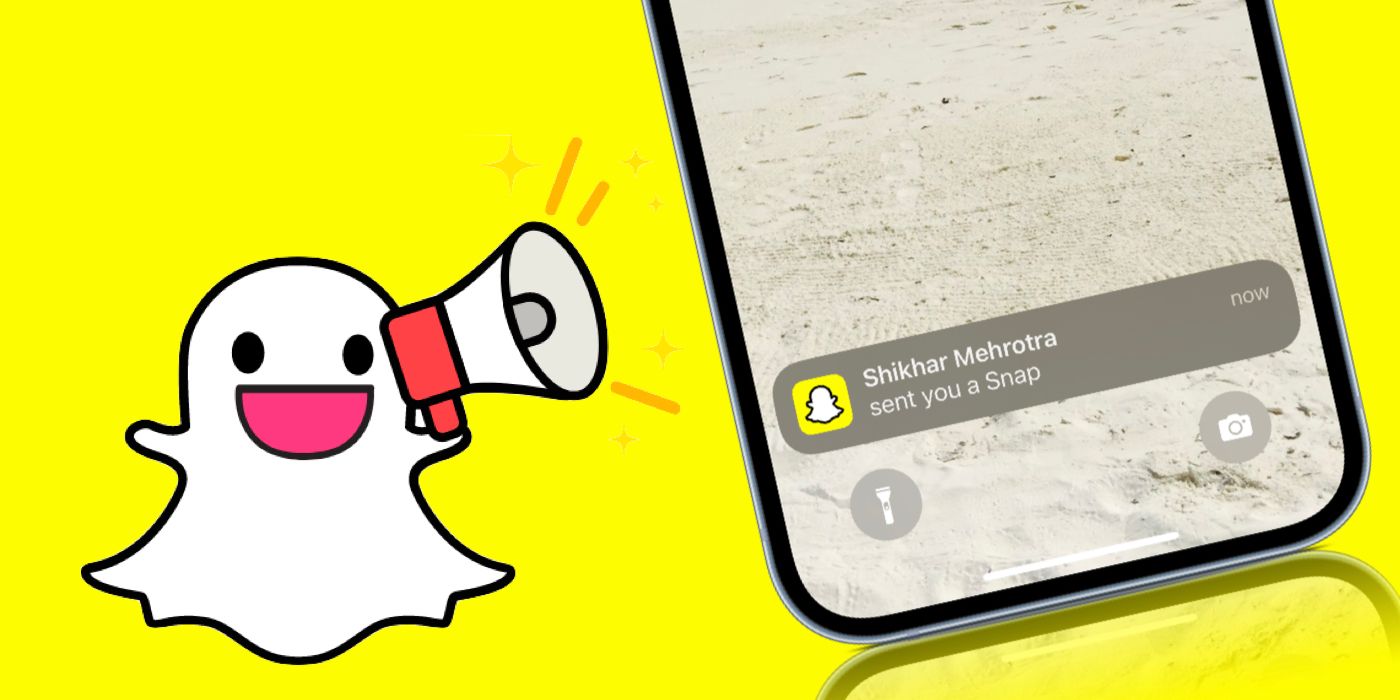
The Evolution of Digital Priority: Defining Time Sensitive Snaps
To understand what a Time Sensitive Snap is, one must first understand the shift in how mobile operating systems categorize data. In earlier versions of mobile software, notifications were binary: they were either on or off. However, as “notification fatigue” became a documented psychological phenomenon, developers introduced “Focus Modes” and “Do Not Disturb” protocols.
The Intersection of iOS Focus Modes and Snapchat
The term “Time Sensitive” is specifically rooted in Apple’s iOS framework, introduced alongside iOS 15. It allows developers to flag certain notifications as having a higher level of urgency than a standard alert. When Snapchat utilizes this feature, it tells the operating system that the incoming Snap or Chat is of high importance. Consequently, even if a user has a “Focus” mode active—such as “Work,” “Gaming,” or “Reading”—the notification is permitted to break through the filter and appear on the lock screen.
How System-Level Prioritization Works
Technically, Time Sensitive notifications are a middle ground between “Passive” notifications (which stay in the notification center without lighting up the screen) and “Critical” alerts (which are reserved for emergency weather or health alerts and bypass the mute switch). A Time Sensitive Snap will remain on your lock screen for up to an hour, ensuring that you see it even if you aren’t actively checking your phone. This is particularly relevant for Snapchat, an app built entirely on the premise of ephemeral, fleeting content.
The Mechanics of Time Sensitive Notifications in the Snapchat Ecosystem
Snapchat’s integration of the Time Sensitive API is not arbitrary; it is a calculated software choice designed to align with the app’s core architecture. Because Snapchat messages are often designed to disappear after being viewed or after a specific period, the “shelf life” of the communication is inherently limited.
Differentiating Standard Alerts from Time Sensitive Alerts
A standard Snapchat notification might inform you that a friend is typing or that someone has posted to their Story. These are generally treated as “Active” notifications—they vibrate the phone but respect Focus Mode boundaries. In contrast, a Time Sensitive Snap is typically triggered by a direct message or a personal Snap. The logic within the Snapchat algorithm dictates that a direct interaction from a “Best Friend” or a close contact warrants immediate visibility, as the context of the conversation might be lost if not addressed promptly.
The Role of Ephemeral Messaging in User Urgency
The tech industry refers to Snapchat’s model as “ephemeral computing.” In this model, data is not meant to be stored indefinitely. From a technical standpoint, the Time Sensitive flag is the software’s way of acknowledging the “perishable” nature of the data being sent. If a user receives a Snap that is set to delete after one viewing, the window of opportunity to engage with that content is small. By tagging the notification as Time Sensitive, Snapchat ensures the recipient has the best possible chance to interact with the data before it is purged from the servers.
How to Manage and Customize Time Sensitive Snaps
While the technology is designed to be helpful, it can also be intrusive if not managed correctly. Modern smartphone users require granular control over which apps are allowed to interrupt their concentration. Managing these settings requires a dive into both the system settings and the app’s internal notification logic.
Enabling and Disabling Notifications through iOS Settings
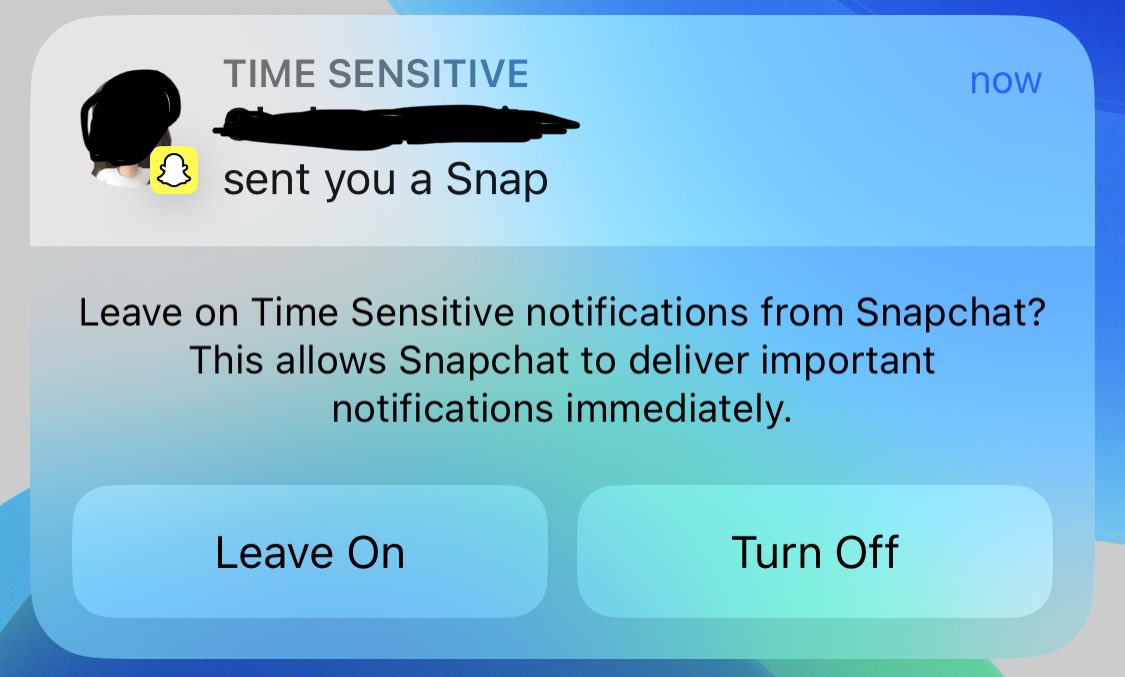
To control Time Sensitive Snaps, users must navigate to the iOS Settings menu, then to “Notifications,” and find Snapchat. Within this menu, there is a specific toggle for “Time Sensitive Notifications.”
- When toggled ON: Snapchat can bypass Focus modes to deliver direct messages.
- When toggled OFF: Snapchat alerts will be queued and delivered only when the Focus mode is deactivated or during a scheduled “Notification Summary.”
For those who find the feature distracting, the “Notification Summary” tool is a powerful alternative. It allows users to receive a bundle of notifications at specific times of the day, effectively de-prioritizing the “Time Sensitive” flag in favor of a more structured digital schedule.
Troubleshooting Common Issues with Priority Alerts
Occasionally, users may find that they aren’t receiving Time Sensitive alerts despite having the settings enabled. This is often due to a conflict between the system-level “Focus” settings and the app-level notification permissions. In tech support circles, the most common fix involves ensuring that “Always Allow” is selected for Snapchat within the specific Focus mode being used (e.g., “Driving” or “Sleep”). Additionally, if the smartphone’s battery is in “Low Power Mode,” the system may suppress even Time Sensitive notifications to preserve background processing power.
The Impact on User Experience and Digital Security
The introduction of prioritized notifications like Time Sensitive Snaps has significant implications for how users interact with their devices and how their data is handled. It creates a new layer of “Contextual Awareness” in software, where the app attempts to judge the importance of information before the user even sees it.
Psychological Drivers: FOMO and Immediate Interaction
From a user experience (UX) design perspective, Time Sensitive Snaps leverage the “Fear Of Missing Out” (FOMO). By visually distinguishing these alerts from others—often with a specific banner style or a persistent presence on the lock screen—the software encourages immediate haptic and visual engagement. This high-engagement loop is a hallmark of social media tech, ensuring that users remain tethered to the app’s ecosystem.
Balancing Connectivity with Digital Wellbeing
As digital security and mental health become more intertwined with software development, the “Time Sensitive” feature represents a double-edged sword. On one hand, it provides “Digital Security” in a social sense, ensuring that important personal communications aren’t lost in a sea of promotional emails and news alerts. On the other hand, it challenges the concept of “Digital Wellbeing” by creating a loophole in “Do Not Disturb” settings. Tech-savvy users must decide whether the convenience of instant Snaps outweighs the benefit of true, uninterrupted focus.
Future Trends: The Convergence of AI and Contextual Notifications
As we look toward the future of mobile OS development, the “Time Sensitive” tag is likely just the beginning. The next stage of this technology involves Artificial Intelligence (AI) and Machine Learning (ML) to determine urgency dynamically.
Predicting Urgency through Machine Learning
Currently, the “Time Sensitive” status is largely a manual flag set by developers. However, upcoming iterations of mobile software are expected to use on-device machine learning to analyze your interaction patterns. For example, if you consistently ignore Snaps from a specific group chat but immediately open Snaps from a specific individual, the OS could autonomously upgrade notifications from that individual to “Time Sensitive” status while demoting others. This moves away from a “one-size-fits-all” notification system toward a personalized, AI-driven priority engine.

The Next Frontier of Real-Time Communication
The tech industry is moving toward “Live Activities”—a feature where notifications are replaced by dynamic, real-time widgets on the lock screen (such as a sports score or a ride-share arrival). It is highly probable that Time Sensitive Snaps will eventually evolve into these Live Activities. Imagine a “snap streak” or a “typing” indicator that stays active and updates in real-time on your lock screen without you ever needing to unlock your phone. This integration would represent the ultimate convergence of priority, ephemerality, and real-time data processing.
By understanding the technical nuances of Time Sensitive Snaps, users can better navigate the complex intersection of social connectivity and digital privacy. Whether you view these alerts as a vital tool for staying connected or a digital nuisance to be silenced, they represent a significant milestone in the ongoing evolution of how software manages human attention.
aViewFromTheCave is a participant in the Amazon Services LLC Associates Program, an affiliate advertising program designed to provide a means for sites to earn advertising fees by advertising and linking to Amazon.com. Amazon, the Amazon logo, AmazonSupply, and the AmazonSupply logo are trademarks of Amazon.com, Inc. or its affiliates. As an Amazon Associate we earn affiliate commissions from qualifying purchases.