
In today’s hyper-connected world, the terms “router” and “switch” are thrown around with frequency, often interchangeably, leaving many users scratching their heads. While both devices are fundamental to how our digital lives function, they serve distinct and crucial roles in managing the flow of information across networks. Understanding the difference between a router and a switch is not just for IT professionals; it’s increasingly important for anyone navigating the complexities of home networking, small business operations, or even just trying to optimize their internet experience. This article aims to demystify these essential networking components, exploring their individual functions, how they work together, and their significance across various technology landscapes.
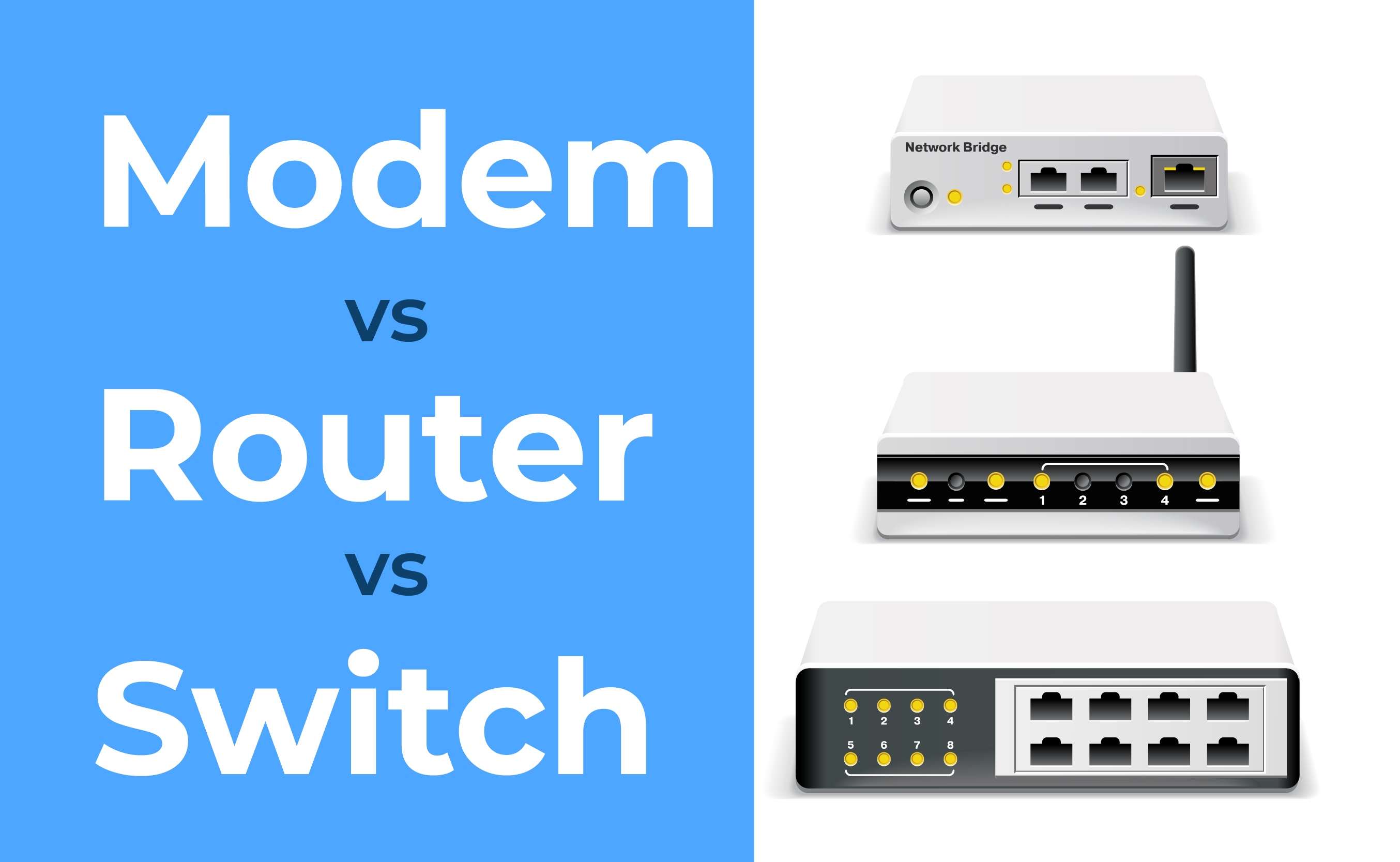
The Core Functionality: Directing Traffic vs. Connecting Devices
At their heart, routers and switches are both responsible for managing data traffic, but they do so at different levels and with different objectives. Think of your home or office network as a busy city.
The Router: The City Planner and Gateway
The router acts as the city planner and the main gateway to the outside world. Its primary function is to connect different networks together and direct traffic between them. In a typical home setting, your router connects your local network (all your devices: computers, phones, smart TVs) to the wider internet. It assigns unique local IP addresses to each device on your network, allowing them to communicate with each other.
When a device on your network wants to access something on the internet (like loading a webpage), the data packet first goes to the router. The router then examines the destination IP address of that packet and determines the best path to send it to reach its destination on the internet. This process is called routing. Routers essentially look at the “address” on the data packet and decide which “road” to send it down to get to its final destination.
Key functions of a router include:
- Network Address Translation (NAT): This is a critical function that allows multiple devices on your private network to share a single public IP address provided by your Internet Service Provider (ISP). This conserves IP addresses and adds a layer of security by hiding your internal network structure.
- Assigning IP Addresses (DHCP): Routers often act as DHCP (Dynamic Host Configuration Protocol) servers, automatically assigning IP addresses to devices as they connect to the network. This simplifies network management significantly.
- Firewall Protection: Most modern routers include a built-in firewall, acting as a security guard at the border of your network, inspecting incoming and outgoing traffic and blocking unauthorized access.
- Connecting to the Internet: The router is the device that physically connects to your modem (which translates the signal from your ISP into a usable format for your network) and then distributes that internet connection to all your devices.
The Switch: The Local Traffic Director within a Neighborhood
The switch, on the other hand, is more like a highly efficient traffic director within a specific neighborhood or building. Its primary function is to connect multiple devices within a single network (typically a Local Area Network, or LAN).
When a device sends data to another device on the same network, the switch intercepts it. Unlike older hubs (which broadcasted data to all connected devices, causing congestion), a switch is “intelligent.” It learns the MAC addresses (unique hardware identifiers) of the devices connected to its ports and builds a table. When data arrives, the switch looks at the destination MAC address and forwards the data only to the port connected to that specific device. This makes communication within the local network much faster and more efficient, minimizing unnecessary traffic.
Key functions of a switch include:
- High-Speed Local Connectivity: Switches facilitate rapid data transfer between devices on the same network. This is crucial for tasks like file sharing, streaming media, or collaborative work.
- Reduced Collisions: By directing traffic only to the intended recipient, switches significantly reduce data collisions compared to older networking devices, leading to better performance.
- Scalability: You can add more devices to your network by simply connecting them to available ports on the switch.
How They Work Together: A Symbiotic Relationship
The power of a modern network lies in the synergy between routers and switches. They are not mutually exclusive; in fact, they are often found working in tandem to create robust and efficient network infrastructures.
Imagine your home network again. Your router is the main point of connection to the internet. It’s responsible for getting your data out to the world and bringing incoming data in. However, you likely have many devices within your home that need to communicate with each other and access the internet.
The Home Network Scenario
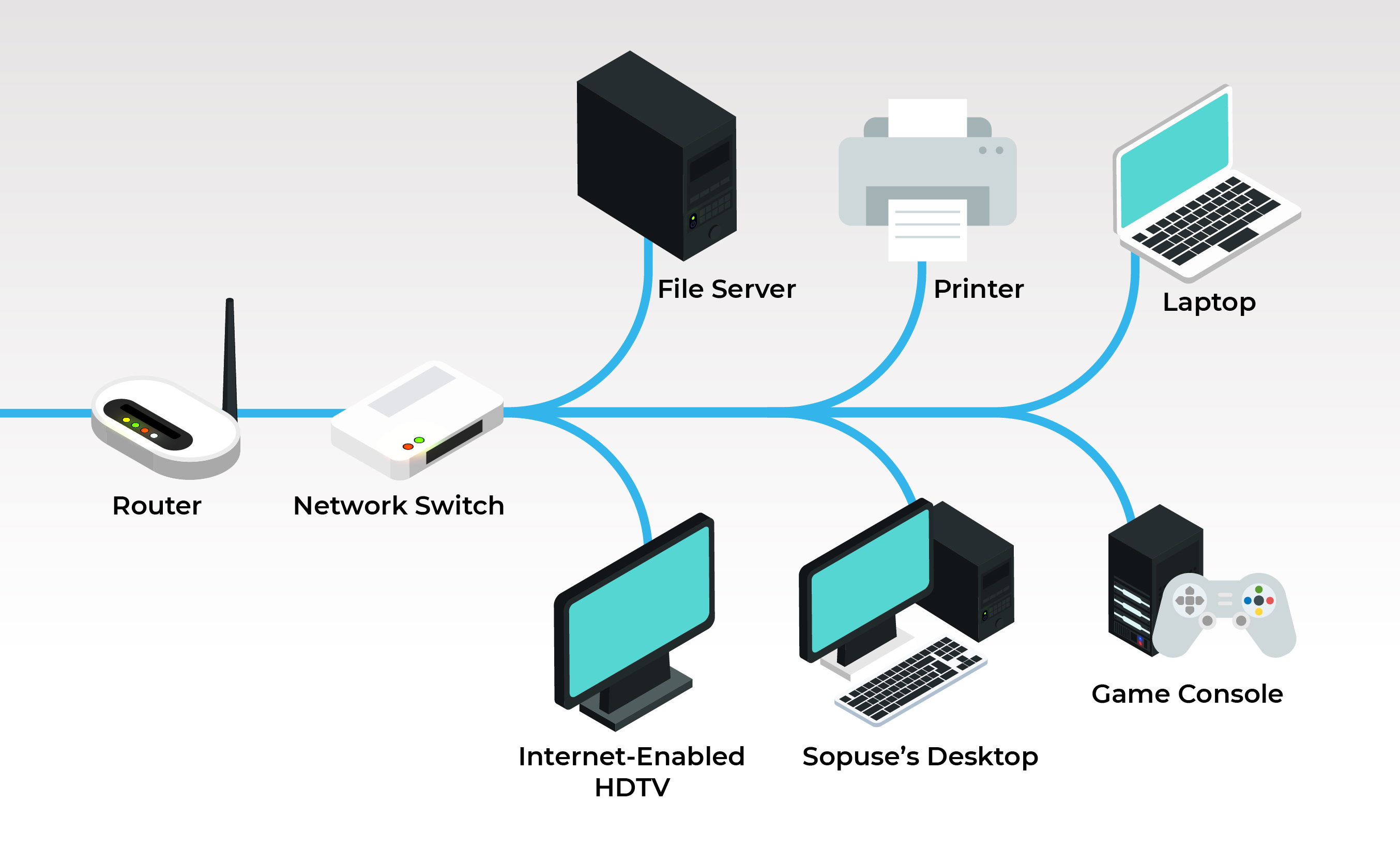
In most homes, the device you get from your ISP is a wireless router, which is actually a combination of a router, a switch, and a wireless access point all in one unit.
- Incoming Internet: The modem connects to the internet service.
- Router’s Role: The modem sends the internet signal to your router. The router, acting as the gateway, establishes your connection to the ISP and assigns your network a public IP address. It also creates your private local network, assigning private IP addresses (like 192.168.1.x) to each of your connected devices.
- Switch’s Role (Integrated): Your wireless router typically has multiple Ethernet ports on the back. These ports function as a built-in switch. When you plug in a computer, a smart TV, or a game console via an Ethernet cable, the router’s switch ports efficiently direct traffic between these wired devices and also between them and the wireless devices connected via Wi-Fi.
- Wireless Access Point: The router also broadcasts a Wi-Fi signal, allowing wireless devices to connect to your local network and subsequently access the internet through the router.
So, in a home environment, you might have a single device that performs all three functions. However, in larger businesses or more complex home setups, dedicated devices are often used.
The Business Network Scenario
In a corporate environment, the distinction becomes clearer and the need for dedicated devices is paramount:
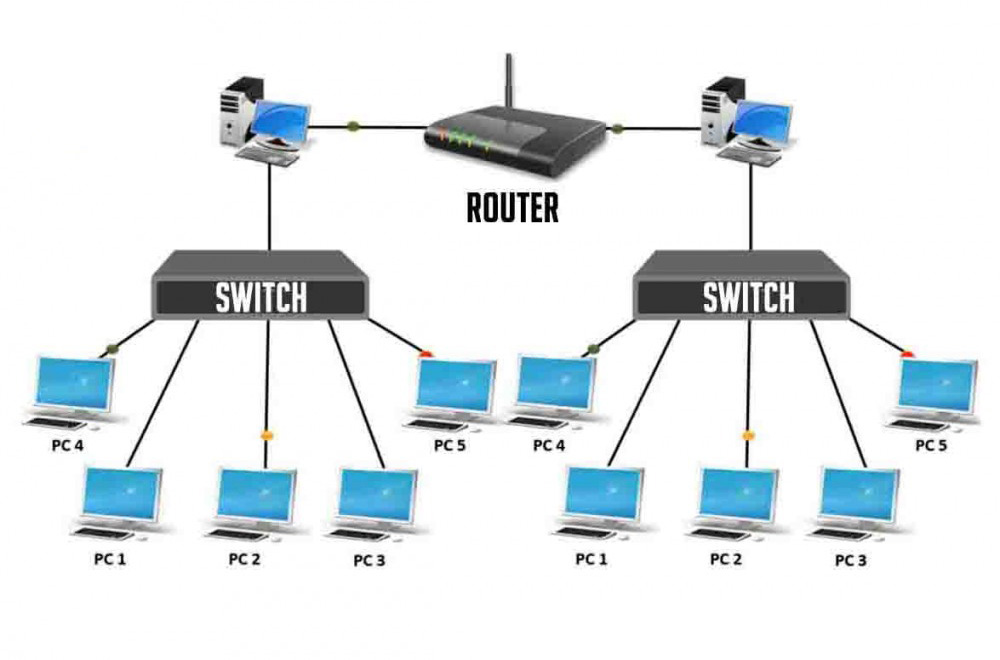
- Core Router: A powerful router sits at the edge of the network, connecting the internal LAN to the internet, a VPN, or other external networks. It handles the routing decisions for all traffic leaving and entering the company’s network.
- Core Switch(es): Within the building, one or more high-capacity switches connect different departments or floors. These switches manage the high volume of local traffic between workstations, servers, printers, and other network resources.
- Access Switches: Smaller switches might be placed in individual offices or cubicle areas, connecting end-user devices to the network. These then connect back to the core switches.
This hierarchical structure ensures efficient data flow. Routers handle the “big picture” routing to external networks, while switches manage the high-speed, localized communication within the organization.
Beyond the Basics: Features and Considerations
As technology evolves, both routers and switches have become more sophisticated, offering a wider range of features and catering to diverse needs.
Router Features to Consider
When selecting a router, especially for home use, consider:
- Speed and Wi-Fi Standards: Look for routers supporting the latest Wi-Fi standards (e.g., Wi-Fi 6/6E, Wi-Fi 7) for faster speeds and better performance with multiple devices.
- Coverage Area: For larger homes, consider routers with mesh capabilities or extenders for seamless coverage.
- Ports: The number and speed (Gigabit Ethernet) of LAN ports are important if you have many wired devices.
- Security Features: Advanced firewalls, intrusion detection, and parental controls are valuable for digital security.
- Quality of Service (QoS): This feature allows you to prioritize certain types of traffic (e.g., video streaming, gaming) to ensure a smoother experience.
- VPN Support: For enhanced privacy and security, some routers offer built-in VPN client or server capabilities.
Switch Features to Consider
For switches, especially in business or prosumer environments:
- Port Density and Speed: The number of ports and whether they are Gigabit or faster Ethernet is crucial.
- Managed vs. Unmanaged:
- Unmanaged Switches: Plug-and-play, simple to use, and cost-effective for basic connectivity.
- Managed Switches: Offer advanced configuration options, VLANs (Virtual Local Area Networks) for segmenting the network, QoS settings, monitoring, and greater control over traffic flow. This is essential for larger or more complex networks.
- PoE (Power over Ethernet): This allows the switch to provide power to connected devices (like IP cameras or wireless access points) through the Ethernet cable, simplifying installation.
- Form Factor: Switches come in desktop, rack-mountable, and industrial forms, depending on the deployment environment.
The Impact on Your Digital Life: Tech, Brand, and Money
The understanding and proper implementation of routers and switches have tangible impacts across the core topics of this website:
Tech
- Technology Trends: The evolution of routers and switches directly fuels advancements in Wi-Fi technology, IoT (Internet of Things) device connectivity, and the demand for higher bandwidth. Faster, more intelligent networking hardware is foundational to emerging tech.
- Digital Security: Routers are the first line of defense against external cyber threats. Features like built-in firewalls, VPN support, and regular firmware updates are critical for protecting your devices and data from malware, phishing, and other online dangers.
- Productivity: A well-configured network, with efficient routing and switching, ensures seamless access to cloud services, fast file transfers, and reliable video conferencing, all of which are vital for modern productivity.
Brand
- Corporate Identity & Reputation: For businesses, a stable and fast internet connection managed by robust routers and switches is non-negotiable. Downtime due to network issues can lead to lost sales, decreased customer satisfaction, and damage to brand reputation. Reliable network infrastructure reflects a company’s professionalism and commitment to its services.
- Marketing & Case Studies: Companies that offer networking solutions (like ISPs or hardware manufacturers) leverage the performance and features of their routers and switches in marketing materials. Case studies often highlight how improved network infrastructure has led to increased efficiency and better customer experiences for their clients.
Money
- Personal Finance & Online Income: For individuals relying on the internet for remote work, online businesses, or side hustles, a reliable internet connection is an investment. Poor network performance can lead to lost income opportunities or inefficient use of time, effectively costing money.
- Investing & Financial Tools: Accessing real-time stock market data, executing trades, or using complex financial analysis tools requires a stable and low-latency internet connection. The quality of your router and network infrastructure directly impacts your ability to make timely financial decisions.
- Business Finance: For businesses, investing in appropriate networking hardware is a capital expenditure that directly impacts operational efficiency and profitability. Choosing the right router and switch configuration can prevent costly downtime and ensure smooth business operations.
Conclusion
While often seen as behind-the-scenes components, routers and switches are the unsung heroes of our digital world. They are the invisible infrastructure that allows us to connect, communicate, work, and play. The router, acting as the gateway and traffic director to the outside world, and the switch, efficiently managing traffic within a local network, perform distinct but complementary roles. Understanding their functions empowers you to make informed decisions about your home or business network, ensuring optimal performance, enhanced security, and a smoother digital experience that impacts everything from your personal productivity to your financial well-being. As technology continues to advance, the importance of these fundamental networking devices will only grow, making a solid grasp of “what is a router switch” an increasingly valuable piece of knowledge for everyone.
aViewFromTheCave is a participant in the Amazon Services LLC Associates Program, an affiliate advertising program designed to provide a means for sites to earn advertising fees by advertising and linking to Amazon.com. Amazon, the Amazon logo, AmazonSupply, and the AmazonSupply logo are trademarks of Amazon.com, Inc. or its affiliates. As an Amazon Associate we earn affiliate commissions from qualifying purchases.