
In an increasingly digital world, the security of our personal data is paramount. Apple, a titan in the technology industry, has consistently prioritized user privacy and security, offering an array of robust features to protect your digital identity. Among these, the Apple Recovery Key stands out as an advanced security measure, designed to offer an unparalleled layer of protection for your Apple ID. But what exactly is it, how does it work, and is it the right choice for every user? This comprehensive guide delves into the intricacies of the Apple Recovery Key, explaining its purpose, how to manage it, and its implications for your digital security posture.
Fortifying Your Apple ID: The Foundation of Security
At the heart of your Apple ecosystem lies your Apple ID – the singular account that grants you access to all Apple services, devices, and personal data. From iCloud storage to App Store purchases, iMessage, and Find My, your Apple ID is the gateway to your digital life within Apple’s ecosystem. Protecting this central account is therefore not just recommended, but essential.
The Critical Role of Apple ID
Your Apple ID is more than just a username; it’s your digital passport to Apple’s world. It encrypts your iCloud backups, secures your communications, and safeguards sensitive information like photos, documents, and payment details. If your Apple ID is compromised, an attacker could gain access to a vast amount of personal data, potentially leading to identity theft, financial fraud, and a significant breach of privacy. This foundational importance underscores the necessity of employing the strongest possible security measures available.
Two-Factor Authentication: A Prerequisite
Before we delve into the Apple Recovery Key, it’s crucial to understand its predecessor and prerequisite: Two-Factor Authentication (2FA). Apple’s 2FA is a widely adopted security protocol that adds a second layer of verification to your Apple ID. When you sign in with your Apple ID on a new device or browser, in addition to your password, you’re required to enter a six-digit verification code. This code is automatically displayed on your trusted devices or sent to your trusted phone number.
2FA dramatically reduces the risk of unauthorized access, even if someone obtains your password. Without access to one of your trusted devices or your trusted phone number, an attacker cannot complete the sign-in process. Apple mandates 2FA for most new Apple IDs and encourages all existing users to enable it, recognizing it as a critical baseline for account security. The Recovery Key builds upon this foundation, offering an even more robust failsafe.
The Apple Recovery Key: An Advanced Security Shield
While Two-Factor Authentication provides excellent protection, it still relies on access to your trusted devices or phone number. What happens if you lose all your trusted devices, change your phone number, or forget your Apple ID password? This is where the Apple Recovery Key steps in, offering a powerful, user-generated backup plan that provides an additional layer of control and security.
Defining the Recovery Key and Its Purpose
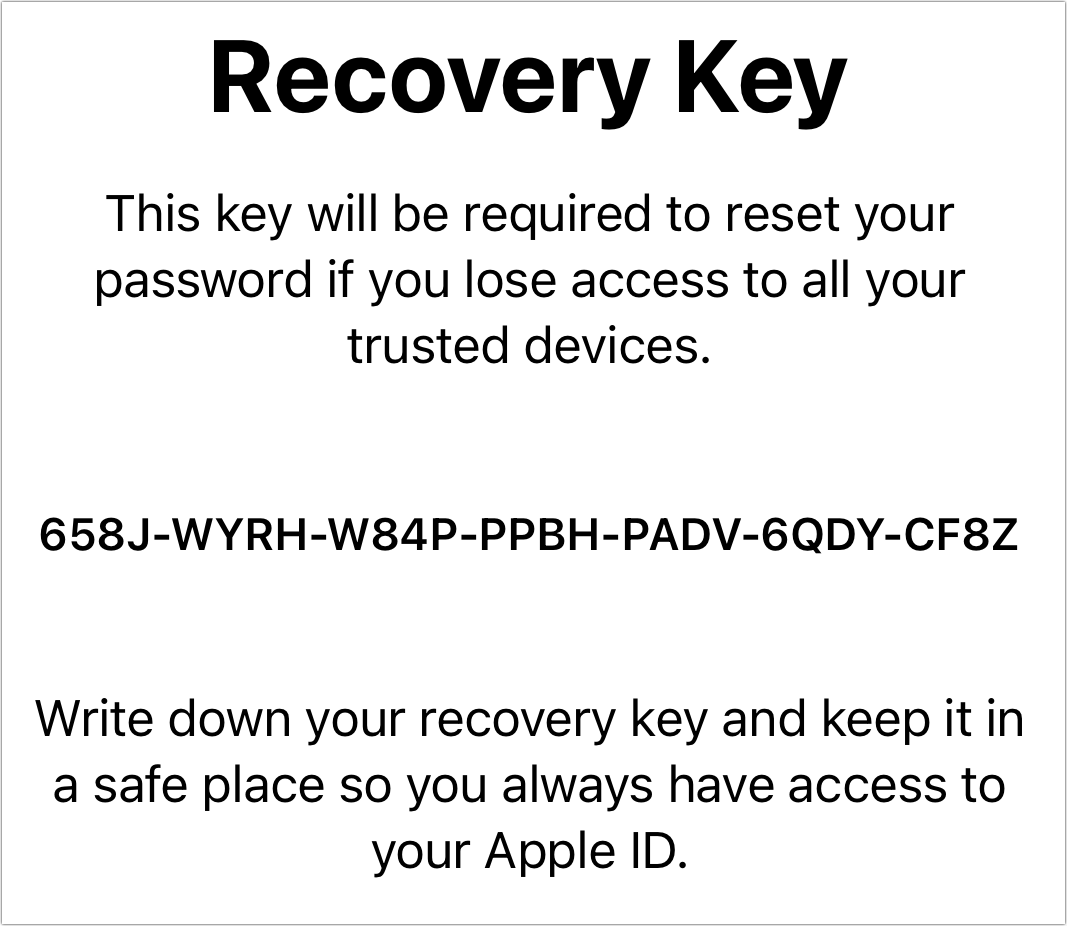
An Apple Recovery Key is a unique, 28-character alphanumeric code that you generate and keep in a safe place. When enabled, it replaces the traditional account recovery process, which involves verifying your identity through trusted devices or phone numbers. Instead, if you ever lose access to your Apple ID – perhaps by forgetting your password and no longer having access to any trusted devices – the Recovery Key becomes the sole method to regain access to your account.
Its primary purpose is to give you absolute control over your account recovery. By creating a Recovery Key, you are essentially telling Apple that you are responsible for maintaining this crucial piece of information. Apple cannot help you recover your account without this key once it’s enabled and you’ve lost access to your other verification methods. This puts the power entirely in your hands, but also places a significant responsibility on you to keep it secure.
Distinguishing the Recovery Key from 2FA
It’s easy to confuse the Recovery Key with the verification codes used in 2FA, but they serve distinct purposes:
- 2FA Verification Codes: These are dynamic, short-lived, six-digit codes generated automatically by Apple and sent to your trusted devices or phone number each time you try to sign in from a new location or device. They are used for routine login verification.
- Recovery Key: This is a static, 28-character code you generate once. It’s not sent by Apple and is only used for the extraordinary circumstance of regaining access to your Apple ID when you have forgotten your password and no longer have access to any trusted devices or phone numbers. It essentially acts as a master override for your account.
The Recovery Key offers a higher level of security assurance than 2FA alone because it minimizes Apple’s involvement in your account recovery, making it virtually impossible for anyone, even Apple support, to bypass your security with the key enabled.
Scenarios Where a Recovery Key Becomes Indispensable
While not everyone will need a Recovery Key, it becomes an invaluable tool in specific, high-stakes scenarios:
- Forgotten Password and No Trusted Devices: This is the most common and critical scenario. If you forget your Apple ID password and no longer possess any of your trusted iPhones, iPads, or Macs (e.g., lost, stolen, sold, factory reset), and you also don’t have access to your trusted phone number, the Recovery Key is your only way back into your account. Without it, your account would be permanently locked.
- Enhanced Security for High-Profile Individuals: For individuals who are at a higher risk of targeted attacks, such as journalists, activists, or public figures, a Recovery Key adds an additional layer of defense. It makes it significantly harder for an attacker to gain access, as they would need not only your password but also the physical Recovery Key.
- Preventing Social Engineering Attacks: Traditional account recovery processes, while secure, can sometimes be vulnerable to sophisticated social engineering attempts where an attacker might try to impersonate you to gain access. The Recovery Key effectively eliminates this vector, as Apple support cannot assist in recovery without the key.
Generating, Safeguarding, and Utilizing Your Recovery Key
Enabling and managing a Recovery Key is a straightforward process, but it demands careful attention to security best practices. Misplacing your Recovery Key can lead to permanent account lockout, so proactive management is key.
A Step-by-Step Guide to Creation
To enable a Recovery Key, you must first have Two-Factor Authentication enabled for your Apple ID.
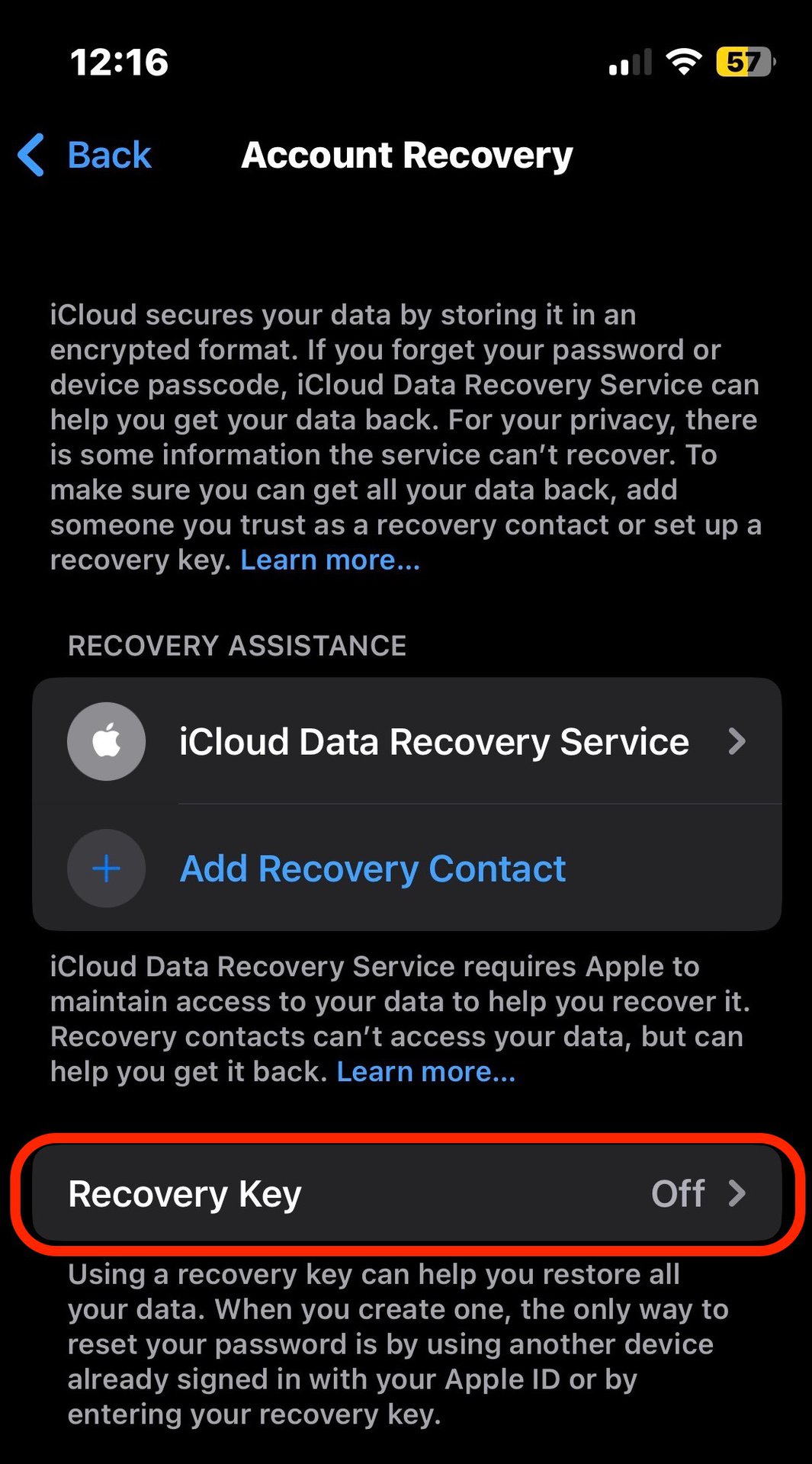
- On an iPhone, iPad, or iPod touch:
- Go to Settings > [your name] > Password & Security.
- Tap “Recovery Key.”
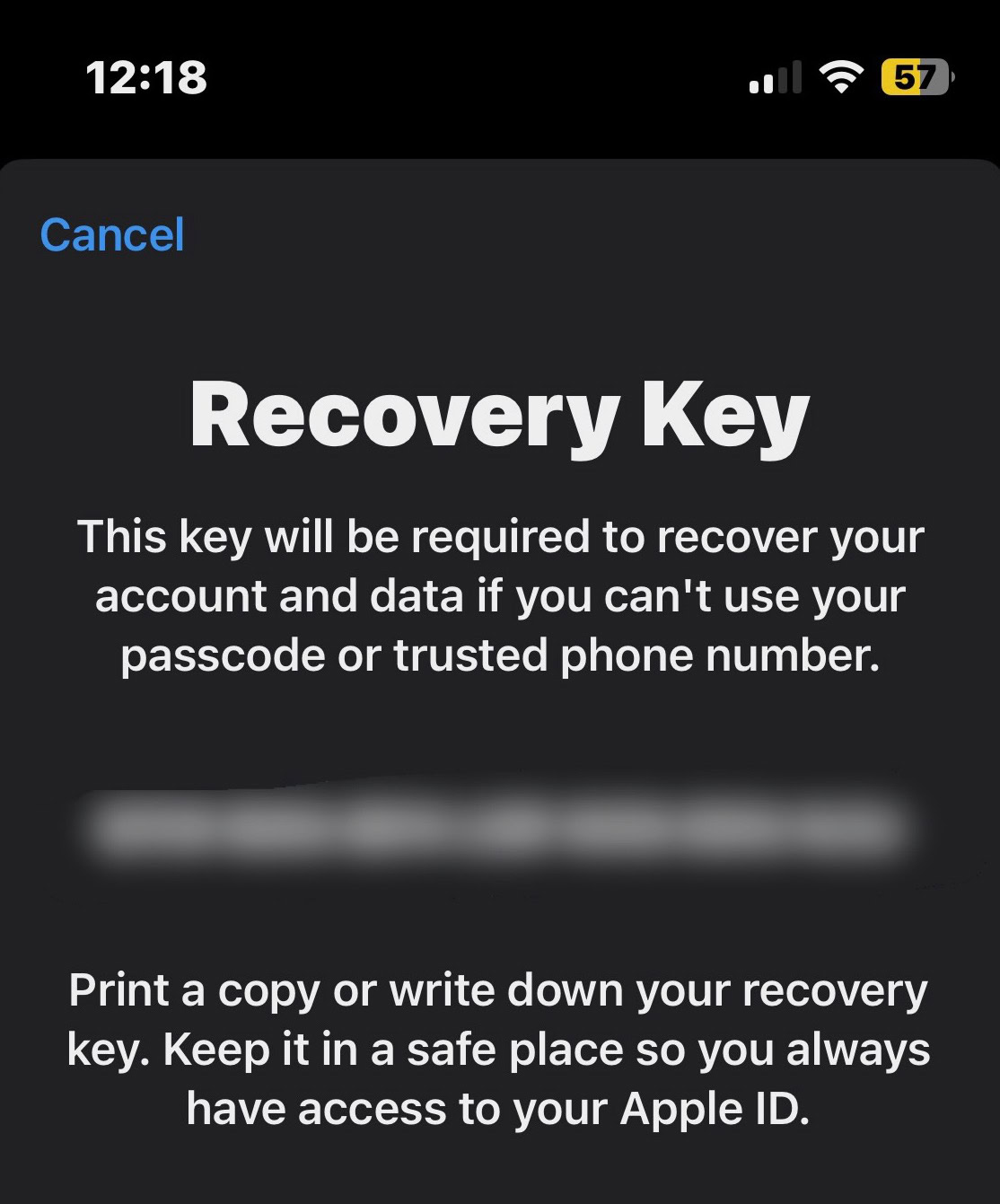
- Turn on “Recovery Key” and follow the on-screen instructions. You’ll be asked to enter your device passcode and then presented with your unique 28-character Recovery Key.
- On a Mac:
- Go to System Settings (or System Preferences) > [your name] > Password & Security.
- Next to “Recovery Key,” click “Turn On” or “Manage.”
- Follow the on-screen instructions to generate and confirm your Recovery Key.
Once generated, you’ll be prompted to verify the key by re-entering it, ensuring you’ve recorded it correctly. After verification, make sure to disable any other “Trusted Phone Numbers” that could be used for account recovery, as the Recovery Key takes precedence.
Imperative Strategies for Secure Storage
The security of your Recovery Key is paramount. If you lose it and also lose access to all your trusted devices, you will be permanently locked out of your Apple ID. Therefore, multi-pronged, offline storage is highly recommended:
- Print Multiple Copies: Do not just rely on a digital copy. Print several copies of your Recovery Key.
- Store in Separate, Secure Locations: Place these printed copies in different physical locations. Consider a home safe, a safety deposit box at a bank, or with a trusted family member or legal advisor.
- Avoid Digital Storage (with caution): While it’s generally advised against storing the key digitally where it could be vulnerable to hacking, if you must, consider a highly encrypted, offline password manager or an encrypted USB drive that is disconnected from the internet when not in use. Never store it in an easily accessible cloud storage service or email.
- Do Not Share: Your Recovery Key is as powerful as your password. Never share it with anyone, including Apple support. Apple will never ask for your Recovery Key.
The Process of Using Your Recovery Key for Account Access
If you find yourself in the dire situation of needing to recover your Apple ID with your Recovery Key:
- Initiate Account Recovery: Go to iforgot.apple.com.
- Enter Apple ID: Provide your Apple ID.
- Follow Prompts: When prompted, indicate that you don’t have access to your trusted devices or trusted phone number.
- Enter Recovery Key: You will then be asked to enter your 28-character Recovery Key.
- Create New Password: Once the Recovery Key is verified, you’ll be able to reset your Apple ID password and regain access to your account.
This process highlights the critical nature of having your Recovery Key readily available in a secure location.
What Happens if the Key is Lost or Compromised?
This is the gravest scenario.
- If you lose your Recovery Key AND all trusted devices/phone numbers: Your Apple ID, and all associated data in iCloud, will be permanently inaccessible. There is no workaround, no customer support channel, and no “backdoor.” This is the ultimate risk of using a Recovery Key, which is why secure storage is emphasized so strongly.
- If your Recovery Key is compromised: If an unauthorized person obtains your Recovery Key AND your Apple ID password, they could potentially take over your account. However, this scenario is less likely than a password compromise alone. If you suspect your key is compromised, you should immediately sign in to your Apple ID (if you still have access) and generate a new Recovery Key, which invalidates the old one.
Weighing the Decision: Should You Enable a Recovery Key?
Deciding whether to enable an Apple Recovery Key is a personal choice that hinges on your risk tolerance, technical comfort, and diligence in managing critical security information. It offers undeniable benefits but also carries significant responsibility.
The Unparalleled Security Advantages
The primary advantage of the Recovery Key is the ultimate control it grants you over your Apple ID. By essentially removing Apple’s ability to help you recover your account without it, you dramatically enhance security against:
- Highly Sophisticated Attacks: It thwarts attackers who might attempt to exploit vulnerabilities in traditional account recovery systems or social engineer Apple support.
- Accidental Account Lockout (with key): While it prevents lockout without the key, with it, you are guaranteed a path back into your account, regardless of lost devices or forgotten passwords.
- Peace of Mind: For those who understand its function and are meticulous about security, the Recovery Key offers supreme confidence that their Apple ID is locked down.
Understanding the Risks and Responsibilities
The flip side of this enhanced control is the absolute responsibility you assume. The biggest risks are:
- Permanent Account Lockout: As mentioned, losing your Recovery Key alongside access to your trusted devices means permanent loss of your Apple ID. This cannot be overstated.
- Single Point of Failure (if not managed well): If you rely solely on one copy of the key stored insecurely, it becomes a major vulnerability.
- Complexity for Some Users: For users who are less tech-savvy or less diligent about physical document storage, the Recovery Key might introduce more risk than benefit.
Making an Informed Choice for Your Digital Security Posture
Consider the following questions when deciding:
- How crucial is your Apple ID data? If your Apple ID holds extremely sensitive personal, financial, or professional data, the added security might be worthwhile.
- Are you diligent about physical document storage? Can you reliably store a 28-character code in multiple secure, offline locations for years?
- What are your alternatives? Do you have multiple trusted devices and a stable, accessible trusted phone number that you can rely on for 2FA recovery?
For the vast majority of users, Apple’s Two-Factor Authentication, combined with a strong password and careful management of trusted devices, provides an excellent level of security. The Recovery Key is an optional, advanced feature for those who desire the absolute maximum level of control and security, are comfortable with the inherent risks, and are committed to its stringent management requirements.
In conclusion, the Apple Recovery Key is a powerful digital security tool that transforms account recovery into an entirely user-controlled process. It strengthens your Apple ID against sophisticated attacks but demands meticulous attention to its safeguarding. Understanding its function, its benefits, and its significant responsibilities is crucial for anyone considering adding this advanced shield to their Apple security arsenal.
aViewFromTheCave is a participant in the Amazon Services LLC Associates Program, an affiliate advertising program designed to provide a means for sites to earn advertising fees by advertising and linking to Amazon.com. Amazon, the Amazon logo, AmazonSupply, and the AmazonSupply logo are trademarks of Amazon.com, Inc. or its affiliates. As an Amazon Associate we earn affiliate commissions from qualifying purchases.