
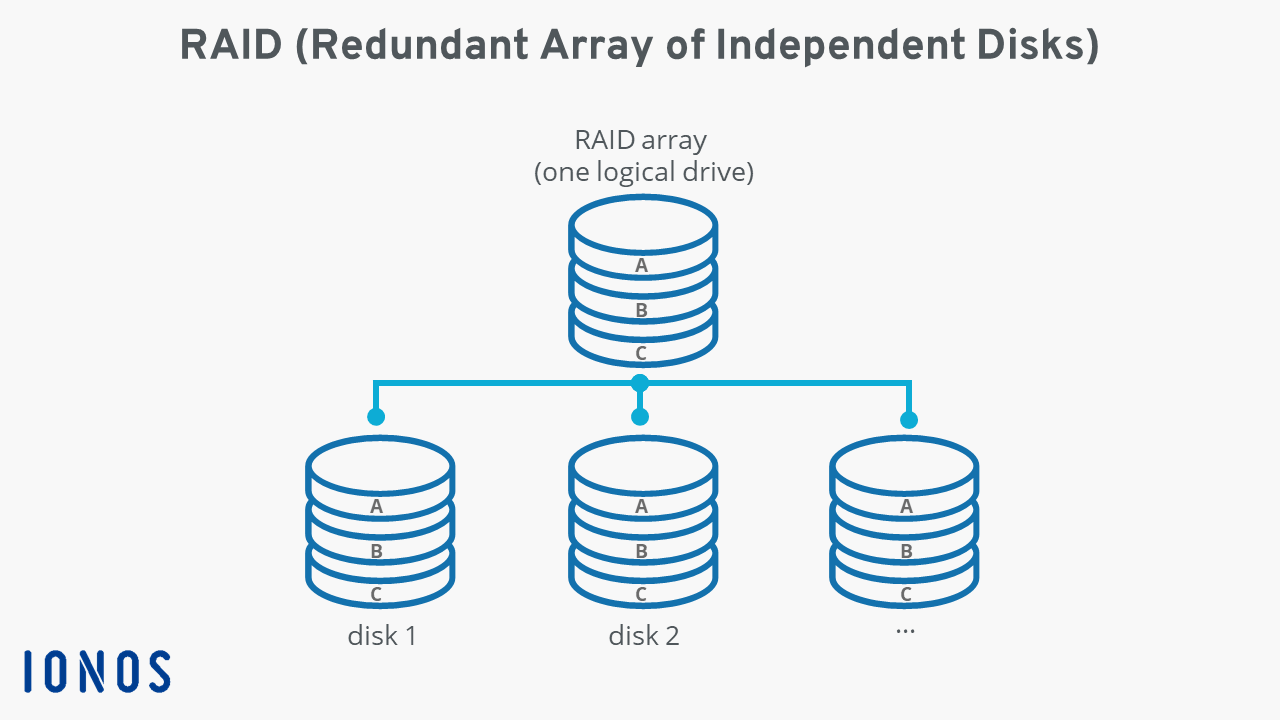
In today’s data-driven world, the security and accessibility of information are paramount. Whether you’re a business reliant on vast customer databases, a creative professional working with large media files, or an individual cherishing your digital memories, the thought of losing it all due to a single hard drive failure can be a nightmare. This is where RAID (Redundant Array of Independent Disks) systems come into play, offering a robust solution to bolster your data’s safety and, in many cases, significantly boost its performance.
The concept of RAID might sound complex, involving intricate configurations and specialized hardware. However, at its core, it’s about intelligently combining multiple physical hard drives into a single logical unit. This combination serves a dual purpose: redundancy, ensuring your data remains accessible even if one drive fails, and performance enhancement, allowing for faster data read and write operations. Understanding RAID is no longer just for IT professionals; it’s becoming an increasingly valuable piece of knowledge for anyone who relies on their computer for critical tasks or sensitive information.
This article will demystify RAID systems, exploring their fundamental principles, the various levels that cater to different needs, and the tangible benefits they offer. We’ll delve into how these systems work, the considerations you should make when choosing a RAID setup, and the implications for both personal and professional use.
The Core Principles of RAID: Redundancy and Performance
At its heart, RAID is built upon two primary concepts: redundancy and performance. These are not mutually exclusive; in fact, most RAID configurations aim to achieve a balance between them, with different RAID levels prioritizing one over the other.
1. Data Redundancy: The Safety Net for Your Digital Life
The most compelling reason for implementing a RAID system is data redundancy. In a traditional setup with a single hard drive, if that drive fails, all the data stored on it is lost. This can be catastrophic, leading to significant financial losses, lost productivity, and irreparable damage to reputations, especially for businesses.
RAID tackles this by distributing data across multiple drives in specific ways, allowing for the reconstruction of lost data if a drive fails. There are two main methods RAID employs for redundancy:
-
Mirroring: In a mirrored RAID setup, identical copies of the data are written to two or more drives. If one drive fails, the system seamlessly switches to the mirrored copy, ensuring uninterrupted access to your data. This is the most straightforward form of redundancy, offering a high level of data protection but at the cost of storage capacity (you effectively lose half your storage to the mirror).
-
Parity: Parity is a more sophisticated method of redundancy. Instead of storing full copies of data, RAID systems calculate and store parity information. This parity information is essentially a checksum or mathematical calculation derived from the data on other drives. If a drive fails, the system can use the parity information and the data from the remaining drives to reconstruct the lost data. Parity is more storage-efficient than mirroring, as it doesn’t require full data duplication. However, calculating and accessing parity can introduce a slight performance overhead compared to pure mirroring.
2. Performance Enhancement: Speeding Up Your Workflow
Beyond data protection, RAID systems are also designed to improve the speed at which your computer can read and write data. This is achieved through data striping.
- Striping: In a striped RAID configuration, data is broken down into smaller blocks and written across multiple drives simultaneously. When the system needs to read a file, it can retrieve different blocks from multiple drives at the same time, significantly speeding up the read process. Similarly, for write operations, data can be written to multiple drives concurrently. This parallel access dramatically reduces the time it takes to access and process data, leading to a noticeable improvement in overall system performance, especially for applications that are I/O (Input/Output) intensive, such as video editing, database operations, and gaming.
The combination of mirroring and parity with striping creates various RAID levels, each offering a unique blend of redundancy and performance characteristics.
Understanding the Different RAID Levels
The effectiveness and application of RAID are dictated by its various levels, each employing a different strategy for data distribution and redundancy. While there are numerous RAID configurations, the most commonly encountered are RAID 0, RAID 1, RAID 5, and RAID 6, along with the nested RAID levels like RAID 10.
RAID 0: The Performance Beast (Without Redundancy)
RAID 0 (Striping) uses data striping to enhance performance. Data is split into blocks and written across all the drives in the array.
- How it works: Imagine a large file being divided into pieces. Piece A goes to Drive 1, Piece B to Drive 2, Piece C to Drive 3, and so on. When you need to access that file, all drives work together to retrieve their respective pieces simultaneously.
- Pros: Offers the highest performance improvement among all RAID levels due to parallel data access. Provides the full usable capacity of all drives combined.
- Cons: No redundancy whatsoever. If even a single drive fails in a RAID 0 array, all data is lost, as the file is broken across all drives.
- Use Cases: Ideal for applications where speed is paramount and data loss is not a critical concern, or where data is regularly backed up externally. Examples include gaming systems where fast loading times are desired, or temporary scratch disks for video editing where the source files are stored elsewhere.
RAID 1: The Mirror of Security
RAID 1 (Mirroring) prioritizes data redundancy by creating an exact replica of data on at least two drives.
- How it works: Every piece of data written to Drive 1 is also written identically to Drive 2. If Drive 1 fails, Drive 2 immediately takes over, and the system continues to operate without interruption or data loss.
- Pros: Excellent data protection. If one drive fails, the other continues to function, making it easy to replace the failed drive without downtime. Simple to implement.
- Cons: Reduced storage capacity. You only get the usable capacity of a single drive, as the other drive(s) are used solely for mirroring.
- Use Cases: Suitable for critical data where reliability is more important than maximum storage space or peak performance. Common for operating system drives, critical application data, and small server environments.
RAID 5: The Balanced Approach (Striping with Parity)
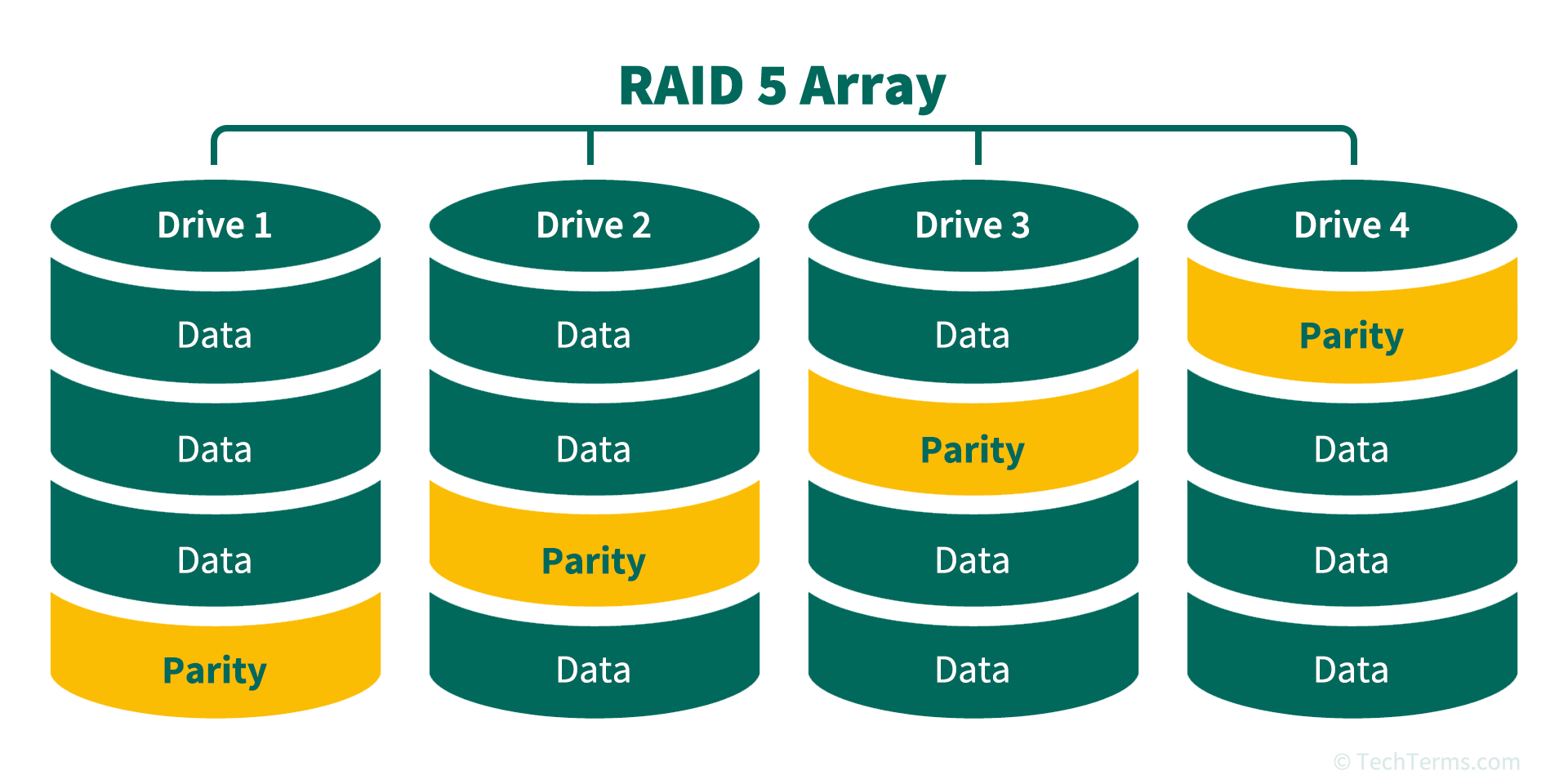
RAID 5 strikes a balance between performance, storage efficiency, and redundancy. It uses striping for performance and distributed parity for redundancy.
- How it works: Data is striped across multiple drives, and parity information is calculated and distributed across all drives as well. This means that if one drive fails, the system can use the data on the remaining drives and the parity information to reconstruct the lost data. Crucially, the parity is not stored on a single dedicated drive, making it more resilient than older parity methods.
- Pros: Good balance of performance and redundancy. More storage efficient than RAID 1, as it only “loses” the capacity of one drive for parity.
- Cons: Performance can degrade during rebuilds (when a failed drive is replaced and data is reconstructed). Write performance can be slower than RAID 0 due to parity calculations. Requires at least three drives.
- Use Cases: A popular choice for general-purpose servers, file servers, and workstations where a good combination of speed, storage space, and data protection is needed.
RAID 6: Enhanced Redundancy for Greater Peace of Mind
RAID 6 builds upon RAID 5 by adding a second, independent parity block. This provides an even higher level of fault tolerance.
- How it works: Similar to RAID 5, data is striped, but two independent parity blocks are calculated and distributed across all drives. This means that a RAID 6 array can tolerate the simultaneous failure of two drives without data loss.
- Pros: Superior redundancy compared to RAID 5, allowing for the failure of two drives.
- Cons: Performance can be slightly slower than RAID 5 due to the calculation of two parity blocks. Requires at least four drives. Higher overhead in terms of write operations.
- Use Cases: Ideal for mission-critical applications and environments where the risk of multiple drive failures needs to be minimized. Often used in large storage arrays, data centers, and for archiving important data.
Nested RAID Levels (e.g., RAID 10)
Nested RAID levels combine the features of two or more basic RAID levels to achieve specific benefits. The most common is RAID 10 (or RAID 1+0).
- RAID 10 (Mirroring and Striping): This level combines the redundancy of mirroring with the performance of striping. Drives are first mirrored in pairs, and then these mirrored pairs are striped together.
- How it works: You might have two drives mirrored (Drive 1 & 2), another two drives mirrored (Drive 3 & 4), and then these mirrored pairs are striped.
- Pros: Offers both excellent performance and high redundancy. It can tolerate the failure of multiple drives, as long as no two drives in the same mirrored pair fail simultaneously.
- Cons: Less storage efficient than RAID 5 or RAID 6, as it essentially halves the total storage capacity for mirroring. Requires at least four drives.
- Use Cases: A top-tier choice for high-performance, high-availability applications where data protection is absolutely critical, such as e-commerce platforms, database servers, and critical business applications.
Implementing and Managing Your RAID System
Choosing the right RAID level is only the first step. Proper implementation and ongoing management are crucial to ensure your RAID system functions as intended and provides the promised benefits.
Hardware vs. Software RAID
RAID can be implemented in two primary ways:
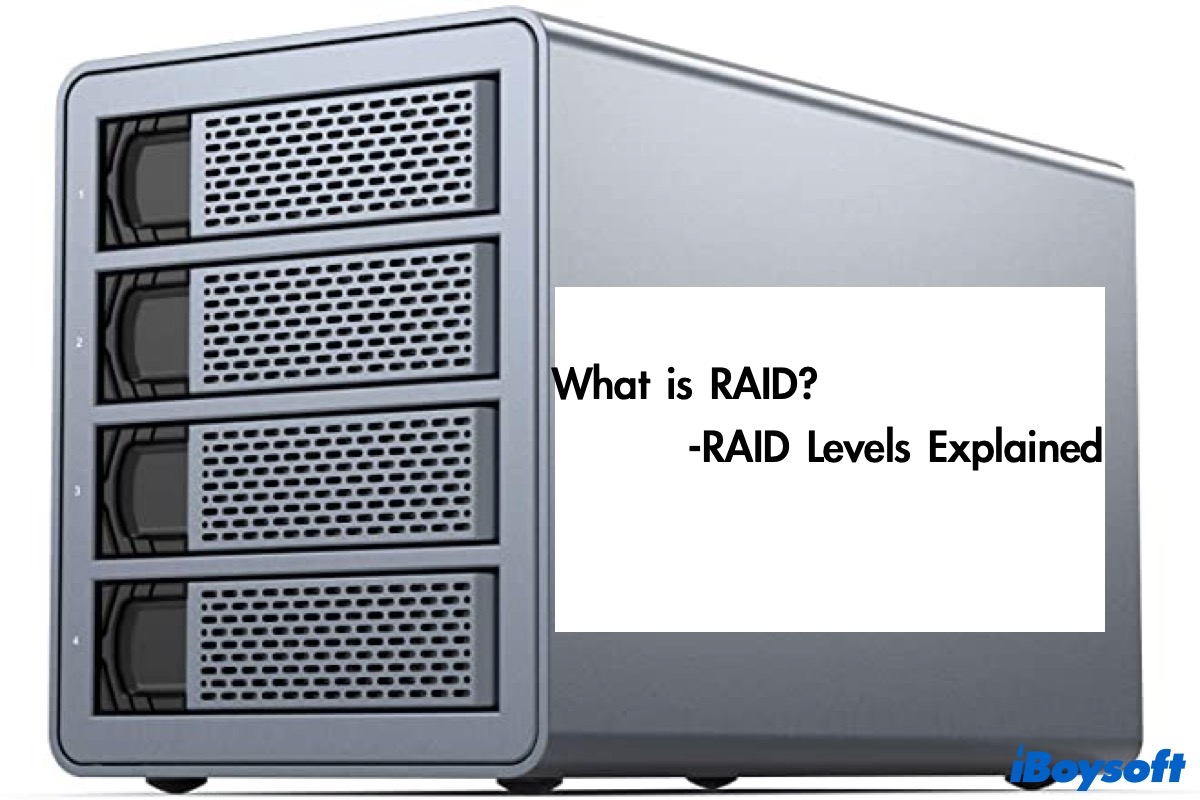
- Hardware RAID: This involves a dedicated RAID controller card installed in your computer’s motherboard or an external RAID enclosure. The controller handles all RAID processing, offloading this task from your CPU. This generally offers better performance and reliability, especially for complex RAID levels.
- Software RAID: This utilizes the operating system’s built-in RAID capabilities or third-party software to manage the array. While more cost-effective, it can consume CPU resources and might not offer the same level of performance or advanced features as hardware RAID.
For critical business applications or high-performance needs, hardware RAID is typically the preferred choice. For home users or less demanding tasks, software RAID can be a perfectly adequate and budget-friendly solution.
Key Considerations When Choosing RAID
When deciding on a RAID configuration, consider the following factors:
- Your Data Needs: What kind of data are you storing? How critical is its loss? What are your performance requirements?
- Budget: Hardware RAID controllers and enclosures can be a significant investment. Software RAID is often more accessible.
- Number of Drives: Each RAID level has a minimum drive requirement.
- Scalability: Do you anticipate needing to expand your storage in the future? Some RAID configurations are easier to scale than others.
- IT Expertise: Implementing and managing hardware RAID can sometimes require more technical knowledge.
The Importance of Backups
It’s crucial to reiterate that RAID is not a substitute for backups. While RAID protects against drive failures, it does not protect against other data loss scenarios such as:
- Accidental Deletion: If you accidentally delete a file, it will be deleted from all drives in the RAID array.
- Malware and Viruses: Ransomware or other destructive malware can encrypt or corrupt your data across the entire RAID.
- Physical Disaster: Fire, flood, or theft can destroy the entire system.
Therefore, a comprehensive backup strategy, including regular offsite or cloud backups, should always be part of your data protection plan, regardless of whether you are using a RAID system.
Conclusion: Securing and Accelerating Your Data with RAID
In conclusion, a RAID system is a powerful technology that can significantly enhance the reliability and performance of your computer’s storage. By intelligently combining multiple hard drives, RAID offers varying degrees of data redundancy, protecting you from the devastating consequences of drive failure. Simultaneously, through data striping, it can unlock impressive performance gains, accelerating your workflow and improving application responsiveness.
Whether you’re a creative professional pushing the boundaries of digital media, a small business safeguarding crucial client information, or an enthusiast seeking the fastest possible gaming experience, understanding RAID is an investment in your digital well-being. By carefully considering your specific needs and selecting the appropriate RAID level and implementation method, you can build a robust, efficient, and secure storage solution that empowers your technology and protects your invaluable data. Remember, while RAID offers a vital layer of protection, it should always be complemented by a diligent backup strategy to ensure true data resilience.
aViewFromTheCave is a participant in the Amazon Services LLC Associates Program, an affiliate advertising program designed to provide a means for sites to earn advertising fees by advertising and linking to Amazon.com. Amazon, the Amazon logo, AmazonSupply, and the AmazonSupply logo are trademarks of Amazon.com, Inc. or its affiliates. As an Amazon Associate we earn affiliate commissions from qualifying purchases.