
The micro Secure Digital (micro SD) card stands as a testament to the relentless march of technological miniaturization, offering expansive storage in a form factor barely larger than a fingernail. In an era dominated by high-resolution media, extensive applications, and the ubiquitous capture of digital moments, understanding this unassuming yet critical component is essential for any tech enthusiast or average consumer. From enhancing smartphone capabilities to serving as the brain for sophisticated drones, micro SD cards have become indispensable, silently empowering countless devices with the capacity to hold vast amounts of data.
The Evolution of Portable Storage: A Journey to Miniaturization
The concept of portable digital storage has undergone a dramatic transformation, driven by the escalating demand for smaller, faster, and higher-capacity solutions. The micro SD card is a direct descendant of this evolutionary path, emerging from a lineage of memory cards designed to make digital data truly mobile.
From SD Cards to Micro SD
The journey began with MultiMediaCards (MMC), which paved the way for the Secure Digital (SD) card in the late 1990s. SD cards quickly became the standard for digital cameras, camcorders, and early portable devices due to their improved speed, capacity, and security features. As devices continued to shrink, particularly with the advent of feature phones and early smartphones, the need for even smaller memory solutions became apparent. This led to the introduction of the mini SD card, a smaller variant of the full-sized SD card, which saw moderate adoption.
However, the true breakthrough for ultra-compact devices came with the introduction of the micro SD card by SanDisk in 2005, initially named TransFlash. Its incredibly tiny dimensions—approximately 15mm x 11mm x 1mm—made it the smallest memory card form factor available at the time. This innovation allowed manufacturers to integrate removable storage into sleeker, more compact designs without compromising on functionality, effectively solving a major design challenge for a new generation of mobile electronics.
Miniaturization and Versatility
The success of the micro SD card lies not just in its diminutive size but also in its unparalleled versatility. Despite its small footprint, it adheres to the same fundamental protocols as its larger SD counterparts, ensuring compatibility and ease of integration across a broad spectrum of devices. This standardization, coupled with continuous advancements in flash memory technology, has enabled micro SD cards to scale dramatically in capacity and speed, evolving from megabytes to terabytes within a relatively short period. The ability to swap out and upgrade storage easily has made these cards a cornerstone of modern consumer electronics, extending the useful life and functionality of many gadgets that might otherwise be constrained by internal fixed storage.
Key Characteristics and Specifications
Beyond its size, the utility of a micro SD card is defined by several critical technical specifications that dictate its performance and compatibility. Understanding these attributes is crucial for selecting the right card for specific applications.
Capacity: Gigabytes and Terabytes
The most immediately apparent characteristic of any storage device is its capacity. Micro SD cards are available in a vast range of capacities, measured in gigabytes (GB) and, increasingly, terabytes (TB).
- SDSC (Standard Capacity): Originally up to 2 GB.
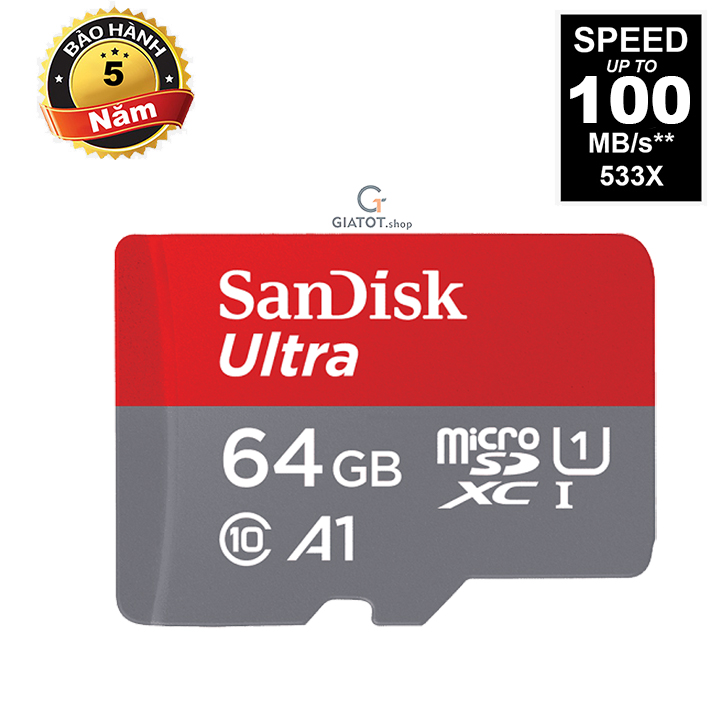
- SDHC (High Capacity): Up to 32 GB, formatted with FAT32.
- SDXC (eXtended Capacity): Up to 2 TB (though higher capacities are theoretically possible with the standard), formatted with exFAT.
- SDUC (Ultra Capacity): A newer standard announced in 2018, supporting capacities up to 128 TB, also utilizing exFAT.
It’s vital to note that a device must be compatible with the specific standard (SDHC, SDXC) to utilize cards of those capacities. An older device designed for SDHC cards, for instance, may not recognize an SDXC card even if its physical size fits.
Speed Classes: UHS, V-Class, A-Class
The speed of a micro SD card determines how quickly data can be written to and read from it. This is particularly important for tasks like recording high-resolution video, shooting burst photos, or running applications directly from the card. Several speed classifications exist:
- Speed Class (C2, C4, C6, C10): Guarantees a minimum sequential write speed in MB/s. C10, for example, guarantees at least 10 MB/s.
- UHS Speed Class (UHS-I, UHS-II, UHS-III): Ultra High Speed (UHS) classes offer faster bus interfaces.
- UHS-I (U1, U3): Supports bus speeds up to 104 MB/s. U1 guarantees a minimum sequential write speed of 10 MB/s, while U3 guarantees 30 MB/s.
- UHS-II & UHS-III: Feature an additional row of pins for significantly higher speeds (up to 312 MB/s and 624 MB/s, respectively), but require compatible device hardware.
- Video Speed Class (V6, V10, V30, V60, V90): Designed for high-resolution video recording, guaranteeing minimum sequential write speeds from 6 MB/s (V6) up to 90 MB/s (V90). This is crucial for 4K and 8K video capture.
- Application Performance Class (A1, A2): Introduced for cards used to run Android applications, guaranteeing minimum random read/write IOPS (Input/Output Operations Per Second) and minimum sequential write speed. A1 requires 1500 IOPS random read, 500 IOPS random write, and 10 MB/s sequential write. A2 improves these to 4000 IOPS random read and 2000 IOPS random write, with the same sequential write speed, for a smoother app experience.
Physical Dimensions and Form Factors
All micro SD cards share the same compact dimensions (15mm x 11mm x 1mm), ensuring universal physical compatibility across devices. Often, they are sold with an SD adapter, allowing them to be inserted into devices that accept standard SD cards, further enhancing their versatility without requiring additional hardware or different card types for different devices.
Durability and Reliability
Micro SD cards are designed to be robust. They are typically resistant to water, extreme temperatures, X-rays, and magnetic fields. This makes them suitable for use in harsh environments, such as action cameras, drones, and security systems, where exposure to the elements or accidental damage is a risk. Their solid-state nature, with no moving parts, inherently contributes to their resilience compared to traditional mechanical storage media.
Common Use Cases and Applications
The pervasive nature of micro SD cards stems from their broad applicability across a dizzying array of modern electronic devices. Their ability to expand storage capacity, facilitate data transfer, and even host operating systems makes them invaluable in diverse technological ecosystems.
Smartphones and Tablets
For many years, micro SD slots were a standard feature on Android smartphones and tablets, offering an affordable way to expand storage for photos, videos, apps, and documents. While some flagship devices have moved away from expandable storage, many mid-range and budget-friendly models still retain the slot, providing a crucial avenue for users to overcome internal storage limitations. This allows users to store vast media libraries or install more applications without constantly managing storage space.
Digital Cameras and Drones
Professional and amateur photographers alike rely on micro SD cards, particularly in mirrorless cameras, action cameras (like GoPros), and drones. High-resolution photos and 4K/8K video footage consume significant storage space quickly. Fast write speeds (V30, V60, V90) are essential here to ensure continuous, seamless recording without dropped frames, preserving every detail of critical shots or aerial footage.

Gaming Consoles and Handheld Devices
Nintendo Switch and other portable gaming consoles leverage micro SD cards to expand their limited internal storage, allowing gamers to download more digital titles and save data. This is particularly important for large game files that can easily exceed 20-30GB. The card acts as a supplementary drive, providing ample room for extensive game libraries.
Dashcams and Security Cameras
Continuous loop recording in dashcams and home security cameras places extreme demands on memory cards. These applications require cards with high endurance, designed to withstand constant write cycles over long periods. Special “endurance” micro SD cards are manufactured for this purpose, offering enhanced longevity and reliability under such strenuous conditions, far exceeding standard consumer cards.
Single-Board Computers (e.g., Raspberry Pi)
In the world of single-board computers (SBCs) like the Raspberry Pi, a micro SD card serves a dual purpose: it acts as both the primary storage for the operating system and as the main hard drive for all data and installed software. The quality and speed of the micro SD card can significantly impact the overall performance and responsiveness of the SBC, making it a critical component for hobbyists, educators, and developers.
Choosing the Right Micro SD Card
Selecting the appropriate micro SD card is not a one-size-fits-all decision. It requires a clear understanding of your device’s capabilities and your specific usage needs to avoid compatibility issues or performance bottlenecks.
Matching Card to Device Requirements
Before purchasing, always check your device’s specifications. Manufacturers explicitly state the maximum capacity (e.g., up to 256GB, up to 1TB) and compatible card standards (SDHC, SDXC) that their devices support. Using a card with a higher capacity or a newer standard than your device can handle may result in the card not being recognized or operating incorrectly. Similarly, a device might support UHS-I but not UHS-II, meaning you won’t benefit from the faster bus speeds of the latter even if the card is physically compatible.
Understanding Read and Write Speeds
For applications like 4K video recording, burst photography, or running apps directly from the card, high write speeds are paramount. Look for cards with appropriate Video Speed Class (V30 or higher) or UHS Speed Class (U3) ratings. For tasks primarily involving data transfer from the card (e.g., moving files to a computer), high read speeds are beneficial, making the transfer process quicker. Always prioritize the speed rating relevant to your primary use case.
Capacity vs. Cost Considerations
While larger capacities offer convenience, they also come with a higher price tag. Evaluate your actual storage needs. If you only plan to store a few hundred photos and some music, a 64GB or 128GB card might suffice. For extensive 4K video libraries or large game installations, 256GB, 512GB, or even 1TB cards may be necessary. Balance your immediate requirements with potential future needs and your budget.
The Importance of Brand and Authenticity
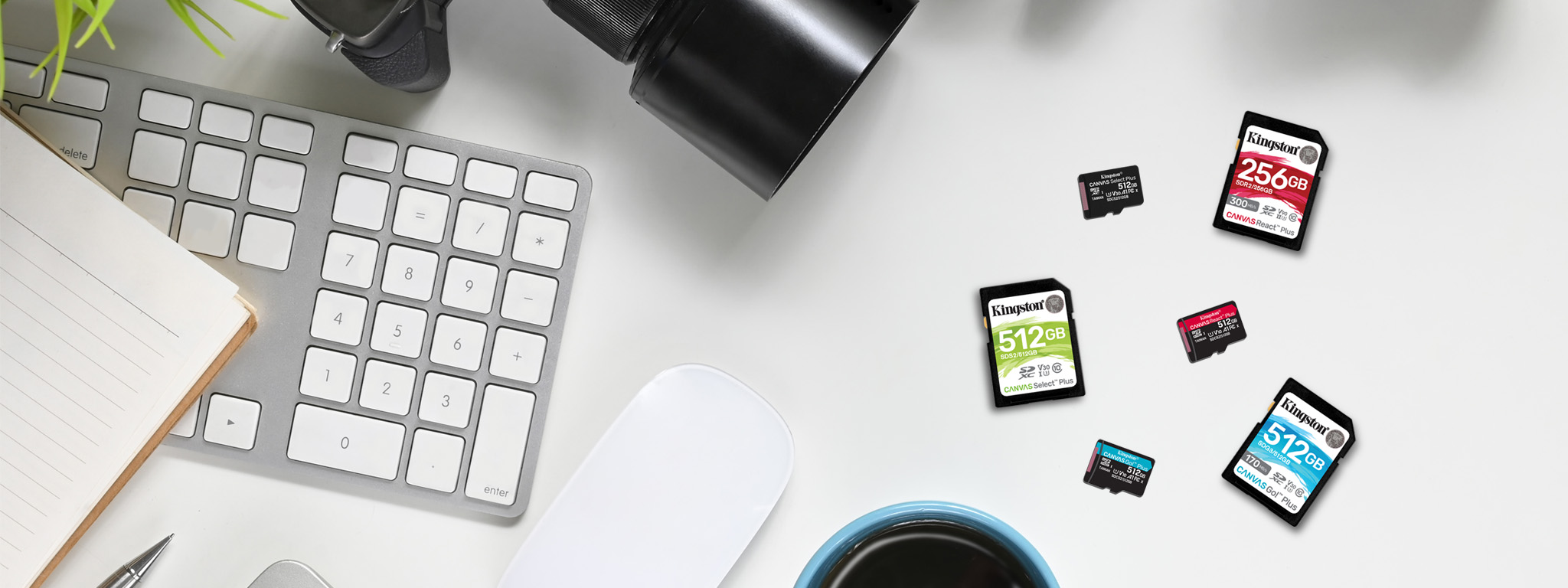
Purchasing micro SD cards from reputable brands (e.g., SanDisk, Samsung, Kingston, Lexar) and authorized retailers is crucial. The market is unfortunately rife with counterfeit cards that falsely advertise higher capacities or speeds than they actually possess. These fake cards can lead to data loss, corrupted files, and unreliable performance. Always verify authenticity if purchasing from less-known sources.
Maintenance and Longevity Tips
While micro SD cards are designed for durability, proper handling and maintenance can significantly extend their lifespan and ensure the integrity of your stored data.
Proper Ejection and Insertion
Always ensure your device is powered off or that the card is safely ejected through the operating system’s menu before physically removing it. Abrupt removal can corrupt the card’s file system or lead to data loss. Similarly, insert the card carefully and correctly into the slot to avoid damaging the pins or the card itself.
Avoiding Extreme Conditions
Though resistant, prolonged exposure to extreme temperatures, direct sunlight, or strong magnetic fields can degrade a micro SD card over time. Store spare cards in protective cases and keep devices containing them within recommended operating environments to maximize their longevity.
Regular Backups and Data Management
No storage device is infallible. Regularly backing up critical data from your micro SD card to a computer, cloud storage, or an external hard drive is the single most important practice to prevent permanent data loss. Periodically review and delete unnecessary files to free up space and maintain card performance.
Formatting Best Practices
When a micro SD card starts to show signs of slowdown or error, or when moving it to a new device, a full format can often resolve issues. Always format the card using the device it will primarily be used in, as this optimizes the file system for that specific device. Avoid frequent, unnecessary formatting, as each format contributes to wear on the flash memory, albeit minimally.
The micro SD card, despite its humble size, remains a cornerstone of the digital world, embodying efficiency and versatility. By understanding its technical specifications, diverse applications, and best practices for selection and care, users can harness its full potential to expand their digital horizons and ensure their data remains secure and accessible.
aViewFromTheCave is a participant in the Amazon Services LLC Associates Program, an affiliate advertising program designed to provide a means for sites to earn advertising fees by advertising and linking to Amazon.com. Amazon, the Amazon logo, AmazonSupply, and the AmazonSupply logo are trademarks of Amazon.com, Inc. or its affiliates. As an Amazon Associate we earn affiliate commissions from qualifying purchases.