
In the landscape of modern software development, automation is the engine of efficiency. At the heart of this automation lies the “loop,” a fundamental programming construct that allows developers to execute a block of code repeatedly. Among the various types of loops, the Python for loop stands out as one of the most versatile, readable, and powerful tools in a programmer’s arsenal.
Python, known for its “batteries-included” philosophy and clean syntax, treats the for loop differently than many C-style languages. Instead of relying solely on a counter and a condition, Python’s for loop is designed to iterate over items in any sequence—be it a list, a string, a dictionary, or even a connection to a database. This guide explores the mechanics, applications, and optimization techniques of the for loop, providing a professional roadmap for mastering iteration in Python.
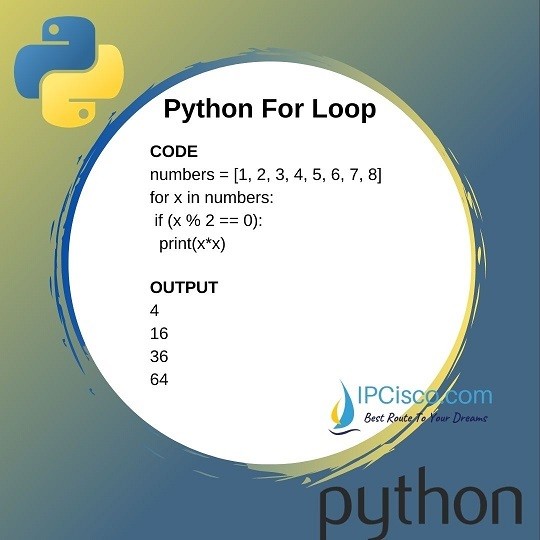
1. Understanding the Mechanics: The Anatomy of a Python For Loop
Before diving into complex scripts, one must understand the structural logic that makes Python iteration unique. Unlike a “while loop,” which runs as long as a condition is true, a “for loop” is generally used when the number of iterations is known or defined by the size of a data collection.
The Iterable Object
In Python, a for loop operates on an “iterable.” An iterable is any object capable of returning its members one at a time. Common examples include lists, tuples, and strings. When the loop starts, Python internally calls an iterator on the collection, tracking the current position and moving to the next element until the sequence is exhausted. This abstraction allows developers to focus on the logic within the loop rather than the manual management of indices.
The Loop Variable and Body
The syntax for item in sequence: introduces a “loop variable” (item). During each pass through the loop, this variable takes the value of the current element in the sequence. The “body” of the loop is the indented block of code that follows the colon. This is where the actual work happens—whether it is calculating a value, transforming data, or triggering an external API call.
Indentation and Syntax
Python’s reliance on whitespace is nowhere more critical than in loops. The indentation defines the scope of the loop. If a line of code is not indented, it is considered outside the loop and will only execute once the iteration is complete. This design choice prevents the “dangling else” or scope confusion common in languages that use curly braces, promoting highly readable and maintainable codebases.
2. Practical Applications: Iterating Through Data Structures
The true power of the for loop is realized when it interacts with Python’s robust data structures. Handling data efficiently is a core requirement in software engineering, and the for loop is the primary tool for this task.
Traversing Lists and Tuples
Lists are the bread and butter of Python data storage. A for loop allows a developer to perform an action on every element in a list effortlessly. For instance, in a software application that manages user permissions, a loop might iterate through a list of “user objects” to check if each has been verified. The simplicity of for user in user_list: makes the intent of the code immediately clear to anyone reading it.
Navigating Dictionaries and Sets
Dictionaries, which store data in key-value pairs, require a slightly more nuanced approach. By default, a for loop iterates over the keys. However, Python provides methods like .values() and .items() to allow direct access to the data or both the key and the value simultaneously. This is essential in tech roles such as backend development or data engineering, where mapping relationships between data points is a daily requirement.
String Manipulation via Loops
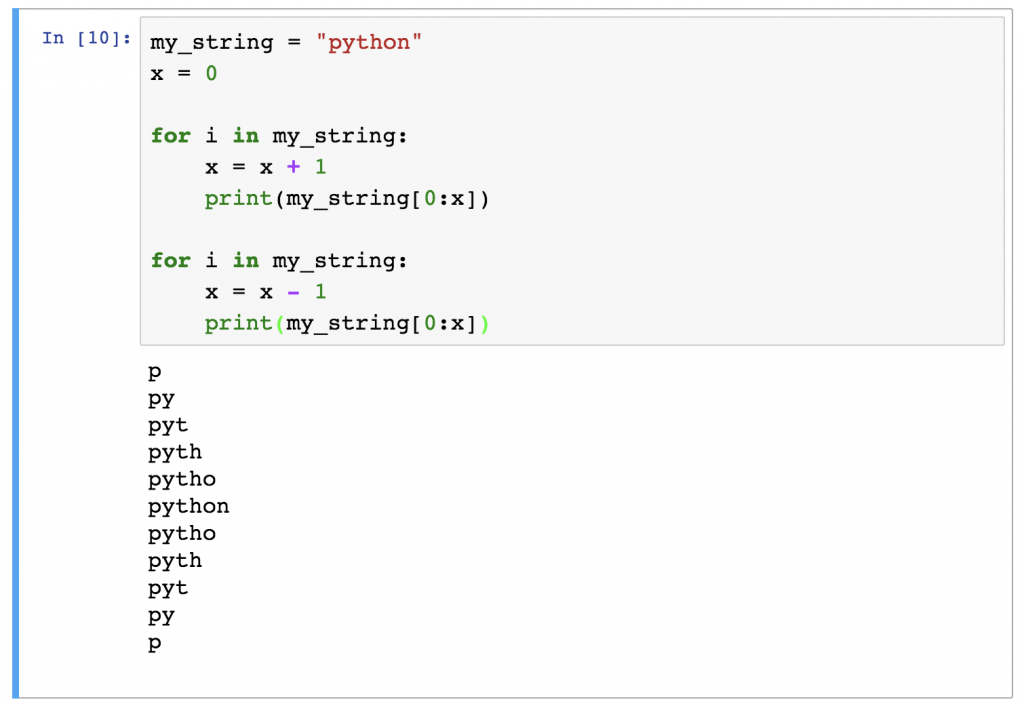
In Python, strings are sequences of characters. Iterating over a string allows developers to perform character-level analysis, such as filtering out special characters for digital security or parsing a specific file format. This capability is foundational for building text processing tools, search engines, and natural language processing (NLP) scripts.
3. Advanced Control Flow: The Range() Function and Nested Loops
As projects grow in complexity, basic iteration often needs more control. Python provides several built-in functions and keywords to refine how loops behave.
Mastering the range() Function
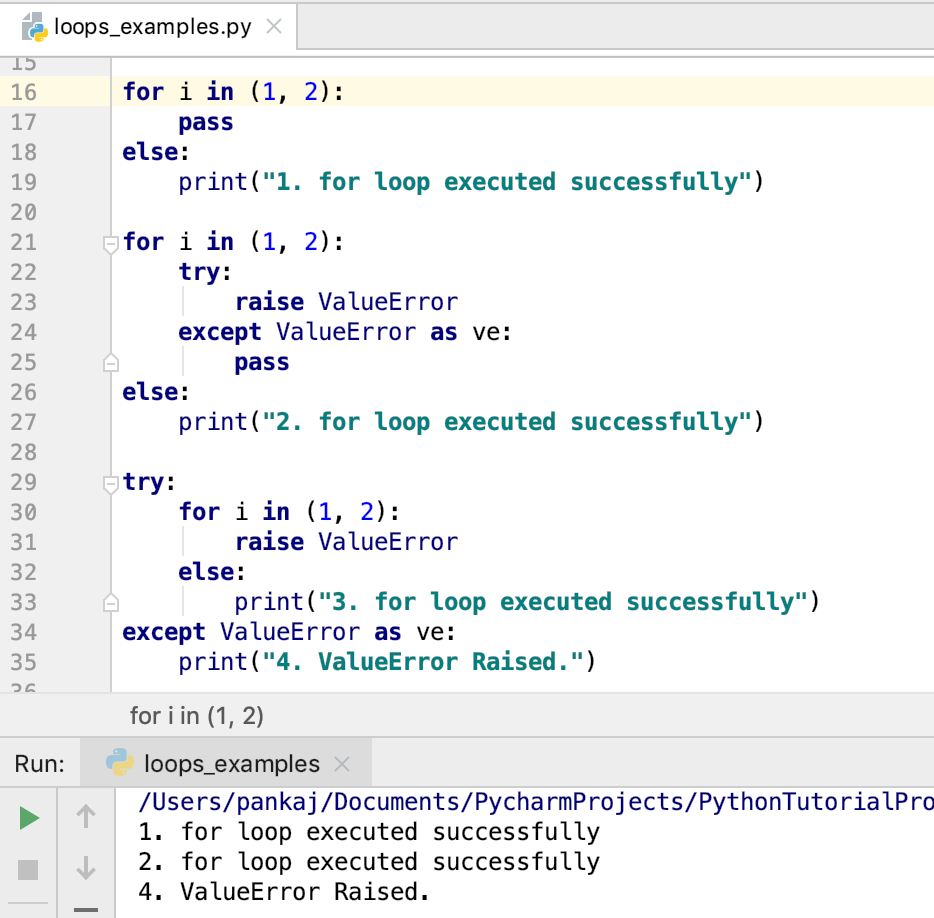
When you need to execute a loop a specific number of times—rather than iterating over an existing list—the range() function is the standard tool. It generates a sequence of numbers (e.g., range(0, 10)) without storing them all in memory at once, which is a significant win for performance. Professional developers use range() for tasks like generating dummy data, creating mathematical sequences, or controlling hardware-level timing in IoT gadgets.
The Complexity of Nested For Loops
A nested loop is a loop inside another loop. This is commonly used to work with multi-dimensional data, such as a grid in a video game or a matrix in a machine learning model. However, developers must use caution: nested loops increase computational complexity (often resulting in O(n²) time complexity). Understanding when to use a nested loop—and when to replace it with a more efficient algorithm—is a hallmark of a senior software engineer.
Loop Control Statements: Break and Continue
Sometimes, you need to exit a loop early or skip specific iterations.
- Break: Immediately terminates the loop. This is useful when searching for a specific item in a large dataset; once found, there is no need to keep looking.
- Continue: Skips the remaining code in the current iteration and jumps to the next one. This is ideal for “filtering” data on the fly—for example, skipping over “null” values in a database export.
4. Optimization and Best Practices: Beyond the Basic Loop
In the tech industry, “working code” is not enough; the code must also be “Pythonic” and efficient. As datasets scale into the millions of rows, the way you write your for loops can have a dramatic impact on application latency.
The Power of List Comprehensions
Python offers a more concise way to create lists based on existing iterables: list comprehensions. Instead of writing a four-line for loop to square a list of numbers, a developer can do it in one line: [x**2 for x in numbers]. This is not just syntactic sugar; list comprehensions are often faster than traditional for loops because they are optimized at the C-level within the Python interpreter.
Using Enumerate and Zip for Cleaner Code
A common mistake among beginners is using a counter variable to track the index of an item. Instead, Pythonic code uses enumerate(), which returns both the index and the item. Similarly, when you need to iterate over two lists in parallel, the zip() function is the professional choice. These tools reduce the likelihood of “off-by-one” errors and improve code legibility.
Memory Efficiency and Generator Expressions
For massive datasets, such as those found in cloud computing or big data analytics, storing a full list in memory is impossible. Generator expressions (similar to list comprehensions but using parentheses) allow for “lazy evaluation.” They produce items one at a time only when requested, drastically reducing the RAM footprint of an application.
5. The Role of For Loops in Modern Software Engineering and AI
The for loop is not just a syntax exercise; it is the backbone of the most advanced technologies today. From simple automation to the training of neural networks, the concept of iteration is omnipresent.
Automation and Scripting
System administrators and DevOps engineers use Python for loops to automate repetitive tasks. Whether it is deploying software across hundreds of servers, renaming thousands of files, or scraping technical data from websites, the for loop provides a structured way to handle bulk operations. By looping through a list of IP addresses, a script can perform security audits on an entire network in seconds.
Data Processing for Machine Learning
In the realm of Artificial Intelligence, data is the fuel. For loops are used to preprocess this data—normalizing values, removing outliers, and formatting inputs for AI models. While libraries like NumPy and Pandas often vectorize these operations for speed, the logic of the for loop remains the conceptual foundation. Understanding how data flows through iterative structures allows AI engineers to debug complex training loops and optimize the performance of their tools.
Digital Security and Testing
In digital security, for loops are used to run automated penetration tests or to iterate through password hashes (in authorized security contexts). In software testing, “unit tests” often use loops to run a single function against a wide array of possible inputs to ensure that the app does not crash under edge-case conditions.
Conclusion
The Python for loop is a testament to the language’s commitment to simplicity and power. By abstracting the complexities of iteration, it allows developers to focus on solving problems rather than managing memory or indices. From the basic traversal of a list to the high-performance optimization of list comprehensions, mastering the for loop is an essential milestone for any tech professional. As you continue to build tools, apps, and AI-driven solutions, the humble for loop will remain your most reliable companion in navigating the logic of the digital age.
aViewFromTheCave is a participant in the Amazon Services LLC Associates Program, an affiliate advertising program designed to provide a means for sites to earn advertising fees by advertising and linking to Amazon.com. Amazon, the Amazon logo, AmazonSupply, and the AmazonSupply logo are trademarks of Amazon.com, Inc. or its affiliates. As an Amazon Associate we earn affiliate commissions from qualifying purchases.