
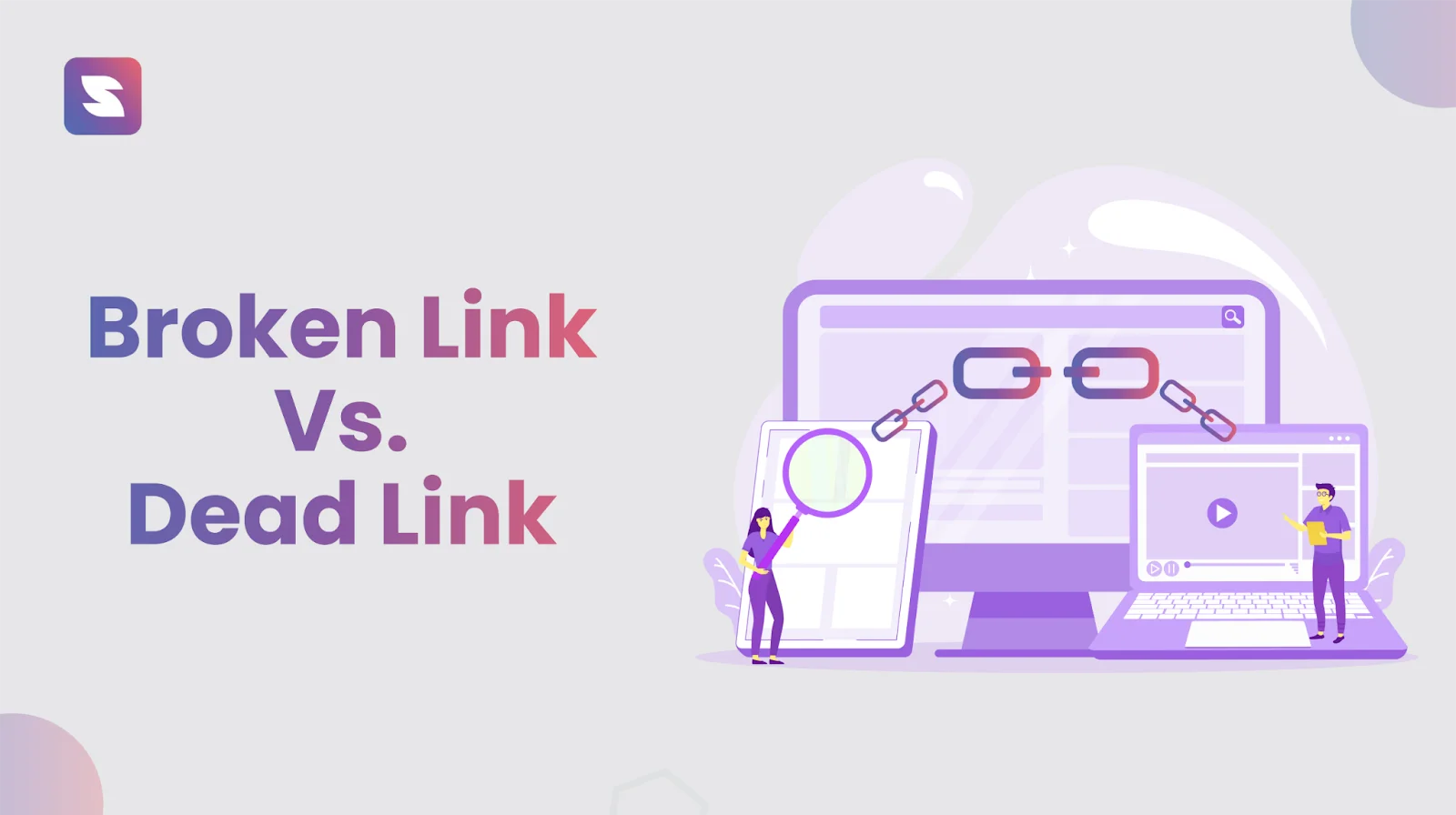
In the vast and interconnected landscape of the internet, a dead link, also known as a broken link or a dead hyperlink, represents a frustrating yet common phenomenon. It’s a digital signpost that points to a destination that no longer exists, has moved, or is otherwise inaccessible. For users, encountering a dead link is akin to hitting a brick wall while navigating a website – it disrupts the flow, impedes information retrieval, and can lead to a sense of disappointment or even distrust. For website owners and administrators, dead links are more than just a minor inconvenience; they represent potential lost traffic, damaged search engine rankings, and a degraded user experience. Understanding what constitutes a dead link, why they occur, and how to effectively manage them is a crucial aspect of maintaining a healthy and functional online presence.

The Anatomy of a Broken Connection
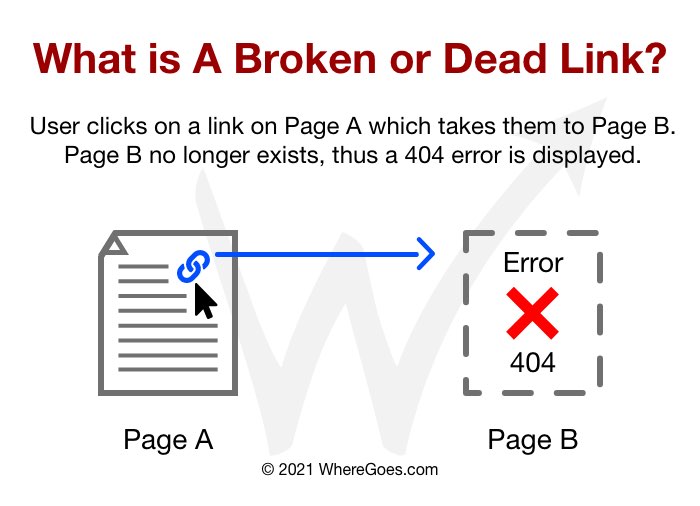
At its core, a dead link is a hyperlink that, when clicked, fails to resolve to its intended destination. This failure manifests in various ways, each with its own technical underpinnings. The Uniform Resource Locator (URL) is the address that a hyperlink uses to locate a resource on the internet. When this address is no longer valid or the resource it points to is unavailable, the link becomes “dead.”
Types of Dead Links and Their Error Messages
When a user encounters a dead link, their browser typically returns an error message. These messages, while often cryptic to the uninitiated, provide clues about the nature of the problem.
HTTP Status Codes: The Silent Communicators
The Hypertext Transfer Protocol (HTTP) is the foundation of data communication on the World Wide Web. When a browser requests a resource from a server, the server responds with an HTTP status code. These codes are numerical and indicate the outcome of the request. Several of these codes signal a dead link scenario:
-
404 Not Found: This is the most common and widely recognized error associated with dead links. It signifies that the server could not find the requested resource at the specified URL. This could be due to a typo in the URL, the page being deleted, or the file being moved without a redirect. The “404 page” itself has become a cultural phenomenon on the web, with many websites creating custom, often humorous, 404 error pages to mitigate user frustration.
-
403 Forbidden: While not strictly a “not found” error, a 403 Forbidden error indicates that the user does not have permission to access the requested resource. This can occur if a file is protected by access controls, or if a server configuration prevents direct access. From a user’s perspective, it’s a dead end because they cannot proceed.
-
410 Gone: This status code is less common than 404 but more definitive. It indicates that the requested resource has been permanently removed and will not be available again. This is a more explicit signal of a dead link than a 404, which might imply a temporary issue.
-
5xx Server Errors (e.g., 500 Internal Server Error, 503 Service Unavailable): These errors indicate problems on the server side, rather than an issue with the URL itself. While the link might be technically correct, the server is unable to fulfill the request. This could be due to server overload, maintenance, or software bugs. From a user’s perspective, these also represent a broken connection, even if the underlying URL is valid.
Beyond HTTP Errors: Other Forms of Dead Links
Not all dead links manifest with a direct HTTP error. Some failures are more subtle.
-
Moved Content Without Redirect: A website owner might move a page to a new URL, delete it, or change its structure. If they fail to implement a server-side redirect (like a 301 redirect) from the old URL to the new one, any links pointing to the old URL will effectively become dead. Even if the content is still available elsewhere, the original link will break.
-
Deleted External Resources: Many websites link to external resources, such as images, videos, or documents hosted on other servers. If the owner of the external resource deletes it or makes it private, any links pointing to it will break for the linking website’s users.
-
Expired Domains or Hosting: If a website’s domain name expires or its hosting account is terminated, all links pointing to that website will become permanently dead.
The Root Causes of Link Rot
Link rot, the gradual decay of hyperlinks, is an inevitable consequence of the dynamic nature of the internet. Websites are constantly updated, content is moved or deleted, and online services can cease to exist. Understanding the common causes of link rot is the first step in mitigating its impact.
Content Management and Website Evolution
The most frequent culprits behind dead links are often related to how websites are managed and evolve over time.
-
Page Deletion or Renaming: When content creators update their websites, they might delete old articles, rename pages for better SEO, or reorganize their site structure. If these changes are not managed carefully, existing internal and external links can quickly become obsolete. For instance, renaming a product page from “blue-widgets” to “premium-blue-widgets” without updating all instances of the old URL will break those links.
-
Website Redesigns and Migrations: Major website redesigns or migrations to new platforms can fundamentally alter URL structures. Without a comprehensive plan to implement redirects for all old URLs, a significant number of links can break. This is particularly problematic for older, established websites with a large volume of content.
-
Content Archiving and Updates: As content ages, it may be archived or updated. If archived content is moved to a different section of the website or removed from direct public access, links pointing to it will fail. Similarly, if a resource is updated, the old URL might be replaced without a proper redirect, leading to broken links.
External Factors Beyond Website Control
While website management plays a significant role, external factors also contribute to link rot.
-
Third-Party Content Changes: Websites often embed or link to content from other sources, such as YouTube videos, social media posts, or external articles. If the original source removes the content, changes its embed code, or makes it private, the links on the referencing website will break.
-
Link Decay of External Websites: Websites themselves can go offline, change their domain names, or simply cease to exist. When this happens, any links pointing to those now-defunct websites become dead. This is a common issue with links to older blogs, news articles, or niche forums.
-
URL Typos and Errors: Human error is a perennial source of broken links. Typos in URLs when manually creating links, or incorrect copy-pasting, can lead to incorrect addresses that point nowhere. While seemingly simple, these can be surprisingly prevalent.
The Consequences of Ignoring Dead Links
The presence of dead links on a website is not merely an aesthetic issue; it carries significant negative consequences for both users and the website owner’s digital footprint.
Impact on User Experience and Credibility
For the end-user, encountering a dead link is a jarring and unpleasant experience.
-
Frustration and Abandonment: Imagine navigating a website with a clear purpose, only to be repeatedly met with “404 Not Found” errors. This is a recipe for user frustration. Users are likely to abandon the site in search of the information elsewhere, especially if the dead links are frequent. This translates to lost opportunities for engagement, sales, or information dissemination.
-
Damaged Credibility and Trust: A website riddled with dead links can appear unmaintained, unprofessional, and untrustworthy. It suggests a lack of attention to detail and a disregard for the user’s experience. This can erode credibility and make users hesitant to engage with the site’s content or services. If a company’s website has many broken links, it can project an image of inefficiency or neglect, which can spill over into perceptions of their products or services.
Detrimental Effects on SEO and Online Visibility
Search engines like Google consider user experience and website quality when determining search rankings. Dead links can significantly harm a website’s search engine optimization (SEO).
-
Crawling Inefficiencies: Search engine bots (crawlers) regularly scan websites to index their content. When a crawler encounters a dead link, it wastes valuable time and resources trying to access a non-existent page. Excessive crawling of broken links can signal to search engines that the website is not well-maintained, potentially leading to reduced crawling frequency for other pages.
-
Reduced PageRank and Authority: PageRank is an algorithm used by Google to measure the importance of web pages. It’s based on the idea that more important websites are likely to receive more links from other websites. When a website has many internal dead links, it can disrupt the flow of “link juice” or authority that is passed between pages. This can dilute the perceived authority of the website as a whole. Furthermore, if external websites link to your website and those links become dead due to your content being moved or deleted without redirects, those valuable backlinks are lost, further impacting your SEO.
-
Lowered Search Engine Rankings: Ultimately, the combination of poor user experience, crawling inefficiencies, and lost link equity can lead to lower search engine rankings. Websites with a high number of dead links are less likely to rank well for relevant keywords, making them harder for potential visitors to find.
Lost Opportunities and Revenue
For businesses and e-commerce sites, dead links can have a direct financial impact.
-
Lost Sales and Conversions: In e-commerce, a dead link on a product page, a “buy now” button, or a checkout link directly prevents a customer from making a purchase. This represents immediate lost revenue. Similarly, for lead generation sites, a broken link on a contact form or a call-to-action can mean a missed opportunity to acquire a new customer.
-
Wasted Marketing Efforts: If marketing campaigns drive traffic to a website that has dead links on key landing pages, those marketing efforts are essentially wasted. The money spent on advertising or promotion is unlikely to yield the desired results if users are met with broken pathways upon arrival.
Strategies for Detecting and Fixing Dead Links
Proactively identifying and resolving dead links is an essential part of website maintenance. Fortunately, a variety of tools and strategies are available to assist in this process.
Leveraging Online Tools and Software
A range of specialized tools can automate the process of checking for broken links.
-
Website Crawler Tools: Tools like Screaming Frog SEO Spider, Ahrefs Site Audit, SEMrush Site Audit, and Moz Pro continuously crawl your website and identify broken links, along with other technical SEO issues. These tools provide detailed reports that pinpoint the exact URLs containing the dead links and the pages from which they originate.
-
Browser Extensions: Various browser extensions, such as Check My Links for Chrome, can quickly scan the current webpage for broken links. While useful for quick spot-checks, they are not a substitute for comprehensive website auditing tools.
-
Google Search Console: Google Search Console is a free service offered by Google that helps you monitor your site’s performance in Google Search. It can alert you to “Crawl Errors,” which often include 404 errors, indicating that Googlebot encountered a broken link when trying to access your site.
Implementing a Proactive Link Management Workflow
Beyond automated tools, establishing a regular workflow for link management is crucial.
-
Regular Website Audits: Schedule regular, in-depth website audits using crawling tools. Aim for monthly or quarterly audits, depending on the size and dynamism of your website. This ensures that new broken links are caught and addressed promptly.
-
Link Monitoring During Content Creation: Make link checking a standard part of your content creation and publishing process. Before publishing a new article or updating existing content, ensure all internal and external links are valid.
-
Utilizing Redirects: When moving or deleting content, always implement appropriate redirects. A 301 redirect is a permanent redirect that tells search engines and browsers that a page has permanently moved to a new location. This preserves SEO value and ensures users are seamlessly directed to the correct content.
-
Monitoring External Links: For links pointing to external resources, periodically check their validity. If an external link breaks, consider finding an alternative, updating the content, or removing the link if it’s no longer relevant.
By understanding the nature of dead links, their causes, and their consequences, website owners can take informed steps to ensure a more robust, user-friendly, and search-engine-optimized online presence. Proactive detection and diligent remediation of dead links are not just technical best practices; they are fundamental to building and maintaining a successful digital experience.
aViewFromTheCave is a participant in the Amazon Services LLC Associates Program, an affiliate advertising program designed to provide a means for sites to earn advertising fees by advertising and linking to Amazon.com. Amazon, the Amazon logo, AmazonSupply, and the AmazonSupply logo are trademarks of Amazon.com, Inc. or its affiliates. As an Amazon Associate we earn affiliate commissions from qualifying purchases.