
In the vast and ever-evolving landscape of digital information, documentation is paramount. From software manuals to intricate technical guides, the way we access and interact with help content has undergone significant transformations. Amidst the myriad of formats—PDFs, web pages, ePubs, and more—one particular file type occasionally resurfaces in the modern tech discourse, a relic from a slightly different era: the CHM file. Standing for “Compiled HTML Help,” this format, primarily associated with Microsoft Windows, served as a cornerstone for software documentation for many years. While it may no longer dominate the scene, understanding what a CHM file is, its historical significance, underlying technology, and its place in today’s digital world offers valuable insights into the ongoing journey of information dissemination and user experience design.
This article delves deep into the CHM file, exploring its technical architecture, the advantages that once made it indispensable, the limitations that paved the way for its decline, and how it continues to exist in specific niches. We’ll also examine the broader implications for businesses and individuals, touching upon its impact on brand perception, digital security, and the strategic choices involved in modern documentation.
Unveiling the CHM: A Technical Deep Dive into Microsoft’s Compiled HTML Help
At its core, a CHM file is a proprietary online help format developed by Microsoft, introduced in 1997 as a successor to the WinHelp format. Think of it as a mini-website, complete with all its pages, images, and navigation, compressed into a single, self-contained file. This design was revolutionary for its time, offering a portable and efficient way to distribute comprehensive help documentation alongside software applications.
Anatomy of a CHM: More Than Just a Help File
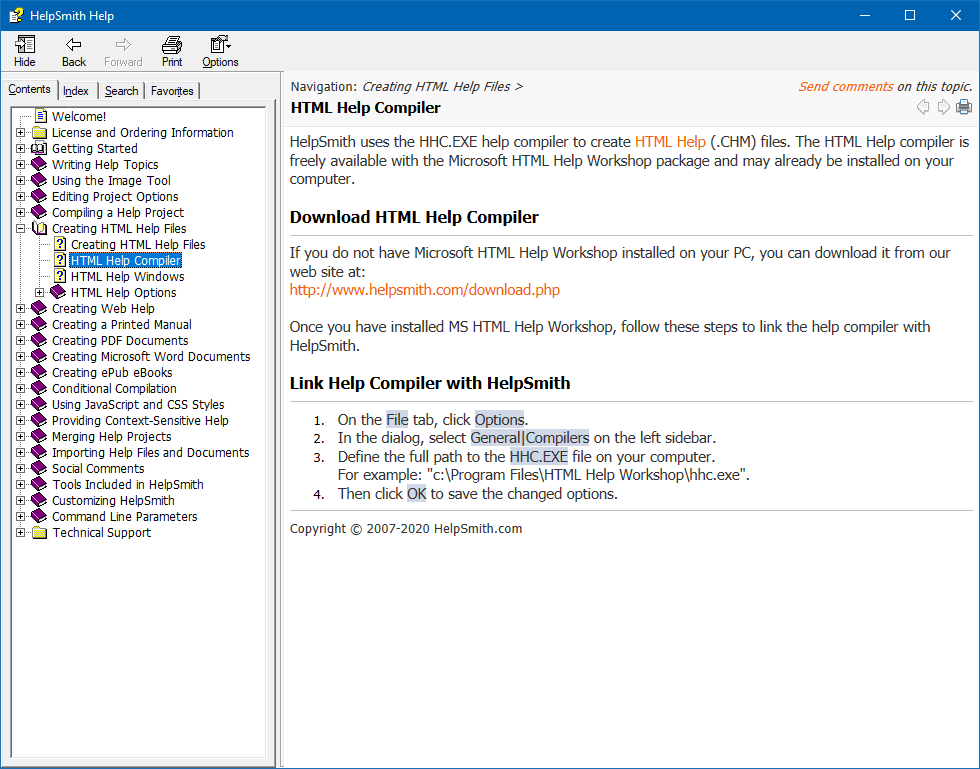
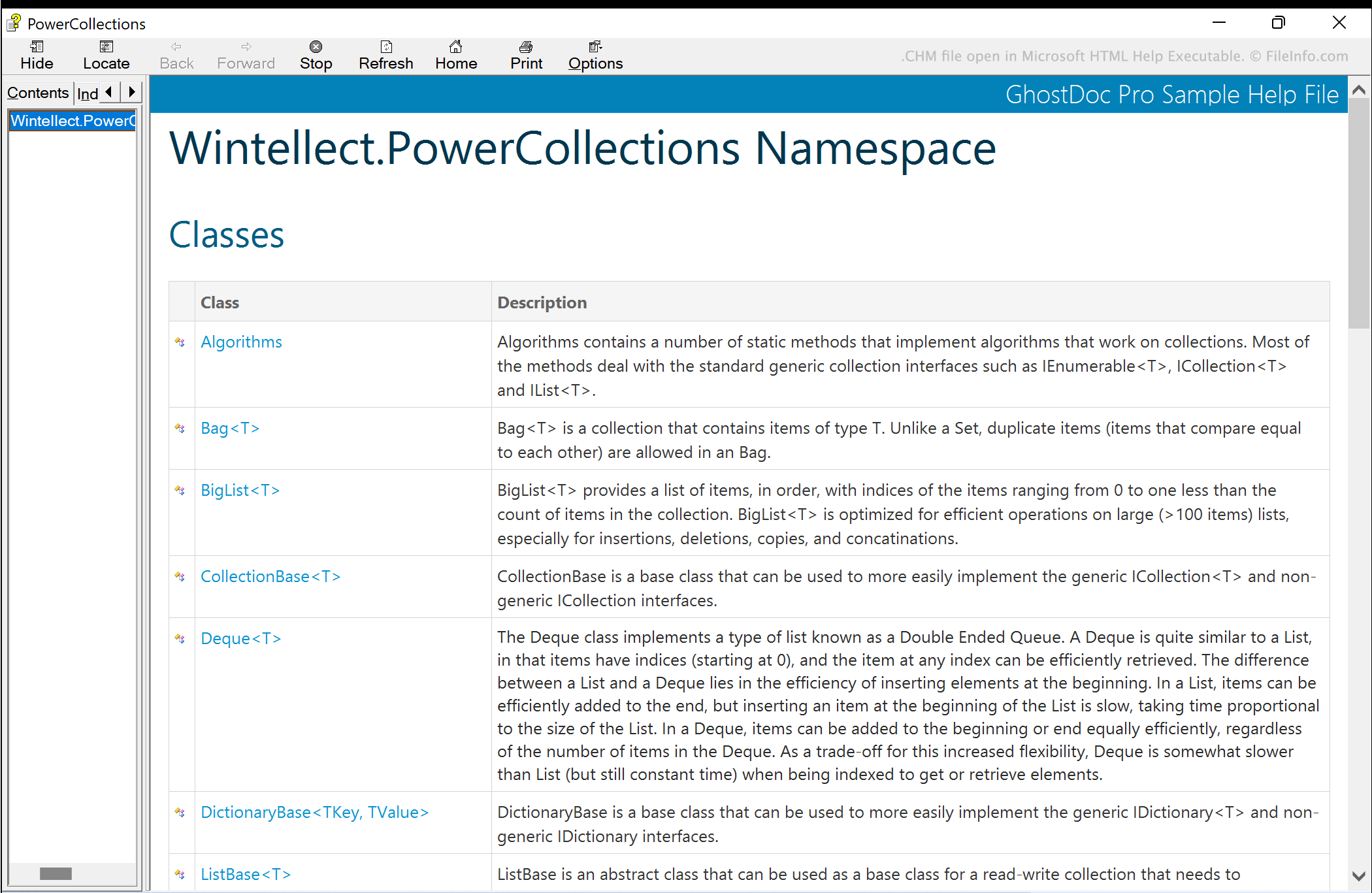
The genius of the CHM format lies in its internal structure. It’s not simply a static document; it’s a dynamic compilation of several web technologies and proprietary features packaged for local viewing. When you open a CHM file, you’re interacting with a small, embedded HTML browser engine, typically part of the hh.exe (HTML Help Executable) viewer in Windows.
Key components encapsulated within a CHM file include:
- HTML Pages: The primary content of a CHM file is authored in HTML, allowing for rich text formatting, hyperlinks, images, and even simple scripting, much like a standard web page. This made it familiar for content creators already using web authoring tools.
- Cascading Style Sheets (CSS): To ensure consistent branding and presentation across different help topics, CSS files are often embedded, controlling fonts, colors, layouts, and other visual elements. This was crucial for maintaining a corporate identity within documentation.
- Images and Multimedia: Screenshots, diagrams, and other graphical assets (like GIFs, JPEGs, PNGs) are compressed and stored within the CHM file, alongside the HTML content they illustrate. While modern multimedia support is limited, simple animations or embedded objects could sometimes be found.
- Table of Contents (TOC): A hierarchical navigation structure, typically displayed in a left-hand pane, allows users to browse topics logically. This is defined by a separate content file, often an HHC (HTML Help Contents) file, which lists the HTML pages and their nesting.
- Index: An alphabetical list of keywords and phrases, linked to relevant topics, enabling quick access to specific information. This functionality is defined by an HHK (HTML Help Index) file.
- Full-Text Search: One of the most powerful features of CHM was its ability to perform fast, full-text searches across all compiled content, even on large documentation sets. This was achieved through an internal search engine index, crucial for user productivity.
- Scripts and Active Content: Earlier versions of CHM could support client-side scripting (like JavaScript) and even ActiveX controls. While offering functionality, this also became a source of significant security vulnerabilities, leading to stricter controls and often disabling these features by default in later Windows versions.
How CHM Files Work: Compression and Local Access
The process of creating a CHM file involves “compiling” all these disparate web assets and navigational data into a single, highly compressed .chm binary file. Microsoft’s HTML Help Workshop, a free tool, was the primary compiler. This compression was a significant advantage, allowing large volumes of documentation to be distributed efficiently, often fitting on floppy disks in the early days or as small downloads later.
When a user opens a CHM file, the Windows operating system uses its built-in HTML Help Viewer (hh.exe) to decompress and display the content on the fly. Because the entire documentation is local, access is instantaneous and doesn’t require an internet connection, making it ideal for offline use cases or environments with limited connectivity. This local rendering also meant that the user experience was consistent, unaffected by network latency or server issues, a major plus for software companies ensuring their users always had access to help.
The Era of CHM: Why It Became a Documentation Standard (and Its Limitations)
For over a decade, CHM files were the go-to format for software help and technical documentation, particularly within the Windows ecosystem. Its design addressed many pain points of previous formats and offered robust features that significantly improved the user experience.
Advantages That Propelled CHM’s Popularity
- Compactness and Efficiency: The high compression ratio allowed developers to include extensive documentation without significantly increasing the software’s footprint. This was a critical factor in an era of slower internet speeds and limited storage.
- Offline Accessibility: Crucially, once downloaded, a CHM file is entirely self-contained. Users could access comprehensive help manuals anytime, anywhere, without an internet connection. This was invaluable for field service, remote work, or simply users in areas with unreliable internet.
- Integrated Search and Navigation: The built-in Table of Contents, Index, and powerful full-text search capabilities offered a highly organized and efficient way for users to find information quickly. This enhanced user productivity and reduced the burden on customer support.
- Familiar User Interface: The HTML-based content within a browser-like interface was intuitive for users already accustomed to web browsing, making the help content easy to consume.
- Seamless Software Integration: CHM files could be easily invoked by applications, often with context-sensitive help. Pressing F1 in a software application would open the relevant CHM topic directly, offering a tightly integrated user experience that felt professional and well-engineered.
- Security Sandbox (for its time): While later found to have vulnerabilities, the initial design aimed to isolate the help content, limiting its interaction with the underlying system, which was considered a security improvement over less controlled formats.
The Growing Pains: Disadvantages and Challenges
Despite its strengths, the CHM format began to show its age and limitations as technology evolved, leading to a gradual decline in its widespread adoption.
- Windows-Centricity: Its biggest strength was also its greatest weakness. CHM is fundamentally a Windows format. Viewing it natively on macOS, Linux, or mobile operating systems requires third-party viewers or conversion, hindering cross-platform accessibility—a critical requirement in today’s multi-device world.
- Security Vulnerabilities: As web technologies advanced, the embedded HTML engine became a potential attack vector. Scripting capabilities and ActiveX controls, if not properly secured, could be exploited to run malicious code. Microsoft implemented stricter security measures, often blocking content from files downloaded from the internet, which ironically made legitimate CHM files harder to use for some users. This raised concerns for digital security teams.
- Outdated Aesthetics and Limited Interactivity: The visual design capabilities were constrained by older HTML standards. Modern web-based documentation offers richer interactivity, animations, embedded videos, and responsive designs that CHM files simply cannot match, impacting a brand’s corporate identity and user experience.
- Maintenance and Authoring: Creating and maintaining CHM files, especially large ones, could be cumbersome. The HTML Help Workshop tool itself became outdated, and integrating it into modern documentation workflows (e.g., source control, continuous integration) was challenging.
- Mobile Incompatibility: With the rise of smartphones and tablets, the fixed-width, desktop-oriented layout of CHM files rendered them practically unusable on mobile devices, alienating a significant portion of the modern user base.
- Lack of SEO for Online Presence: Unlike web-based knowledge bases, CHM files offer no inherent search engine optimization (SEO) benefits, meaning companies couldn’t leverage their documentation to attract users through organic search—a missed marketing opportunity.
Navigating and Managing CHM Files: Practical Aspects for Users and Developers
Even with its decline, CHM files persist in certain contexts, particularly with legacy software or specific regulatory requirements. Understanding how to interact with them remains a practical skill for many tech professionals.
Opening and Viewing CHM Files
On Windows, opening a CHM file is typically straightforward: simply double-click it. The operating system will launch the HTML Help Viewer (hh.exe), displaying the content. However, users occasionally encounter issues:
- “Blocked Content” Warning: When a CHM file is downloaded from the internet, Windows security features may block its content to prevent potential exploits. To resolve this, right-click the CHM file, go to “Properties,” and check the “Unblock” box at the bottom of the “General” tab. This simple step is often overlooked but crucial for accessing the content.
- Network Drive Issues: CHM files sometimes fail to display correctly when accessed directly from a network share due to security restrictions. Copying the file to a local drive often resolves this.
- Third-Party Viewers: For non-Windows users (macOS, Linux) or those seeking alternative viewing experiences, several third-party applications can open CHM files. Examples include xCHM (Linux), iCHM (macOS), or universal document viewers that support the format.
Creating and Converting CHM Files
For developers and technical writers who still need to produce or manage CHM content, or transition away from it, specific tools are required:
- Microsoft HTML Help Workshop: This is the original, free, albeit dated, tool from Microsoft for compiling HTML files into a CHM. It provides an environment for defining the Table of Contents, Index, and project settings. While still functional, it lacks modern features and integration capabilities.
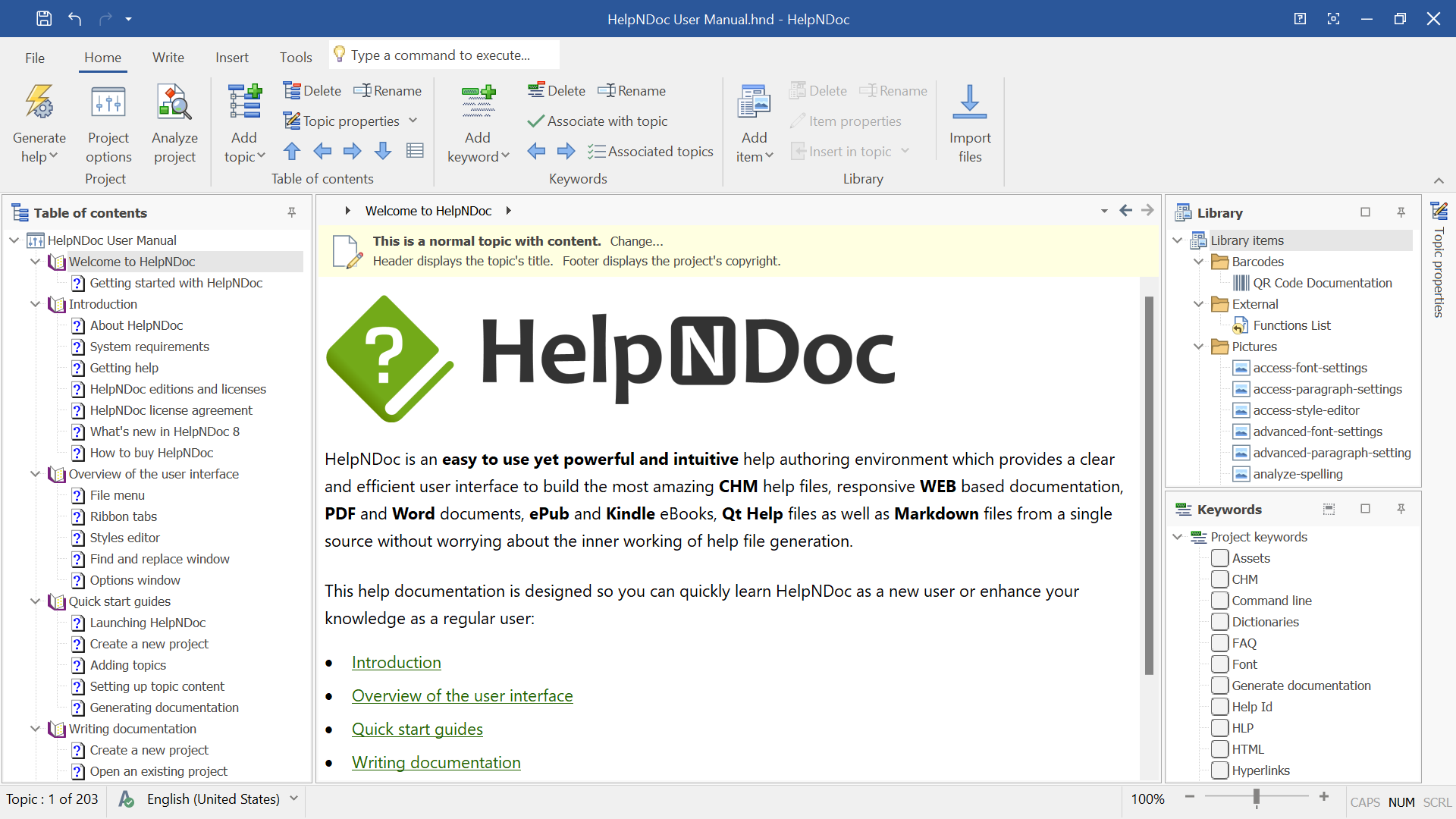
- Third-Party CHM Authoring Tools: Several commercial tools (e.g., Help & Manual, HelpNDoc, Dr.Explain) offer more sophisticated environments for creating help documentation, often supporting CHM as one of their output formats alongside modern options like web help or PDF. These tools streamline the authoring process, integrate with project management, and improve productivity.
- Converting CHM Files: To migrate content out of CHM or make it accessible on other platforms, conversion is often necessary. Tools exist to convert CHM to:
- PDF: For static, printable documentation.
- HTML/Web Help: To create online knowledge bases or standard websites.
- EPUB: For e-reader compatibility, offering better mobile accessibility than CHM.
- Markdown: For more modern, text-based documentation workflows that integrate with static site generators.
The Evolving Landscape of Digital Documentation: Beyond CHM
The world of digital documentation has moved significantly past the CHM file, driven by the need for cross-platform compatibility, enhanced user experience, and better integration with modern development and marketing workflows.
Modern Alternatives: Embracing Web-Based and Cross-Platform Solutions
Today, the standard for documentation is largely web-based, offering unparalleled flexibility and reach.
- Online Knowledge Bases and Web Help: Most software companies now host their documentation as part of their website, utilizing content management systems (CMS) or specialized documentation platforms. This allows for:
- Global Access: Available on any device with a web browser.
- Real-time Updates: Changes can be published instantly.
- Analytics: Track user engagement, popular topics, and search queries to continuously improve content.
- SEO Benefits: Documentation can rank in search engines, attracting new users and improving brand visibility.
- Rich Media Integration: Embedding videos, interactive diagrams, and live chat is seamless.
- Markdown-Based Documentation and Static Site Generators: For developers and open-source projects, Markdown combined with static site generators (like Jekyll, Hugo, Docusaurus, MkDocs) has become popular. This approach is lightweight, version-controllable (e.g., via Git), and allows documentation to live alongside code, supporting agile development and continuous delivery practices.
- PDF Documents: Still widely used for printable manuals, official guides, or fixed-layout content where precise formatting is crucial.
- EPUB and Mobile-Optimized Formats: For extensive reading or offline access on mobile devices, formats like EPUB provide a reflowable layout that adapts to different screen sizes.
- In-App Help and Tooltips: Modern applications often integrate help directly into the user interface through tooltips, guided tours, and contextual pop-ups, offering immediate assistance without needing to navigate a separate help file.
Strategic Documentation: Brand, User Experience, and Financial Implications
The choice of documentation format and strategy has far-reaching implications beyond mere technical compatibility. It directly impacts a brand’s corporate identity, the user experience, and ultimately, a business’s bottom line.
- Enhancing Brand Image and Corporate Identity: Modern, well-designed documentation that is easy to find, navigate, and consume reflects positively on a brand. A seamless user experience, whether through an intuitive online knowledge base or context-sensitive in-app help, reinforces a brand’s commitment to quality and user satisfaction. Conversely, outdated, inaccessible CHM files can make a product feel antiquated and detract from a modern brand image.
- User Experience (UX) and Productivity: Accessible and effective documentation is a cornerstone of good UX. When users can quickly find answers to their questions, their productivity increases, their frustration decreases, and their overall satisfaction with a product or service improves. This leads to higher user retention and positive word-of-mouth. The limitations of CHM files (e.g., poor mobile support, security warnings) can significantly degrade this experience.
- Reducing Support Costs: Comprehensive, easy-to-use documentation acts as a self-service support portal. By empowering users to resolve their issues independently, businesses can significantly reduce the volume of support tickets, decreasing operational costs associated with customer service teams. This has direct financial benefits and frees up support staff to handle more complex inquiries.
- Digital Security and Compliance: Choosing documentation platforms with robust security features is vital. Modern online platforms offer better security protocols, access controls, and auditing capabilities compared to the inherent vulnerabilities of older formats like CHM, especially when dealing with sensitive information. Compliance with various data protection regulations (e.g., GDPR, CCPA) is also easier to manage with modern, centrally controlled systems.
- Marketing and Sales Opportunities: Online documentation can become a powerful marketing tool. Well-indexed help content can attract organic search traffic, converting users seeking solutions into potential customers. Case studies embedded within documentation can showcase product value, and clear tutorials can help onboard new users, accelerating product adoption and indirectly boosting sales.
In conclusion, while the CHM file represents an important chapter in the history of digital documentation, its technical limitations and the rapid evolution of web and mobile technologies have largely relegated it to a legacy role. For businesses and individuals navigating the complexities of modern tech, the focus has shifted towards dynamic, accessible, and secure documentation solutions that not only inform but also enhance brand value, improve user experience, and contribute positively to financial outcomes. The journey from static help files to intelligent, interactive knowledge bases underscores the relentless pace of innovation in how we organize and consume information in the digital age.
aViewFromTheCave is a participant in the Amazon Services LLC Associates Program, an affiliate advertising program designed to provide a means for sites to earn advertising fees by advertising and linking to Amazon.com. Amazon, the Amazon logo, AmazonSupply, and the AmazonSupply logo are trademarks of Amazon.com, Inc. or its affiliates. As an Amazon Associate we earn affiliate commissions from qualifying purchases.