
In the rapidly evolving landscape of digital finance, mobile payment applications like Cash App have become indispensable tools for millions. They offer unparalleled convenience for sending, receiving, and managing money. However, this accessibility comes with an inherent need for robust security measures. At the heart of Cash App’s user protection mechanisms lies a seemingly simple yet profoundly important feature: the Cash Pin. Far more than just a sequence of numbers, the Cash Pin is a critical component of your digital security on the platform, acting as a gatekeeper to your funds and financial data.

This article delves deep into the technical and operational aspects of the Cash Pin within the Cash App ecosystem. We will explore its function as a digital security safeguard, how it integrates into the broader application architecture, and the essential steps users must take to effectively manage and leverage this feature to protect their financial well-being in the digital realm. Understanding the Cash Pin isn’t just about knowing how to set it; it’s about appreciating its role in the larger context of app security and personal data protection.
The Imperative of Digital Security in Peer-to-Peer Payment Apps
The rise of peer-to-peer (P2P) payment applications has transformed how individuals interact with money. These apps offer instant transfers, direct deposits, and often, integrated banking-like features, making them central to many users’ financial lives. Consequently, the digital security of these platforms is not merely a convenience but a fundamental requirement. Without stringent security protocols, the benefits of speed and accessibility would be overshadowed by the risks of fraud, unauthorized access, and financial loss.
Understanding the Threat Landscape for Mobile Payments
Mobile payment applications operate within a complex and constantly evolving threat landscape. Attack vectors range from sophisticated cyberattacks to simpler social engineering tactics. Users face risks such as:
-
Phishing and Smishing: Scammers attempting to trick users into revealing login credentials or PINs through deceptive emails or text messages.
-
Malware: Malicious software designed to intercept data, record keystrokes, or gain unauthorized access to a device.
-
Device Compromise: Lost or stolen smartphones, where unauthorized individuals might attempt to access financial apps if the device lacks adequate security.
-
Account Takeover (ATO): Attackers gaining control of a user’s account through stolen credentials, often bypassing single-factor authentication.
-
Insider Threats: Though less common, unauthorized access or data breaches originating from within the service provider itself.
Cash App, like other financial technology (fintech) platforms, employs a multi-layered security approach to mitigate these risks. This includes encryption for data in transit and at rest, fraud detection algorithms, identity verification processes, and user-facing security features like two-factor authentication (2FA) and, critically, the Cash Pin.
Cash App’s Security Architecture: A Layered Defense
Cash App’s robust security architecture is designed to protect users’ funds and personal information from various threats. This architecture isn’t a single solution but a combination of several technologies and protocols:
-
Data Encryption: All sensitive information, including transaction details and personal data, is encrypted both when it’s transmitted over networks (in transit) and when it’s stored on servers (at rest). This ensures that even if data is intercepted, it remains unreadable to unauthorized parties.
-
PCI DSS Compliance: Cash App adheres to Payment Card Industry Data Security Standard (PCI DSS) Level 1, the highest level of certification, ensuring that the handling of payment card data meets stringent security requirements.
-
Fraud Detection and Monitoring: Advanced algorithms continuously monitor transactions for unusual activity or suspicious patterns. This proactive system can flag and even block transactions that appear fraudulent, protecting users from unauthorized spending.
-
Multi-Factor Authentication (MFA): Beyond just a password or PIN, MFA adds extra layers of verification, such as a one-time code sent to a registered phone number or email, making it significantly harder for unauthorized users to gain access.
-
Identity Verification: To combat money laundering and comply with Know Your Customer (KYC) regulations, Cash App requires users to verify their identity, often involving linking a bank account and providing personal details.
Within this comprehensive security framework, the Cash Pin serves as a crucial, user-facing layer of protection, directly controlled and managed by the user to secure specific actions within the app.
Demystifying the Cash Pin: A Core Security Feature
The Cash Pin is an essential security mechanism integrated into the Cash App platform, designed to provide an additional layer of protection for user accounts and transactions. It functions as a personal identification number that users set up and use to authorize specific activities within the app.
What Exactly is a Cash Pin?
A Cash Pin, often referred to simply as a PIN, is a user-generated four-digit code that acts as a secondary authentication factor for certain high-security actions within the Cash App. Unlike a login password that grants initial access to the app, the Cash Pin is specifically used to confirm critical financial transactions and account changes after a user has already logged in. It’s akin to the PIN you use for your debit card at an ATM or point-of-sale terminal, but adapted for the digital environment of a mobile payment application.
The requirement to enter a Cash Pin before completing a transaction or making a sensitive account change ensures that even if an unauthorized individual gains access to a user’s unlocked phone or manages to log into their Cash App account (e.g., if their login credentials were stolen), they would still be blocked from making actual financial transfers or altering account settings without knowing the specific Cash Pin.
How the Cash Pin Safeguards Your Transactions
The primary role of the Cash Pin is to provide an immediate, user-controlled safeguard against unauthorized financial activity. Its application focuses on critical junctures within the app experience:
-
Sending Money: Before you can send money to another Cash App user, you will typically be prompted to enter your Cash Pin. This ensures that only the account owner can initiate payments.
-
Cashing Out: When transferring funds from your Cash App balance to a linked bank account, the Cash Pin acts as a necessary authorization step.
-
Changing Account Settings: Certain sensitive account changes, such as updating personal information or linked financial instruments, may also require PIN verification.
-
Cash Card Purchases (Optional): While the Cash Card has its own PIN for physical transactions, the app-based Cash Pin can sometimes be an additional layer for certain in-app Cash Card management functions.
By requiring a unique PIN for these actions, Cash App creates a strong barrier. Even if a user’s phone is lost or stolen, or if their login credentials are compromised through less secure means (like simple password reuse), the Cash Pin acts as a distinct, independent verification step that an attacker would likely not possess.
Pin vs. Biometrics: Layered Security Options
Cash App understands that different users have varying preferences and devices, offering multiple layers of security. In addition to the traditional Cash Pin, users often have the option to enable biometric authentication methods, such as Touch ID (fingerprint scan) or Face ID (facial recognition), on compatible devices.
-
Cash Pin: A knowledge-based authentication factor (something you know). It’s universally available across devices and does not rely on specific hardware.
-
Biometrics: An inherent-based authentication factor (something you are). It offers rapid, convenient access for users with biometric-enabled devices.
Crucially, these are not mutually exclusive but often work in tandem as layered security. Users can typically enable both. For instance, you might use biometrics for quick daily transactions, but for certain actions, or if biometrics fail, the app might revert to requiring your Cash Pin. This combination provides both convenience and robust protection, ensuring that if one method is compromised or unavailable, another stands ready to secure your account.
Setting Up and Managing Your Cash App PIN

Effectively utilizing the Cash Pin requires understanding how to set it up initially and how to manage it throughout your use of Cash App. This process is designed to be straightforward, but adherence to best practices is crucial for maintaining strong security.
Step-by-Step Activation of Your Cash Pin
Activating your Cash Pin is a simple process typically initiated when you perform your first transaction or enable the security setting within the app.
-
Open Cash App: Launch the Cash App on your mobile device.
-
Navigate to Security & Privacy: Tap on your profile icon (upper right corner), then scroll down and select “Privacy & Security.”
-
Enable Lock Security: Look for the “Lock Security” option. Toggle it ON.
-
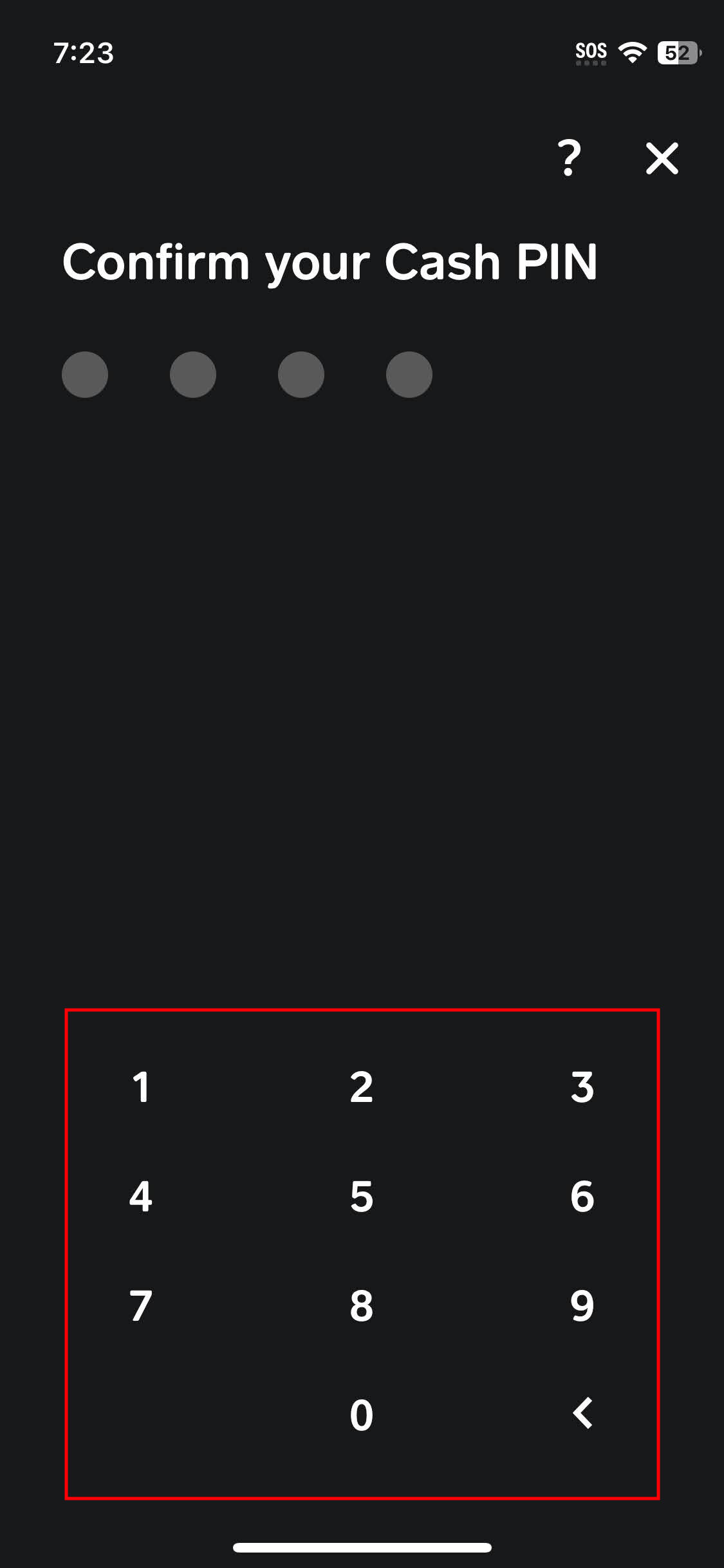
Create Your PIN: You will be prompted to enter a four-digit PIN. Choose a unique combination of numbers that you can remember but that is not easily guessable (avoid birthdays, consecutive numbers, or repeating digits).
-
Confirm Your PIN: Re-enter the same PIN to confirm it.
-
PIN Activated: Once confirmed, your Cash Pin will be active for future transactions and sensitive actions.
Cash App may also prompt you to set up a PIN during your first payment attempt if you haven’t already.
Changing or Resetting Your PIN
Life happens, and sometimes you may need to change your Cash Pin—either for enhanced security, if you suspect it’s been compromised, or simply because you’ve forgotten it.
To Change Your PIN (if you know the current one):
-
Go to the “Privacy & Security” section in your profile settings.
-
With “Lock Security” already enabled, you should see an option to “Change PIN” or “Update PIN.”
-
You will first be asked to enter your current PIN to verify your identity.
-
Then, you’ll be prompted to enter a new four-digit PIN and confirm it.
To Reset Your PIN (if you’ve forgotten it):
If you’ve forgotten your PIN, you generally won’t be able to log in or conduct transactions until it’s reset.
-
When prompted for your PIN (e.g., trying to send money), look for an option like “Forgot PIN?” or “Reset PIN.”
-
Cash App will likely guide you through an identity verification process. This could involve sending a verification code to your registered phone number or email, or asking you security questions.
-
Once your identity is verified, you will be able to set a new Cash Pin.
Best Practices for PIN Management
The strength of your Cash Pin’s security lies largely in how you manage it:
-
Choose a Strong, Unique PIN: Avoid easily guessable numbers like 1234, 0000, your birth year, or parts of your phone number. Opt for a random sequence of four digits.
-
Never Share Your PIN: Your Cash Pin is private. Cash App support or any legitimate entity will never ask for your PIN via phone, email, or text.
-
Don’t Write It Down: Memorize your PIN. If you absolutely must write it down, store it in a secure, encrypted location, not on a sticky note near your phone.
-
Enable Biometrics (If Available): For added convenience and security, enable fingerprint or face recognition on your device to complement your Cash Pin.
-
Review Account Activity Regularly: Periodically check your Cash App transaction history to spot any unfamiliar activity, which could indicate a compromised PIN or account.
Troubleshooting and Common PIN Issues
Even with careful management, users might encounter issues with their Cash Pin. Understanding how to troubleshoot these problems is essential for maintaining seamless and secure access to your Cash App funds.
Forgotten PIN Recovery
Forgetting your Cash Pin is a common occurrence. As discussed, Cash App provides a recovery process, which typically involves identity verification. If you’re struggling to reset your PIN through the app’s built-in “Forgot PIN?” flow, you may need to:
-
Contact Cash App Support: Reach out directly through the app’s support section or their official website. They have dedicated teams to assist with account access and security issues.
-
Be Prepared for Verification: Support will require extensive identity verification to ensure they are assisting the legitimate account owner. This might include providing your full name, associated phone number/email, date of birth, and possibly details of recent transactions.
-
Patience is Key: The verification process can take some time, especially if multiple security checks are needed.
What to Do if Your PIN is Compromised
If you suspect your Cash Pin has been compromised (e.g., someone else knows it, or you see unauthorized transactions), immediate action is critical:
-
Change Your PIN Immediately: If you can still access your account, navigate to “Privacy & Security” and change your PIN.
-
Enable Biometric Lock: If you haven’t already, enable Touch ID or Face ID for additional security.
-
Review Transactions: Scrutinize your Cash App activity log for any unauthorized transactions.
-
Disable Cash Card (If Applicable): If you use a Cash Card and suspect compromise, consider temporarily disabling it within the app or reporting it as lost/stolen.
-
Contact Cash App Support: Report the suspected compromise to Cash App support immediately. Provide them with all relevant details, including timestamps of suspicious activity. They can help investigate, potentially block further unauthorized transactions, and guide you through securing your account.
-
Change Other Passwords: If your Cash Pin was compromised through a broader security breach (e.g., a phishing scam), it’s wise to change passwords for other linked accounts (email, bank, etc.) as a precautionary measure.
The User Experience and Security Implications
The design and implementation of security features like the Cash Pin represent a delicate balance between robust protection and user convenience. For an app to be widely adopted, its security mechanisms must not be overly cumbersome, yet they must be effective.
Balancing Convenience and Protection
Cash App strives to provide a secure environment without making the user experience overly complex. The Cash Pin is a prime example of this balance:
-
Simple Yet Effective: A four-digit PIN is easy for most users to remember and input quickly, especially compared to complex alphanumeric passwords.
-
Contextual Application: The PIN is typically only required for high-risk actions, minimizing friction for routine viewing of balances or checking transaction history.
-
Biometric Integration: The option for biometrics offers an even more convenient and faster way to authenticate, reducing the need to manually enter the PIN while maintaining a high level of security.
However, the responsibility for effective security is shared. While Cash App provides the tools, users must actively engage with and properly manage these tools to maximize their protection. A user choosing a weak PIN or sharing it carelessly undermines even the most sophisticated app security.
Future of App Security and Cash Pins
As technology advances, so too will the methods for securing digital financial platforms. While the basic concept of a PIN remains relevant, future iterations of app security may see:
-
Adaptive Authentication: Systems that learn user behavior and dynamically adjust security requirements. For example, a PIN might be requested only when a transaction deviates from a user’s typical spending patterns or location.
-
Behavioral Biometrics: Analyzing unique user behaviors like typing rhythm, swipe patterns, or how they hold their device, to authenticate identity continuously in the background.
-
Hardware-Based Security: Increased reliance on secure elements within smartphones and cryptographic keys.
-
Decentralized Identity: Exploring blockchain-based identity solutions that give users more control over their personal data and how it’s shared.
The Cash Pin, in its current form, is a crucial line of defense. As Cash App and the broader fintech industry evolve, it will continue to be a foundational element, potentially complemented and enhanced by even more sophisticated, user-friendly, and secure technologies. Understanding and utilizing it effectively today is a critical step in safeguarding your financial future in an increasingly digital world.
aViewFromTheCave is a participant in the Amazon Services LLC Associates Program, an affiliate advertising program designed to provide a means for sites to earn advertising fees by advertising and linking to Amazon.com. Amazon, the Amazon logo, AmazonSupply, and the AmazonSupply logo are trademarks of Amazon.com, Inc. or its affiliates. As an Amazon Associate we earn affiliate commissions from qualifying purchases.