
In the high-speed world of modern technology, efficiency is the ultimate currency. While real-time applications and interactive user interfaces capture the public’s attention, a more quiet, behind-the-scenes hero handles the heavy lifting of the digital age: the batch processing script. Whether it is processing millions of bank transactions overnight, generating complex data reports, or automating software deployments, batch processing scripts are the invisible threads holding complex systems together.
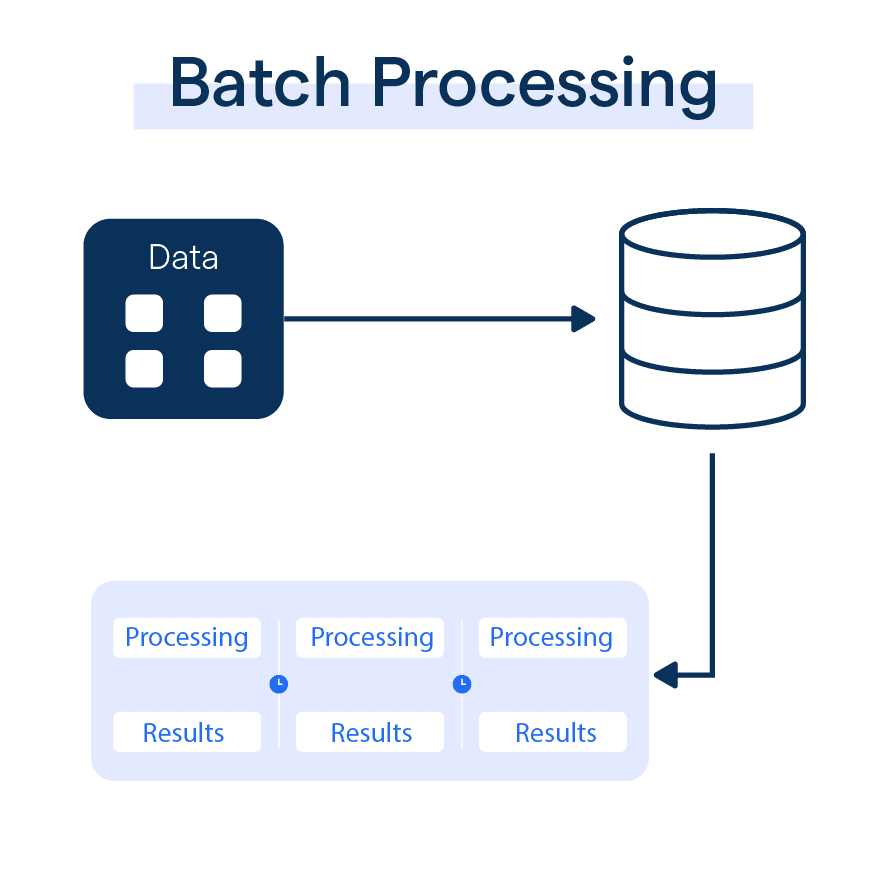
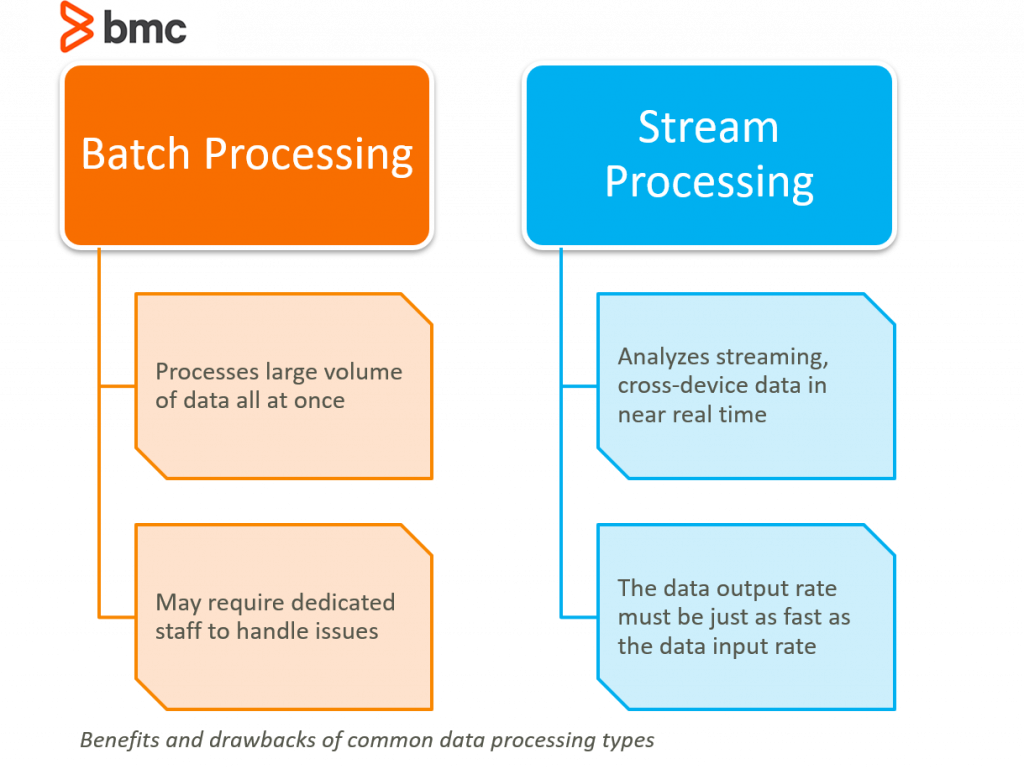
At its core, a batch processing script is a collection of commands or instructions executed by a computer system without the need for manual, real-time human intervention. Unlike interactive processing—where a user provides input and waits for an immediate response—batch processing groups jobs together and executes them as a single “batch.” This article explores the mechanics, tools, and strategic importance of these scripts in today’s technological landscape.
Understanding the Fundamentals of Batch Processing Scripts
To appreciate the value of batch processing, one must first understand how it differs from the interactive computing we use daily. When you type a query into a search engine, you are engaging in interactive processing. When a server gathers all of today’s search logs at 2:00 AM to calculate trending topics, that is batch processing.
Defining the Concept
A batch processing script is essentially a text file containing a sequence of commands that an operating system or specific software environment can interpret and execute. These scripts act as a roadmap for the CPU, telling it exactly which programs to run, which data sets to access, and where to output the results. Because these scripts are designed to run autonomously, they are ideal for repetitive, high-volume tasks that would be prone to human error if performed manually.
The Evolution from Mainframes to Modern Cloud
Batch processing is not a new concept; its origins date back to the days of punch cards and mainframe computers in the 1950s and 60s. In that era, programmers would submit a “batch” of cards to be processed by the computer during off-peak hours.
Today, the concept has evolved significantly. We have moved from physical punch cards to sophisticated cloud-based architectures. Modern batch scripts now interact with distributed databases, microservices, and API endpoints. Despite the technological leap, the underlying principle remains the same: maximizing resource utilization by executing tasks in bulk during periods of low activity or high resource availability.
Key Components of a Script
Every robust batch processing script contains several critical elements:
- The Shebang or Header: This tells the operating system which interpreter to use (e.g.,
#!/bin/bashor#!/usr/bin/python). - Variable Definitions: Scripts often store file paths, dates, or configuration settings as variables to remain flexible.
- Logic and Loops: Using “if-then” statements and “for-each” loops, scripts can handle complex decision-making processes.
- Error Handling: A well-written script must know what to do if a file is missing or a network connection fails.
How Batch Processing Scripts Operate: Behind the Scenes
The lifecycle of a batch processing script involves more than just clicking a “run” button. It is a orchestrated process that ensures data integrity and system stability.
The Execution Workflow
A typical batch process follows a linear or branched workflow. First, the script initializes the environment, setting up necessary temporary directories and checking for dependencies. Next, it gathers the input data—often referred to as the “payload.” This could be a collection of CSV files, images for processing, or log entries from a web server.
Once the data is staged, the script executes its primary logic. This might involve transforming data formats, performing mathematical calculations, or updating a database. Finally, the script cleans up after itself, deleting temporary files and sending a notification to the system administrator that the job is complete.
Scheduled vs. Event-Driven Execution
There are two primary ways to trigger a batch script:
- Scheduled (Time-based): These are the most common. Using tools like “Cron” on Linux or “Task Scheduler” on Windows, scripts are programmed to run at specific intervals—hourly, daily, or weekly.
- Event-Driven: In modern DevOps environments, scripts are often triggered by specific events. For example, when a developer pushes new code to a repository, a batch script might automatically trigger a “build” process to compile the code and run automated tests.
Error Handling and Logging
Because batch scripts often run while the IT staff is asleep, they must be self-aware. If a script encounters an error, it shouldn’t just crash silently. Professional-grade scripts use “logging” to record every action they take. If a step fails, the script captures the error code and can even be programmed to “roll back” changes to prevent data corruption. This observability is crucial for maintaining the “five nines” (99.999%) of uptime required in enterprise environments.
Essential Tools and Languages for Scripting
Not all scripts are created equal. The choice of language often depends on the operating system and the complexity of the task at hand.
Shell Scripting: Bash and Zsh
For Linux and Unix-based systems, Bash (Bourne Again SHell) remains the gold standard. It is incredibly powerful for file manipulation, system administration, and piping data between different command-line tools. Bash scripts are lightweight and require no additional software to run on most servers, making them the go-to choice for infrastructure automation.
Windows PowerShell
In the Windows ecosystem, PowerShell has superseded the old-fashioned “Batch files” (.bat). PowerShell is built on the .NET framework, allowing it to interact deeply with the Windows operating system and cloud services like Microsoft Azure. It uses “cmdlets”—specialized commands that return objects rather than just text—making it highly effective for managing complex enterprise environments.
Python: The Modern Choice for Automation
While Shell and PowerShell are great for system tasks, Python has become the dominant language for data-heavy batch processing. Because of its vast library ecosystem (like Pandas for data manipulation or SQLAlchemy for database interaction), Python is the preferred choice for scripts that involve AI, machine learning, or complex API integrations. Python’s readability also makes it easier for teams to collaborate on and maintain large script libraries.
Practical Applications in the Tech Industry
Batch processing scripts are the workhorses behind many of the services we take for granted. Their applications span across almost every sector of technology.
Data Transformation and ETL Pipelines
In the world of Big Data, “ETL” (Extract, Transform, Load) is a critical process. Batch scripts are used to extract data from various sources (like mobile apps and web servers), transform it into a standardized format, and load it into a data warehouse. This allows businesses to run analytics on a unified data set, rather than struggling with fragmented information.
System Maintenance and DevOps
DevOps engineers use batch scripts to manage infrastructure at scale. Instead of manually configuring 500 servers, an engineer writes a script that automates the installation of security patches, updates software versions, and clears out old log files. This process, often called “Infrastructure as Code,” ensures that every server in a cluster is configured identically, reducing the risk of “configuration drift.”
AI and Machine Learning Workflows
Training a machine learning model is rarely an interactive process. It involves feeding massive amounts of data into an algorithm, which can take hours or even days. Batch scripts are used to manage these training jobs, automating the process of loading the training data, initiating the computation on powerful GPUs, and saving the resulting model “weights” once the process is complete.
Best Practices for Writing Robust Scripts
Writing a script is easy; writing a script that doesn’t break under pressure is an art. As systems become more complex, following best practices is essential for any developer or system administrator.
Security and Credential Management
A common mistake in beginner scripting is “hardcoding” passwords or API keys directly into the script. This is a massive security risk. Professional scripts use environment variables or specialized “Secret Managers” (like AWS Secrets Manager or HashiCorp Vault) to retrieve credentials securely at runtime. This ensures that even if the script file is leaked, the sensitive credentials remain protected.
Modularity and Documentation
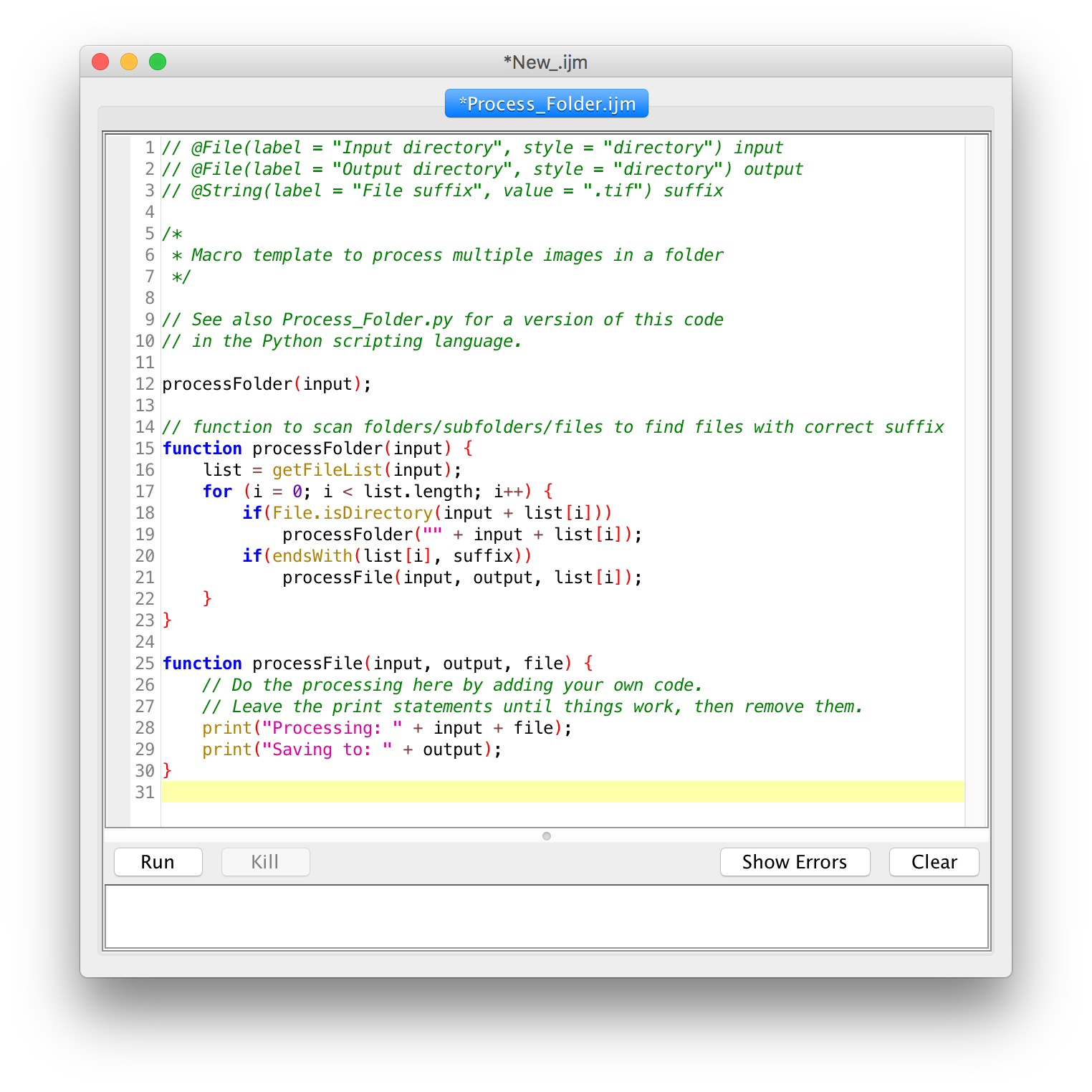
As scripts grow in length, they can become difficult to manage. The best approach is to write “modular” code—breaking the script into smaller, reusable functions. Additionally, documentation is non-negotiable. Using comments to explain why a certain command is being used saves hours of frustration for the next person (or your future self) who has to update the script six months later.
Monitoring and Optimization
In a production environment, you need to know if your batch jobs are succeeding. Integrating scripts with monitoring tools like Prometheus, Datadog, or simple email alerts ensures that failures are addressed immediately. Furthermore, optimization is key. A script that takes 10 hours to run might be redesigned to use parallel processing, cutting the execution time down to 2 hours and freeing up system resources for other tasks.
Conclusion
The batch processing script may lack the visual flair of a new app or the hype of a generative AI interface, but its importance to the global tech infrastructure cannot be overstated. By automating repetitive tasks, managing massive data flows, and ensuring system consistency, these scripts allow human engineers to focus on innovation rather than maintenance.
As we move toward an increasingly automated future—driven by cloud computing and artificial intelligence—the role of the batch script will only expand. Understanding how to write, manage, and optimize these scripts is an essential skill for anyone looking to master the machinery of the digital age. In the end, the most powerful systems are often the ones that run silently in the dark, governed by the precise and tireless logic of a well-written script.
aViewFromTheCave is a participant in the Amazon Services LLC Associates Program, an affiliate advertising program designed to provide a means for sites to earn advertising fees by advertising and linking to Amazon.com. Amazon, the Amazon logo, AmazonSupply, and the AmazonSupply logo are trademarks of Amazon.com, Inc. or its affiliates. As an Amazon Associate we earn affiliate commissions from qualifying purchases.