
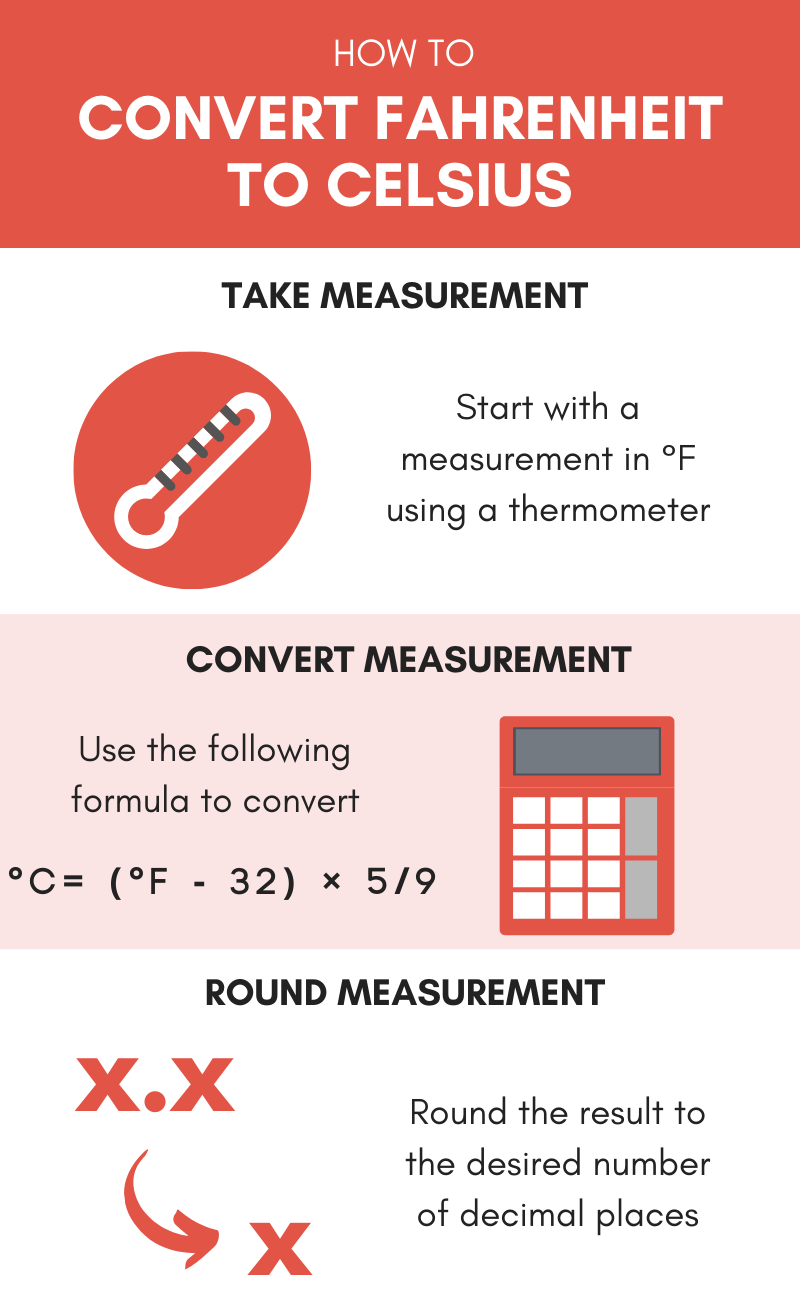
In the world of high-performance computing, data centers, and consumer electronics, the number “70” carries a weight far beyond its place on a thermometer. For the uninitiated, 70 degrees Celsius (158 degrees Fahrenheit) might seem like a random measurement. However, for hardware engineers, software developers, and tech enthusiasts, 70°C represents a critical “Goldilocks zone”—a thermal threshold that sits perfectly between peak operational performance and the danger zone of hardware degradation.
As our devices become more powerful and our software more demanding, understanding the nuances of thermal management is no longer just for those building custom gaming rigs. It is a fundamental aspect of digital literacy in an age where AI-driven processing and high-speed networking are the backbones of the global economy.

The Significance of 70°C in Central and Graphics Processing Units
When assessing the health of a computer, the temperature of the Central Processing Unit (CPU) and the Graphics Processing Unit (GPU) are the primary metrics of concern. In the context of modern silicon, 70°C is generally viewed as the ideal load temperature.
CPU Operating Temperatures: Idle vs. Load
For a standard desktop or laptop CPU, temperatures fluctuate based on the intensity of the task. At “idle”—when you are simply browsing the web or typing a document—a healthy system should typically run between 35°C and 50°C. However, once you initiate a heavy workload, such as rendering a 4K video, compiling complex code, or running a modern AAA game, the temperature climbs.
In this scenario, hitting 70°C is often considered the benchmark for an efficient cooling system. While most modern processors from Intel and AMD are rated to handle temperatures up to 95°C or even 100°C before they begin to “throttle” (slowing down to protect themselves), staying at or around 70°C ensures that the boost clocks remain stable. It provides a safety buffer that allows for sudden spikes in processing demand without risking a system shutdown.
GPU Thermal Thresholds and Gaming
Graphics cards often run slightly hotter than CPUs due to the sheer density of their cores and the intensity of graphical computations. For a GPU, 70°C is widely regarded as an excellent operating temperature under load. Most high-end cards are designed with “fan curves” that aim to keep the temperature right at this mark. If a GPU consistently stays at 70°C during intensive tasks, it indicates that the thermal paste application is optimal and the airflow within the chassis is sufficient.
The Concept of Thermal Throttling
Understanding 70°C requires understanding its opposite: the “T-Junction” or thermal limit. When a component exceeds its safe operating range—usually starting around 85°C to 90°C—the motherboard’s firmware intervenes. This process, known as thermal throttling, reduces the voltage and clock speed of the component to generate less heat. While this saves the hardware from permanent damage, it results in a massive drop in software performance. By maintaining a steady 70°C, tech professionals ensure they are getting 100% of the performance they paid for without triggering these safety-oriented performance dips.
The Impact of Heat on System Longevity and Performance
Beyond immediate performance, the thermal state of a device dictates its lifespan. Electronics are susceptible to a phenomenon known as electromigration, and heat is its primary catalyst.
Why Temperature Management Matters for Professional Stability
In a professional environment—whether it’s a server room or a creative workstation—stability is the highest priority. High temperatures cause materials to expand and contract, which can eventually lead to microscopic fractures in the solder or the silicon itself. By keeping a system at 70°C rather than pushing it to 90°C, a user significantly slows down the wear and tear on the internal circuitry. This is particularly vital for “always-on” tech infrastructure where a single hardware failure can lead to expensive downtime.

Component Degradation and the “Silicon Lottery”
Every chip produced is slightly different due to manufacturing variances, a concept known as the “silicon lottery.” Some chips can handle high heat better than others. However, the laws of thermodynamics apply to all. Consistent exposure to high heat (above 80°C) can lead to the gradual degradation of the transistor gates within a processor. Over years of use, a chip that was once stable at a certain speed may require more voltage to maintain that same speed, which in turn creates more heat—a destructive feedback loop. 70°C is the industry-recognized “safe harbor” that minimizes this degradation.
Heat Impact on Peripheral Components
It isn’t just the CPU and GPU that are affected by the 70°C mark. Modern NVMe SSDs (Solid State Drives) also have thermal limits. While NAND flash memory actually performs better when slightly warm during write cycles, the controller chip on the SSD can overheat. If the ambient temperature inside a computer case rises because the CPU is running at a constant 90°C, it can cause the SSD to throttle, leading to slow file transfers and system lag. Maintaining a 70°C limit on the primary processors helps keep the entire internal ecosystem within a healthy range.
Optimizing Your Tech Stack: How to Maintain Ideal Temperatures
Achieving a consistent 70°C under load is an art form that involves a combination of high-quality hardware and intelligent software configuration.
Air Cooling vs. Liquid Cooling Solutions
To keep a high-end system at 70°C, the choice of cooling is paramount.
- Air Cooling: Uses large metal heatsinks and high-static-pressure fans to dissipate heat. It is reliable and cost-effective, though it requires a well-ventilated case to be effective.
- Liquid Cooling (AIOs and Custom Loops): Uses a liquid coolant to transfer heat away from the components to a radiator. Liquid cooling is generally more efficient at maintaining lower temperatures (like 70°C) during prolonged heavy use because water has a much higher thermal conductivity than air.
The Role of Thermal Interface Materials (TIM)
Between the processor and the cooler lies a thin layer of thermal paste. This material fills the microscopic air gaps between the two metal surfaces. Over time, thermal paste can dry out and lose its effectiveness. For tech professionals, re-applying high-quality thermal paste every 2–3 years is a standard maintenance task to ensure that “70°C dream” remains achievable.
Software Monitoring Tools for Performance Tracking
You cannot manage what you do not measure. A suite of tech tools exists to help users monitor their 70°C targets.
- HWMonitor / HWiNFO: These provide deep-dive analytics into every sensor in your system, from voltage to fan speeds.
- MSI Afterburner: The industry standard for monitoring GPU temperatures and adjusting fan profiles.
- Core Temp: A lightweight tool specifically for keeping an eye on CPU heat in the taskbar.
The Future of Thermal Management in AI and High-Performance Computing
As we move toward more power-hungry technologies like Generative AI and real-time ray tracing, the challenge of maintaining 70°C is becoming even more complex.
Innovative Cooling for the AI Era
The chips used to train AI models, such as NVIDIA’s H100 series, consume massive amounts of power and generate intense heat. The tech industry is currently shifting toward “immersion cooling,” where entire server racks are submerged in non-conductive liquid. This represents the next level of thermal management, where the goal remains the same: keeping the silicon cool enough to function at peak efficiency without failure.
Sustainable Computing Practices
There is also a growing movement toward “Green Tech” and sustainable computing. High temperatures require more energy for fans and air conditioning. By optimizing software to be more efficient—and thus run at lower temperatures—developers can reduce the carbon footprint of digital infrastructure. A system that stays at 70°C is not only running better; it is running more efficiently, consuming less electricity, and putting less strain on the cooling infrastructure of the building it inhabits.
In conclusion, 70 degrees Celsius is more than just a temperature; it is a vital sign for the modern digital age. Whether you are a developer, a gamer, or a business leader overseeing a fleet of hardware, keeping your “eyes on 70” ensures that your technology remains fast, reliable, and ready for the future. Understanding this thermal threshold is the key to mastering the hardware that powers our world.
aViewFromTheCave is a participant in the Amazon Services LLC Associates Program, an affiliate advertising program designed to provide a means for sites to earn advertising fees by advertising and linking to Amazon.com. Amazon, the Amazon logo, AmazonSupply, and the AmazonSupply logo are trademarks of Amazon.com, Inc. or its affiliates. As an Amazon Associate we earn affiliate commissions from qualifying purchases.