
The question “what gen is current iPad” is far more complex than it appears on the surface, often leading to confusion for consumers looking to purchase or understand Apple’s popular tablet line. Unlike a single, monolithic product, the iPad ecosystem is a diverse family of devices, each catering to different needs, budgets, and user profiles. Apple continually refines and updates these distinct product lines, meaning there isn’t one single “current” iPad generation, but rather multiple current generations across its various models. This comprehensive guide aims to demystify Apple’s iPad nomenclature, pinpoint the latest iterations in each category, and provide insights to help you navigate this intricate technological landscape.

From the entry-level iPad designed for casual users and students to the powerhouse iPad Pro built for creative professionals, each model receives its own generational updates, often on different timelines. Understanding these distinctions is crucial for making an informed purchasing decision, ensuring you select a device that perfectly aligns with your specific requirements and offers the longevity you expect from an Apple product.
Decoding Apple’s iPad Lineup Nomenclature
To truly grasp what “current generation” means in the context of iPads, one must first understand how Apple structures its tablet offerings. The company doesn’t simply iterate on a single “iPad” year after year; instead, it maintains several parallel product lines, each with its own update cycle and target audience.
The Core iPad Family: Standard vs. Air vs. Pro vs. mini
Apple’s iPad lineup is segmented into four primary categories, each distinguished by its design, internal specifications, features, and price point.
-
The Standard iPad (simply “iPad”): This is Apple’s most affordable and accessible tablet, often considered the baseline model. It’s designed for general use, education, media consumption, and casual productivity. Updates typically focus on incremental performance gains and minor design tweaks, maintaining a balance between capability and cost-effectiveness. It usually retains a classic design with a Home button and Lightning port, though recent generations have begun to adopt modern features like USB-C and a full-screen design.
-
iPad mini: As its name suggests, the iPad mini prioritizes portability. It packs significant power into a compact form factor, making it ideal for reading, note-taking on the go, gaming, and users who prefer a smaller digital canvas. Despite its size, it often incorporates advanced features from its larger siblings, albeit with its own generational numbering.
-
iPad Air: Positioned as a mid-to-high-range option, the iPad Air strikes a balance between the standard iPad and the professional-grade iPad Pro. It typically features a modern, thin-bezel design, a more powerful processor than the entry-level model (often matching the previous generation’s Pro chip), and broader accessory support. It’s an excellent choice for users who need more performance and premium features than the standard iPad but don’t require the absolute cutting-edge capabilities or higher price tag of the Pro models.
-
iPad Pro: These are Apple’s flagship tablets, engineered for professionals, artists, and power users who demand the highest performance, most advanced display technology, and robust accessory support. iPad Pro models are equipped with Apple’s most powerful M-series chips (the same chips found in many MacBooks), ProMotion displays, Thunderbolt/USB 4 connectivity, and LiDAR scanners. They come in two sizes (11-inch and 12.9-inch), each receiving simultaneous generational updates.
Understanding “Generation” Numbers
The term “generation” in Apple’s iPad nomenclature refers to the specific iteration within each of these distinct product lines. This is where much of the confusion arises. For instance, the “10th generation iPad” refers to the latest standard iPad, not the tenth iPad ever released across all models. Similarly, the “iPad Air 5th generation” is the fifth iteration of the Air line, and the “iPad mini 6th generation” is the sixth iteration of the mini.
The iPad Pro line is slightly more nuanced, as it has distinct generation numbers for its two sizes (e.g., the 12.9-inch iPad Pro might be the 6th generation while the 11-inch iPad Pro is the 4th generation, despite being released simultaneously with identical core specs, due to the 12.9-inch model receiving an earlier upgrade to its display technology in previous cycles).
It’s crucial to understand that these generation numbers do not progress linearly across the entire iPad family. An “iPad 10th generation” released in 2022 might be “newer” than an “iPad Pro 5th generation” released in 2021, but the Pro model will likely still be significantly more powerful and feature-rich due to its higher-tier positioning. Therefore, focusing on the release year and the specific model identifier (e.g., “iPad Air 5th Gen”) is more accurate than simply looking for the highest generation number.
Pinpointing the “Current” iPad Models (as of early 2024)
As of early 2024, here are the latest “current generation” iPads available directly from Apple:
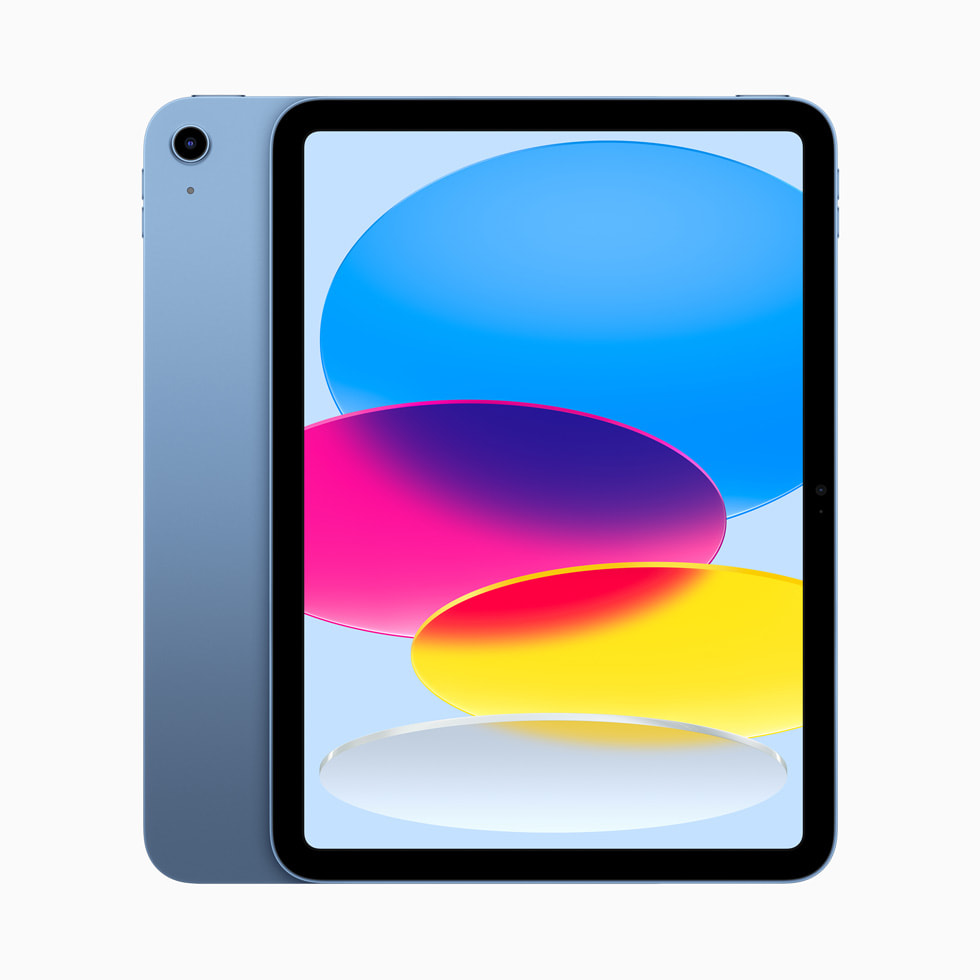
The Standard iPad (10th Generation)
-
Release Date: October 2022
-
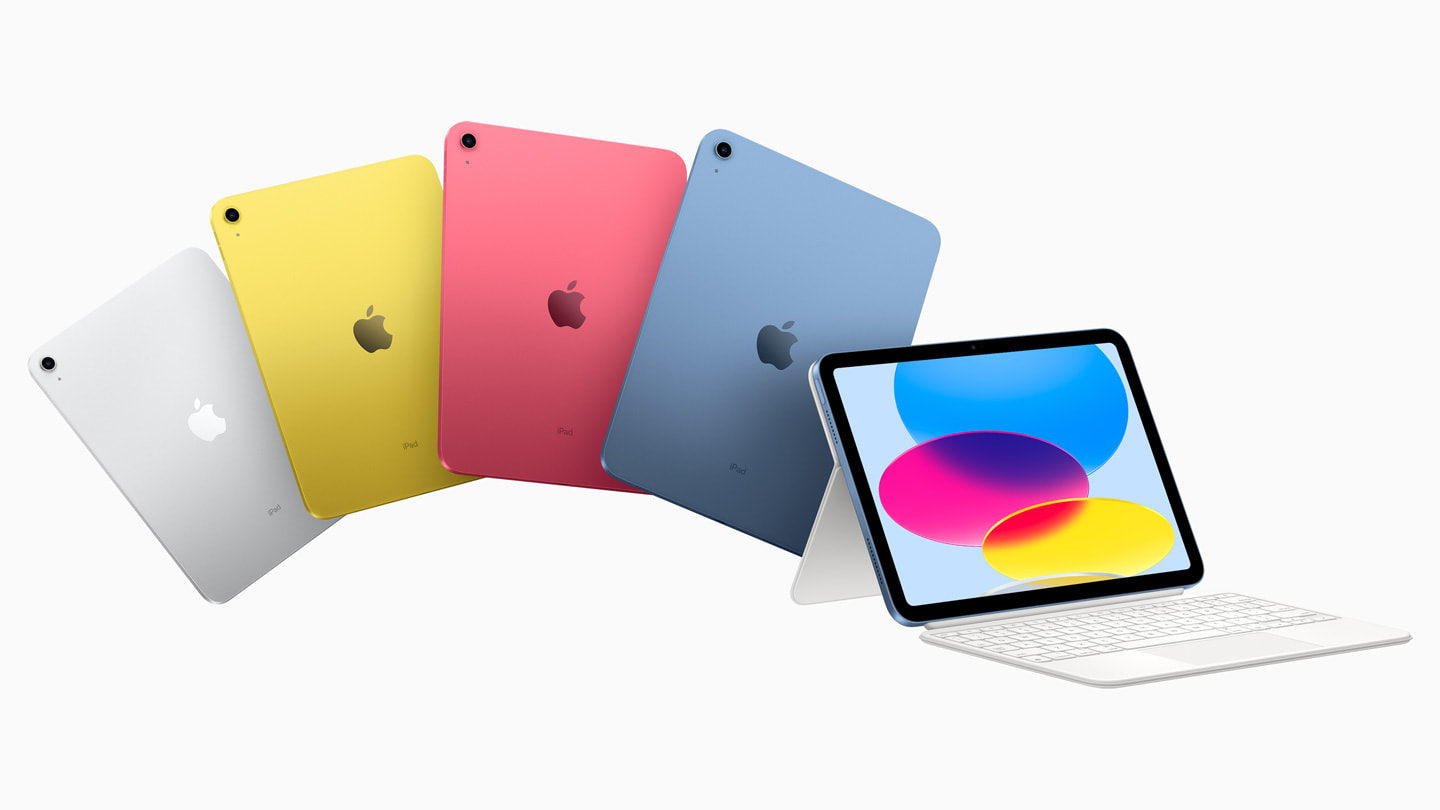
Key Features: The 10th-generation iPad marked a significant redesign for the entry-level model, ditching the Home button for an all-screen design, moving the Touch ID sensor to the top button, and adopting a USB-C port. It features the A14 Bionic chip, providing a substantial performance boost over its predecessor. It supports the first-generation Apple Pencil (requiring a USB-C to Apple Pencil Adapter for charging and pairing) and the Magic Keyboard Folio.
-
Target User: This model is excellent for students, families, and anyone needing a reliable, modern tablet for browsing, streaming, casual gaming, basic productivity tasks, and video calls. Its vibrant display and improved performance make it a versatile choice for everyday use.
iPad Air (5th Generation)
-
Release Date: March 2022
-
Key Features: The iPad Air 5th generation is a true powerhouse, featuring Apple’s M1 chip (the same chip found in many Macs and the previous generation iPad Pro). This brings pro-level performance, making it highly capable for demanding tasks like video editing, graphic design, and advanced gaming. It boasts a 10.9-inch Liquid Retina display, USB-C connectivity, and supports the second-generation Apple Pencil and Magic Keyboard.
-
Target User: This model is perfect for “prosumers,” creative hobbyists, and professionals who need strong performance for specific tasks but don’t require the absolute cutting-edge features of the Pro models (like ProMotion or Thunderbolt). Its balance of power, premium design, and price point makes it an incredibly appealing option.
iPad Pro (M2 Chip – 6th Gen for 12.9″, 4th Gen for 11″)
-
Release Date: October 2022
-
Key Features: The iPad Pro models are at the pinnacle of Apple’s tablet technology, powered by the M2 chip, offering unparalleled performance for mobile computing. Key features include the stunning Liquid Retina XDR display on the 12.9-inch model (with mini-LED technology), ProMotion adaptive refresh rate (up to 120Hz) on both sizes, Thunderbolt/USB 4 for high-bandwidth connectivity, Wi-Fi 6E, and a LiDAR scanner for enhanced AR capabilities. They support the second-generation Apple Pencil (with hover functionality) and the Magic Keyboard.
-
Target User: These devices are designed for demanding professionals, artists, video editors, 3D designers, and developers who require desktop-class performance, the best display technology, and advanced multitasking capabilities on a portable device.
iPad mini (6th Generation)
-
Release Date: September 2021
-
Key Features: The 6th-generation iPad mini received a complete overhaul, adopting an all-screen design, Touch ID in the top button, and a USB-C port. It runs on the powerful A15 Bionic chip, ensuring smooth performance across applications and games. Its 8.3-inch Liquid Retina display is vibrant and sharp, and it supports the second-generation Apple Pencil, making it an excellent digital notebook.
-
Target User: Ideal for users who prioritize portability without sacrificing performance. It’s perfect for reading e-books, quick note-taking, field work, specific gaming scenarios, or anyone who finds larger tablets unwieldy.
The Lifespan and Obsolescence Cycle of iPads
Understanding the “current generation” also involves considering how long an iPad remains relevant and usable. Apple is known for its long-term software support and durable hardware, but even the best technology has a lifespan.
How Long Do iPads Last?
An iPad’s functional lifespan is influenced by two main factors: hardware durability and software support.
-
Hardware Durability: Physically, an iPad can last many years, often 5-7 years or even more with careful handling. The aluminum casing and robust display (especially with screen protectors) can withstand significant wear and tear. Battery degradation is often the first hardware component to show its age, typically after 2-3 years of heavy daily use. Batteries are replaceable, extending the device’s physical utility.
-
Software Support: This is often the more critical factor for obsolescence. Apple typically provides 5-7 years of major iPadOS updates for its devices from their release date. For example, an iPad released in 2017 might receive its last major iPadOS update in 2023 or 2024. While the device will continue to function after it stops receiving updates, it will miss out on new features, security patches, and eventually, compatibility with newer apps that require the latest operating system.
A well-maintained iPad can easily serve its primary user for 3-5 years before performance becomes noticeably slower or newer apps begin to struggle. For lighter tasks, they can often be repurposed for longer.
When Should You Upgrade?
The decision to upgrade an iPad isn’t just about whether it still receives software updates; it’s also about your usage patterns and evolving needs.
-
Performance Bottlenecks: If your current iPad struggles with new apps, experiences frequent slowdowns, or takes too long to render complex tasks (like video editing or graphically intensive games), it might be time for an upgrade. Newer generations often bring significant leaps in processing power.
-
Lack of New Software Features: Some new iPadOS features are exclusive to newer hardware due to specific chip requirements (e.g., Stage Manager’s full functionality). If you find yourself missing out on key productivity or creative tools, an upgrade might be warranted.
-
Battery Degradation: A significantly degraded battery that can no longer hold a charge for a reasonable period can severely impact usability. While a battery replacement is an option, it might be more cost-effective to put that money towards a new device if other factors (performance, features) are also subpar.
-
Evolving Needs: A student who initially bought a basic iPad for note-taking might, later in their career, need an iPad Pro for professional graphic design. Your changing requirements should always guide your upgrade decisions.
Making an Informed iPad Purchase Decision
Given the diverse range of “current generation” iPads, making the right choice requires careful consideration of your personal needs and budget.
Assess Your Needs and Budget
Before looking at specifications, define what you intend to use the iPad for and how much you’re willing to spend.
-
Casual Use (Browsing, Streaming, Light Gaming): The standard iPad (10th Gen) is an excellent, cost-effective choice.
-
Education/Student: The standard iPad or iPad Air (5th Gen) are strong contenders, especially with Apple Pencil and keyboard support.
-
Portability/Reading: The iPad mini (6th Gen) is unparalleled in its compact power.
-
Creative Hobbies/Prosumer: The iPad Air (5th Gen) offers a fantastic balance of power and features for photo editing, light video work, and drawing.
-
Professional Work/High-End Creation: The iPad Pro (M2) models are essential for demanding tasks like 4K video editing, complex 3D rendering, and professional-grade art.
-
Storage: Consider your storage needs carefully. While cloud storage is prevalent, local storage for apps, games, and large media files can quickly add up. Base models often start at 64GB, which can be sufficient for light users, but 128GB or 256GB offers more breathing room for most.
Key Specifications to Consider
Once your needs are clear, delve into the specs that matter most for your usage.
-
Processor (A-series vs. M-series):
-
A-series chips (A14, A15): Found in the standard iPad and iPad mini, these are powerful and efficient, easily handling everyday tasks, most games, and many creative apps.
-
M-series chips (M1, M2): Found in the iPad Air and iPad Pro, these are desktop-class chips that provide significantly higher performance for professional applications, intense multitasking, and hardware-accelerated tasks. If you’re running professional software or pushing the device to its limits, an M-series chip is non-negotiable.
-
-
Display Technology:
-
Liquid Retina: Found on the standard iPad, Air, and mini. Excellent quality for most users, with good color accuracy and brightness.
-
ProMotion (120Hz Adaptive Refresh Rate): Exclusive to iPad Pro models. Provides incredibly smooth scrolling, more responsive Apple Pencil input, and a more fluid overall experience.
-
Liquid Retina XDR (mini-LED): Exclusive to the 12.9-inch iPad Pro. Offers extreme brightness, incredible contrast (true blacks), and precise local dimming, ideal for HDR content creation and consumption.
-
-
Accessory Support:
-
Apple Pencil 1st Gen: Supported by the standard iPad (10th Gen via adapter). Charges via Lightning or USB-C adapter.
-
Apple Pencil 2nd Gen: Supported by iPad Air, mini, and Pro models. Attaches magnetically to the side for charging and pairing, and offers double-tap gestures.
-
Keyboards: Consider whether you need the Smart Keyboard Folio (simpler, lighter) or the Magic Keyboard (trackpad, backlit keys, floating design, more expensive) for productivity.
-
-
Connectivity:
-
Wi-Fi only vs. Cellular: Cellular models allow internet access without Wi-Fi, using a SIM card or eSIM. Essential for true on-the-go productivity.
-
USB-C vs. Lightning: The standard iPad (9th Gen and older) still uses Lightning. All other current models (iPad 10th Gen, Air, mini, Pro) use USB-C, which offers broader compatibility with peripherals and faster data transfer, especially for the Thunderbolt-enabled Pro models.
-
Conclusion
The question “what gen is current iPad” doesn’t have a single, simple answer because Apple’s strategy involves a multi-tiered approach to its tablet lineup. Rather than a singular “current” generation, there are distinct current generations for the standard iPad, iPad mini, iPad Air, and iPad Pro, each updated on its own schedule and designed for specific user needs.
By understanding the distinct roles of each iPad family member and the significance of their individual generational numbers, consumers can confidently navigate Apple’s tablet offerings. Whether you’re a casual user, a student, a creative professional, or someone who prioritizes ultimate portability, there’s a “current” iPad generation perfectly suited to empower your digital life. The key is to meticulously assess your own requirements, align them with the features and performance of each model, and then select the specific generation that best serves your purpose. As technology continues to evolve, staying informed about these distinctions ensures you make the most insightful and effective choice for your technological investment.
aViewFromTheCave is a participant in the Amazon Services LLC Associates Program, an affiliate advertising program designed to provide a means for sites to earn advertising fees by advertising and linking to Amazon.com. Amazon, the Amazon logo, AmazonSupply, and the AmazonSupply logo are trademarks of Amazon.com, Inc. or its affiliates. As an Amazon Associate we earn affiliate commissions from qualifying purchases.