
The humble HDMI cable, a ubiquitous presence in modern homes and offices, is often taken for granted. It’s the silent conduit that brings our digital worlds to life, connecting everything from gaming consoles and Blu-ray players to projectors and state-of-the-art televisions. Yet, for many, its physical appearance and the subtle variations it presents can be a source of confusion. Understanding what an HDMI cable looks like, and more importantly, what its various forms signify, is crucial for anyone navigating the ever-evolving landscape of consumer electronics. This article delves into the visual characteristics of HDMI cables, exploring their connectors, construction, and the key identifiers that distinguish different versions, all within the realm of technology.
The Anatomy of an HDMI Cable: Connectors and Construction
At its core, an HDMI cable is an electrical conductor designed to transmit high-definition digital audio and video signals between devices. Its appearance is primarily defined by its connectors and the cable itself.
The HDMI Connector: A Closer Look
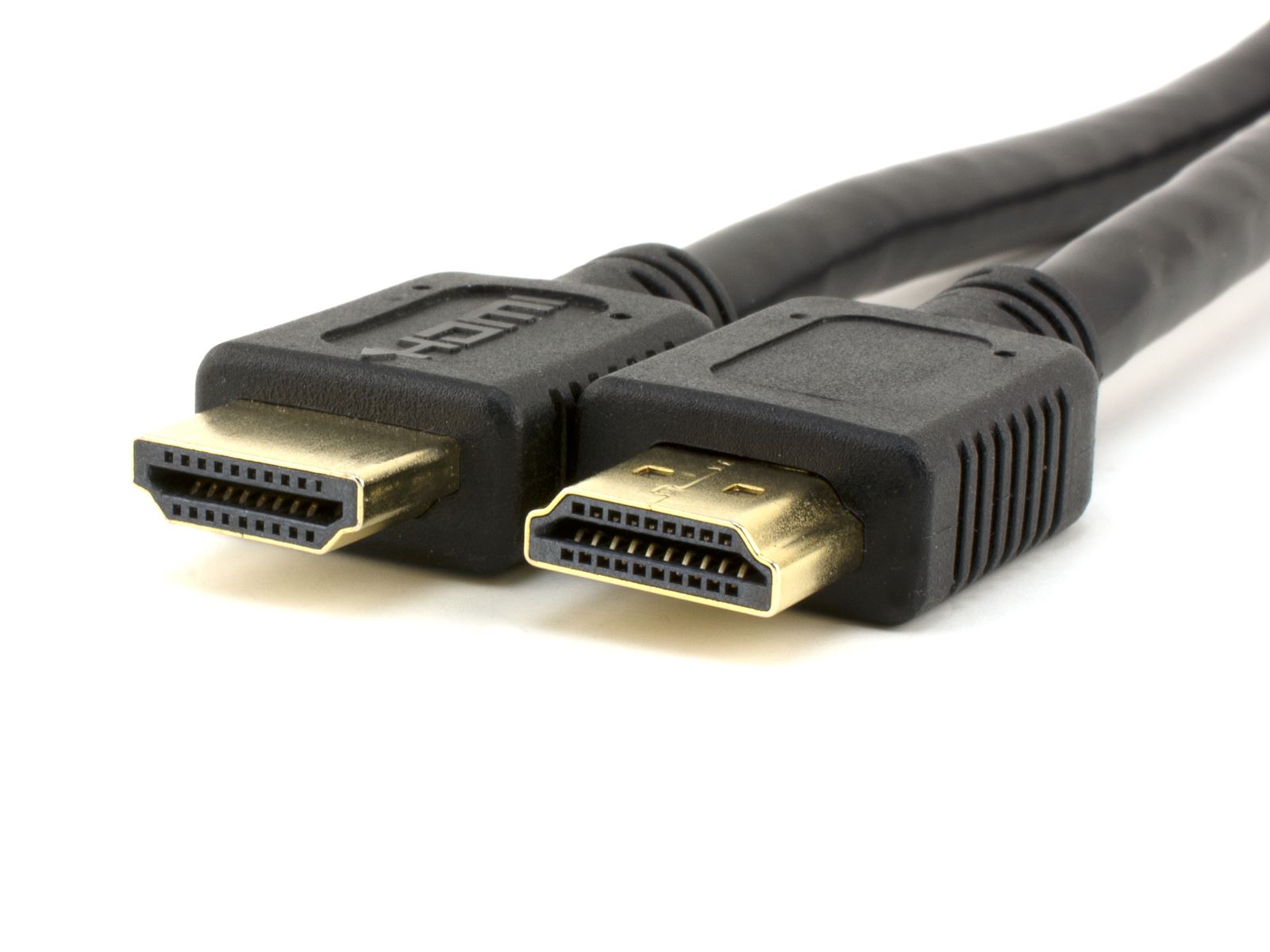
The most recognizable feature of an HDMI cable is its connector. The standard HDMI connector, formally known as Type A, is a rectangular plug with a distinct trapezoidal shape. This unique geometry is not merely aesthetic; it’s a crucial design element that prevents incorrect insertion. The connector measures approximately 14 mm wide and 6.5 mm high, and it’s typically gold-plated to ensure optimal conductivity and resistance to corrosion, contributing to a more reliable connection over time.
Inside the connector housing, you’ll find 19 pins arranged in two rows. These pins serve specific functions, carrying different types of data, power, and control signals. The standardized pin configuration is fundamental to HDMI’s interoperability, allowing devices from different manufacturers to communicate seamlessly.
The cable itself is usually a flexible, insulated wire, typically encased in a PVC or braided nylon jacket for durability. The thickness of the cable can vary depending on its intended application and the presence of features like signal boosters or Ethernet connectivity. Higher-quality HDMI cables might feature thicker shielding to minimize electromagnetic interference (EMI), which can degrade signal quality, especially over longer distances.
Variations in HDMI Connectors: Beyond the Standard
While the Type A connector is the most common, HDMI technology has evolved, leading to the introduction of smaller, more specialized connectors. These variations are designed to accommodate the shrinking form factors of modern devices.
-
Type C (Mini-HDMI): Slightly smaller than the standard Type A, the Mini-HDMI connector is often found on compact devices like DSLR cameras, tablets, and some laptops. It still carries the full range of HDMI signals but requires an adapter or a cable with a Mini-HDMI connector on one end and a standard HDMI on the other.
-
Type D (Micro-HDMI): This is the smallest HDMI connector, resembling a micro-USB port in size and shape. Micro-HDMI connectors are prevalent on smartphones, action cameras, and other ultra-portable devices where space is at a premium. Like Mini-HDMI, it supports high-definition signals and is typically used with adapter cables.
The presence of these different connector types means that visually identifying an HDMI cable can sometimes involve looking beyond the standard rectangular plug. A device might have a slot for a Mini-HDMI or Micro-HDMI cable, or you might encounter adapter cables that bridge these smaller connectors to a standard HDMI port.
Decoding HDMI Versions: Visual Cues and Functional Differences
The HDMI standard has undergone numerous revisions, each introducing enhanced capabilities such as higher resolutions, faster refresh rates, and advanced features. While the physical connectors often remain the same across different versions, certain visual cues and technical specifications can help distinguish them. It’s important to note that the cable itself doesn’t inherently dictate its HDMI version; rather, the certification and capabilities of the cable are what matter.
HDMI Cable Packaging and Labeling
The most reliable way to ascertain the HDMI version of a cable is through its packaging or labeling. Reputable manufacturers will clearly indicate the HDMI version on the product packaging or directly on the cable’s connector or jacket. Look for terms like:

- High-Speed HDMI: Generally supports resolutions up to 1080p and 3D.
- Premium High-Speed HDMI: Certified for 4K@60Hz, HDR, and a wider color gamut. These cables often carry a certification hologram from the HDMI Licensing Administrator.
- Ultra High-Speed HDMI: Supports the latest HDMI 2.1 features, including 8K@60Hz, 4K@120Hz, dynamic HDR, and eARC (enhanced Audio Return Channel). These cables are often labeled as “Ultra High Speed” and may also have specific certification markings.
The color of the connector housing can sometimes be a subtle indicator, though this is not a universal standard. Some manufacturers might use specific colors (e.g., black for standard, blue for high-speed, red for premium, or even unique colors for Ultra High Speed) to differentiate their product lines. However, relying solely on color can be misleading.
Beyond the Label: Understanding the Performance Implications
While the visual appearance of the connector and labeling are the primary identifiers, understanding the underlying differences in HDMI versions helps in appreciating why certain cables are designed as they are.
-
Bandwidth: Higher HDMI versions support significantly greater bandwidth. For instance, HDMI 2.0 offers 18 Gbps, while HDMI 2.1 boasts 48 Gbps. This increased bandwidth is essential for transmitting higher resolution and frame rate video signals without compression. Cables designed for higher bandwidth versions often feature enhanced shielding and construction to maintain signal integrity.
-
Features: Newer HDMI versions introduce features like HDR (High Dynamic Range) for improved contrast and color, ARC/eARC for simplified audio setup, and variable refresh rate (VRR) for smoother gaming. A cable must be certified to support these features, and while visually it might look similar to an older version, its internal construction and testing will be more rigorous.
-
Cable Length and Signal Degradation: For longer cable runs, the quality of the cable becomes paramount. Higher-end HDMI cables, especially those designed for the latest standards, may incorporate active signal boosters or higher-quality materials to combat signal degradation over distance. Visually, these might appear slightly thicker or have more robust connector housings.
The Role of HDMI Cables in a Connected Ecosystem
Understanding the visual characteristics of HDMI cables is not just about identifying a particular product; it’s about appreciating their role as fundamental components in our increasingly interconnected digital lives.
Connecting Your Entertainment Hub
From home theaters to gaming setups, HDMI cables are the backbone of visual and auditory communication. When you purchase a new television, gaming console, or soundbar, you’re likely to find an HDMI port. The cable you choose to connect these devices directly impacts the quality of the experience. A cable that looks like a standard HDMI but lacks the proper certification for, say, 4K resolution or HDR, will prevent you from enjoying the full capabilities of your hardware. Visually, the cable might be indistinguishable from one that does support these features, highlighting the importance of checking labels and specifications.
Professional and Commercial Applications
Beyond the home, HDMI cables are integral to presentations, digital signage, and professional AV setups. In these environments, reliability and signal integrity are critical. The visual aspect of the cable – its sturdiness, connector quality, and any indicators of professional-grade construction – can give a hint towards its suitability for demanding applications. For instance, cables with locking connectors or a braided nylon jacket often suggest a focus on durability and secure connections, crucial in settings where cables are frequently plugged and unplugged or subjected to movement.
Troubleshooting and Upgrades: When Appearance Matters
When encountering issues with video or audio transmission, the HDMI cable is often the first suspect. Knowing what to look for can aid in troubleshooting. A damaged connector, frayed cable jacket, or a cable that simply doesn’t have the bandwidth for the desired resolution are all physical attributes that can be observed. Similarly, when planning an upgrade to a new display technology, understanding the visual indicators of the latest HDMI standards on cables ensures you purchase a product that can fully support the new hardware. The sleek, often thicker, and clearly labeled Ultra High-Speed HDMI cables are the visual harbingers of the latest in video transmission technology.
Conclusion: A Visual Language of Connectivity
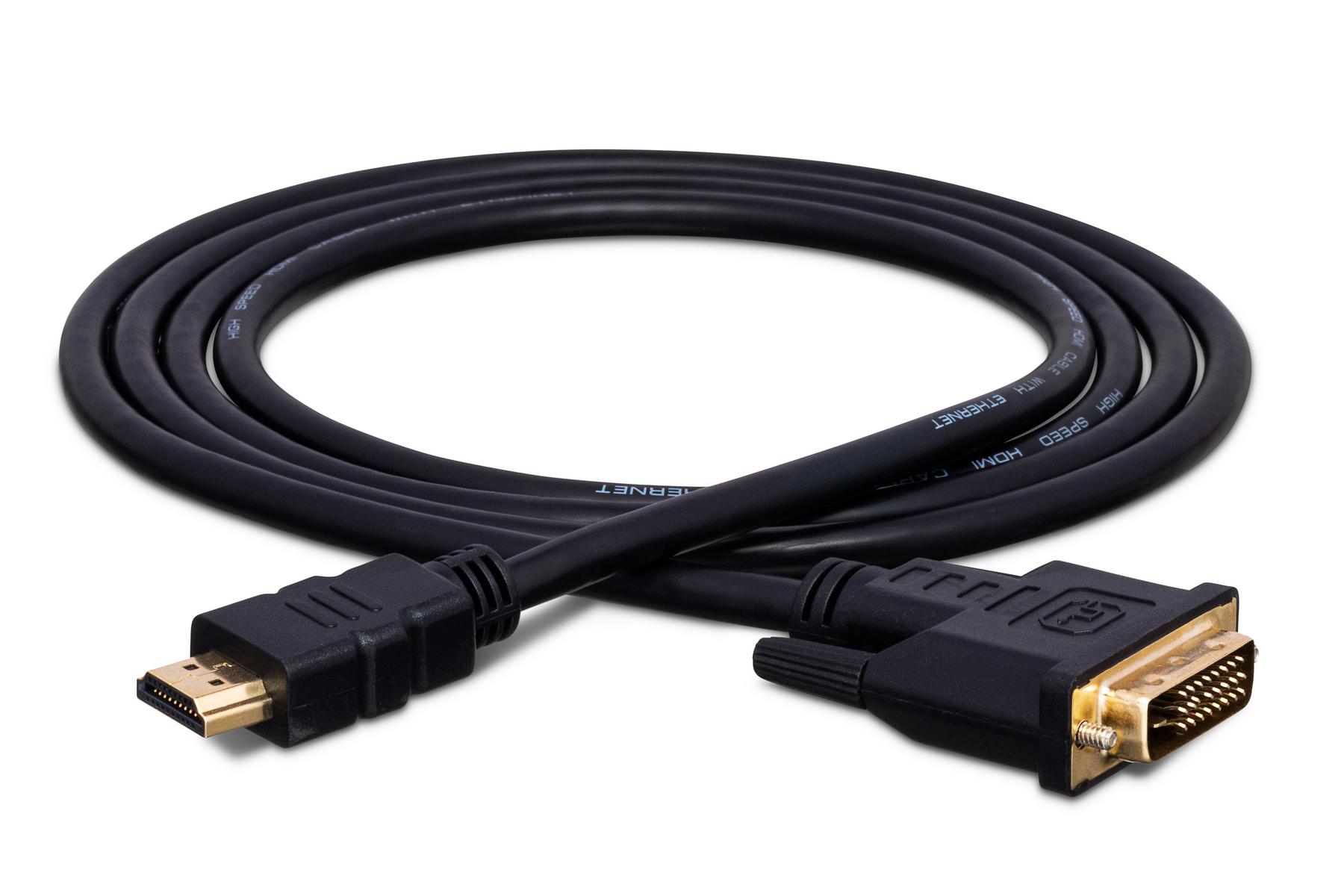
In essence, what an HDMI cable “looks like” is a spectrum, from the familiar rectangular connector of Type A to its smaller Mini and Micro variants. Beyond the connector itself, the cable’s jacket, its thickness, and crucially, its labeling, all contribute to understanding its capabilities and the HDMI version it supports. As technology advances, the visual cues on HDMI cables will continue to evolve, reflecting higher bandwidths and more sophisticated features. By paying attention to these visual details and understanding their technical implications, consumers and professionals alike can make informed decisions, ensuring seamless and high-quality audio-visual experiences in an increasingly digital world. The HDMI cable, though often unseen, is a critical piece of the technology puzzle, and its appearance speaks volumes about its function and performance.
aViewFromTheCave is a participant in the Amazon Services LLC Associates Program, an affiliate advertising program designed to provide a means for sites to earn advertising fees by advertising and linking to Amazon.com. Amazon, the Amazon logo, AmazonSupply, and the AmazonSupply logo are trademarks of Amazon.com, Inc. or its affiliates. As an Amazon Associate we earn affiliate commissions from qualifying purchases.