
Laser printers are marvels of mechanical engineering and electrostatic physics. While most users are familiar with the concept of “toner”—the black powder that eventually creates the text or images on the page—the actual process of getting that powder onto paper is a sophisticated dance of electricity and magnetism. At the heart of this process lies the imaging drum, often referred to as the photoconductor unit. Understanding the role of the drum is essential for anyone looking to maintain their hardware, troubleshoot print quality issues, or simply understand the hardware they rely on daily.

The Electrostatic Foundation: How the Drum Functions
At its core, the drum is a cylindrical metal tube, usually coated with a layer of photosensitive material. Its function is to act as the “canvas” upon which the printer draws the image before transferring it to the paper. Without the drum, the toner would have no way of knowing where to land.
The Charging Process
Before any image can be created, the drum must be prepared. This is achieved through a process called charging. An internal component, often a primary charge roller or a corona wire, applies a uniform negative electrostatic charge across the entire surface of the drum as it rotates. Because the drum is photosensitive, it holds this charge as long as it remains in darkness.
The Laser’s Role: Creating the Latent Image
Once the drum is uniformly charged, the printer’s laser (or LED array) comes into play. As the drum rotates, the laser fires pulses of light at specific points on the drum’s surface. When the light hits the photosensitive coating, it alters the electrical charge in that specific spot, neutralizing the negative charge and creating a “latent image.” Where the laser hits, the drum becomes less negative compared to the surrounding area. This difference in electrical potential is what allows the printer to “paint” with invisible electricity.
Toner Attraction and Transfer
The drum is useless on its own; it requires the interaction between toner powder and electrostatic fields to function. This is the stage where the invisible, electrical image on the drum is rendered into a visible, physical form.
The Developing Stage
The toner cartridge contains finely ground plastic particles coated with iron oxide or similar materials. These particles are designed to carry a static charge. When the toner passes near the drum, it is attracted to the areas where the laser neutralized the negative charge. Because opposite charges attract, the toner clings to the drum specifically in the patterns defined by the laser. The areas that were not hit by the laser retain their negative charge, which actively repels the negatively charged toner. This is why the toner sticks only to the text or images you intended to print.
The Transfer Process
Once the drum is coated with toner in the shape of your document, the paper moves through the printer. As the paper passes between the drum and a transfer roller (which carries a positive electrical charge), the stronger positive charge of the transfer roller pulls the negatively charged toner off the drum and onto the paper. At this exact moment, the paper is essentially a temporary vehicle for the toner, which is merely resting on the surface through static attraction.

Maintenance and the “Drum Life” Cycle
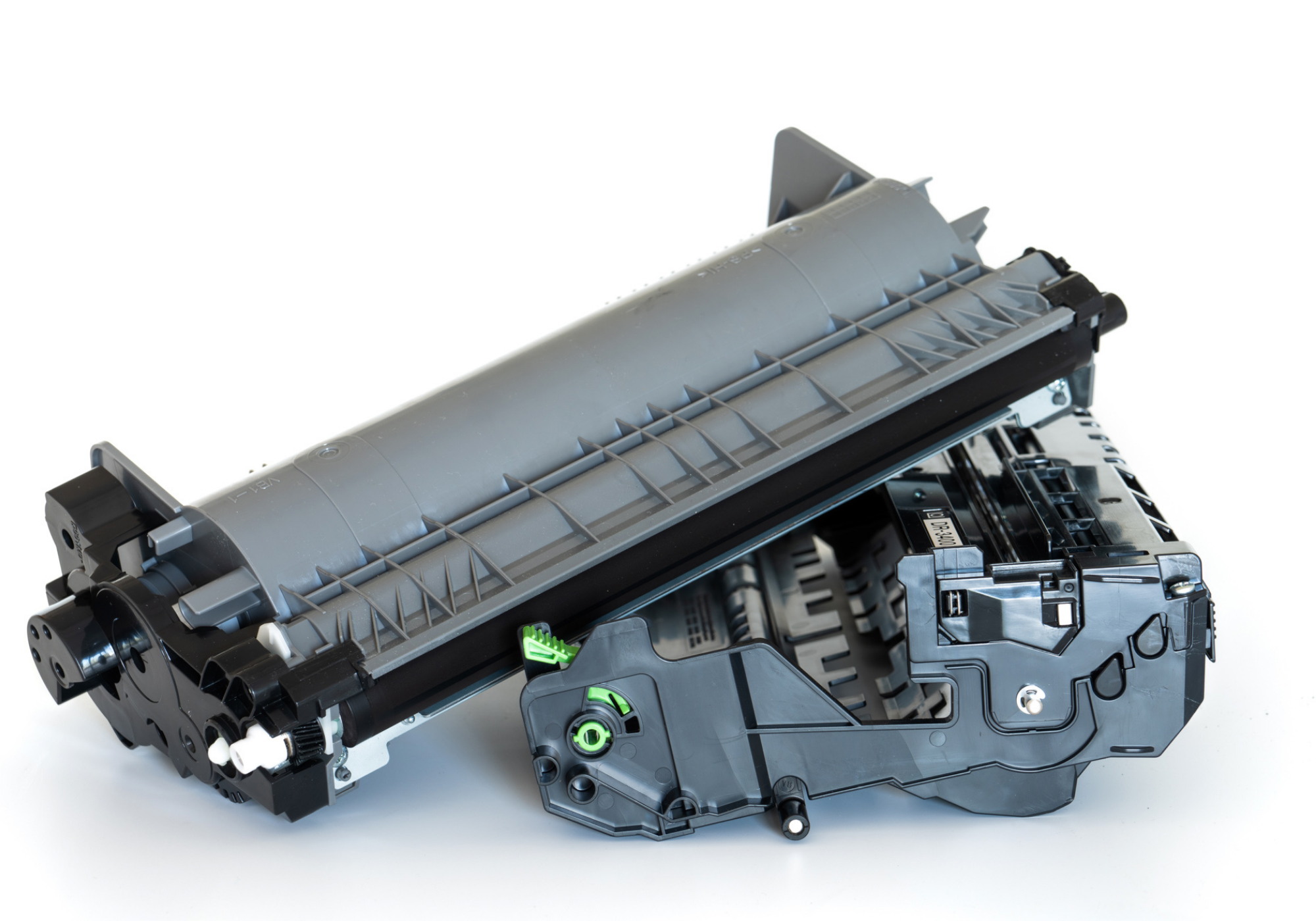
One of the most frequent points of confusion for printer users is the distinction between a toner cartridge and a drum unit. In some printers, the two are integrated into a single replaceable unit, while in others, they are separate components. Understanding this distinction is the key to cost-effective printer maintenance.
Signs of a Failing Drum
Because the drum is a physical, rotating component that undergoes immense stress—friction, high heat, and electrostatic discharge—it eventually wears out. Unlike a toner cartridge, which simply runs out of powder, a failing drum provides visual cues that the hardware is nearing the end of its lifespan.
Common symptoms of a worn-out drum include:
- Vertical Streaks or Lines: These usually appear because the photosensitive coating has been physically scratched or worn away, allowing toner to stick where it shouldn’t.
- Repetitive Spots: If you see dots appearing at perfectly regular intervals down the length of a page, it usually indicates damage to the drum’s surface (a “nick” or debris build-up) that repeats every time the drum completes a full rotation.
- Faded or Gray Backgrounds: If the drum can no longer hold a consistent charge, it will attract toner across the entire page, resulting in a “dirty” or gray background appearance.
The Economic Reality of Replacing the Drum
If your printer utilizes a separate drum unit, you will typically need to replace it every three to four toner changes. Ignoring these warning signs doesn’t just result in poor print quality; it can lead to internal clogs or debris scattering inside the printer, which may lead to more expensive repairs. Always consult your printer’s status menu to check the “Drum Life” percentage. Many modern printers will provide a notification when the life drops below 10%, giving you ample time to purchase a replacement before the print quality degrades noticeably.
Environmental and Handling Best Practices
Because the drum is a precision-engineered piece of technology, it is incredibly sensitive to external interference. Handling a drum unit improperly can shorten its life or immediately ruin your print quality.
Protecting the Surface
The coating on an imaging drum is light-sensitive and delicate. If you are replacing a drum unit, avoid touching the surface of the drum with your bare fingers. The oils from your skin can create permanent marks that will attract toner, resulting in “ghosting” or smudges on every page you print thereafter. Furthermore, you should minimize the amount of time the drum is exposed to direct light. While indoor lighting is generally acceptable for a few minutes, prolonged exposure to bright sunlight can degrade the photosensitive coating and permanently damage the unit.
Avoiding Debris and Humidity
Laser printers perform best in climate-controlled environments. High humidity can cause the toner to clump and the drum to attract moisture, which disrupts the electrostatic process. Conversely, extremely dry environments can lead to static buildup that interferes with the clean transfer of toner. Keeping your printer in a dust-free environment is also critical. Dust that settles on the drum becomes “baked” onto it during the fuser stage of printing, creating permanent spots that no amount of cleaning can remove.
Cleaning vs. Replacing
While some online tutorials suggest cleaning the drum with isopropyl alcohol, this is rarely recommended for the average user. Modern drums are coated with complex chemical layers that are easily stripped by chemical cleaners. If you suspect your drum is dirty, try running the printer’s built-in “Cleaning Mode” first. This cycle typically utilizes the internal rollers to clear excess toner or paper dust from the drum’s surface. If that fails, it is almost always more cost-effective and reliable to replace the unit rather than risking further damage by attempting a manual cleaning of the sensitive drum surface.
The drum is the unsung hero of the laser printing process. It occupies the space between digital data and physical reality, acting as the bridge that turns electrical signals into tangible documents. By respecting the drum’s role, handling it with care, and understanding its life cycle, you can ensure your printer remains a reliable workhorse, producing crisp, professional documents for years to come. Recognizing that the printer is more than just “ink and paper” allows you to diagnose issues faster and avoid the frustration of poor print quality, ultimately making your workflow more efficient and cost-effective.
aViewFromTheCave is a participant in the Amazon Services LLC Associates Program, an affiliate advertising program designed to provide a means for sites to earn advertising fees by advertising and linking to Amazon.com. Amazon, the Amazon logo, AmazonSupply, and the AmazonSupply logo are trademarks of Amazon.com, Inc. or its affiliates. As an Amazon Associate we earn affiliate commissions from qualifying purchases.