
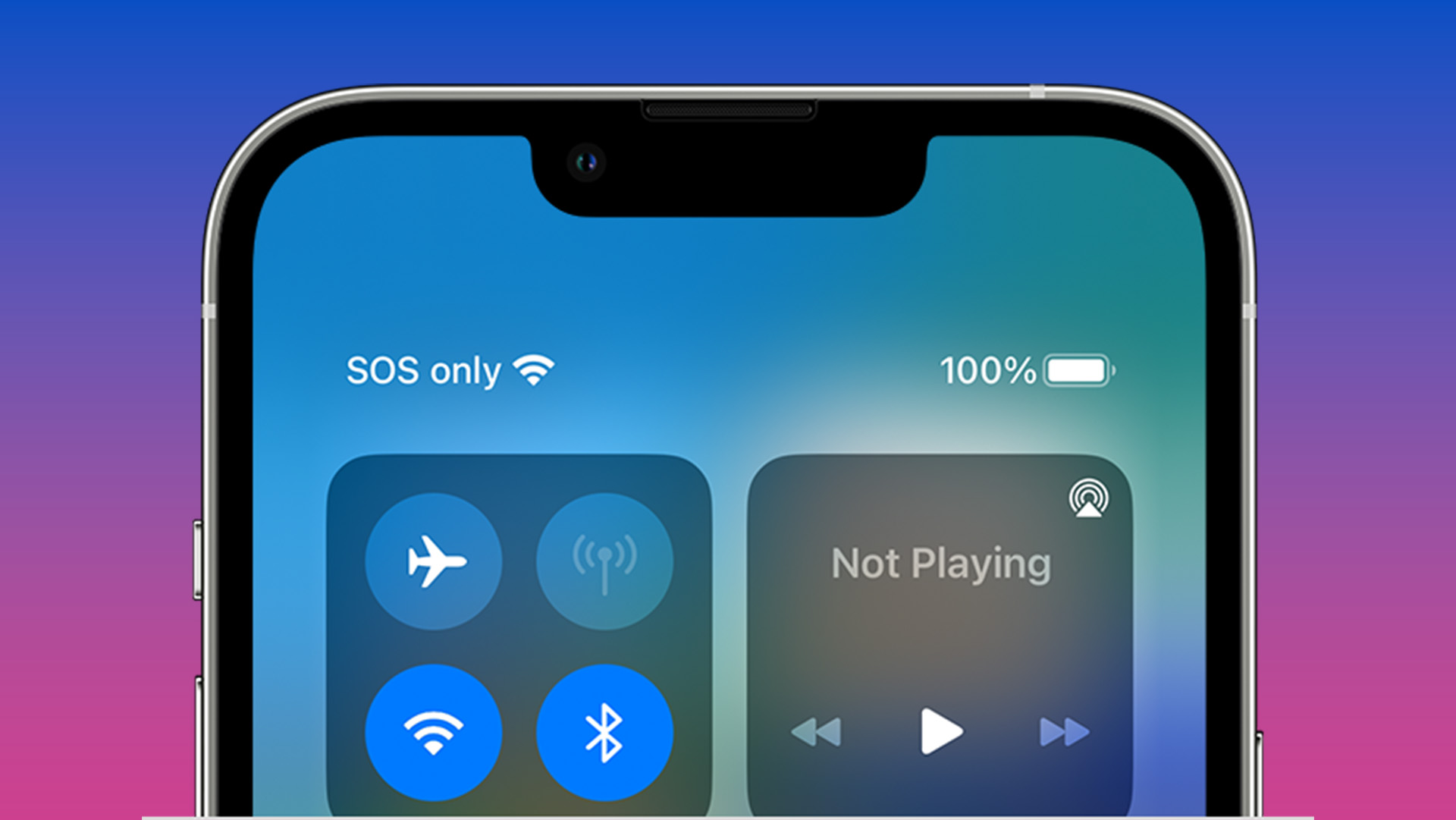
In today’s hyper-connected world, our cell phones are more than just communication devices; they are essential tools for navigating daily life, staying informed, and, crucially, ensuring our safety. While we primarily use them for calls, texts, and social media, a subtle yet vital feature often lurks in the background: the SOS alert system. Understanding what “SOS” means on a cell phone is paramount, as it can be the difference between a minor inconvenience and a critical lifeline in an emergency. This article delves into the technological underpinnings and practical applications of SOS features on mobile devices, aiming to equip you with the knowledge to utilize them effectively and enhance your personal digital security.
The Genesis and Evolution of SOS: From Morse Code to Mobile Alerts
The iconic “SOS” distress signal has a history that predates cellular technology by decades. Its adoption as a universal maritime distress code in the early 20th century laid the groundwork for its recognition as a symbol of urgent need. This historical context is crucial to understanding why it was a logical choice for emergency communication on early electronic systems, and how its meaning has been adapted for the modern mobile landscape.
From Shipwrecks to Satellites: The Roots of an International Distress Signal
The International Radiotelegraph Convention of 1906 officially adopted “SOS” as the international distress signal. Prior to this, various Morse code sequences were used, leading to confusion and potential delays in critical rescue situations. “SOS” was chosen not because it spells out any particular words, but for its simplicity and distinctiveness in Morse code: three dots, three dashes, and three dots (…—…). This pattern is easily recognizable and difficult to mistake for other transmissions, even in noisy or degraded signal conditions. Its adoption by the maritime community meant that virtually any ship or shore station equipped with a radio transmitter could send and receive this plea for help. The ubiquity of this signal established a global standard for emergency communication, a principle that would later be mirrored in the development of mobile emergency features.
The Digital Leap: Adapting SOS for the Mobile Era
As radio technology evolved and eventually gave way to digital communication, the concept of an emergency signal persisted. The advent of cellular networks presented a new challenge and opportunity: how to integrate an immediate, accessible emergency alert system directly into the devices people carried with them everywhere. Early mobile phones were primarily for voice calls, and their emergency capabilities were limited. However, with the proliferation of smartphones and the development of more sophisticated network infrastructure, the potential for leveraging these devices for personal safety became immense.
The evolution from simple emergency calling capabilities to more complex SOS features reflects advancements in mobile operating systems, GPS technology, and cellular network protocols. Today’s SOS features are designed to be more than just a speed dial for emergency services; they are integrated systems that can automatically transmit vital information to responders, further increasing the chances of a swift and effective intervention. This digital leap has transformed SOS from a Morse code transmission into a sophisticated, multi-faceted emergency response tool accessible at the touch of a button or a specific sequence of actions.
Understanding SOS Functionality on Modern Cell Phones
Modern smartphones have transformed the SOS signal from a simple distress call into a comprehensive emergency response system. This evolution involves sophisticated hardware and software integrations designed to provide critical information to emergency services quickly and efficiently. Understanding these functionalities is key to leveraging your device for maximum safety.
The Mechanics of an SOS Alert: How It Works
When you activate the SOS feature on your smartphone, a series of automated actions are triggered. The exact sequence can vary slightly depending on your device’s operating system (iOS or Android) and manufacturer, but the core principles remain consistent.

- Activation: The most common method for activating an SOS alert is by rapidly pressing the power button a specific number of times (typically five). Some devices also allow for activation through a dedicated button or a long press of a combination of buttons. For iPhones, a longer press and hold of the side button and either volume button triggers the SOS slider. For Android phones, it’s often a rapid press of the power button. It’s crucial to familiarize yourself with your specific device’s activation method to ensure you can use it instinctively in a stressful situation.
- Emergency Call: Once activated, your phone will initiate an emergency call to your local emergency services number (e.g., 911 in North America, 112 in Europe). This call often bypasses normal call restrictions, ensuring it can connect even with limited network coverage.
- Information Transmission: Beyond initiating a call, the SOS feature is designed to transmit crucial information to emergency responders. This typically includes:
- Your Location: Utilizing the phone’s GPS, your current coordinates are sent, allowing responders to pinpoint your exact whereabouts. This is arguably the most critical piece of information transmitted, especially if you are disoriented or unable to communicate your location verbally.
- Emergency Contacts: Pre-selected emergency contacts from your phone’s address book are notified via text message. These messages usually include your location and a link to a map showing where you are.
- Medical Information: Many SOS features allow you to store vital medical information (e.g., blood type, allergies, pre-existing conditions) in your phone’s emergency profile. This information can be accessed by emergency responders, providing them with essential details to administer appropriate care.
- Device Status: In some cases, information about your phone’s battery level may also be transmitted, helping responders gauge how long they might have to communicate with you.
Emergency Location Services (ELS) and Its Role
Emergency Location Services (ELS), often referred to as Advanced Mobile Location (AML) or Enhanced 911 (E911), are a critical technological backbone for modern SOS features. These services go beyond basic GPS to ensure the most accurate and rapid location data is sent to emergency dispatchers.
- Beyond GPS: While GPS is a primary source of location data, it can sometimes be inaccurate, especially in urban canyons with tall buildings or indoors where satellite signals are weak. ELS integrates multiple location technologies, including Wi-Fi positioning and cellular triangulation, to provide a more robust and precise location.
- Automatic and Discreet: ELS is designed to activate automatically when an emergency call is made, without requiring any user input beyond initiating the call itself. This is vital in situations where the user might be incapacitated or unable to interact with their device. The data is transmitted directly to emergency dispatch centers, often before the caller even speaks, significantly reducing response times.
- Privacy Considerations: It’s important to note that ELS is designed to be activated exclusively for emergency calls and the data is handled with strict privacy protocols, typically being shared only with authorized emergency services personnel. The goal is to maximize safety without compromising user privacy in non-emergency situations.
Leveraging SOS for Enhanced Personal Safety and Digital Security
The SOS feature is a powerful tool for immediate crisis response, but its utility extends to proactive safety measures and understanding how it integrates with broader digital security practices. By understanding its capabilities and limitations, you can better prepare for potential emergencies.
Proactive Safety Measures: Setting Up and Testing Your SOS
The effectiveness of your cell phone’s SOS feature hinges on proper setup and an understanding of its operational nuances. Taking a few minutes to configure and test these settings can make a significant difference when seconds count.
- Configure Emergency Contacts: The first and most crucial step is to designate your trusted emergency contacts within your phone’s settings. This is usually found within the “Emergency SOS” or “Medical ID” section of your phone’s settings. Ensure that the contacts you choose are individuals who will be able to respond promptly and have the necessary information to assist in an emergency. Double-check their phone numbers and ensure they are up-to-date.
- Create Your Medical ID (iOS) or Emergency Information (Android): Both iOS and Android platforms allow you to create an “Emergency Medical ID” or “Emergency Information” profile. This is where you can input critical details such as your name, date of birth, any medical conditions, allergies, medications you are taking, and blood type. This information is vital for first responders and can be accessed from your lock screen even if your phone is passcode-protected.
- Familiarize Yourself with Activation: As mentioned earlier, the method for activating SOS varies by device. Take the time to actively practice the button press sequence or gesture required for your specific phone. Knowing this by heart, without having to think, can be invaluable during a stressful event. Consider doing a “dry run” in a safe environment to build muscle memory.
- Understand Limitations and Network Dependency: While SOS features are robust, they are not infallible. They rely on cellular network coverage and battery power. In areas with no signal or a dead battery, the SOS feature may not be able to function. It’s also important to remember that the accuracy of location services can be affected by environmental factors.

Beyond Emergencies: Understanding SOS and Location Sharing
The technology behind SOS alerts, particularly location sharing, has broader implications for personal safety and digital security. While the SOS feature is designed for immediate, critical situations, understanding how your device handles location data can empower you in everyday scenarios as well.
- Temporary Location Sharing: Many messaging apps and platforms now offer temporary location sharing features, allowing you to share your live location with friends or family for a set period. This can be useful when meeting up, traveling alone, or simply letting someone know you’re on your way. This is a less critical, but still valuable, application of location-sharing technology.
- Device Finders and Security: Features like “Find My iPhone” or “Find My Device” (for Android) utilize similar location technologies to help you locate a lost or stolen phone. While not a direct SOS function, it leverages the same underlying principles of device tracking for security purposes. If your phone is lost, the ability to locate it can prevent unauthorized access to your personal data.
- Privacy Settings and Data Control: It’s essential to be aware of your phone’s privacy settings regarding location services and app permissions. Understand which apps have access to your location and how often. Regularly reviewing these settings can help you maintain control over your personal data and ensure that your location is only shared when and with whom you intend. The SOS feature is designed to be an exception, prioritizing your safety above all else in a true emergency, but understanding general location sharing practices is part of a comprehensive approach to digital safety.
In conclusion, the “SOS” on your cell phone is far more than just an acronym; it’s a testament to decades of technological advancement aimed at ensuring human safety. From its humble beginnings as a Morse code signal to its sophisticated integration into our pocket-sized supercomputers, the SOS feature represents a critical layer of personal security. By understanding its origins, mechanics, and how to proactively configure and utilize it, you empower yourself with a vital tool for navigating emergencies and enhancing your overall digital well-being.
aViewFromTheCave is a participant in the Amazon Services LLC Associates Program, an affiliate advertising program designed to provide a means for sites to earn advertising fees by advertising and linking to Amazon.com. Amazon, the Amazon logo, AmazonSupply, and the AmazonSupply logo are trademarks of Amazon.com, Inc. or its affiliates. As an Amazon Associate we earn affiliate commissions from qualifying purchases.