
In the rapidly evolving digital landscape, the term “restricted” has become a ubiquitous part of our vocabulary. Whether you are navigating a social media app, managing a corporate database, or attempting to access global content, encountering a “restricted” notification is a common experience. However, the meaning of this term is rarely singular. In the context of technology, “restricted” serves as a multifaceted gatekeeping mechanism designed to balance user experience, data security, and platform integrity.
Understanding what it means to be restricted requires a deep dive into the architectures of modern software and the philosophies of digital governance. From the subtle “soft-blocking” features on social networking sites to the rigorous Role-Based Access Controls (RBAC) in enterprise software, restrictions are the invisible boundaries that define our digital interactions.
The Mechanics of Social Media Restrictions: Privacy Without Confrontation
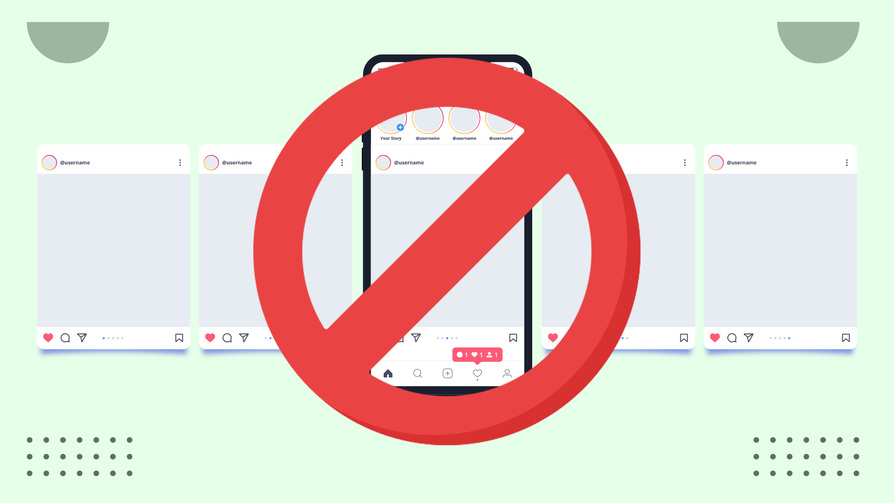
In the realm of social media and communication apps, “restricted” often refers to a middle-ground state between total transparency and a complete block. Platforms like Instagram, Facebook, and X (formerly Twitter) have developed restriction features as a response to the growing need for digital well-being and anti-harassment tools.
Soft Bans and Communication Filters
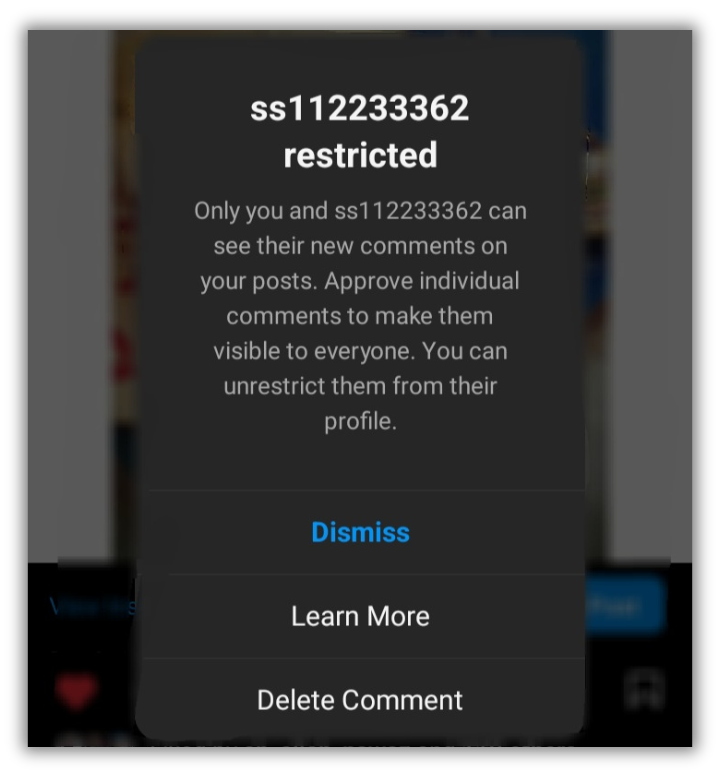
When a user “restricts” another individual on a social platform, the system implements a series of filters that alter the flow of information without alerting the restricted party. Unlike blocking—which is a binary action that completely severs the digital link—restricting is a nuanced approach to privacy.
For example, on many platforms, if User A restricts User B, User B can still see User A’s posts and profile. However, any comments User B leaves on User A’s content become invisible to the public, appearing only to User B. This “shadow-management” allows the user to maintain a clean public feed without the social fallout of a formal block. Furthermore, direct messages from restricted accounts are often diverted to a “Message Request” folder, suppressing “read receipts” and online status indicators. This technical implementation prioritizes the mental health of the user by providing a shield against unwanted interactions while maintaining a semblance of normalcy.
The Logic of Content Moderation and Shadowbanning
Beyond individual user settings, platforms themselves may place “restricted” status on accounts or specific pieces of content. This is often driven by AI-powered moderation algorithms. When an account is flagged for violating Community Guidelines—perhaps by sharing misinformation or borderline content—it may be “restricted” from appearing in “Explore” pages or search results.
This phenomenon, often colloquially referred to as shadowbanning, is a technical restriction on reach. The account remains active, but its visibility is throttled. This serves as a “soft” disciplinary measure, intended to reduce the spread of harmful content without the administrative burden or public backlash associated with permanent account deactivation.
Restricted Access in Collaborative Software and Enterprise Tools
While social media restrictions focus on interpersonal dynamics, the concept of “restricted” in professional software—such as Google Workspace, Microsoft Azure, or AWS—is rooted in data integrity and cybersecurity. In this context, “restricted” is a fundamental component of identity and access management (IAM).
Permissions and Role-Based Access Control (RBAC)
In enterprise environments, “restricted” usually means that a user’s permissions do not match the requirements for a specific file, directory, or application. This is managed through Role-Based Access Control (RBAC). In an RBAC system, access is not granted to individuals, but to “roles.” If a marketing intern attempts to access the company’s payroll database, they will find the folder “restricted.”
This is not a punitive measure but a structural necessity. By restricting access based on roles, organizations ensure that data is only available to those who need it for their specific functions. When you see a “Restricted Access” pop-up in a collaborative tool like Notion or Slack, it signifies that the administrative owner has limited the visibility of that specific node to a select group of stakeholders, protecting sensitive strategic information from internal leaks.
The Principle of Least Privilege (PoLP)
The technical foundation of these restrictions is known as the Principle of Least Privilege (PoLP). This security concept dictates that a user should be given only those privileges which are essential to perform their job functions. In a “restricted” environment, the default state is often “no access.”
For developers and IT professionals, working within a restricted environment is a daily reality. This might involve “Restricted API keys,” which are programmed to perform only specific tasks (like reading data but not writing it), or “Restricted IP Ranges,” which ensure that a cloud server can only be accessed from a specific physical office location. These restrictions are the primary defense against lateral movement during a cyberattack; if one account is compromised, the attacker’s movement is restricted by the limited permissions of that specific user role.
Digital Security, Content Controls, and Geo-Blocking
On a broader scale, “restricted” refers to the limitations placed on content availability based on legal, ethical, or geographical criteria. This is where technology intersects with digital rights and regional regulations.
Parental Controls and Age-Gating
One of the most common applications of restriction technology is in the protection of minors. Operating systems like iOS and Android, along with platforms like YouTube and Netflix, offer “Restricted Mode.” These modes utilize metadata filtering and machine learning to scan for mature themes, violence, or profanity.
Technically, this involves the platform comparing content tags against a user’s profile settings. When “Restricted Mode” is toggled on, the algorithm automatically hides videos or apps that fall outside of a specific safety threshold. This is an active, dynamic restriction that evolves as the AI learns to identify increasingly complex forms of content.
Geo-Blocking and IP-Based Restrictions
“Restricted” also frequently appears in the context of geographic boundaries, a practice known as geo-blocking. If you have ever encountered a video that says “This content is restricted in your country,” you are experiencing a restriction based on your IP (Internet Protocol) address.
Content providers use your IP address to determine your physical location. Due to licensing agreements or local laws, they may restrict access to certain media libraries. This is a technical enforcement of legal contracts. Similarly, some governments implement “Restricted Internet” protocols, using Deep Packet Inspection (DPI) to block access to specific websites or social media platforms within their borders. In these cases, the term “restricted” takes on a macro-level significance, defining the boundaries of the “Splinternet”—a version of the web that is fractured by national interests.
Navigating Account Restrictions and Security Flags
For the average user, the most frustrating encounter with the word “restricted” happens when their own account is flagged. This often occurs on platforms like PayPal, LinkedIn, or Gmail, where security is paramount.
Automated Detection Systems and Security Holds
When a system detects “unusual activity”—such as a login from a new country or a sudden burst of high-volume actions—it may place a “restricted” status on the account. This is an automated security protocol designed to protect the user from potential hacking.
For instance, if a user’s account starts sending 500 emails per minute, Gmail’s security algorithms will restrict the account’s ability to send outgoing mail. This is a protective “freeze” that remains in place until the user verifies their identity through multi-factor authentication (MFA). In this scenario, “restricted” is a temporary state of limited functionality meant to mitigate damage.
How to Resolve “Restricted” Status
Navigating out of a restricted state usually requires a sequence of technical or administrative steps. In the software development world, this might mean requesting an “elevation of privilege.” In the consumer world, it often involves a “reputation recovery” process.
For social media users, resolving a restriction might involve waiting out a “cooldown period” if the restriction was caused by automated spam filters. For enterprise users, it involves the IT department modifying the user’s “Access Control List” (ACL). Understanding the reason behind the restriction is the first step toward resolving it; is it a security flag, a permission mismatch, or a regional limitation?

Conclusion: The Necessity of Digital Boundaries
In conclusion, “restricted” in the tech world is not a simple “no.” Instead, it is a sophisticated tool used to manage privacy, ensure security, and comply with legal standards. While it can be a source of frustration—whether it’s a blocked video or a locked file—these restrictions are essential for a functional and safe digital ecosystem.
As we move toward a future defined by AI and increasingly complex data networks, the nature of these restrictions will only become more nuanced. We are shifting from a world of “open or closed” to a world of “conditional access,” where our digital experience is constantly being calibrated by our roles, our locations, and our behaviors. Understanding what “restricted” means is, therefore, an essential component of digital literacy in the 21st century. It allows us to navigate the web with a clearer understanding of the invisible walls that protect our data and define our online experiences.
aViewFromTheCave is a participant in the Amazon Services LLC Associates Program, an affiliate advertising program designed to provide a means for sites to earn advertising fees by advertising and linking to Amazon.com. Amazon, the Amazon logo, AmazonSupply, and the AmazonSupply logo are trademarks of Amazon.com, Inc. or its affiliates. As an Amazon Associate we earn affiliate commissions from qualifying purchases.