
In the dynamic landscape of modern business, managing finances effectively is not just a necessity—it’s a cornerstone of growth and sustainability. For countless small and medium-sized businesses worldwide, the answer to this critical need often comes in the form of QuickBooks. Far from being just a simple bookkeeping tool, QuickBooks is a comprehensive suite of accounting software designed to streamline, automate, and simplify virtually every financial aspect of an operation. It transforms what was once a tedious, error-prone manual process into an efficient, insightful, and accessible digital experience.
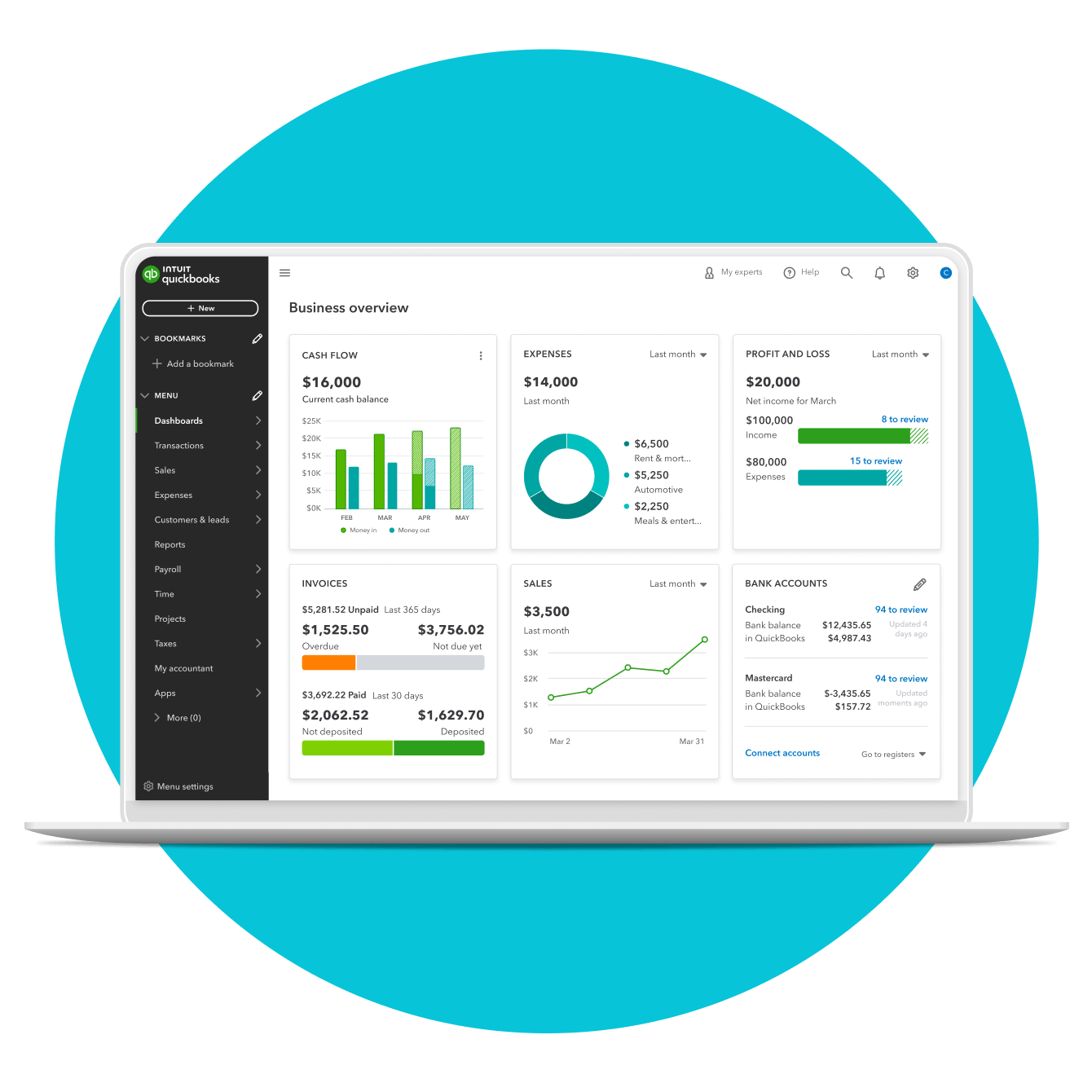
But what exactly does QuickBooks do? At its core, it acts as a centralized digital hub for all financial transactions, providing businesses with the tools to track income and expenses, manage invoices, process payroll, reconcile bank accounts, and generate insightful financial reports. By offering a robust set of features across various platforms—from cloud-based online versions to traditional desktop applications—QuickBooks empowers business owners and their teams to maintain precise financial records, understand their cash flow, prepare for tax season, and make informed strategic decisions. This article delves into the multifaceted capabilities of QuickBooks, exploring its foundational features, advanced functionalities, technological advantages, and how it serves as an indispensable technological asset for contemporary enterprises.
The Foundation: Core Accounting Capabilities
At the heart of QuickBooks’ offering lies a powerful array of core accounting functionalities designed to cover the essential financial workflows of any business. These features are the bedrock upon which all other capabilities are built, ensuring accuracy, efficiency, and clarity in financial record-keeping.
Managing Income and Expenses
One of the most fundamental tasks for any business is tracking where money comes from and where it goes. QuickBooks excels in this area by providing intuitive tools for categorizing every transaction. Users can easily record sales, track customer payments, and monitor all operational expenditures. This meticulous tracking ensures that businesses have a clear, real-time picture of their financial health, allowing for better budgeting and expenditure control. By automating the categorization process, often through bank feed integrations, QuickBooks significantly reduces manual data entry and minimizes the risk of human error. This foundational capability is crucial for understanding profitability and identifying areas for financial optimization.
Invoicing and Accounts Receivable
Effective cash flow relies heavily on timely invoicing and efficient collection of payments. QuickBooks simplifies the entire accounts receivable process, allowing users to create professional, customized invoices quickly. These invoices can be sent directly to customers via email, often with options for online payment processing, accelerating the payment cycle. The software also provides robust tracking features, enabling businesses to monitor outstanding invoices, send payment reminders, and record payments received. This comprehensive approach to invoicing not only enhances professionalism but also ensures that businesses maintain a healthy cash flow by minimizing overdue payments.
Bill Management and Accounts Payable
Just as important as managing income is controlling outgoing payments. QuickBooks streamlines accounts payable by allowing businesses to record vendor bills, track payment due dates, and schedule payments. This feature helps prevent late fees, maintain good vendor relationships, and manage cash outflows effectively. Users can enter bills, attach supporting documentation, and even pay vendors directly through the platform, offering a consolidated system for managing all vendor-related financial activities. By centralizing bill management, businesses gain greater control over their expenditures and improve their financial planning.
Bank Reconciliation and Transaction Management
Reconciling bank and credit card statements against recorded transactions is a critical control measure to ensure accuracy and detect discrepancies. QuickBooks automates much of this process by allowing direct feeds from banking institutions. It matches transactions, identifies unmatched entries, and helps resolve discrepancies swiftly. This continuous reconciliation process ensures that the books accurately reflect the actual cash position, providing peace of mind and significantly reducing the time spent on manual reconciliations. Furthermore, it enhances financial integrity by quickly flagging any unauthorized transactions or errors.
Beyond the Basics: Advanced Software Features
While its core accounting functions are robust, QuickBooks extends its utility with a suite of advanced features designed to tackle more complex operational needs, further solidifying its position as an all-encompassing financial software solution.
Payroll Processing and Management
Managing employee payroll can be complex, involving calculations for wages, deductions, taxes, and compliance with various regulations. QuickBooks offers integrated payroll solutions that simplify this intricate process. It allows businesses to run payroll, calculate federal and state taxes, manage direct deposits, and even file payroll tax forms automatically. This integration eliminates the need for separate payroll software, ensuring seamless data flow between payroll and general ledger, and guaranteeing accuracy and compliance while saving significant administrative time.
Inventory Tracking and Management
For businesses that sell products, efficient inventory management is crucial for profitability. QuickBooks provides tools to track inventory levels, cost of goods sold, and inventory movement. Users can set reorder points, receive notifications for low stock, manage vendor purchase orders, and track product sales. This feature helps businesses avoid stockouts, minimize overstocking, and make informed purchasing decisions, directly impacting their bottom line by optimizing inventory investment and enhancing customer satisfaction.
Project Tracking and Job Costing
Many businesses operate on a project-by-project basis, requiring detailed tracking of costs and revenue for each engagement. QuickBooks enables comprehensive project tracking and job costing, allowing users to assign income and expenses to specific projects. This functionality provides a clear view of each project’s profitability, helping businesses understand which projects are most lucrative and where inefficiencies might lie. It supports better project bidding, resource allocation, and overall strategic planning, offering valuable insights into operational effectiveness.
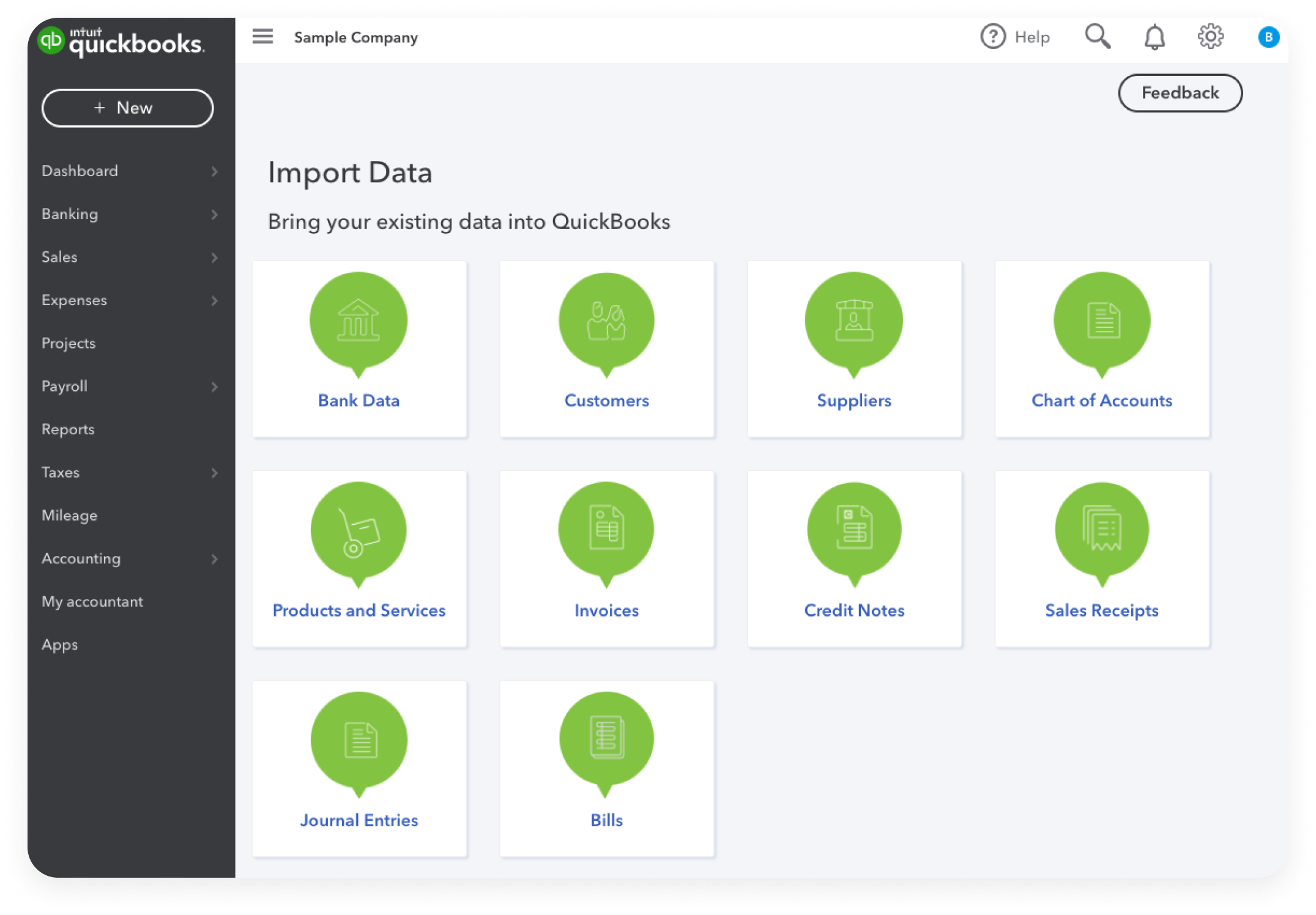
Financial Reporting and Insights
One of the most powerful aspects of QuickBooks is its ability to transform raw financial data into actionable insights through comprehensive reporting. The software offers a wide range of customizable reports, including profit and loss statements, balance sheets, cash flow statements, sales reports, and budget vs. actual reports. These reports are crucial for understanding business performance, identifying trends, forecasting future financial positions, and making data-driven decisions. QuickBooks’ reporting capabilities empower business owners to gain a deeper understanding of their financial narrative, enabling proactive strategic adjustments and long-term planning.
The Technological Advantage: Cloud, Mobile, and Integrations
QuickBooks is not just a feature-rich accounting program; it is also a technologically advanced platform designed for the modern digital era, leveraging cloud computing, mobile accessibility, and extensive integration capabilities.
Cloud-Based Accessibility and Collaboration
QuickBooks Online, the cloud-based version, epitomizes flexibility and accessibility. It allows users to access their financial data from anywhere, at any time, using any device with an internet connection. This cloud-centric approach facilitates seamless collaboration among business owners, employees, and accountants, as multiple users can access and work on the same financial data concurrently and securely. This real-time access and collaboration significantly enhance efficiency, reduce delays, and ensure that everyone is working with the most current financial information.
Mobile App Functionality
Complementing its cloud capabilities, QuickBooks offers robust mobile applications for both iOS and Android devices. These apps extend many of the desktop and online features to smartphones and tablets, allowing users to send invoices, record expenses, take photos of receipts, check bank balances, and even run basic reports on the go. This mobile functionality is invaluable for busy entrepreneurs and field-based teams, providing essential financial management tools right in their pockets and ensuring that critical tasks are never delayed due to a lack of access to a desktop computer.
Seamless Integrations with Other Software
Recognizing that businesses use a variety of tools, QuickBooks is designed to integrate seamlessly with hundreds of third-party applications. This ecosystem includes CRM systems, e-commerce platforms, payment processors, point-of-sale (POS) systems, and industry-specific tools. These integrations eliminate duplicate data entry, ensure data consistency across different platforms, and create a more unified and efficient operational workflow. By connecting with other essential business software, QuickBooks extends its utility and becomes an even more central component of a company’s technology stack.
Digital Security and Data Protection
In an age where data breaches are a significant concern, QuickBooks places a high priority on digital security. It employs robust encryption protocols, multi-factor authentication, and continuous monitoring to protect sensitive financial data from unauthorized access. Regular backups are performed automatically for cloud-based versions, ensuring data recovery in case of unforeseen events. This commitment to security provides businesses with confidence that their critical financial information is safe and compliant with industry standards, minimizing risk and ensuring business continuity.
Choosing the Right QuickBooks Solution for Your Business
With various versions available, understanding the differences and choosing the right QuickBooks solution is crucial for maximizing its benefits and aligning with specific business needs.
QuickBooks Desktop vs. QuickBooks Online
The primary distinction lies between QuickBooks Desktop (locally installed software) and QuickBooks Online (cloud-based subscription service). QuickBooks Desktop offers powerful features, often preferred by larger small businesses or those with specific industry needs, offering more customization in some areas. However, it requires manual updates, is tied to specific computers, and has more limited remote access and collaboration features. QuickBooks Online, on the other hand, excels in accessibility, automatic updates, and real-time collaboration, making it ideal for businesses that prioritize flexibility, mobility, and ease of sharing financial data with accountants and teams. The choice often depends on a business’s operational style, IT infrastructure, and need for remote access.
Tailored Versions for Different Business Needs
Beyond the Desktop vs. Online dichotomy, QuickBooks offers various tiers and specialized versions to cater to diverse business sizes and complexities. For QuickBooks Online, these include Simple Start, Essentials, Plus, and Advanced, each offering progressively more features like inventory management, project costing, or enhanced reporting. QuickBooks Desktop also has Pro, Premier (with industry-specific editions), and Enterprise versions. These tailored options ensure that businesses can select a version that precisely matches their current requirements and budget, with the flexibility to upgrade as they grow. This scalability ensures that QuickBooks remains a relevant and powerful tool throughout a business’s lifecycle.
The Impact of QuickBooks: Transforming Business Operations
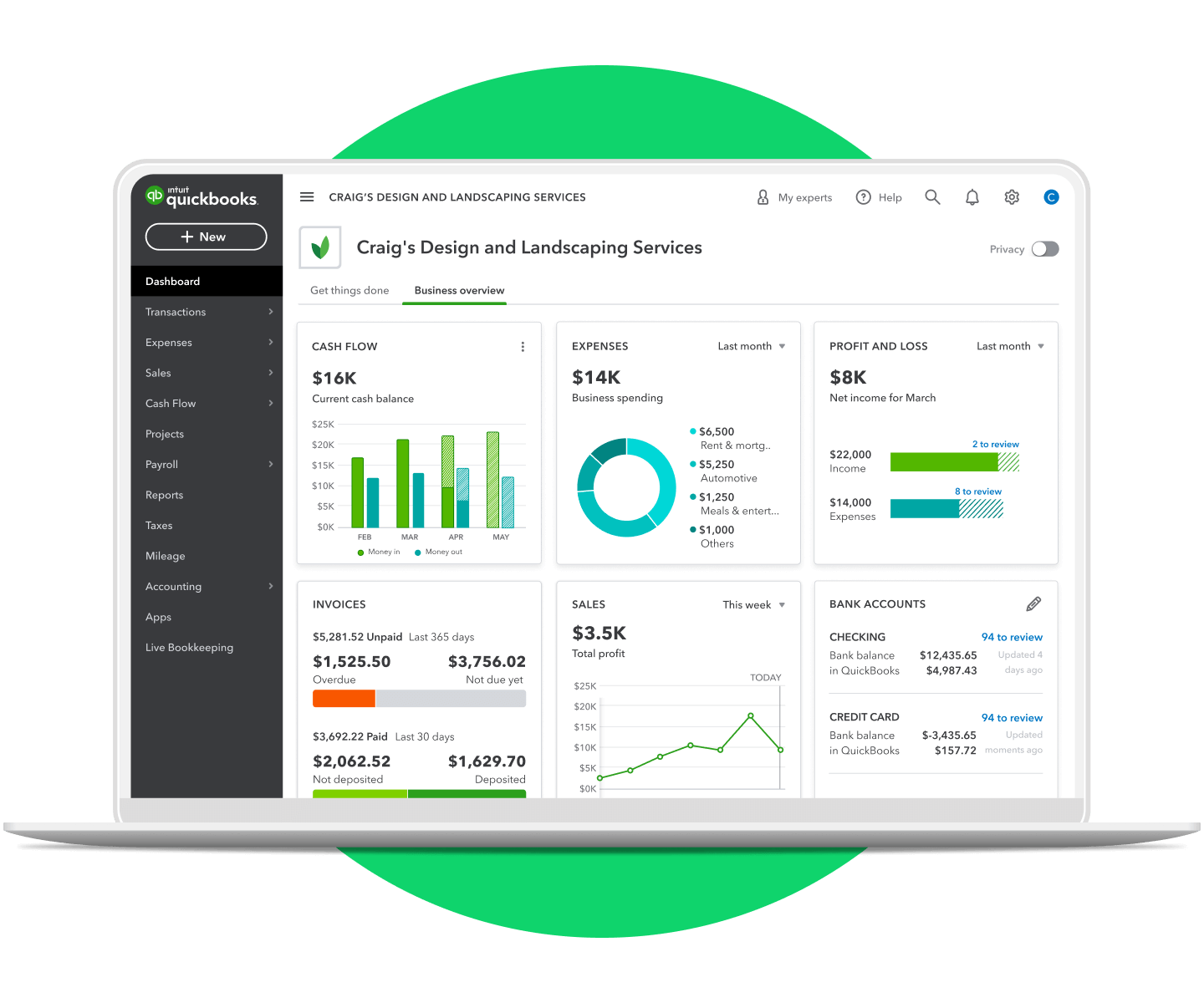
Ultimately, what QuickBooks does is transform the way businesses manage their finances. It’s more than just an accounting program; it’s a strategic tool that empowers business owners to gain clarity, control, and confidence over their financial future. By automating tedious tasks, providing accurate data, offering insightful reports, and ensuring seamless accessibility, QuickBooks enables businesses to move beyond mere bookkeeping to proactive financial management. It frees up valuable time for entrepreneurs to focus on core business activities, innovation, and growth, rather than being bogged down by administrative complexities.
In an increasingly digital and competitive world, the ability to rapidly understand financial performance, identify opportunities, and mitigate risks is paramount. QuickBooks provides the technological infrastructure to achieve precisely that. From a budding startup meticulously tracking its first sales to an established enterprise managing complex payrolls and inventory across multiple locations, QuickBooks stands as an indispensable piece of technology, democratizing sophisticated financial management and driving smarter business decisions. Its continuous evolution, driven by technological advancements and user feedback, ensures that it remains at the forefront of accounting software, consistently redefining what a business can achieve with the right financial tools at its disposal.
aViewFromTheCave is a participant in the Amazon Services LLC Associates Program, an affiliate advertising program designed to provide a means for sites to earn advertising fees by advertising and linking to Amazon.com. Amazon, the Amazon logo, AmazonSupply, and the AmazonSupply logo are trademarks of Amazon.com, Inc. or its affiliates. As an Amazon Associate we earn affiliate commissions from qualifying purchases.