
PWA stands for Progressive Web App. This term represents a modern web development approach that aims to deliver an app-like experience directly within a web browser. Progressive Web Apps combine the best characteristics of traditional websites with many of the features and functionalities typically associated with native mobile applications, creating a seamless, engaging, and highly functional user experience across various devices and network conditions.
Unpacking the Acronym: Progressive Web App Defined
At its core, a Progressive Web App is a website that has been enhanced with modern web technologies to function like a native application. The “Progressive” aspect signifies its fundamental design principle: it works for every user, regardless of their browser choice or network connection, and progressively enhances capabilities for those with modern browsers and better connectivity. This means a PWA starts as a standard website but gains additional features—like offline access, push notifications, and the ability to be installed on a device’s home screen—as the user’s browser and network allow.
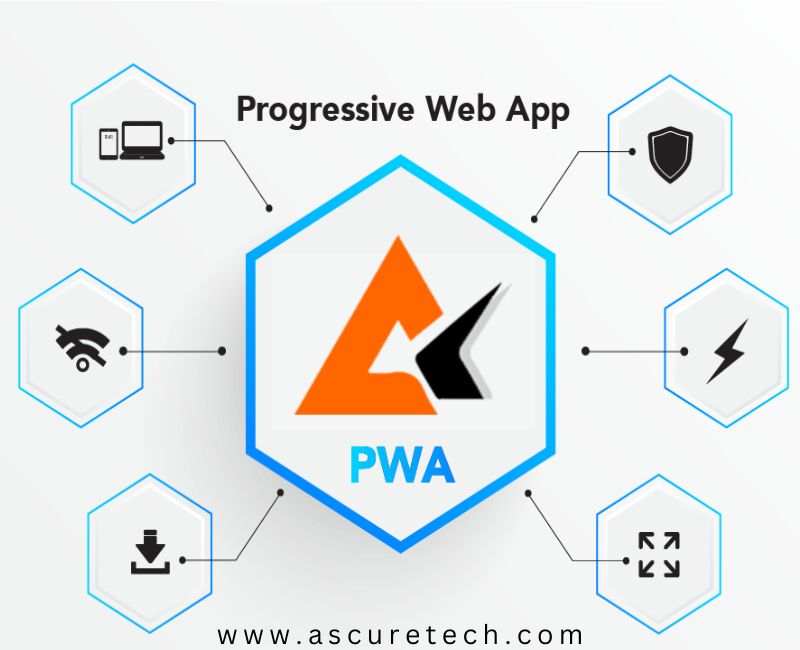
This innovative architecture blurs the lines between the web and native platforms, offering a powerful alternative that leverages the ubiquity and accessibility of the web while delivering the performance and engagement of a dedicated application. PWAs are not built with a separate development stack or language; rather, they are standard web applications that adhere to a set of specific technical requirements and best practices, transforming a regular website into something much more robust and feature-rich.
Core Characteristics of a Progressive Web App
For a web application to be considered a Progressive Web App, it must meet several key criteria that contribute to its app-like behavior and user experience. These characteristics are fundamental to their design and functionality:
Reliable: Offline Capabilities with Service Workers
One of the most defining features of a PWA is its reliability, especially concerning network connectivity. PWAs are engineered to work even when a user is offline or experiencing a poor network connection. This resilience is primarily achieved through the implementation of Service Workers. These are JavaScript files that run in the background, separate from the main web page, and can intercept network requests made by the application.
Service Workers enable powerful caching strategies, allowing critical assets (like HTML, CSS, JavaScript, and images) to be stored directly on the user’s device. When a user tries to access the PWA again without a network connection, the Service Worker can serve the cached content, providing instant loading and a functional experience instead of a typical “no internet connection” error page. This ensures that the PWA is always available, enhancing user satisfaction and reducing abandonment rates.
Fast: Optimized Performance and Responsiveness
Speed is paramount for user engagement and retention. PWAs are designed to be exceptionally fast, offering quick loading times and smooth interactions, mirroring the responsiveness expected from native applications. This optimization encompasses several factors:
- Instant Loading: Thanks to Service Worker caching, subsequent visits to a PWA can load almost instantly, as much of the content is already stored locally.
- Optimized Assets: Developers focus on delivering optimized images, compressed code, and efficient network requests to minimize initial load times.
- Responsive Design: A PWA is inherently responsive, meaning its layout and content adapt seamlessly to various screen sizes and orientations, from desktop monitors to tablets and smartphones. This adaptability ensures a consistent and optimal viewing experience across all devices.
The emphasis on speed not only improves user experience but also has positive impacts on metrics like bounce rate and conversion, as users are less likely to abandon a fast-loading application.
Engaging: App-like Experience and Features
PWAs are built to be highly engaging, providing an experience that feels intuitive and familiar to users accustomed to native apps. This engagement is fostered by several app-like features:
- Add to Home Screen/Installability: Users can “install” a PWA directly to their device’s home screen or desktop. This makes the PWA accessible with a single tap, just like a native app, removing the need to navigate through a browser. Once installed, it often launches without a browser address bar, creating a fullscreen, immersive experience.
- Push Notifications: PWAs can leverage push notifications to re-engage users with timely, relevant updates, even when the browser is closed. This capability is crucial for news apps, social media platforms, or e-commerce sites looking to notify users about new content, messages, or promotions.
- Access to Device Features: With appropriate user permissions, PWAs can access certain device capabilities through standard web APIs, such as the camera, microphone, GPS location, and even haptic feedback. While not as extensive as native app access, this continually expanding range of capabilities allows for richer, more interactive experiences.
- Seamless Updates: Unlike native apps that require manual updates through app stores, PWAs update automatically in the background, ensuring users always have the latest version without any intervention.
The Technical Underpinnings: How PWAs Work
The functionality and characteristics of Progressive Web Apps are built upon a foundation of modern web standards and technologies. Understanding these core components is key to grasping how PWAs deliver their unique experience.
Service Workers: The Engine for Offline Functionality
As previously mentioned, Service Workers are pivotal to PWAs. They are client-side programmable proxies that sit between the web application and the network. Their capabilities extend beyond simple caching:
- Network Request Interception: Service Workers can intercept outgoing requests from the PWA and incoming responses from the server. This allows them to decide whether to fetch content from the network, retrieve it from the cache, or generate a response entirely.
- Background Synchronization: They enable applications to synchronize data in the background, ensuring that content is always up-to-date even if the user closes the app.
- Push Notifications: Service Workers are responsible for receiving and displaying push notifications, even when the PWA is not actively running in the foreground.
Crucially, Service Workers operate independently of the main browser thread, ensuring that complex operations don’t slow down the user interface. They are event-driven, responding to events like install, activate, and fetch.

Web App Manifest: Defining the App’s Identity
The Web App Manifest is a simple JSON file that provides information about the web application to the browser and operating system. It dictates how the PWA should appear and behave when installed on a user’s device. Key properties defined in the manifest include:
nameandshort_name: The full and abbreviated names of the application.start_url: The URL that should be loaded when the user launches the PWA.display: Specifies the preferred display mode (e.g.,standalonefor a full-screen app-like experience,fullscreen,minimal-ui, orbrowser).icons: An array of image objects specifying the icons for various resolutions and purposes (e.g., home screen, splash screen).theme_color: The color of the toolbar and surrounding UI elements.background_color: The background color of the splash screen.
This manifest file is essential for the “Add to Home Screen” prompt, splash screen presentation, and ensuring the PWA looks and feels integrated with the user’s operating system.
HTTPS: The Foundation for Security and Trust
A mandatory requirement for any PWA is that it must be served over HTTPS (Hypertext Transfer Protocol Secure). This cryptographic protocol ensures that all communication between the user’s browser and the web server is encrypted, protecting data privacy and integrity.
The HTTPS requirement is not merely for security; it is also a technical prerequisite for many advanced browser features that PWAs leverage, most notably Service Workers. Modern browsers mandate HTTPS for Service Workers to prevent potential man-in-the-middle attacks, where malicious actors could inject code into the Service Worker and compromise the user’s experience or data. By enforcing HTTPS, PWAs build trust with users and unlock their full potential for functionality.
Advantages for Users and Developers
The PWA model offers significant benefits to both the end-users interacting with the application and the developers and businesses creating them.
User Benefits: Accessibility, Performance, and Convenience
For users, PWAs provide an enhanced and more streamlined digital experience:
- Instant Access, No Installation Barrier: Users can access a PWA directly from a URL, just like any website. If they choose to “install” it, it’s a quick, seamless process without the need to visit an app store or download large files.
- Less Storage Space: PWAs consume significantly less storage space on a device compared to native applications, which can be crucial for users with limited memory.
- Reliable Performance: The offline capabilities ensure that users can still access core functionality even with unreliable or no internet connection, leading to a much less frustrating experience.
- Always Up-to-Date: Updates happen automatically in the background, meaning users always experience the latest version of the application without manual intervention or app store updates.
- Enhanced Discovery: Since PWAs are fundamentally websites, they are discoverable through search engines, unlike native apps that are limited to app store search.
Developer and Business Benefits: Broader Reach, Easier Development, Lower Costs
For businesses and developers, PWAs present a compelling strategy for digital presence:
- Single Codebase, Broader Reach: Developers can build one PWA that works across multiple platforms (desktop, mobile web, installed app), significantly reducing development time and effort compared to building separate native apps for iOS and Android, plus a traditional website.
- No App Store Hurdles: PWAs bypass app store submission processes, review guidelines, and revenue sharing models. This allows for faster deployment, more control over updates, and potentially lower distribution costs.
- Improved User Engagement and Conversion: Features like push notifications and the “Add to Home Screen” option lead to higher re-engagement rates. The faster loading times and reliable performance contribute to lower bounce rates and higher conversion rates.
- Enhanced SEO and Discoverability: As standard websites, PWAs are fully indexable by search engines, leading to better organic discoverability compared to native apps.
- Reduced Development and Maintenance Costs: A single codebase means less time spent on maintenance, bug fixes, and feature development across different platforms.
PWAs vs. Native Apps vs. Traditional Web Apps
Understanding where PWAs fit in the application development landscape requires a comparison with their predecessors:
The Spectrum of Application Development
- Native Applications:
- Pros: Best performance, full access to device hardware (e.g., extensive camera controls, NFC, advanced sensors), richest user experience, often distributed through app stores.
- Cons: Platform-specific (separate iOS and Android versions needed), high development cost and complexity, app store approval processes and fees, requires installation, large file sizes.
- Traditional Web Applications:
- Pros: Universal access via any browser, no installation required, single codebase, easily discoverable via search engines, lowest development barrier.
- Cons: Limited or no offline capabilities, no home screen icon, no push notifications, can feel less integrated with the OS, performance dependent on network.
- Progressive Web Apps (PWAs):
- Pros: Blends web accessibility with native app features, offline capabilities, installable to home screen, push notifications, single codebase, discoverable via search engines, relatively lower development and maintenance costs than native apps.
- Cons: Still limited access to certain advanced device hardware APIs compared to native apps (though this gap is closing), performance can sometimes be slightly less than highly optimized native apps (though often imperceptible to users), browser support for some advanced PWA features can vary slightly.
PWAs occupy a strategic middle ground, offering a compelling balance. They provide many of the desired features of native apps without the associated development burden and distribution complexities, while significantly enhancing the capabilities of traditional web experiences.

The Future Landscape of Web Applications
The adoption of Progressive Web Apps continues to grow across industries. Major companies like Twitter (Twitter Lite), Spotify, Starbucks, Pinterest, and Forbes have successfully deployed PWAs, leveraging their benefits for improved user engagement and business outcomes.
Browser vendors, including Google Chrome, Microsoft Edge, Mozilla Firefox, and Apple Safari, are continually enhancing their support for PWA features, indicating a strong commitment to the future of this technology. As web standards evolve and browser capabilities expand, PWAs are expected to gain even greater access to device hardware and become virtually indistinguishable from native applications in many use cases.
For businesses aiming for broad reach, efficient development, and a superior user experience, embracing PWAs is not just a trend but a strategic necessity. They represent a significant leap forward in how web applications can deliver value, ensuring that the web remains a powerful and competitive platform for all types of digital services.
aViewFromTheCave is a participant in the Amazon Services LLC Associates Program, an affiliate advertising program designed to provide a means for sites to earn advertising fees by advertising and linking to Amazon.com. Amazon, the Amazon logo, AmazonSupply, and the AmazonSupply logo are trademarks of Amazon.com, Inc. or its affiliates. As an Amazon Associate we earn affiliate commissions from qualifying purchases.