
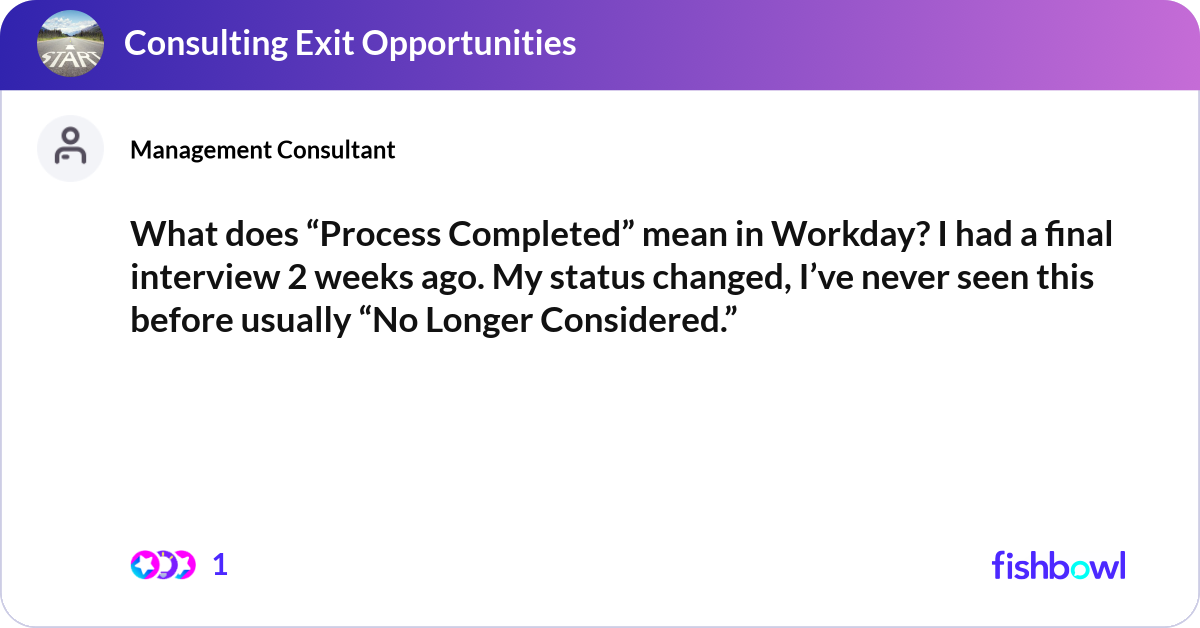
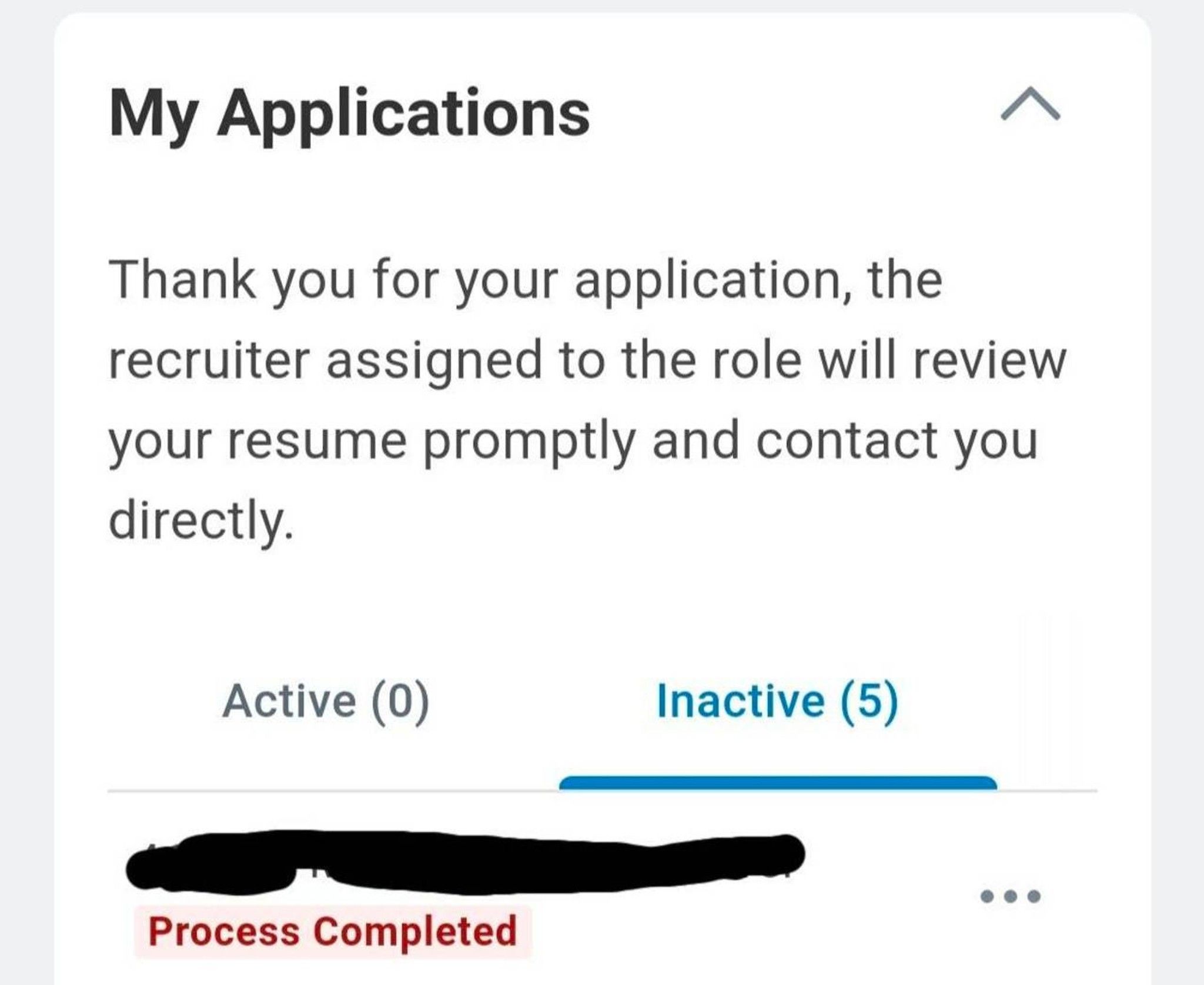
In the modern corporate landscape, human resource management systems (HRMS) have become indispensable tools for streamlining operations, managing employee data, and facilitating crucial processes. Among the most widely adopted and robust HRMS platforms is Workday. As employees and HR professionals alike interact with Workday, they often encounter various status indicators. One such indicator that can sometimes spark curiosity, or even mild confusion, is the “Process Completed” status. Understanding what this signifies is key to a smoother and more efficient experience within the platform.
This article delves into the meaning and implications of “Process Completed” on Workday, exploring its significance across different modules and providing insights into how to interpret and leverage this status for optimal workflow management. While “Process Completed” might seem straightforward, its context within Workday’s intricate ecosystem can vary, impacting everything from onboarding and payroll to performance reviews and system integrations.
Understanding the Nuances of Workflow and Status in Workday
Workday is built upon a foundation of robust workflow automation. At its core, a “process” in Workday refers to a series of tasks and approvals designed to achieve a specific outcome. Whether it’s initiating a new hire, processing a change in an employee’s role, or managing a leave request, these actions are broken down into discrete steps, each assigned to an individual or a role. The “Process Completed” status signifies the successful conclusion of this entire sequence of tasks, confirming that all required actions have been executed and no further intervention is needed for that particular workflow.
The Anatomy of a Workday Process
To truly grasp “Process Completed,” it’s essential to understand how Workday structures its workflows. Each process, regardless of its complexity, follows a defined path. This path is often visualized as a flowchart, detailing the sequence of actions, decisions, and approvals. Key components of a Workday process include:
- Initiation: A process begins when an employee, manager, or HR professional triggers a specific action within the system. This could be submitting a time-off request, applying for a new position, or updating personal information.
- Tasks and Approvals: Once initiated, the process branches out into a series of tasks. These tasks might involve data entry, reviewing information, or making a decision. Many tasks culminate in an approval step, where a designated individual (e.g., a manager, HR representative, or finance team member) must formally sign off on the action.
- Conditional Logic: Workday processes can incorporate conditional logic, meaning the path a process takes can change based on certain criteria. For instance, a leave request exceeding a certain number of days might require additional approvals compared to a shorter request.
- Notifications and Alerts: Throughout the process, Workday sends out notifications to relevant parties, informing them of pending tasks, status updates, or completion.
- Completion: The ultimate goal of any initiated process is its successful conclusion. The “Process Completed” status is the definitive indicator that this goal has been met.
Differentiating “Process Completed” from Other Statuses
It’s important to distinguish “Process Completed” from other potential statuses within Workday. While a completed process signifies a successful end, other statuses might indicate:
- In Progress: The process is active, and tasks are still being performed or are awaiting action.
- Pending Approval: The process has reached a stage where it requires an explicit approval from a designated individual.
- On Hold: The process has been temporarily suspended, often due to external dependencies or a need for clarification.
- Cancelled: The process has been intentionally terminated before completion, either by the initiator or an authorized user.
- Error: The process encountered a technical or logical issue that prevented it from proceeding or completing successfully.
The “Process Completed” status is the final, positive confirmation that the automated workflow has executed as intended, with all necessary steps and approvals duly accounted for.
Interpreting “Process Completed” Across Key Workday Modules
The “Process Completed” status is not confined to a single area of Workday; it permeates various modules, each with its own set of workflows and associated completion signals. Understanding these specific contexts enhances your ability to manage HR operations effectively.
Onboarding and Offboarding Processes
The journey of an employee into and out of an organization is meticulously managed within Workday.
- New Hire Onboarding: When a candidate accepts an offer and the onboarding process is initiated, a series of tasks are triggered. These can include background checks, system access provisioning, benefits enrollment, and mandatory training assignments. Once all these steps are finalized, and the new employee has been successfully integrated into the system, the onboarding process will typically display as “Process Completed.” This signifies that the new hire is fully set up and ready to begin their role, and all administrative prerequisites have been met.
- Employee Offboarding: Similarly, when an employee resigns or their contract ends, an offboarding process is initiated. This involves tasks such as final payroll processing, equipment return, system access revocation, and exit interviews. A “Process Completed” status for offboarding indicates that all necessary administrative and logistical aspects of the employee’s departure have been finalized, ensuring a clean and compliant exit.
Payroll and Compensation Adjustments
Payroll processing and any changes to an employee’s compensation are critical, sensitive operations that rely heavily on accurate workflows.
- Payroll Run: The regular payroll cycle is a prime example of a complex process that, upon successful execution, will be marked as “Process Completed.” This status confirms that all employee hours have been captured, deductions calculated, taxes processed, and payments scheduled or disbursed. Any errors or discrepancies would typically prevent this status from being achieved.
- Compensation Changes: Whether it’s a salary increase, a bonus payout, or a change in benefits, these adjustments are managed through specific Workday processes. Once a manager initiates a compensation change, it often goes through an approval workflow. Upon final approval and the successful update of the employee’s record in the system, the compensation change process will show as “Process Completed,” ensuring the employee’s pay and benefits reflect the approved changes accurately.
Talent Management and Performance Reviews
Workday’s capabilities extend to managing employee development and performance.
- Performance Reviews: The annual or semi-annual performance review cycle involves multiple steps, including self-assessments, manager evaluations, and potentially calibration meetings. Once an employee’s performance review has been finalized, signed off by all relevant parties, and the data integrated into their employee profile, the performance review process will reach a “Process Completed” state. This marks the formal conclusion of that review cycle.
- Goal Setting and Management: Employees and managers use Workday to set, track, and update individual and team goals. When goals are finalized, agreed upon, and entered into the system for a specific performance period, the goal-setting process will also achieve a “Process Completed” status, confirming that objectives are officially established and recorded.

Leveraging “Process Completed” for Enhanced HR Efficiency and Transparency
The “Process Completed” status in Workday is more than just an informational marker; it’s a powerful indicator that can be leveraged to enhance operational efficiency, ensure accountability, and provide valuable insights into HR processes.
Ensuring Accountability and Audit Trails
Each completed process in Workday generates a comprehensive audit trail. This trail meticulously records who initiated the process, who performed each task, who approved each step, and the timestamps for all these actions. The “Process Completed” status signifies that this entire audit trail is intact and finalized. This is invaluable for:
- Compliance: Demonstrating adherence to internal policies and external regulations.
- Dispute Resolution: Providing clear evidence of actions taken and approvals granted in case of any discrepancies or disputes.
- Process Improvement: Analyzing the duration and bottlenecks of completed processes to identify areas for optimization.
Streamlining Workflows and Reducing Bottlenecks
By understanding that a “Process Completed” status indicates all necessary steps have been executed, HR teams and employees can gain confidence in the system’s outcomes. This knowledge allows for:
- Proactive Follow-up: If a process remains “In Progress” for an extended period, it signals a potential bottleneck that requires investigation. Conversely, a “Process Completed” status means the ball is no longer in the system’s court for that specific workflow.
- Accurate Reporting: When generating reports on HR metrics, the “Process Completed” status helps filter and analyze completed actions, providing a clearer picture of completed initiatives rather than ongoing tasks.
- System Integration: For systems that integrate with Workday, the “Process Completed” status can act as a trigger for subsequent actions in the integrated system, ensuring data synchronization happens only after the foundational Workday process is finalized.
Empowering Employees and Managers
For employees and managers who interact with Workday, understanding the meaning of “Process Completed” fosters a sense of control and clarity.
- Reduced Anxiety: When an employee submits a request, seeing the status move through stages and eventually to “Process Completed” offers reassurance that their request has been handled.
- Informed Decision-Making: Managers can rely on completed processes to signify that actions under their purview have been finalized, allowing them to move forward with subsequent planning or actions.
- Self-Service Empowerment: A clear understanding of process statuses empowers users to manage their HR interactions more effectively, reducing reliance on HR support for routine status inquiries.
Best Practices for Managing and Interpreting Workday Processes
To maximize the benefits derived from Workday’s process management, adopting a few best practices can significantly enhance efficiency and user experience.
Establishing Clear Process Definitions and Service Level Agreements (SLAs)
While Workday provides the framework, it’s crucial for organizations to define what each process entails and establish expected turnaround times.
- Document Your Workflows: Clearly document each Workday process, outlining its purpose, the steps involved, and who is responsible for each task. This documentation should be readily accessible to all users.
- Define SLAs: For critical processes, establish Service Level Agreements (SLAs) that define the target completion time. This helps in identifying when a “Process Completed” status is significantly delayed or when an “In Progress” status requires escalation.
Regular Training and Communication
Effective utilization of Workday relies on user understanding.
- Onboarding and Ongoing Training: Ensure all employees and managers receive adequate training on how to navigate Workday, initiate processes, and interpret status updates. This training should be ongoing to address new features or process changes.
- Transparent Communication: When there are system updates, changes to processes, or known delays, communicate these proactively to your workforce. This transparency builds trust and manages expectations.
Utilizing Workday’s Reporting and Analytics Capabilities
Workday offers powerful tools for analyzing process data.
- Dashboard Configuration: Configure dashboards to prominently display key process statuses, allowing for quick oversight of ongoing and completed activities.
- Custom Reports: Build custom reports to track the volume of completed processes, average completion times, and identify any recurring issues that might prevent processes from reaching the “Process Completed” status efficiently. This data is invaluable for continuous process improvement.
By adopting these practices, organizations can transform Workday from a complex system into a transparent, efficient, and empowering tool for managing their most valuable asset – their people. The “Process Completed” status, when understood and leveraged effectively, becomes a cornerstone of this efficient HR ecosystem.
aViewFromTheCave is a participant in the Amazon Services LLC Associates Program, an affiliate advertising program designed to provide a means for sites to earn advertising fees by advertising and linking to Amazon.com. Amazon, the Amazon logo, AmazonSupply, and the AmazonSupply logo are trademarks of Amazon.com, Inc. or its affiliates. As an Amazon Associate we earn affiliate commissions from qualifying purchases.