
In the modern digital landscape, few software titles have achieved the level of cultural ubiquity enjoyed by Adobe Photoshop. To ask “what does Photoshop mean” is to explore a dual narrative: one is the technical definition of a sophisticated raster graphics editor, and the other is the transformation of a brand name into a universal verb for image manipulation. Within the technology sector, Photoshop represents the pinnacle of digital imaging, a tool that has defined professional standards for over three decades and continues to push the boundaries of what is possible through artificial intelligence and advanced pixel manipulation.
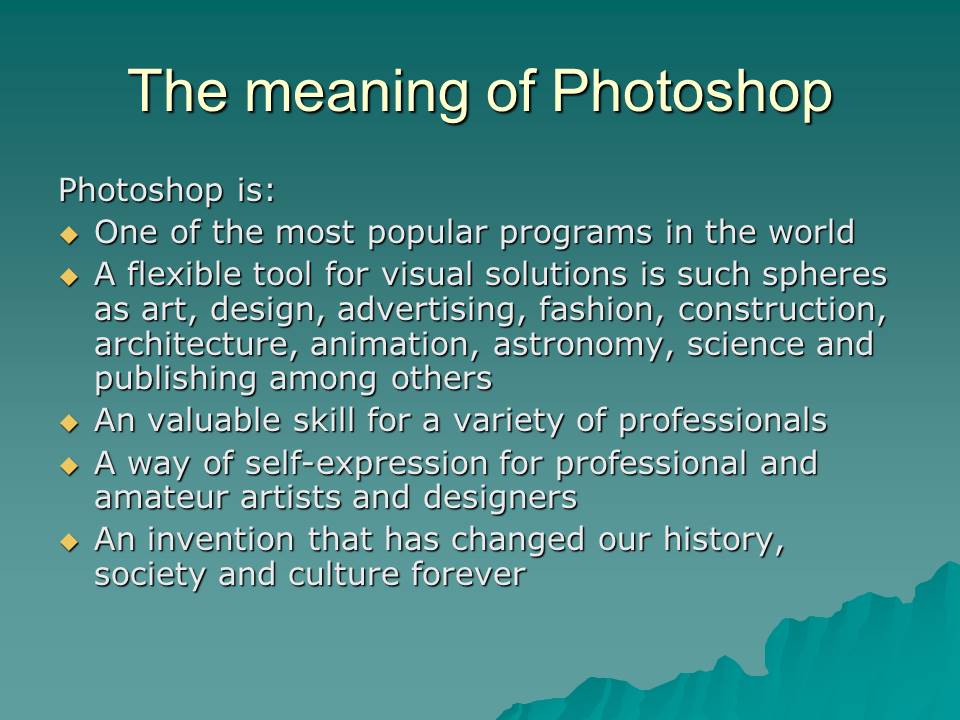
To truly understand what Photoshop means in a technical context, one must look beyond the surface level of “editing photos.” It is an expansive ecosystem used for web design, 3.D modeling, digital painting, and video frame editing. It is the engine behind the visuals of the modern world.
The Technical Foundation: Understanding Raster Graphics and Pixel Manipulation
At its core, Photoshop is a raster graphics editor. To understand the software, one must first understand the distinction between raster and vector data. Unlike vector-based programs (such as Adobe Illustrator) which use mathematical equations to create lines and shapes, Photoshop operates on a grid of pixels.
The Anatomy of a Pixel
The word “Photoshop” technically refers to the management of these pixels. Every digital image is composed of millions of tiny squares of color. Photoshop allows a user to change the color, opacity, and placement of these pixels with surgical precision. This is why Photoshop is the preferred tool for high-end retouching; it provides a level of granular control that vector or layout software simply cannot match.
The .PSD Format and Data Architecture
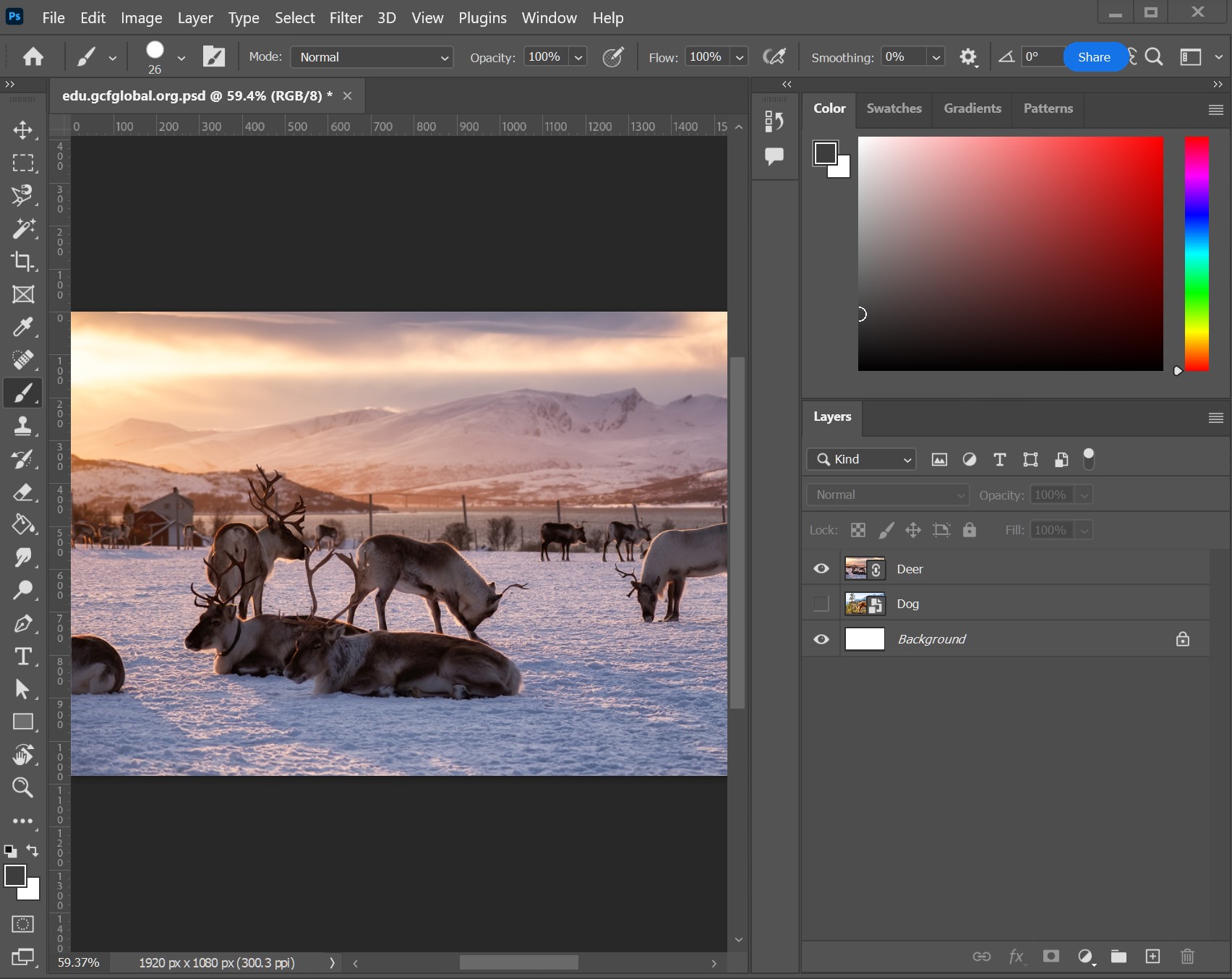
What Photoshop “means” to a developer or a digital archivist is often defined by the .PSD (Photoshop Document) file format. This format is unique because it stores more than just an image; it stores a history of creative decisions. A .PSD file contains layers, masks, transparency information, color profiles, and text metadata. This complex data architecture allows for non-destructive editing, meaning the original pixel data can be preserved while layers of adjustments are applied on top.
Color Spaces and Professional Output
In the tech world, Photoshop is also the gatekeeper of color accuracy. Whether working in RGB for digital displays or CMYK for offset printing, Photoshop provides the technical framework to ensure that what a creator sees on a calibrated monitor matches the final output. Its support for 16-bit and 32-bit channels allows for a dynamic range that caters to the most demanding photographic and cinematic requirements.
The Core Mechanics: Layers, Masks, and Selections
If one were to distill the technical essence of Photoshop into a single concept, it would be the “Layer.” Before the advent of digital imaging, photo manipulation required physical darkroom techniques or literal “cut and paste” methods. Photoshop digitized and revolutionized this process.
The Power of Layer-Based Composition
Photoshop means the ability to stack elements. By treating different parts of an image as transparent sheets of acetate, users can edit a foreground subject without ever touching the background. This modular approach to design is the backbone of modern UI/UX design and digital compositing. Technical features like “Smart Objects” further enhance this by allowing users to embed external files that retain their original properties even when scaled or distorted.
Masking: The Art of Invisible Editing
Masking is perhaps the most critical technical skill within the software. A mask tells Photoshop which parts of a layer should be visible and which should be hidden. Unlike erasing—which permanently deletes pixels—masking is a non-destructive tech workflow. By using grayscale values, a technician can create soft transitions or “feathered” edges, allowing for the seamless blending of two different realities.
Precision Selection Tools
The evolution of Photoshop is a timeline of selection technology. From the early days of the Marquee and Lasso tools to the modern “Select Subject” feature powered by machine learning, the goal has always been the same: isolating pixels. The technical sophistication of the “Refine Edge” and “Select and Mask” workspaces allows editors to isolate complex elements like human hair or semi-transparent smoke, tasks that were once considered nearly impossible in digital imaging.
The Cultural Paradigm: When a Brand Becomes a Verb
In the technology industry, there is a phenomenon known as “genericide,” where a brand name becomes so successful that it becomes the generic term for the service it provides (like “to Google” or “to Xerox”). “To Photoshop” has become a global synonym for altering reality.
The Ethics of Digital Manipulation
Because the software is so powerful, the meaning of Photoshop has expanded into the realm of digital ethics. In technical journalism and media studies, “Photoshopping” often carries a connotation of deception. The software’s ability to “Liquify” bodies, clear skin, and change environments has sparked global conversations about beauty standards and the “authenticity” of the digital image. From a tech perspective, this has led to the development of “Content Authenticity Initiatives,” where Adobe and other tech giants are working on metadata standards to prove whether an image has been manipulated.
Semantic Satiation and Professional Identity
While the public uses the term loosely to mean any edited photo (even those edited on a smartphone), within the tech niche, “Photoshop” remains a specific professional credential. To say a project was “done in Photoshop” implies a level of professional rigor. It distinguishes a high-fidelity design from a quick edit made in a consumer-grade app like Canva or Instagram. For a digital artist, Photoshop means a specialized workspace where the limitations are defined by the user’s skill rather than the software’s features.
The AI Revolution: Generative Fill and Adobe Firefly
The most significant shift in what Photoshop “means” has occurred in the last twenty-four months with the integration of Generative Artificial Intelligence. With the introduction of Adobe Firefly, Photoshop has transitioned from a manual manipulation tool to a collaborative AI partner.
From Content-Aware to Generative Fill
For years, Photoshop used basic algorithms for “Content-Aware Fill,” which analyzed surrounding pixels to patch holes. Today, “Generative Fill” uses neural networks trained on millions of images to create entirely new content from text prompts. This represents a massive leap in digital imaging technology. It means that the software no longer just “edits” pixels; it “understands” context.
Streamlining the Creative Workflow
AI integration has redefined the efficiency of the software. Tasks that previously took hours—such as extending a landscape or removing a complex object from a busy background—now take seconds. This technological evolution has lowered the barrier to entry while simultaneously raising the ceiling for what professional designers can achieve. In this new era, Photoshop means the synthesis of human creativity and algorithmic power.
Neural Filters and Machine Learning
Beyond generative imagery, Photoshop utilizes “Neural Filters” to perform complex tasks like changing a subject’s facial expression, colorizing a black-and-white photo, or smoothing skin textures automatically. These tools are powered by Adobe Sensei, the company’s AI and machine learning framework, marking a shift toward “intelligent” software that anticipates the user’s needs.
The Competitive Landscape: Photoshop in the Modern Ecosystem
Despite the rise of competitors like Affinity Photo, GIMP, and web-based editors like Photopea, Photoshop remains the undisputed industry standard. Its meaning is reinforced by its deep integration into the Adobe Creative Cloud ecosystem.
Integration and Interoperability
Photoshop does not exist in a vacuum. Its value is amplified by how it communicates with other technical tools. A designer can create a 3D texture in Substance Painter, bring it into Photoshop for refinement, and then place the final image into an InDesign layout or an After Effects composition. This interoperability is why it remains the cornerstone of professional tech stacks in creative agencies worldwide.
The Learning Curve and Community Support
Because Photoshop has been the leader for over 30 years, it has the most extensive documentation, tutorial library, and plugin ecosystem of any imaging software. For a new technician, Photoshop means a steep learning curve but a high reward. The “meaning” of the software is also found in its community—the millions of developers who create custom brushes, actions, and scripts that extend the software’s functionality.
The Future of Pixel Manipulation
As we look toward the future, the meaning of Photoshop continues to evolve with hardware. From specialized versions for the iPad that utilize the Apple Pencil to integrations with VR and AR environments, Photoshop is no longer tethered to a desktop computer. It is a cloud-synced, multi-platform engine for visual expression.
Conclusion: A Legacy of Innovation
What does Photoshop mean? In the tech niche, it means the definitive language of digital imagery. It is a sophisticated toolset that transformed photography from a chemical process into a digital science. It is a verb that defines our era of visual literacy. Most importantly, it is a testament to the power of software to change how we see the world. From the first “clone stamp” to the latest “generative fill,” Photoshop remains the primary lens through which digital reality is constructed, refined, and reimagined. Whether you are a UI designer, a digital painter, or a photojournalist, Photoshop is the essential medium of the digital age.
aViewFromTheCave is a participant in the Amazon Services LLC Associates Program, an affiliate advertising program designed to provide a means for sites to earn advertising fees by advertising and linking to Amazon.com. Amazon, the Amazon logo, AmazonSupply, and the AmazonSupply logo are trademarks of Amazon.com, Inc. or its affiliates. As an Amazon Associate we earn affiliate commissions from qualifying purchases.