
In the modern digital landscape, where real-time interaction has become the standard for both professional and recreational activities, few terms are as frequently cited—yet often misunderstood—as “ping.” Whether you are a software developer troubleshooting a distributed system, a remote professional participating in a high-stakes video conference, or a competitive gamer seeking a split-second advantage, the quality of your connection is defined by its responsiveness.
When someone complains about “high ping,” they are referring to a specific technical bottleneck known as latency. While high-speed internet advertisements often focus on bandwidth (download and upload speeds), ping represents the silent engine of the user experience. This article explores the technical nuances of ping, why high ping occurs, and how it impacts the architecture of our digital lives.
Decoding the Technical Side of Latency: The “What” and “How”
At its most fundamental level, ping is a utility used to test the reachability of a host on an Internet Protocol (IP) network. It measures the round-trip time (RTT) for messages sent from the originating host to a destination computer that are echoed back to the source. When we talk about “high ping,” we are describing a significant delay in this round-trip communication.
The Anatomy of a Ping: Request and Response
The term “ping” actually stems from active sonar technology, where a sound pulse is sent out and the reflection is timed to determine distance. In computing, this is achieved through the Internet Control Message Protocol (ICMP). When you initiate a “ping,” your device sends an ICMP Echo Request packet to a specific IP address. The receiving server, upon getting this packet, sends back an ICMP Echo Reply. The “ping” value you see on your screen is the elapsed time between sending the request and receiving the reply, measured in milliseconds (ms).
Milliseconds and the Measurement of Speed
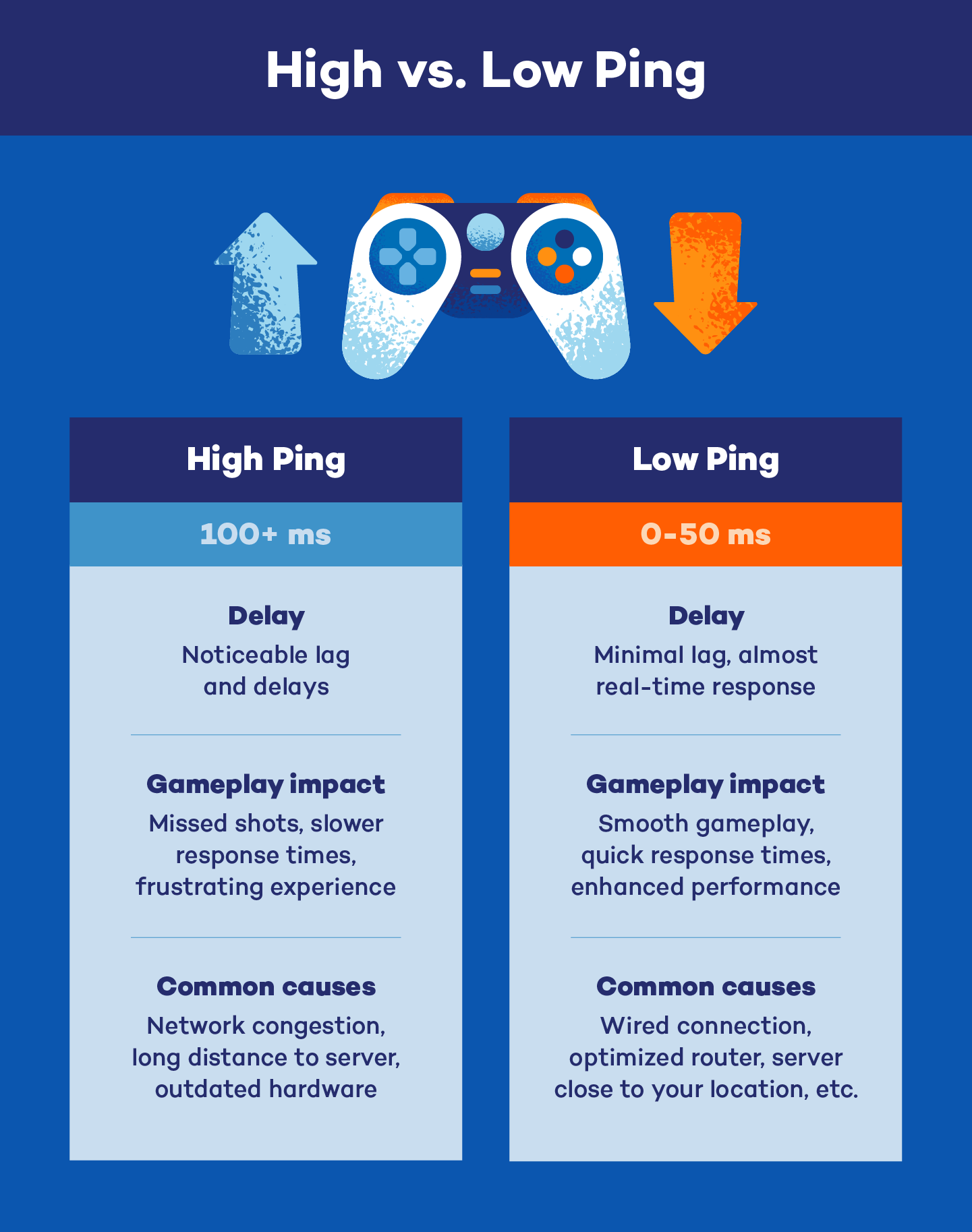
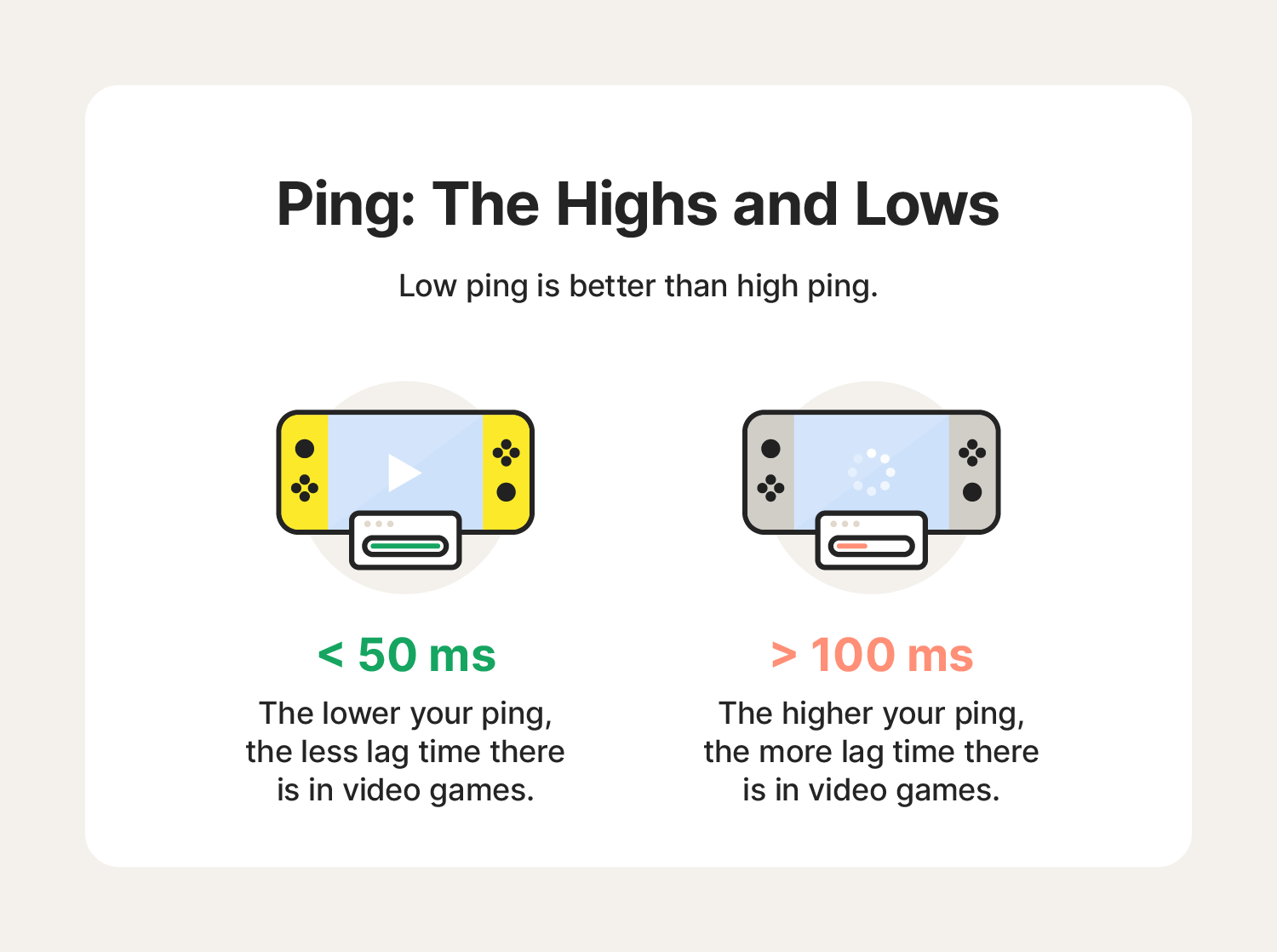
In the world of networking, milliseconds are the currency of performance. A ping of 20ms is generally considered exceptional, representing a near-instantaneous connection. As that number climbs—to 100ms, 250ms, or even 500ms—the “high ping” threshold is crossed. To the human eye, a delay of 100ms might seem negligible, but in the context of high-speed data processing and synchronized software environments, it represents a massive gap that can lead to desynchronization and data collisions.
Latency vs. Bandwidth: The Highway Analogy
A common misconception in tech circles is that “fast internet” automatically means “low ping.” To understand the difference, consider a highway analogy. Bandwidth is the number of lanes on the highway; it determines how much data (cars) can travel at once. Latency (Ping) is the speed limit and the distance of the road; it determines how long it takes for a single car to get from point A to point B. You can have a massive 10-lane highway (high bandwidth), but if the road is 500 miles long and filled with stoplights, the “ping” will remain high regardless of how much data you can fit on the road.
Why High Ping Happens: Identifying Technical Bottlenecks
High ping is rarely the result of a single failure. Instead, it is usually the cumulative result of several factors across the networking stack, from physical hardware to the routing protocols managed by Internet Service Providers (ISPs).
Physical Distance and Signal Propagation
The laws of physics are the primary constraint on ping. Even though data travels at a significant fraction of the speed of light through fiber-optic cables, distance still matters. If a user in New York attempts to communicate with a server in Singapore, the data must travel through thousands of miles of undersea cables and numerous exchange points. This geographical distance introduces “propagation delay.” No matter how fast your local equipment is, the physical distance will always impose a “floor” on how low your ping can go.
Hardware Constraints and Local Network Congestion
Before data ever reaches the open internet, it must pass through local hardware. Old routers, outdated firmware, and inferior Network Interface Cards (NICs) can add “processing delay.” Furthermore, if multiple devices on the same local network are saturated—such as one device downloading a large software update while another attempts a VoIP call—the router may experience “bufferbloat.” This occurs when the router’s memory buffers become overfilled, causing a backlog of packets that significantly inflates ping values for everyone on the network.
Network Congestion and ISP Routing Path
The path data takes from your home to a server is rarely a straight line. It passes through various nodes, switches, and gateways. If an ISP’s routing table is inefficient, or if a major “internet backbone” node is congested with traffic, your data packets may be rerouted through a longer, more circuitous path. This is known as “routing inefficiency,” and it is a common cause of sudden spikes in ping during peak usage hours.
The Real-World Impact of High Ping in Technology
High ping is not merely a number; it translates into tangible performance degradation across various sectors of the technology industry.
Competitive Gaming and the “Lag” Phenomenon
In the gaming industry, high ping is the ultimate antagonist. In fast-paced environments like first-person shooters or MOBA (Multiplayer Online Battle Arena) games, players rely on real-time feedback. If a player has a ping of 150ms and their opponent has 20ms, the opponent effectively “sees” the game state 130ms before the other player. This leads to “lag,” where inputs are delayed, characters appear to warp across the screen (rubber-banding), and the player’s actions are consistently invalidated by the server’s “true” state.
Video Conferencing and Digital Collaboration
As the corporate world has shifted toward remote-first models, the reliability of tools like Zoom, Microsoft Teams, and Slack Huddle has become paramount. High ping in video conferencing results in “audio desync” and “jitter.” Jitter is the variation in ping over time; if packets arrive at irregular intervals, the audio will sound robotic or choppy, and video frames will freeze. For technical teams conducting remote pair programming or live demonstrations, high latency can disrupt the flow of communication and lead to costly misunderstandings.
Cloud Computing and Virtual Desktop Infrastructure (VDI)
Many modern enterprises rely on Cloud Computing and VDIs (like Amazon WorkSpaces or Azure Virtual Desktop). In these environments, the user’s computer is essentially a thin client that streams a desktop from a remote server. High ping makes these systems nearly unusable, as there is a noticeable delay between moving the mouse or typing a key and seeing that action reflected on the screen. This “input lag” significantly reduces productivity and increases user fatigue.
Strategies for Reducing Ping and Optimizing Connection
For tech professionals and power users, managing high ping is a matter of optimizing the environment and choosing the right infrastructure.
Wired vs. Wireless: The Case for Ethernet
While Wi-Fi 6 and Wi-Fi 7 have made significant strides in speed, they are still prone to interference and signal degradation. Radio waves can be blocked by walls or interfered with by other electronic devices (like microwaves or neighboring routers). For the lowest possible ping, a wired Ethernet connection (Cat6 or Cat6a) remains the gold standard. A physical cable eliminates the “packet loss” and “jitter” inherent in wireless signals, providing a stable, direct path for data.
Software Optimization and Background Processes
Often, high ping is “self-inflicted” by background software. Operating system updates, cloud storage syncing (like OneDrive or Dropbox), and browser tabs running heavy scripts can all consume “upstream” bandwidth and increase latency. Utilizing Quality of Service (QoS) settings on a router can mitigate this by prioritizing certain types of traffic—such as prioritizing ICMP and real-time packets over bulk file downloads.
Upgrading Infrastructure: Fiber Optics and 5G
The most significant reduction in ping comes from upgrading the underlying infrastructure. Traditional DSL and Cable internet use copper wiring, which is more susceptible to noise and slower signal propagation. Fiber-optic internet (FTTH – Fiber to the Home) transmits data as pulses of light, offering the lowest latency currently available to consumers. Additionally, in the mobile space, 5G technology is designed specifically to address latency, aiming for sub-10ms pings to support the next generation of IoT (Internet of Things) and autonomous systems.

Conclusion: The Future of Latency-Sensitive Technology
As we look toward a future dominated by the “Metaverse,” autonomous vehicles, and remote robotic surgery, the importance of low ping will only intensify. We are moving away from an era where “good enough” connectivity is acceptable, toward an era where millisecond precision is a requirement for safety and functionality.
Understanding that high ping is a multifaceted technical issue—spanning from the physical cables under our streets to the routing protocols in our software—allows us to better navigate the digital world. By optimizing our local hardware, choosing superior ISP infrastructures like fiber, and understanding the physical limits of data travel, we can minimize the friction of high ping and move toward a more seamless, responsive digital existence. In the end, ping is more than just a metric; it is the heartbeat of our connected world.
aViewFromTheCave is a participant in the Amazon Services LLC Associates Program, an affiliate advertising program designed to provide a means for sites to earn advertising fees by advertising and linking to Amazon.com. Amazon, the Amazon logo, AmazonSupply, and the AmazonSupply logo are trademarks of Amazon.com, Inc. or its affiliates. As an Amazon Associate we earn affiliate commissions from qualifying purchases.