
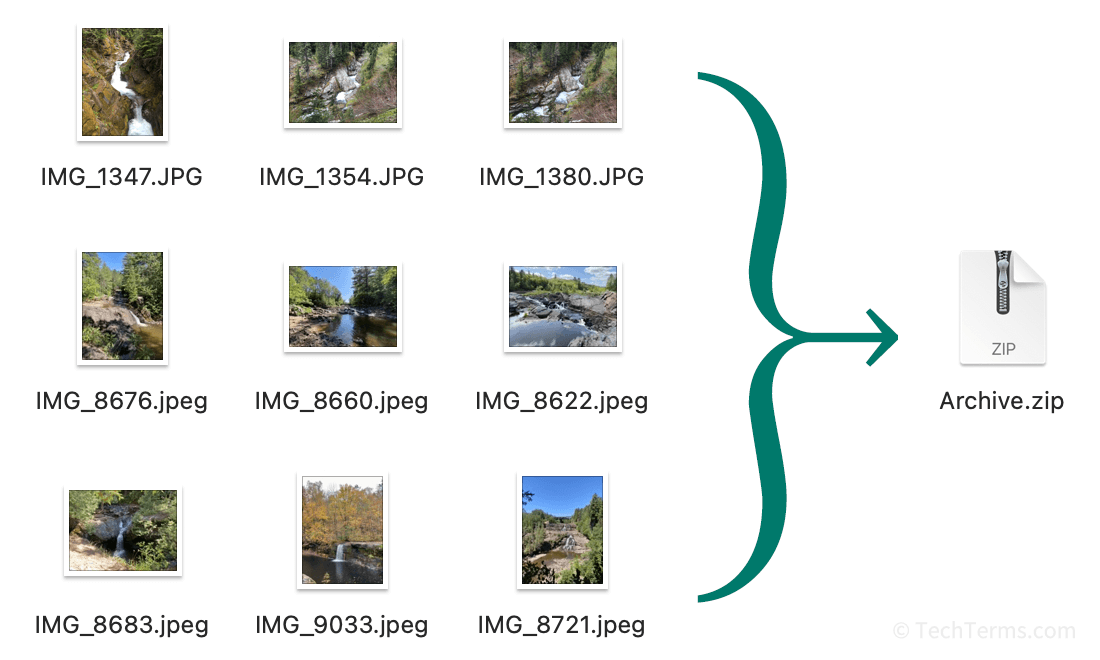
In the rapidly evolving landscape of information technology, the term “archived” has transitioned from a physical action—placing folders into a dusty filing cabinet—to a sophisticated digital strategy. For the modern user, understanding what happens when a file, an email, or a social media post is archived is essential for maintaining digital hygiene, ensuring data security, and optimizing software performance. At its core, archiving is the process of moving data that is no longer frequently accessed to a separate storage location for long-term retention. Unlike deletion, which removes data permanently, archiving preserves the integrity of the information while clearing it from your immediate workspace.

The Technical Framework of Archiving vs. Deleting
To understand the digital “archive,” one must first distinguish it from the “delete” function. While both actions serve the purpose of decluttering a user interface, their underlying technical implications are vastly different. When you delete a file, you are essentially telling the operating system or application that the space occupied by that data is now available for overwriting. In many cases, once the “Trash” or “Recycle Bin” is emptied, that data is gone forever.
The Logic of “Hidden but Accessible”
Archiving operates on a “hidden but accessible” logic. When a digital item is archived, its metadata—the information about the file, such as its creation date, author, and keywords—remains indexed. This allows the system to retrieve the file through a search query even if it is no longer visible in the primary “Inbox” or “Active Files” directory. This is a fundamental concept in database management and software engineering, where “soft-clearing” data improves user experience by reducing visual noise without risking data loss.
Data Compression and Storage Optimization
From a technical standpoint, archiving often involves data compression. Large enterprises use archiving software to identify “cold data”—files that haven’t been opened in six months or more—and move them to high-capacity, lower-cost storage tiers, such as cold cloud storage (e.g., Amazon S3 Glacier). This optimizes the performance of high-speed Solid State Drives (SSDs) and primary servers, ensuring that the most critical, “hot” data remains instantly accessible while the archived data resides in a cost-effective, secure environment.
Archiving in Communication and Social Ecosystems
The most common encounter the average person has with the term “archived” is within communication apps and social media platforms. In these contexts, archiving acts as a middle ground between keeping a conversation front-and-center and removing it entirely.
Email Management: The “Inbox Zero” Philosophy
In email clients like Gmail or Microsoft Outlook, archiving is the cornerstone of the “Inbox Zero” productivity method. When you archive an email, it is removed from your primary inbox view but remains in the “All Mail” or “Archive” folder. The technical benefit here is twofold: it keeps your primary database query small, allowing your inbox to load faster, while ensuring that the “search” function can still scan the contents of archived messages. This ensures that a receipt from three years ago is still findable, even if it isn’t cluttering your daily workflow.
Instant Messaging and Social Media Privacy
Messaging apps like WhatsApp and Telegram utilize archiving to help users manage their social bandwidth. Archiving a chat removes it from the main chat list, effectively “muting” the visual presence of that contact. However, if a new message arrives, the chat often “unarchives” itself, bringing the notification back to the user’s attention.
Similarly, on platforms like Instagram, the “Archive” feature allows users to hide posts from their public profile without losing the engagement metrics (likes and comments) associated with those posts. This is a sophisticated way for users to curate their digital identity—the “Brand” of the individual—using tech-driven tools to toggle visibility without permanent data destruction.
Enterprise-Level Archiving: Compliance and Security
In the corporate world, archiving is not just a matter of convenience; it is often a legal requirement. Tech-driven compliance ensures that businesses can produce historical records during audits or legal discovery processes.
Legal Holds and E-Discovery
When a company is involved in litigation, it may be required to place a “legal hold” on its data. Archiving systems are designed to facilitate this by creating immutable copies of communications and documents. These archives are timestamped and cryptographically signed to prove that the data has not been tampered with since the moment it was archived. This level of digital security is critical in sectors like finance and healthcare, where data integrity is regulated by frameworks such as Sarbanes-Oxley or HIPAA.
Ransomware Protection and Data Redundancy
Archiving also serves as a critical layer in a cybersecurity strategy. Modern archiving solutions often involve “off-site” or “air-gapped” storage. If a company’s primary network is hit by ransomware, the archived data—stored in a separate, read-only environment—remains unaffected. By maintaining a robust archive, organizations can recover historical data without paying a ransom, provided their archiving protocol includes regular, automated backups to secure, secondary locations.
Best Practices for Personal Digital Hygiene
Understanding “what is archived” allows individuals to take control of their digital footprint. As our lives move increasingly into the cloud, managing the volume of our data becomes a technical necessity to prevent “digital hoarding” and system slowdowns.
Organizing Your Digital Life
A sound archiving strategy begins with categorization. Users should distinguish between “Active Projects” and “Reference Material.” Tech tools like Notion, Evernote, or standard cloud drives (Google Drive/OneDrive) offer archiving features that allow you to move completed projects into a “read-only” state. This prevents accidental edits and keeps your active workspace focused on current tasks.
Future-Proofing Your Archive
One of the greatest challenges in digital archiving is format obsolescence. A file archived in a proprietary format twenty years ago might not be openable by today’s software. To truly archive data effectively, one must consider “future-proofing.” This involves saving critical documents in open-standard formats like PDF/A (the archival version of PDF), CSV for spreadsheets, or JPEG/TIFF for images. By choosing software-agnostic formats, you ensure that your archive remains readable even as technology cycles evolve.

The Psychological and Functional Value of the Archive
Ultimately, the act of archiving is an act of digital preservation. It acknowledges that while information may not be useful now, it possesses inherent value that may be unlocked in the future. From a technical perspective, it is the bridge between the chaos of real-time data generation and the order of historical record-keeping.
By mastering the archive function—whether you are swiping left on a WhatsApp thread or setting up an automated cloud backup for a multinational corporation—you are utilizing technology to manage the most valuable resource of the 21st century: information. Archiving ensures that our digital history is not just a pile of discarded bits and bytes, but a structured, searchable, and secure asset that serves us long after the “delete” button has lost its appeal. In the end, to archive is to remember, and in the digital age, a well-managed memory is the key to both efficiency and security.
aViewFromTheCave is a participant in the Amazon Services LLC Associates Program, an affiliate advertising program designed to provide a means for sites to earn advertising fees by advertising and linking to Amazon.com. Amazon, the Amazon logo, AmazonSupply, and the AmazonSupply logo are trademarks of Amazon.com, Inc. or its affiliates. As an Amazon Associate we earn affiliate commissions from qualifying purchases.