
The transition from traditional acoustic pianos to digital instruments has revolutionized how we create, record, and learn music. At the heart of this revolution lies a small, often overlooked interface: the USB port. For many beginners or those moving from a standard upright piano to a modern workstation, identifying and understanding these ports can be confusing. Unlike a computer, where ports are lined up clearly on the side or back, a piano keyboard integrates these interfaces into its specialized architecture.
In the world of music technology, the USB port is the bridge between the tactile world of ivory (or plastic) keys and the infinite possibilities of digital processing. Understanding what a USB looks like on a piano keyboard—and more importantly, what each specific type does—is essential for any modern musician.
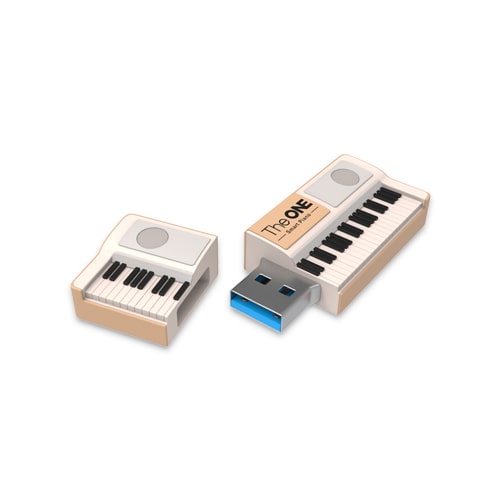
Identifying the Physical USB Interfaces on a Keyboard
When you look at a digital piano or MIDI controller, you will typically encounter two distinct types of USB ports. They serve very different purposes, and mistaking one for the other is a common hurdle for new users.
The USB to Host Port (Type B)
The most common USB port found on a piano is the USB to Host port. To the untrained eye, this does not look like the flat, rectangular slot you find on the side of a laptop. Instead, it is a square-shaped port with two slightly beveled corners on the top. This is known as a USB Type B port.
This interface is the primary communication line between your piano and your computer or tablet. It is designed to be sturdy and secure, ensuring that the connection doesn’t wiggle loose during a high-energy performance. If you are looking to use your piano as a MIDI controller for software like GarageBand, Ableton Live, or Logic Pro, this is the port you will be using.
The USB to Device Port (Type A)
Many mid-to-high-end digital pianos also feature a USB to Device port. This looks exactly like the standard USB port found on most PCs and chargers—a thin, horizontal rectangle. This is a USB Type A port.
The purpose of this port is “storage and peripheral” focused. Rather than connecting the piano to a computer, you connect a “device” (like a thumb drive or an external hard drive) to the piano. This allows you to save recorded performances directly to a flash drive, load new instrument sounds (samples), or play along with MIDI files or WAV/MP3 backing tracks stored on the drive.
Common Placements and Aesthetics
Manufacturers like Yamaha, Roland, Kawai, and Korg place these ports in different locations based on the instrument’s design. On portable stage pianos, the ports are almost always located on the rear panel alongside the power input and sustain pedal jacks. They are often recessed to protect the cables from being snapped off.
On “Clavinova” style or console digital pianos (the ones that look like furniture), the ports might be tucked away underneath the keybed on the left or right side, or hidden behind a small sliding panel on the front. Some modern designs even place a USB to Device port on the top surface for easy access to flash drives.
The Technical Functionality: What Happens Inside the Port?
Knowing what the port looks like is only half the battle; understanding the technology behind the connection is what allows a musician to maximize their instrument’s potential.
MIDI Data Transfer
The primary function of the USB to Host port is the transmission of MIDI (Musical Instrument Digital Interface) data. It is important to clarify a common tech misconception: MIDI is not audio. When you play a middle C on your keyboard, the USB port does not send the “sound” of the piano to your computer. Instead, it sends a digital packet of information: “Key 60 was pressed with a velocity of 85.”
The computer receives this data and uses it to trigger virtual instruments (VSTs). This tech allows a humble $200 keyboard to sound like a $100,000 Steinway grand piano or a vintage Moog synthesizer, simply by routing the USB data into high-end software.
Integrated USB Audio Interfaces
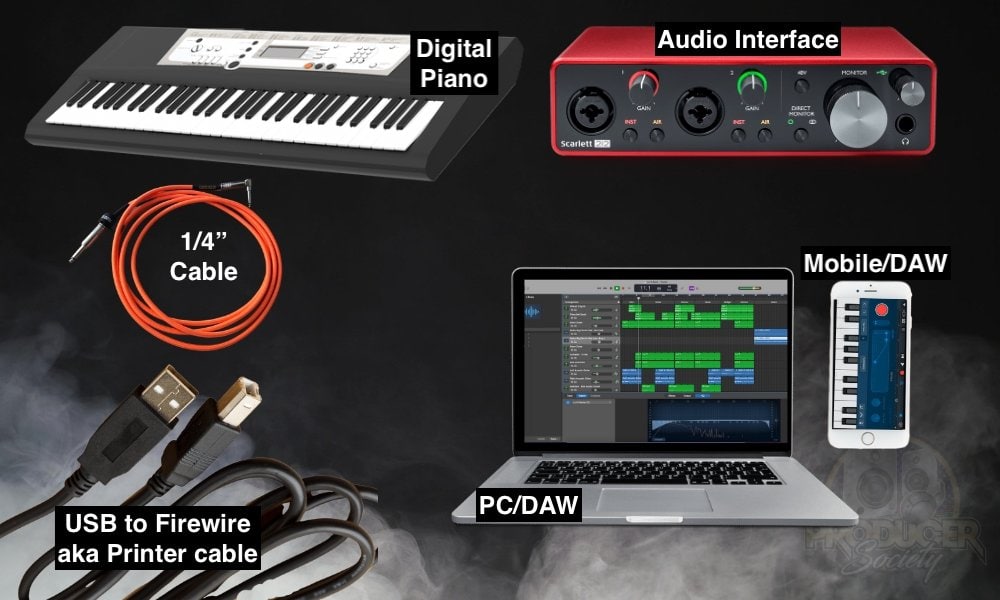
In recent years, “Tech” in the piano world has advanced significantly with the introduction of USB Audio Streaming. Traditionally, if you wanted to record the actual internal sounds of your Yamaha or Roland piano into a computer, you needed an external audio interface and several 1/4-inch cables.
Modern high-end digital pianos now feature a built-in audio interface within the USB to Host port. This means the USB cable carries both MIDI data and high-quality digital audio. This streamlined “Single Cable” solution is a game-changer for home studios, allowing for crystal-clear digital recording without the need for extra hardware or the risk of analog signal noise.
Power over USB
For smaller MIDI controllers—keyboards that don’t have their own speakers or built-in sounds—the USB port serves a third function: power. Through “Bus Powering,” the USB cable draws enough electricity from the host computer to power the keyboard’s internal circuitry and LED displays. This makes these devices incredibly portable, as they require no wall outlet to function.
Connectivity, Compatibility, and the Tech Ecosystem
The USB port is the gateway to a vast ecosystem of music technology. However, making sure your hardware “talks” to your software requires a basic understanding of drivers and protocols.
Class Compliance and Plug-and-Play
Most modern digital pianos are “Class Compliant.” In tech terms, this means they use a universal driver that is already built into Windows, macOS, iOS, and Android. When you plug the USB cable in, the operating system recognizes it immediately as a “USB Audio/MIDI Device.”
For more complex workstations, manufacturers provide “Proprietary Drivers.” These are specific pieces of software you install on your computer to unlock advanced features, such as lower latency (the delay between pressing a key and hearing the sound) or high-resolution audio multi-tracking.
Cables and Adapters: The Modern Shift
While the piano uses a USB Type B or Type A port, the device you are connecting to is likely changing. With the tech industry moving toward USB-C, many musicians now require “Type B to Type C” cables to connect their pianos directly to modern MacBooks or iPads.
Furthermore, for mobile musicians using iPhones or older iPads, a “Camera Connection Kit” or a Lightning-to-USB adapter is often necessary. These adapters bridge the gap between the piano’s high-speed data output and the mobile device’s proprietary input, allowing for mobile learning apps (like Simply Piano or Flowkey) to interact with the keyboard in real-time.
Wireless Alternatives: Bluetooth MIDI
While the physical USB port remains the gold standard for reliability and low latency, we are seeing a shift toward Bluetooth MIDI. Some digital pianos now look like they have “empty” USB slots or use a small USB dongle to enable wireless connectivity. While convenient for casual practice, pro-level tech enthusiasts still prefer the physical USB connection to avoid the “lag” that can occur with wireless signals during complex performances.
Troubleshooting and Optimizing Your USB Connection
Even the most sophisticated technology can run into hiccups. Understanding the “why” behind connection issues is key to a smooth workflow.
Preventing Latency and Jitter
Latency is the enemy of the digital pianist. If there is a delay between your finger hitting the key and the sound coming out of your computer speakers, the tech “handshake” is likely inefficient. To optimize this, tech-savvy users often use ASIO drivers (on Windows) or adjust the “Buffer Size” in their software settings. A shorter buffer size reduces delay but requires more CPU power. The USB port itself is rarely the bottleneck; rather, it is how the computer processes the incoming stream of data.
Power Surges and Port Care
Because USB ports on pianos are soldered directly to the main internal circuit board, they can be fragile. “Ghosting”—where the computer suddenly stops recognizing the piano—is often caused by a loose port or a frayed cable.
A professional tip for protecting your piano’s tech longevity is to use a “USB Stress Relief” technique. This involves looping the cable through a hook or around a stand leg so that if someone trips on the wire, the tension pulls on the stand rather than yanking the port directly out of the piano’s motherboard. Additionally, using high-quality shielded cables can prevent electromagnetic interference (EMI) from nearby speakers or power bricks from corrupting the MIDI data stream.
Firmware Updates
The USB to Device (Type A) port is also your primary tool for “Firmware Updates.” Just like a smartphone, a modern digital piano is essentially a specialized computer. Manufacturers frequently release software patches to fix bugs or improve the piano’s touch response. By downloading these updates to a USB stick and plugging it into the piano, you ensure that your instrument’s technology remains current and stable.

Conclusion
What a USB looks like on a piano keyboard is more than just a matter of “square vs. rectangle” ports. It represents the intersection of traditional artistry and cutting-edge digital technology. Whether it is the square USB to Host port turning your piano into a powerful MIDI controller, or the rectangular USB to Device port allowing for seamless data storage and firmware updates, these interfaces are the lifeblood of modern music production.
By understanding the physical characteristics, technical functions, and the broader ecosystem of these ports, musicians can move beyond simple practice and enter a world of unlimited creative potential. The USB port isn’t just a hole in the back of your instrument; it is the key to the future of your music.
aViewFromTheCave is a participant in the Amazon Services LLC Associates Program, an affiliate advertising program designed to provide a means for sites to earn advertising fees by advertising and linking to Amazon.com. Amazon, the Amazon logo, AmazonSupply, and the AmazonSupply logo are trademarks of Amazon.com, Inc. or its affiliates. As an Amazon Associate we earn affiliate commissions from qualifying purchases.