
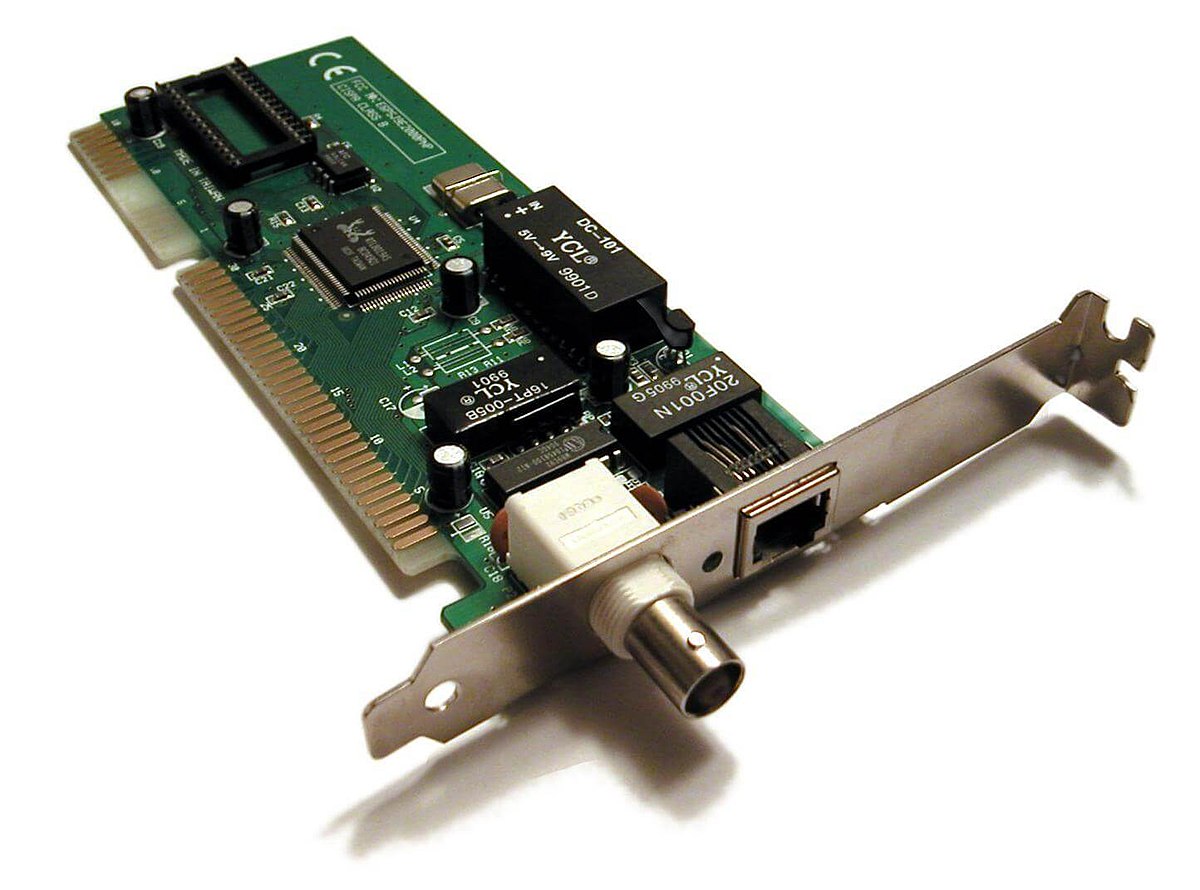
A Network Interface Card (NIC), also commonly referred to as a network adapter or network interface controller, is a fundamental piece of hardware that enables a computer or other network-enabled device to connect to a network. In essence, it acts as the gateway, the translator, and the physical conduit through which data travels between your device and the wider digital world, whether that’s your home Wi-Fi network, a corporate intranet, or the vast expanse of the internet. Without a functioning NIC, your computer would be an island, isolated and unable to communicate with any other device or service.
While often overlooked in the sleek designs of modern laptops and the integrated components of desktops, the NIC is a critical enabler of virtually all digital interactions we take for granted. From sending an email to streaming a high-definition movie, browsing social media, or participating in a video conference, every online activity relies on the meticulous operation of a NIC. Understanding its role is key to appreciating the underlying infrastructure that powers our interconnected lives.
The Fundamental Role of a NIC in Network Communication
At its core, a NIC is responsible for bridging the gap between the digital information processed by a computer’s internal systems and the physical signals that can be transmitted and received over a network medium. This involves a complex interplay of hardware and software, ensuring that data is formatted correctly, addressed appropriately, and transmitted and received without corruption.
Translating Digital Data into Transmittable Signals
Computers process information in the form of digital data – sequences of ones and zeros. Networks, however, operate on physical media like copper cables (Ethernet) or radio waves (Wi-Fi). The NIC’s primary function is to translate these digital bits into electrical or electromagnetic signals that can travel across these physical pathways. Conversely, when data arrives at the NIC as an electrical or electromagnetic signal, it must be translated back into digital data that the computer’s operating system and applications can understand. This process involves encoding and decoding schemes specific to the networking technology being used.
Managing Data Packets and Addressing
Data is not sent across a network as one continuous stream. Instead, it’s broken down into smaller, manageable units called packets. Each packet contains a portion of the data, along with essential header information such as the source and destination IP addresses, and the sender’s and receiver’s MAC addresses. The NIC is instrumental in creating these packets for transmission and in deconstructing incoming packets to extract the data. It ensures that each packet is correctly addressed, allowing it to navigate the network and reach its intended recipient. This meticulous addressing system is vital for preventing data from getting lost or misdirected.
Enabling Physical Connectivity
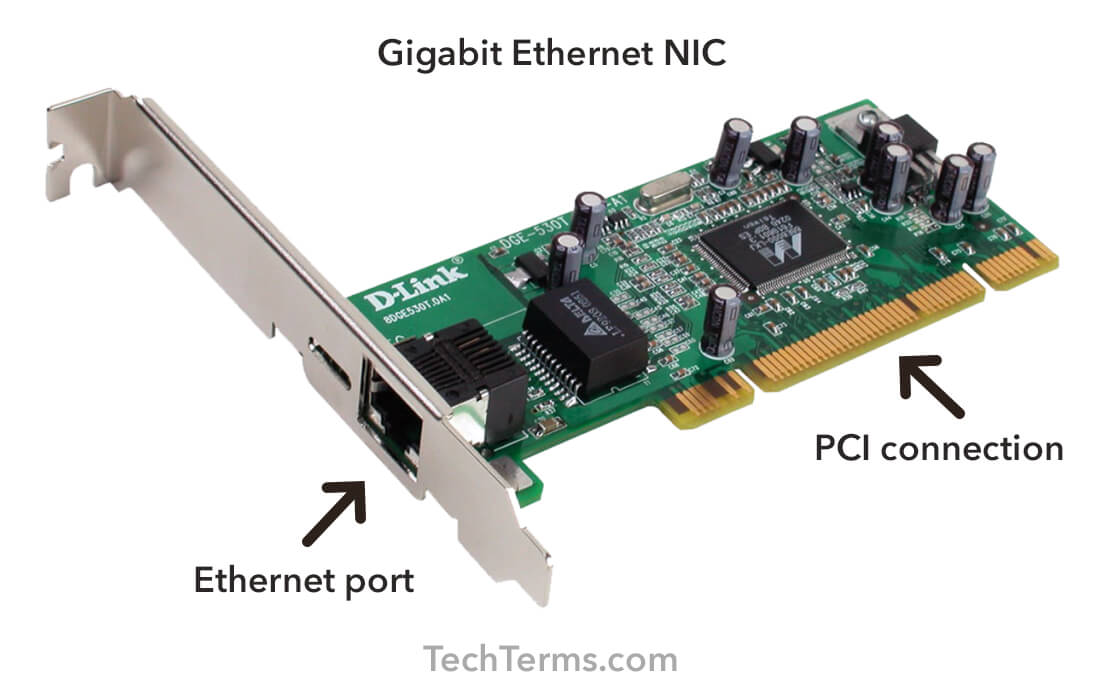
The NIC provides the physical interface for connecting to a network. For wired networks, this typically involves an RJ45 port where an Ethernet cable can be plugged in. For wireless networks, the NIC contains an antenna and the necessary radio components to communicate with a Wi-Fi access point or router. This physical connection is the initial and most crucial step in establishing network communication. Without this physical link, no data can be exchanged.
Types of Network Interface Cards and Their Technologies
The evolution of networking has led to a diverse range of NICs, each tailored to specific connectivity needs and technological advancements. Understanding these variations is important for appreciating the breadth of networking solutions available.
Wired Network Interface Cards (Ethernet NICs)
Ethernet has been the backbone of wired networking for decades, offering reliable and high-speed data transfer. Ethernet NICs are characterized by their physical ports, most commonly an RJ45 connector for plugging in an Ethernet cable.
Evolution of Ethernet Speeds
Ethernet NICs have seen significant speed improvements over time. Early Ethernet operated at 10 Mbps (megabits per second). This evolved to Fast Ethernet at 100 Mbps, Gigabit Ethernet at 1 Gbps (gigabit per second), and now 10 Gigabit Ethernet and even faster standards like 40 Gbps and 100 Gbps are common in enterprise environments. The speed of an Ethernet NIC directly impacts how quickly data can be sent and received, which is crucial for demanding applications like large file transfers or high-bandwidth video streaming.
The Role of MAC Addresses
Every Ethernet NIC is assigned a unique Media Access Control (MAC) address by its manufacturer. This is a physical address burned into the hardware and acts as a unique identifier for the device on the local network. MAC addresses are used at the data link layer of the OSI model to ensure that data packets are delivered to the correct device within a local network segment. While IP addresses are used for routing across wider networks, MAC addresses are essential for communication within a subnet.
Wireless Network Interface Cards (Wi-Fi NICs)
Wireless NICs have revolutionized how we connect to networks, offering freedom from physical cables. These NICs utilize radio waves to communicate with access points and other wireless devices.
Standards and Frequencies (802.11 a/b/g/n/ac/ax)
Wireless NICs adhere to a set of standards defined by the IEEE 802.11 family. These standards dictate the protocols for wireless communication, including the frequencies used and the maximum achievable speeds. Common standards include 802.11n (Wi-Fi 4), 802.11ac (Wi-Fi 5), and the latest, 802.11ax (Wi-Fi 6 and Wi-Fi 6E). Each subsequent standard generally offers faster speeds, improved efficiency, better performance in crowded environments, and enhanced security features. Wi-Fi NICs operate in different frequency bands, typically 2.4 GHz and 5 GHz, with Wi-Fi 6E extending into the 6 GHz band, offering more bandwidth and less interference.
Antenna Design and Signal Strength
The performance of a wireless NIC is significantly influenced by its antenna design. Modern Wi-Fi NICs can feature internal antennas, external antennas, or multiple antennas (MIMO – Multiple-Input Multiple-Output technology) to improve signal reception and transmission. The quality and placement of these antennas play a crucial role in determining the range, stability, and overall speed of the wireless connection.
Other Types of NICs
Beyond standard Ethernet and Wi-Fi, other specialized NICs exist for specific networking requirements.

Fiber Optic NICs
For very high-speed and long-distance network connections, especially in data centers and telecommunications infrastructure, fiber optic NICs are employed. These NICs use fiber optic cables and convert electrical signals to light pulses for transmission.
USB Network Adapters
These are external adapters that plug into a USB port, providing an alternative way to add networking capabilities to a device, especially useful for older computers or laptops with malfunctioning internal NICs. They are available in both Ethernet and Wi-Fi variants.
Cellular Modems (Integrated into some devices)
While not always referred to as traditional NICs, cellular modems integrated into laptops, tablets, and smartphones function similarly by providing a connection to cellular networks for internet access.
The Operational Workflow of a NIC: From Sending to Receiving Data
The process of data transmission and reception through a NIC is a coordinated effort involving several stages, ensuring data integrity and timely delivery.
Preparing Data for Transmission
When an application on your computer needs to send data over the network, it first passes the data to the operating system’s network stack. The network stack adds various headers, such as IP and TCP/UDP headers, which contain information about the source and destination, port numbers, and sequencing. Finally, the data, along with these headers, is handed over to the NIC driver, a piece of software that controls the NIC. The NIC driver then instructs the NIC hardware to format the data into a physical frame, adding its MAC address as the source and the destination MAC address (usually of the next hop, like a router).
Transmitting Signals Over the Network Medium
Once the data is framed by the NIC hardware, it’s converted into the appropriate electrical signals (for Ethernet) or radio waves (for Wi-Fi) and sent out over the network medium. The NIC manages the timing and synchronization of these transmissions to avoid collisions with other devices on the network, particularly in older Ethernet technologies. Modern Ethernet uses sophisticated collision detection and avoidance mechanisms.
Receiving and De-framing Incoming Data
When a network frame arrives at the NIC, it’s detected as an electrical or radio signal. The NIC then converts this signal back into a digital format. It checks the destination MAC address in the frame’s header to determine if the frame is intended for this device. If it is, the NIC de-frames the data, removing the NIC-specific headers.
Delivering Data to the Operating System
After de-framing, the NIC passes the extracted data and its associated network stack headers (IP, TCP/UDP) to the operating system. The operating system then further processes this data, stripping away its own headers and passing the payload to the intended application. If the incoming data is part of a larger message, the operating system and NIC work together to reassemble the packets in the correct order.
The Importance of NICs in Modern Computing and Networking
The role of the NIC extends far beyond simply enabling connectivity. It’s a cornerstone of modern digital infrastructure, impacting performance, security, and the overall functionality of networked devices.
Performance and Bandwidth Considerations
The type and capabilities of a NIC directly influence network performance. A faster NIC can handle higher bandwidth, allowing for quicker downloads, smoother video streaming, and more responsive online gaming. For businesses, high-performance NICs are essential for efficient data transfer between servers, workstations, and storage devices, underpinning critical operations.
Network Security Implications
NICs play a role in network security, particularly at the hardware level. MAC addresses, while not a primary security measure on their own, can be used for network access control. Some advanced NICs also incorporate hardware-level security features that can assist in protecting against certain types of network attacks. Furthermore, the drivers and firmware of NICs must be kept up-to-date to patch vulnerabilities that could be exploited by malicious actors.
Troubleshooting Network Issues
Understanding how a NIC functions is crucial for diagnosing network problems. Issues like a loose cable, a disabled NIC, incorrect driver settings, or a malfunctioning NIC can all lead to connectivity problems. Basic troubleshooting often involves checking the physical connection, verifying the NIC status in the operating system, and ensuring the correct drivers are installed and functioning.
The Evolution Towards Integrated Solutions
In recent years, NIC functionality has become increasingly integrated into other system components. Most motherboards for desktops and laptops have built-in Ethernet ports and Wi-Fi modules, eliminating the need for separate expansion cards for basic connectivity. This integration simplifies device design and reduces costs but also means that if the integrated NIC fails, it can be more challenging and expensive to repair or replace compared to a standalone card.
In conclusion, the Network Interface Card is a silent, yet indispensable, component of our digital lives. It is the critical bridge that connects our devices to the networks that power communication, information sharing, and a vast array of online services. From the simplest home network to the most complex enterprise infrastructure, the NIC remains a fundamental building block of modern technology.
aViewFromTheCave is a participant in the Amazon Services LLC Associates Program, an affiliate advertising program designed to provide a means for sites to earn advertising fees by advertising and linking to Amazon.com. Amazon, the Amazon logo, AmazonSupply, and the AmazonSupply logo are trademarks of Amazon.com, Inc. or its affiliates. As an Amazon Associate we earn affiliate commissions from qualifying purchases.