
The term “locked iPhone” can conjure images of a device unusable, a digital paperweight. However, in the context of technology, a “locked iPhone” refers to a specific state of security or restriction, rather than complete inoperability. Understanding these different meanings is crucial for iPhone users, prospective buyers, and anyone navigating the complex world of mobile device management and digital security. This article will delve into the various interpretations of a locked iPhone, exploring the underlying technologies, implications, and solutions.
Understanding Different Types of iPhone Locks
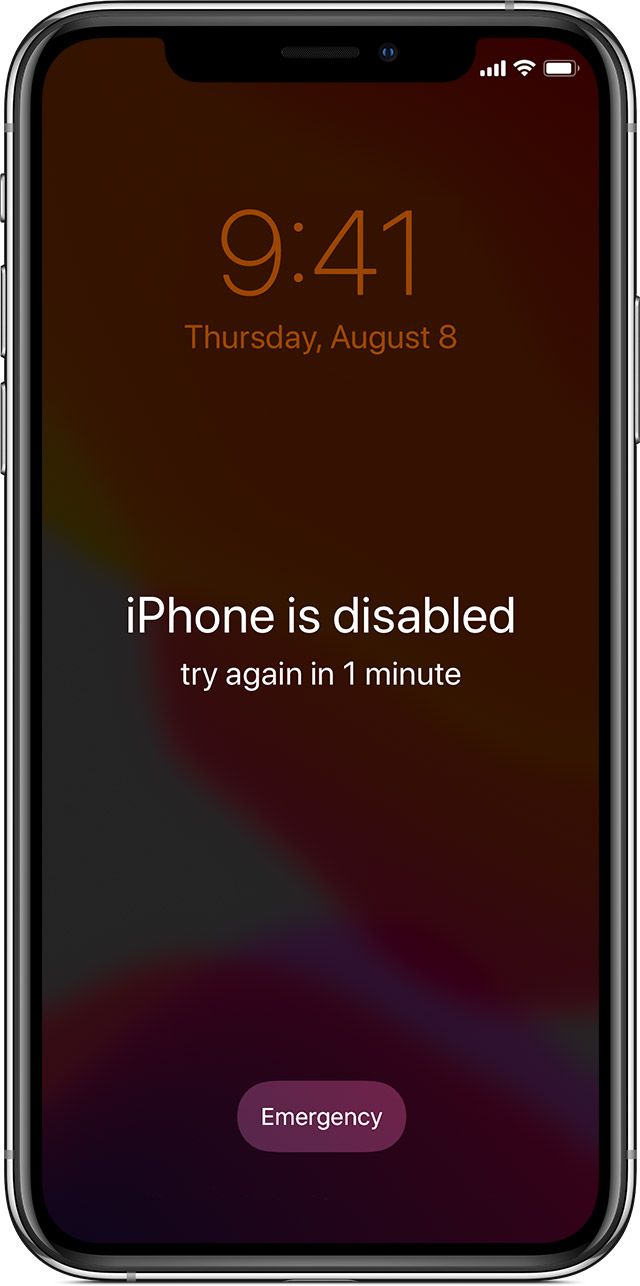
When someone says an iPhone is “locked,” it can refer to several distinct scenarios. These locks are implemented for security, carrier compatibility, or management purposes. Distinguishing between them is the first step to understanding the implications of a locked iPhone.
Activation Lock: The Apple ID Security Shield
Perhaps the most common and impactful “lock” for an average user is the Activation Lock. This feature is an integral part of Apple’s “Find My” service, designed to deter theft and protect user data.
How Activation Lock Works
Activation Lock is automatically enabled when you turn on “Find My iPhone” on your device. It links your iPhone to your Apple ID. This means that to erase, reactivate, or restore your iPhone, you must enter the Apple ID and password associated with the device. Even if the iPhone is factory reset, the Activation Lock will persist, preventing a new user from setting it up and using it.
Implications of Activation Lock
- Theft Deterrent: For the owner, Activation Lock is a powerful security feature. If an iPhone is lost or stolen, the thief cannot simply wipe it and sell it as a functional device. It becomes essentially useless to them unless they can bypass the lock, which is extremely difficult and often illegal.
- Resale and Second-Hand Market: This is where Activation Lock can cause significant problems for buyers of used iPhones. If a seller forgets to remove their Apple ID from the device before selling it, the buyer will encounter the Activation Lock screen upon setup. The device will be unusable until the original owner’s Apple ID and password are provided. This is why it is paramount for sellers to properly remove their devices from their Apple ID accounts before handing them over. Buyers should always check for Activation Lock before purchasing a used iPhone.
- Account Security: If you forget your Apple ID password, you will be unable to bypass the Activation Lock. This highlights the importance of securely managing your Apple ID credentials and enabling Two-Factor Authentication.
Bypassing Activation Lock
Legitimate bypassing of Activation Lock is only possible through the original owner of the Apple ID. If you are the original owner and have forgotten your credentials, you can attempt to recover your Apple ID or password through Apple’s official channels. Apple provides resources and processes for account recovery, which may require proof of purchase.
Important Note: There are numerous third-party services and software claiming to bypass Activation Lock. Most of these are scams, illegal, or involve exploiting security vulnerabilities that are quickly patched by Apple. Relying on these services can lead to financial loss, compromised data, or legal trouble.
Carrier Lock: Network Compatibility Restrictions
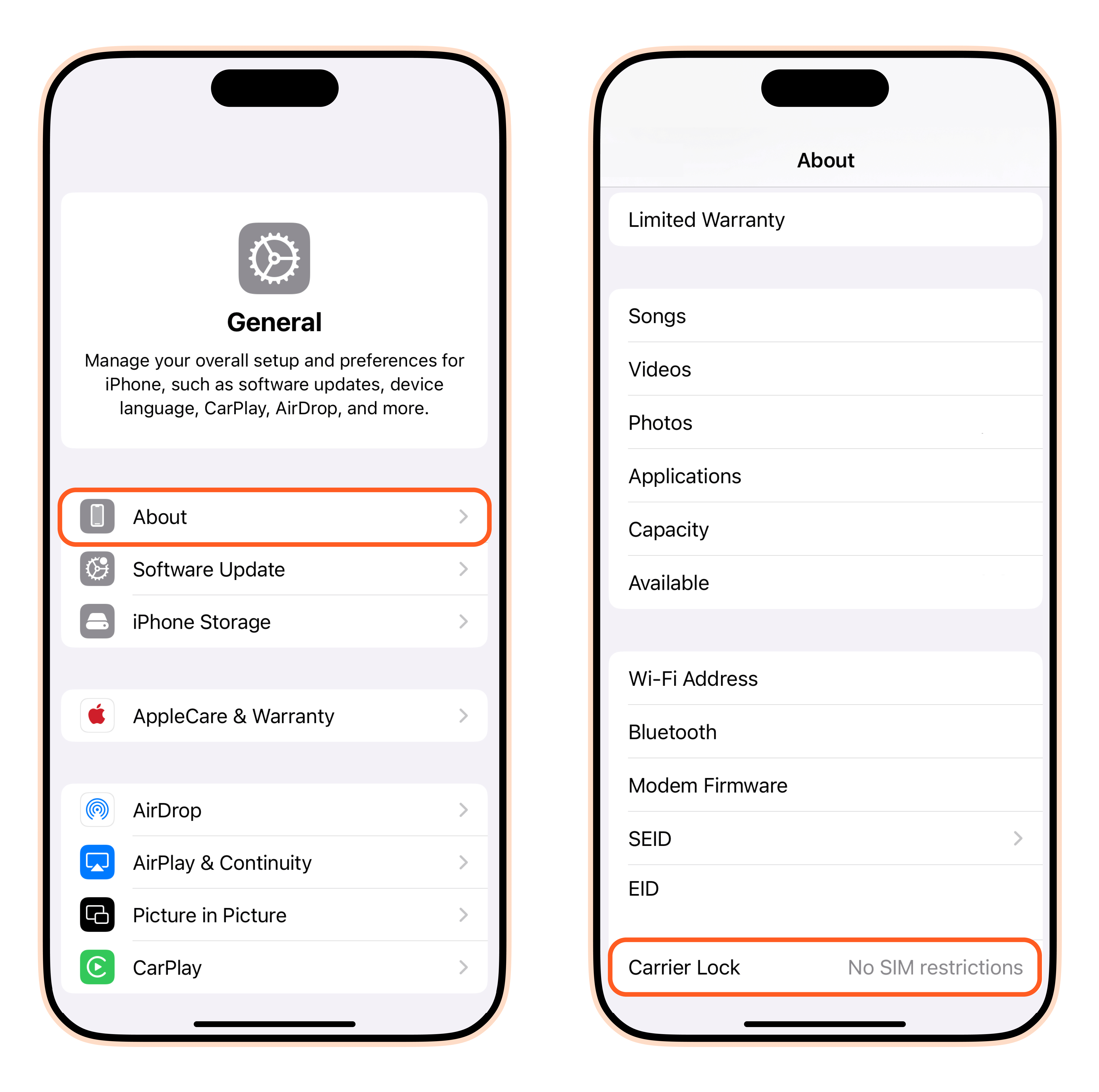
Another common type of lock is the Carrier Lock, also known as a SIM lock. This lock restricts an iPhone from being used with SIM cards from carriers other than the one that originally sold the device.
How Carrier Locks Function
When you purchase an iPhone from a mobile carrier (like Verizon, AT&T, T-Mobile, etc.), the device is often “locked” to that carrier’s network. This is typically done to recoup the cost of a subsidized phone, where the carrier offers the device at a reduced price in exchange for a long-term service contract.
Implications of Carrier Locks
- International Travel: If your iPhone is carrier-locked, you cannot simply insert a SIM card from a local carrier when traveling abroad. This means you might have to rely on expensive international roaming plans from your home carrier or purchase a separate local phone.
- Switching Carriers: If you wish to switch to a different carrier within the same country, you will need to unlock your iPhone first. This can be particularly frustrating if you are not under a contract or have fulfilled your contractual obligations.
- Resale Value: While not as severe as Activation Lock, a carrier-locked iPhone can have a slightly lower resale value than an unlocked one, as it limits the pool of potential buyers.
Unlocking a Carrier-Locked iPhone
The process for unlocking a carrier-locked iPhone varies by carrier but generally involves meeting certain criteria:
- Contract Fulfillment: You must have completed your contract term or paid off any remaining balance on the device financing.
- Account in Good Standing: Your account with the carrier must be active and free of overdue payments.
- Requesting the Unlock: You will typically need to contact your carrier directly and request an unlock. They will then process the request and provide instructions on how to complete the unlock, which often involves a software update or restoring the device.
Many carriers now offer free unlocking once eligibility requirements are met, and some have phased out locking entirely for new devices. It’s always advisable to check your carrier’s specific unlocking policy.
MDM (Mobile Device Management) Lock: Enterprise and Educational Use
For businesses and educational institutions, iPhones are often managed through Mobile Device Management (MDM) solutions. This type of lock is not about theft prevention or carrier restrictions but about controlling and securing devices within an organizational environment.
The Role of MDM in Locking iPhones
MDM software allows administrators to remotely configure, manage, and secure devices. When an iPhone is enrolled in an MDM program, administrators can enforce policies, install applications, restrict certain features (like camera access or app store downloads), and even remotely wipe or lock the device. A device locked via MDM means it is under the control of an organization’s IT department.
Implications of MDM Locks
- Organizational Control: MDM locks are designed to ensure that devices used for work or study adhere to organizational security policies, protect sensitive data, and maintain compliance.
- Used Device Purchases: Purchasing an iPhone that is still managed by an MDM profile can render it unusable for personal use. If the previous owner or organization did not properly unenroll the device from their MDM system, you will be unable to activate it or use it fully.
- Personal Use Restrictions: Even if you own the device, if it was previously part of an MDM program and not properly wiped and unenrolled, you may face activation prompts or restrictions.
Resolving MDM Locks
- Contact the Organization: If you have purchased a used device that is MDM locked, your primary course of action is to contact the organization that previously managed the device. They will need to remove the device from their MDM system.
- Proof of Ownership: In some cases, if you are the legitimate owner of the device and can prove it (e.g., with a purchase receipt), Apple may be able to assist in removing an MDM lock if the organization is unresponsive. However, this is not guaranteed.
- Third-Party Services (Use with Caution): Similar to Activation Lock, there are services that claim to bypass MDM locks. These should be approached with extreme caution due to the same reasons mentioned earlier (scams, illegality, etc.).
The Technical Underpinnings of iPhone Locks
The security and management features that enable these various “locks” on iPhones are sophisticated and deeply integrated into the device’s hardware and software.
Secure Enclave and Hardware-Based Security
At the heart of Apple’s security architecture is the Secure Enclave, a dedicated coprocessor built into the A-series and M-series chips. This coprocessor handles highly sensitive operations, including managing encryption keys, Touch ID data, and Face ID information.
Role in Activation Lock
The Activation Lock mechanism relies heavily on the Secure Enclave. When Activation Lock is enabled, your Apple ID credentials are securely associated with the device’s unique hardware identifiers within the Secure Enclave. This association is cryptographic and extremely difficult to break without the correct Apple ID and password. Even if the operating system is compromised, the Secure Enclave protects the underlying cryptographic keys, ensuring that the lock remains in place.
Data Encryption and Protection
The Secure Enclave also plays a crucial role in data encryption. Your iPhone’s data is encrypted using keys that are derived and managed by the Secure Enclave. This means that even if someone gains physical access to your iPhone and can bypass the passcode, they cannot access your data without the proper authentication (your passcode, Touch ID, or Face ID), which interacts with the Secure Enclave. This provides a robust layer of protection against data theft if your device is lost or stolen.
iOS Software Integration and Services
Beyond hardware, the various lock mechanisms are deeply embedded within iOS and Apple’s cloud services.
Find My Network and iCloud
Activation Lock is intrinsically linked to the Find My service and iCloud. When you enable “Find My iPhone,” your device registers with Apple’s servers, associating it with your Apple ID. This registration allows Apple to track the device’s status (online/offline) and whether it has been put into Lost Mode. When an erase command is issued or the device is set up as new, iOS communicates with Apple’s Activation Servers to verify the Apple ID credentials against the device’s hardware identifiers.
MDM Framework and Profiles
The MDM functionality is powered by a robust framework within iOS. Administrators use MDM servers that communicate with Apple’s Device Enrollment Program (DEP) or Apple School Manager (ASM). Devices are enrolled by IT departments, which then push configuration profiles to the iPhone. These profiles contain the policies and restrictions that constitute the MDM lock. The iOS operating system enforces these profiles, ensuring compliance with organizational mandates.
Navigating the Landscape of Locked iPhones
For most users, encountering a locked iPhone scenario can be a moment of confusion or frustration. However, by understanding the types of locks and their implications, you can navigate these situations more effectively.
For iPhone Owners: Prevention and Recovery
- Secure Your Apple ID: The most critical step is to safeguard your Apple ID and password. Use a strong, unique password and enable Two-Factor Authentication (2FA). This adds an extra layer of security, requiring a second verification step (usually a code sent to another trusted Apple device or phone number) when signing in from a new device or browser.
- Enable “Find My iPhone”: This feature is essential for both tracking a lost device and activating the crucial Activation Lock.
- Properly Remove Devices from Your Account When Selling or Gifting: Before selling, trading in, or giving away an iPhone, ensure you have completely signed out of your Apple ID and erased all content and settings. This is done by going to Settings > General > Transfer or Reset iPhone > Erase All Content and Settings. Crucially, also go to Settings > [Your Name] > Find My > Find My iPhone and turn it off. This removes the device from your Apple ID account and disables Activation Lock.
- Keep Purchase Records: If you genuinely forget your Apple ID password, having your original purchase receipt for the iPhone can be invaluable when trying to recover your account through Apple Support.
For Buyers of Used iPhones: Due Diligence is Key
The used iPhone market offers great value, but it also presents risks, primarily related to locked devices.
- Always Check for Activation Lock: Before purchasing a used iPhone, insist on powering it on and going through the initial setup screens. If you reach the “Activation Lock” screen, do not buy the device unless the seller can unlock it in front of you or has a verified way to prove they can remove it.
- Verify Carrier Status: While less common to encounter as a buyer, some sellers might not be upfront about carrier locks. If international use or switching carriers is important to you, inquire about the phone’s carrier lock status.
- Ask About MDM: If you’re buying from a source that might have previously been part of an enterprise or educational setting, ask if the device was managed by MDM.
- Buy from Reputable Sources: Purchasing from established retailers or platforms with strong buyer protection policies can mitigate some of the risks.
Understanding the Legal and Ethical Dimensions
It’s important to acknowledge that attempting to bypass locks through unauthorized means is often illegal and unethical. Activation Lock and MDM locks are security features designed to protect owners and organizations. Engaging in or promoting methods to circumvent these features can have serious consequences.
Conclusion: Empowered by Knowledge
The meaning of a “locked iPhone” is multifaceted, encompassing crucial security features like Activation Lock, network compatibility restrictions like Carrier Locks, and management controls like MDM. For iPhone owners, understanding these locks is about protecting their data and ensuring their devices remain usable. For buyers of used devices, it’s about performing due diligence to avoid purchasing an expensive, unusable item. By staying informed about how these locks work and the best practices for managing them, users can navigate the world of iPhones with greater confidence and security. The sophisticated security architecture of iPhones, powered by hardware like the Secure Enclave and integrated with Apple’s software and services, makes these locks robust. Ultimately, knowledge is the best tool for unlocking the full potential of your iPhone while staying protected.
aViewFromTheCave is a participant in the Amazon Services LLC Associates Program, an affiliate advertising program designed to provide a means for sites to earn advertising fees by advertising and linking to Amazon.com. Amazon, the Amazon logo, AmazonSupply, and the AmazonSupply logo are trademarks of Amazon.com, Inc. or its affiliates. As an Amazon Associate we earn affiliate commissions from qualifying purchases.