
For many iPhone users, the appearance of a small, crescent-shaped moon in the top corner of their screen or on their lock screen can be a source of confusion. In the ecosystem of iOS, every icon serves a specific purpose, acting as a shorthand for the device’s current state. That half-moon icon is one of the most significant symbols in Apple’s user interface, representing “Do Not Disturb” and the broader “Focus” framework.
As our lives become increasingly tethered to our mobile devices, understanding how to manage notifications through this feature is essential for maintaining productivity, ensuring safety while driving, and reclaiming personal time. This article explores the technical mechanics of the half-moon icon, how to customize its behavior, and why it has become a cornerstone of the modern digital experience.
The Evolution of the Half Moon: From Do Not Disturb to Focus Modes
The half-moon icon has been a staple of the iOS interface for years, but its functionality has evolved significantly. Originally, it represented a simple binary state: “Do Not Disturb” was either on or off. When active, it silenced all incoming calls, alerts, and notifications to provide the user with a reprieve from the constant buzz of digital life.
The Technical Logic of Silencing
Technically, when the half-moon is visible, the iOS kernel intercepts incoming notification triggers. Instead of allowing the hardware—such as the Taptic Engine or the speakers—to respond to a push notification, the system logs the alert silently in the Notification Center. This ensures that while you aren’t interrupted, you don’t actually “lose” any data or communication; it simply waits for you to check it manually.
The Shift to iOS Focus
With the release of iOS 15, Apple expanded the “Do Not Disturb” concept into a more robust system called “Focus.” Now, the half-moon is just one of several icons that can appear in that space. While the crescent moon remains the default symbol for general silencing, you might also see a bed icon for Sleep Focus, a workstation icon for Work Focus, or a person icon for Personal Focus. Understanding the half-moon is now synonymous with understanding the entire Focus architecture, which uses on-device machine learning to suggest when you might want to limit distractions based on your location or time of day.
How to Manage and Customize Your Focus Settings
One of the most common reasons users search for the meaning of the half-moon icon is that they have enabled it accidentally. Because the toggle is located in the Control Center—a swipe away from almost any screen—it is easy to trigger. Knowing how to manipulate these settings is the first step toward mastering your device’s notification ecosystem.
Accessing the Control Center
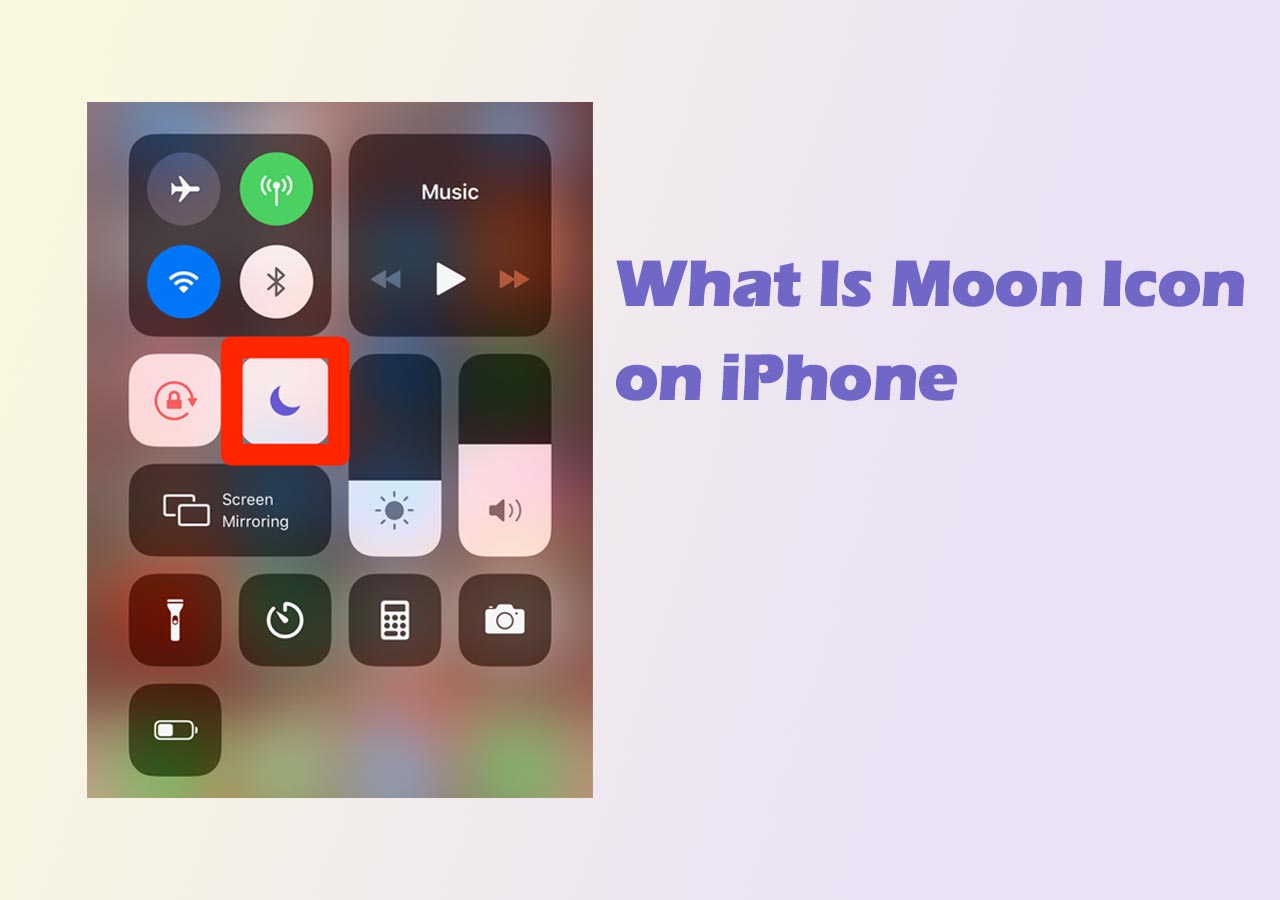
To enable or disable the half-moon icon on an iPhone with Face ID, swipe down from the top-right corner of the screen. On older models with a Home button, swipe up from the bottom. You will see a button labeled “Focus” or “Do Not Disturb” with the moon icon. A simple tap will toggle the mode on or off. If the icon is glowing white or purple, the mode is active; if it is transparent, your phone will receive notifications as usual.
Setting Up Scheduled Automations
For tech-savvy users, the true power of the half-moon lies in automation. Rather than manually toggling the feature, you can set “Smart Activations.”
- Navigate to Settings > Focus > Do Not Disturb.
- Tap Add Schedule.
- Choose a trigger: Time, Location, or App.
For instance, you can program the half-moon to appear automatically when you arrive at your office or when you open a specific app like Kindle or Books. This level of granular control ensures that the technology works for you, rather than requiring constant manual adjustment.
Customizing Allowed Notifications
A common misconception is that the half-moon silences everything for everyone. In reality, iOS allows for “exceptions.” Within the Focus settings, you can white-list specific contacts (like family members) or specific apps (like Slack or Home security alerts). This ensures that while the “half-moon” is active and the world is silenced, the most critical data points still break through the barrier.
Troubleshooting: Why the Half Moon Won’t Go Away
Occasionally, users find that the half-moon icon persists even after they believe they have turned it off. This usually isn’t a software bug, but rather a result of the deep integration of Focus modes across the Apple ecosystem.
The “Share Across Devices” Feature
If you own an iPad, a Mac, and an iPhone, they likely share the same iCloud account. By default, Apple enables “Share Across Devices” for Focus modes. This means if you turn on Do Not Disturb on your MacBook to give a presentation, your iPhone will automatically display the half-moon icon as well. To change this, go to Settings > Focus and toggle off Share Across Devices. This decouples your devices, allowing your iPhone to stay loud while your Mac stays silent.
Focus Status and “Muted” Contacts
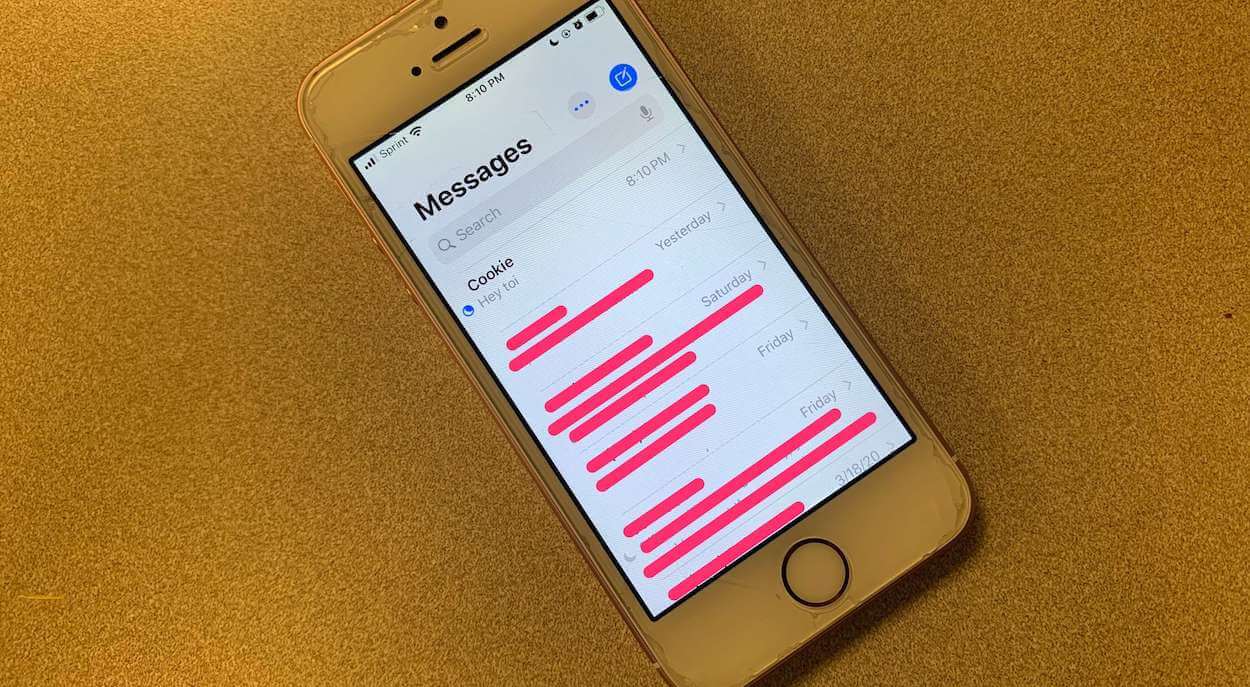
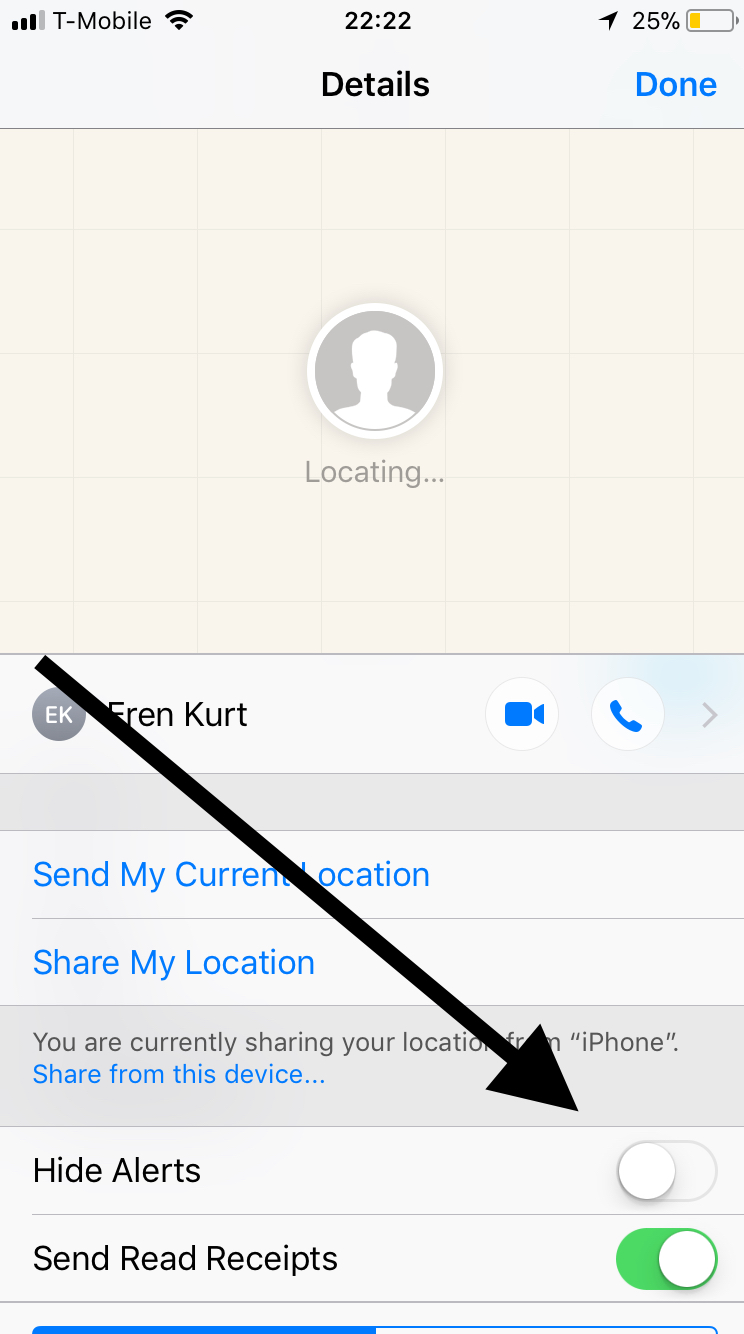
If you see the half-moon icon specifically next to a person’s name in the Messages app, it means something slightly different. It indicates that that specific conversation has been muted. If you accidentally swiped left on a message thread and tapped the purple bell icon, you’ve silenced notifications for that person. To fix this, swipe left on the conversation again and tap the bell icon to “Unmute.”
Driving and Sleep Triggers
The iPhone can use its accelerometer and Bluetooth connections to detect when you are driving. If “Do Not Disturb While Driving” is active, the half-moon icon will appear the moment your phone connects to your car’s Bluetooth or detects motion. Similarly, if you have a Sleep Schedule set up in the Health app, the half-moon will appear during your designated “Wind Down” time. Checking these specific schedules is often the key to resolving a “stuck” moon icon.
Digital Security and Privacy Implications of the Half Moon
Beyond simple convenience, the half-moon icon plays a role in digital security and privacy. In an era of “notification tracking” and social engineering, controlling when and where your screen lights up is a vital defensive measure.
Preventing “Shoulder Surfing”
When the half-moon icon is active, notifications do not appear on the lock screen in the same way. This prevents “shoulder surfing”—the act of someone looking over your shoulder to read sensitive incoming texts or 2FA (Two-Factor Authentication) codes. By using Focus modes, you ensure that your device remains a “black box” until you actively choose to engage with it.
Focus Status and Privacy
One of the more recent additions to the iOS software suite is the “Focus Status” feature. When you have the half-moon active, other iPhone users who try to message you via iMessage may see a small note stating that you “have notifications silenced.” This is a privacy-conscious way of managing social expectations. It informs the sender that you aren’t ignoring them; rather, the technology is protecting your time. However, if privacy is your main concern, you can disable this feature in the Focus settings so that others cannot see your status.
The Future of Notification Management in iOS
The half-moon icon is more than just a symbol for “quiet time”; it is a representation of Apple’s commitment to digital well-being. As artificial intelligence becomes more integrated into iOS through “Apple Intelligence,” we can expect the half-moon icon to become even smarter.
Future iterations of iOS are expected to use on-device AI to categorize notifications not just by app, but by “urgency.” Imagine a version of Do Not Disturb that knows to let a message through because it contains the words “emergency” or “running late,” while continuing to silence promotional emails or social media likes. The half-moon icon will likely remain the visual anchor for these features, signifying a state where the user is in total control of their digital environment.
In conclusion, the half-moon icon on your iPhone is a powerful tool designed to help you navigate a world of constant digital noise. Whether you use it to find deep focus at work, ensure a restful night’s sleep, or stay safe on the road, understanding its mechanics allows you to transform your iPhone from a source of distraction into a disciplined tool for productivity. The next time you see that small crescent moon, you’ll know exactly what it’s doing: guarding your attention in a world that is always trying to steal it.
aViewFromTheCave is a participant in the Amazon Services LLC Associates Program, an affiliate advertising program designed to provide a means for sites to earn advertising fees by advertising and linking to Amazon.com. Amazon, the Amazon logo, AmazonSupply, and the AmazonSupply logo are trademarks of Amazon.com, Inc. or its affiliates. As an Amazon Associate we earn affiliate commissions from qualifying purchases.